-
Please see the most recent updates in the "Where did the .com name go?" thread. Posts number 16 and 17.
-
IMPORTANT DOWNLOADING INFORMATION - ALL MEMBERS PLEASE READ
Please see this thread for updates. Update Thread
SOH ADMINISTRATION
You are using an out of date browser. It may not display this or other websites correctly.
You should upgrade or use an alternative browser.
You should upgrade or use an alternative browser.
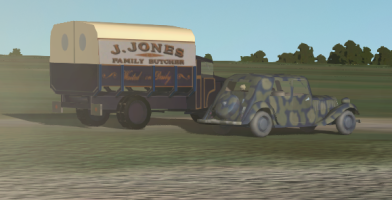
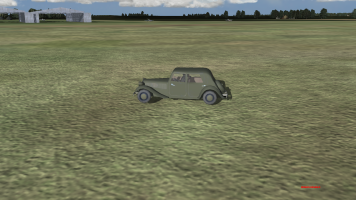
The car does not touch the ground
- Thread starter dewoitine
- Start date

Frosty
SOH-CM-2026
If it is a driveable/flyable model (in the CFS3 aircraft folder), they're in the model's aircraft.cfg file [contact_points] -section. I think it was the "static_cg_height" value. I can't remember whether it is in inches or feet, so use very small increments until you get the desired result.
If you have access to the source model, you can also use the steps below, but you probably still need to adjust the height in the .cfg file.
If it is a scenery model (CFS3 vehicle or buildings folder), you need to have access to the gmax source model. Make sure the model's wheels are touching the ground and/or the model's pivot point is at Z=0 in gmax and then export it again as a CFS3 model.
Forgive if I am wrong, it has been a while since I tinkered with models this way.
If you have access to the source model, you can also use the steps below, but you probably still need to adjust the height in the .cfg file.
If it is a scenery model (CFS3 vehicle or buildings folder), you need to have access to the gmax source model. Make sure the model's wheels are touching the ground and/or the model's pivot point is at Z=0 in gmax and then export it again as a CFS3 model.
Forgive if I am wrong, it has been a while since I tinkered with models this way.

dewoitine
SOH-CM-2026
Indeed it's a scenery model (CFS3 vehicle or buildings folder) but I've not access to the gmax source model.If it is a driveable/flyable model (in the CFS3 aircraft folder), they're in the model's aircraft.cfg file [contact_points] -section. I think it was the "static_cg_height" value. I can't remember whether it is in inches or feet, so use very small increments until you get the desired result.
If you have access to the source model, you can also use the steps below, but you probably still need to adjust the height in the .cfg file.
If it is a scenery model (CFS3 vehicle or buildings folder), you need to have access to the gmax source model. Make sure the model's wheels are touching the ground and/or the model's pivot point is at Z=0 in gmax and then export it again as a CFS3 model.
Forgive if I am wrong, it has been a while since I tinkered with models this way.
Thank you !