• There seems to be an uptick in Political comments in recent months. Those of us who are long time members of the site know that Political and Religious content has been banned for years. Nothing has changed. Please leave all political and religious comments out of the forums.

    If you recently joined the forums you were not presented with this restriction in the terms of service. This was due to a conversion error when we went from vBulletin to Xenforo. We have updated our terms of service to reflect these corrections.

    Please note any post refering to a politician will be considered political even if it is intended to be humor. Our experience is these topics have a way of dividing the forums and causing deep resentment among members. It is a poison to the community. We appreciate compliance with the rules.

    The Staff of SOH

  • Please see the most recent updates in the "Where did the .com name go?" thread. Posts number 16 and 17.

    Post 16 Update

    Post 17 Warning

**The OFFICIAL All Sims Air Tour Thread**

The one I tried is the old Alphasim version, which I've had for ages.

It has a trick system to accelerate at high altitudes and Mach Nos. by hitting the Flaps switch, which visually retracts the inlet cones and effectively gives you full burner as it goes like CRAZY!
 
makes me think, in RW, how do aircraft without a radio navigate into airports with radio-equipped traffic, including commercial planes? Or are they not allowed. Unless they see you, they don't even know you're there. I suppose ATC radar can see you, but wouldn't know who or what you are, but at least I suppose they could warn other planes of your presence. (Even gliders and little microlights have radios these days, is flying an aircraft without a radio prohibited?)
Anyone got any knowledge of this subject, please explain?
Well, we could start a new thread and cover it all... :oops: but I'll try to simplify it. No, you don't NEED a radio, but then you can't fly into certain places. (Note: airspace rules and requirements vary depending on where you are in the world).

A fairly simple overview can be found here: https://wayman.edu/airspace-classes/
A bit more in-depth explanation of the same stuff: https://langleyflyingschool.com/Pages/IFR Groundschool--Airspace Classification.html

Want some confusion? Some Class D airspace is only "D" while the tower is open and reverts to Class "E" when the tower is closed (Eg. at night)
So what airspace is what? If you have LittleNavMap (or maybe FST) you can turn on/off depiction of the various classes in the map -this varies somewhat with the version of LNM. Also note that these change over time (size, shape and even location) so there are differences depending on what version of the sim you use and what 'nav data' you select in LNM.

Now, will ATC keep you safe? Not in the sim. The logic built in is rudimentary at best - if you are talking to ATC and on final, that departing aircraft won't be cleared onto the runway in front of you, but ATC can't "see" so if you aren't talking, you don't exist in most cases.
I won't even start on advanced subjects like separation standards, visual separation, and on and on.

If the average sim pilot thinks the built-in ATC is poor, you should see what it looks like through the eyes and ears of someone who did it for 27 years IRL. :toilet_claw:
 
Thanks srgalahad for the info. No need to start another thread, it was just an idle thought. I know the age-old principle is unchanged, a pilot's primary responsibility is to keep a good lookout, especially when approaching an airport/circuit. But my limited experience in RW and also as a plane spotter from the ground, is it's very hard to see aircraft a lot of the time. Best for young eyes, not old eyes like most of us have.
 
I tried the AP too, and failed spectacularly! The aircraft kept on yawing to one side and the AP tried to reverse roll it to counteract that, which resulted in it going pretty much sideways. Not quite how Mr. Johnson intended things I think. :(
 
This may help, copied from a flightsim thread years ago:

"To all FS2004 autopilot users:

Ever since starting with FS2002, I've been frustrated by the way most autopilots capture a VOR radial, then overshoot from left to right for miles and miles. My alternative is to use heading hold and adjust as needed to stay on course. However, when the same overshoot problem occurs while capturing an ILS localizer, I didn't think there was any way to fix it. Then a thread of messages started here in late February and ended on March 4th. The subject, "FS9 Approach Capture Tweak", discussed some of these issues but never came to a conclusion that was shared with the forum. But something was suggested that I had never been aware of before.

In FS2004 there are 10 control variables in the aircraft.cfg under the autopilot section that the user can adjust. These AP controls (listed below) are described briefly in the FS2004 SDK, but the descriptions are not very helpful. The SDK calls them standard PID feedback controllers (Proportional, Integrator, Derivative). Anyone wanting more details on this subject can look for a Wikipedia entry, "PID controller". That article explains it reasonably well, but it helps to have a technical background.

AP Controls Common to Most Aircraft:
nav_proportional_control= 9.00
nav_integrator_control= 0.25
nav_derivative_control= 0.00
nav_integrator_boundary= 2.50
nav_derivative_boundary= 0.00
gs_proportional_control= 9.52
gs_integrator_control= 0.26
gs_derivative_control= 0.00
gs_integrator_boundary= 0.70
gs_derivative_boundary= 0.00

Most of the add-on aircraft in my hangar came with the above control values, with only a few exceptions. I don't know their origin, but they were apparently just copied from one aircraft.cfg to another with the assumption they must be okay. But they don't work well for most aircraft, particularly when capturing a VOR radial or ILS localizer. The values in the next list are what I recommend today for improving the NAV and glideslope capture of most aircraft. They're the result of a lot of testing on many aircraft. Because it's not possible to have one set of values that are perfect for all situations, these are a compromise. They work well for no-wind approaches as well as crosswinds from either side. At this time, I've tested a total of 23 aircraft and have found this set works well for all but one.

Recommended AP Controls for Most Aircraft:
nav_proportional_control= 20.0
nav_integrator_control= 0.45
nav_derivative_control= 0.00
nav_integrator_boundary= 0.50
nav_derivative_boundary= 0.00
gs_proportional_control= 14.0
gs_integrator_control= 0.65
gs_derivative_control= 0.00
gs_integrator_boundary= 0.70
gs_derivative_boundary= 0.00

From what I've learned, I believe any aircraft that came with the first set of AP controls will benefit from the recommended set of controls. I've tested two other aircraft that came with a different set of "customized" AP controls, the default B737-400 and a Sud Caravelle. The B734 works better with my recommendations, but the Caravelle does not. Because of these mixed results, I can't draw any conclusions about other control sets, including most payware. For payware owners, please feel free to do your own testing and report your results on this thread. There is one open question that I haven't been able to resolve throughout this study, and I'm hoping someone can enlighten me. Many, but not all, aircraft do a small pitch-up maneuver at the point where they intercept the glideslope. As I recall, FS2002 had none of this, but it happens with a majority of my FS2004 aircraft. Changing any of the five glideslope controls seems to have only a small effect, if any. This pitch-up makes it all but impossible to avoid overshooting the glideslope. Be sure to backup your aircraft.cfg file before trying out these new control values. My recommendations don't come with a guarantee, but I think most aircraft autopilots will be improved.

Regards,
JerryH"

Now I'm curious, will compare the two Alpha versions I have to see if any noteworthy differences in air and cfg files, even check the Pilots version, which dates from 2010.
 
Legs 12-14 Part I
===========

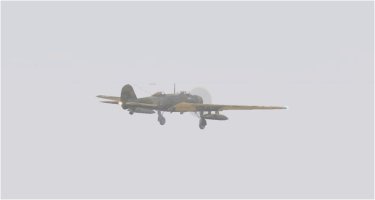
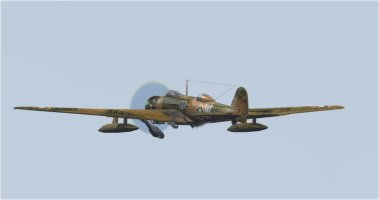
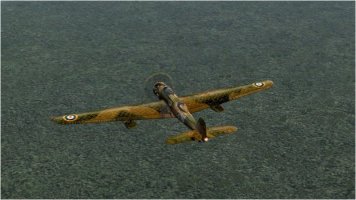
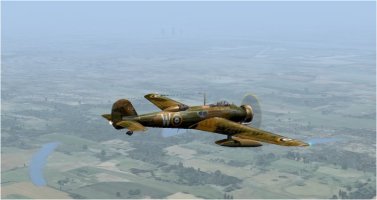
Today I flew a marathon flight of three legs in one, doing touch & goes at the intermediate fields. The whole length of the legs was 568 nms. so I looked for a long range aircraft, and what would be better than the holder of the World Long Distance Unrefuelled Record in the 1930s? That was the Vickers Wellesley, an RAF single engined long range bomber designed by Barnes Wallace, which was the first aircraft in service that used his geodetic construction. It held the record of over 7000 nms. back in those days, but needed MUCH larger fuel tanks for that flight of course.

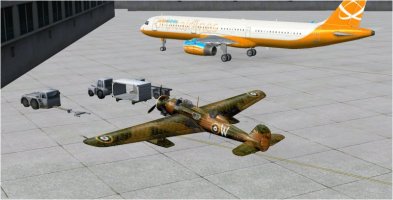
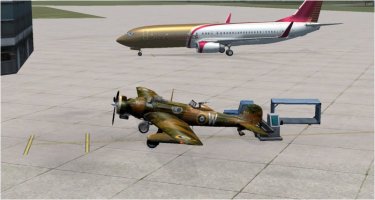
Here's the Wellesley parked up at Tulsa, not exactly the 'state of the aviation art' when compared to the A320 alongside!

Leg 09-a.jpg

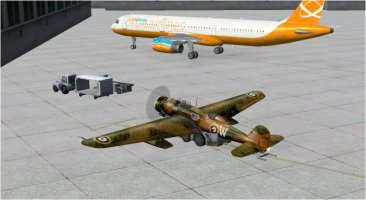
Having loaded my FST flight plan and powered up Active Sky, I had to taxi way to the north side of the field for take-off and did a 'Shift-P-1' to reverse off the ramp. To my utter amazement the push-back tractor drove up to me, and right underneath too, till it reached the tailwheel and proceeded to do the push-back for real! :oops:

Leg 09-b.jpg

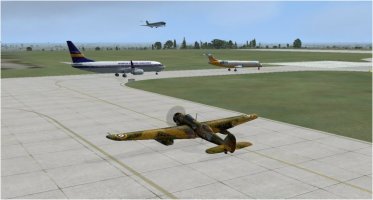
I decided to get away quickly from all this modern hi-tech stuff and headed for the taxi way, and then found I was following a 737! I'd rarely seen any other traffic on previous legs, but for some reason it seems to have increased markedly from here onwards. Having almost reached the threshold I had to wait in line behind the 737 and a CRJ 700 while an MD80 landed as well!

Leg 09-d.jpg

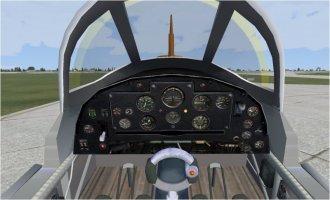
Climbing out from Tulsa went fine but I discovered the Wellesley had no working radio, but it did a have an ADB/VOR indicator. So setting the AP for an approximate course I opened up Panel Studio and added a DC3 radio set to the panel, which seemed suitably appropriate and that enabled me to home on the various beacons en route, or most of them anyway. The Wellesley's panel is very good indeed, both in 3D and 2D, this is the 3D version.

Leg 09-c.jpg

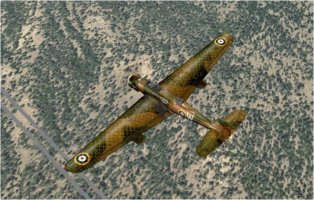
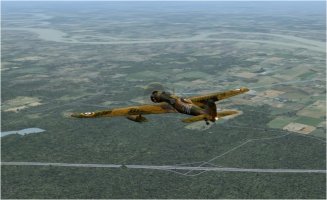
Flying over southern Oklahoma I couldn't help but think how wildly inappropriate the RAF Dark Earth/Dark Green camouflage was in these parts, the Wellesley stands out like a sore thumb from above!

Leg 09-e.jpg

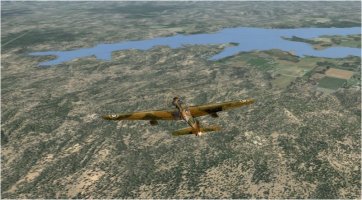
Using Google Earth as a guide I was able to identify a few significant lakes and rivers etc, this one being the Lake of the Arbuckles, whoever they might be!

Leg 09-f.jpg

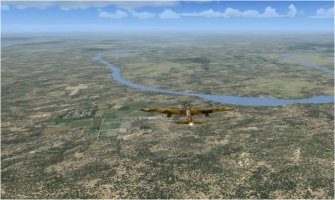
And very soon afterwards I crossed the Red River into Texas itself.

Leg 09-g.jpg

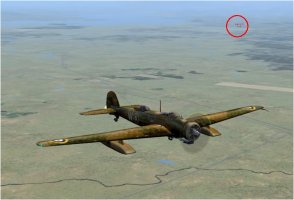
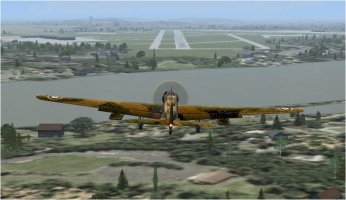
Just then, as I started my descent into KFTW Fort Worth, I had something happen I'd never seen before in FS of any version! A 737 flew right across my nose at EXACTLY the same altitude and only FEET away! The 737's fuselage filled the entire windscreen view, he was that close! :oops: That's him, ringed in red, over to port, taken in a pic a second or two later.

Leg 09-h.jpg

Very soon after I was into the really thick clag that other flyers have mentioned, and Active Sky local weather said it went down to 750 ft! Very much IFR stuff.

Leg 09-i.jpg

And as I'm about to run out of pic space, I'll leave it there and start a Part II post right afterwards.
 
Legs 12-14 Part II
============

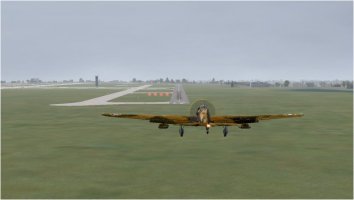
Coming out of the clag I was REALLY low as my descent rate was a bit too fast, as I REALLY wanted to see the ground, and as a result I cruised along about 250 ft agl. until I came to the Fort Worth runway. The PAPI lights show LOW I was...............

Leg 09-k.jpg

A quick touch down, throttle open and flaps to take-off, and I was off again, on an eastbound leg as soon as I'd got clear of the ground. But I was immediately back in the clag! As a result I didn't see anything of the surface for almost the entire flight to Shreveport, and the whole flight was either dead reckoning (flight by best guess..........) or by the now working radio homing in on the beacons. The wind at KDTN was from the west so I had to loop around over the Red River and turn back toward the Downtown Airport.

Leg 09-l.jpg

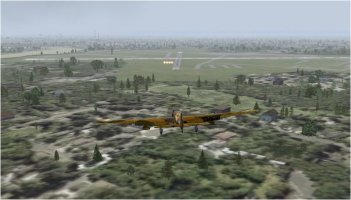
As a result of not seeing too well I was quite a distance off the approach and had to make a few S turns to get back on line, but I made it OK. Just for a change there WASN'T a tree or building on the runway centre line!

Leg 09-m.jpg

Again I did a touch & go, which went pretty well, and was soon climbing away to the north east, and back in the never ending clag of course! Here's the Wellesley's tucking up its gear, asymmetrically as all good British designs do. :)

Leg 09-n.jpg

At this point my FS all fell apart as all the weather vanished and I couldn't get Active Sky to re-start and had to do a full re-boot of the PC. :cry:
I logged the pause and saved the screenies to disc beforehand so I could re-start exactly where I left off and I blamed it on my proximity to Barksdale AFB with all their ECM and stuff. :sneaky:

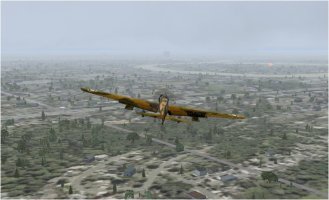
I had to dog-leg east a bit to avoid a Military Combat area on the leg to Little Rock, but not so far as to lengthen the route very much. And soon after that dog-leg the clag vanished, and was I ever pleased about that! I was amazed at the vast swathe of green forest below me, somehow I didn't expect that in this part of the USA. It reminded me of the first time I flew into Raleigh-Durham in the RW, when I had exactly the same surprise at the dense forest in North Carolina.

Leg 09-o.jpg

Descending for landing at KLIT Little Rock, again I had to loop east to land into wind and that took me across the Arkansas River.

Leg 09-p.jpg

Traces of the clag still remained and I could only JUST see downtown Little Rock and the field over to my left, but lower down it cleared somewhat and I had a good view over the river and of the runway.

Leg 09-q.jpg

For some reason the runway I'd chosen, 22R, had no PAPI lights whereas 22L did have. Go figure? I made a pretty good full stop landing here, and headed for the terminal, there being no sign of an FBO anywhere.

Leg 09-r.jpg

Turning around the corner of one wing of the terminal I nearly rammed a 737 already parked there, and it may have been the one that nearly rammed me, it was the same airline for sure. That would have been a good revenge certainly. :) Having parked up next to the 737 I was astonished once more as the baggage truck and conveyer came out to 'service' me! Aircraft recognition obviously wasn't their strong point as the only 'cargo' I carried were the bombs in the wing panniers!

Leg 09-s.jpg

The whole flight took 3 hrs 18 mins, and I averaged 167 kts. My 5000 ft cruise was at 3 psi boost which gave me 185 IAS, but of course I was slower during the descents and climbs, mostly anyway. I was most impressed with the Wellesley, it didn't lack for power, and certainly not for range as the tanks were still 51% full on landing. Despite its low wing loading it was very stable in crosswinds, maybe because its huge span gave it a very high moment of roll inertia.

Not sure what I'll fly over the next legs but I've got loads of types to pick from.
 
I spent yesterday doing some configuration and test flights. I might have found a good solution to avoid the issue encountered when trying to land at Des Moines International (KDSM) on my last flight.

This free Air Traffic program for MSFS 2020 (and 2024) is called FSLTL - FS Live Traffic Liveries.

It does report having Separation Control. Setting Yes = The injector will attempt to create separation between aircraft on approach to an airport. I will give it a try on the next flight and see how well it works.

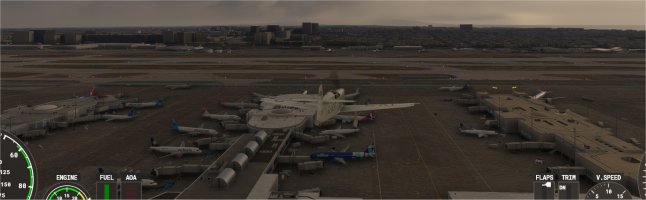
As a quick test I loaded up the sim at Los Angeles (KLAX) an airport I am very familiar with since I worked just down the street for many years.

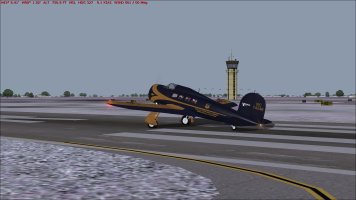
01 empty ramp.jpg
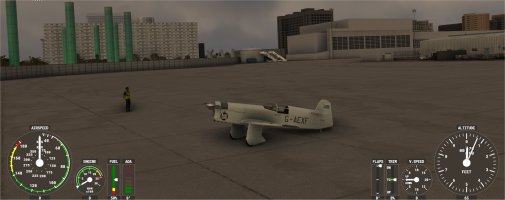
Here is my Mew Gull on the empty ramp before loading FSLTL

02 populated ramp.jpg
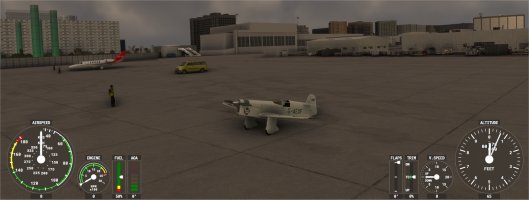
Here is the same ramp after loading FSLTL

03 KLAX gates.jpg
And here is an overhead view of some of the LAX gates and terminals with FSLTL

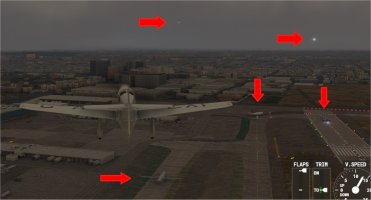
LAX 05.jpg
And here is a view of the approach end of the main runways. See the red arrows marking where aircraft are present. Looks like this new program should help a lot. I think it pulls data directly from FlightRadar24.
 
Time for one more leg this afternoon, KMWC Milwaukee to KAUW Wausau.

Starting under heavy overcast
kmwc.jpg

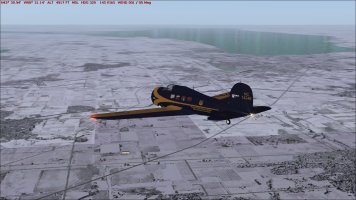
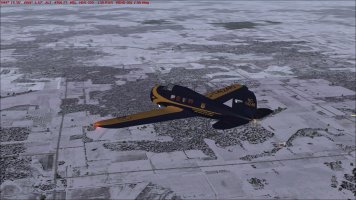
KFLD, Fond du Lac County Airport, barely visible (oddly I could find no historical information on this airport at all). Miles and miles of nothing but snow covered farmland, only saw a couple of other aircraft the entire flight.
kfld.jpg

Barely visible above the right wing, KPCZ, Waupaca Municipal Airport (aka Brunner Field), opened in 1944; has no designation from the IATA.
kpcz.jpg

Straight ahead, KAUW, Wausau Downtown Airport, founded in 1927, opened in 1937, handled commercial flights til 1969 when activities switched to Central Wisconsin Airport.
kauw.jpg

kauw2.jpg

kauw3.jpg

Utterly uneventful flight of 150 miles in 55 minutes. Everything in shades of grey except the water, which looks cold.
down.jpg
 
Leg 9 Des Moines (KDSM) - Kansas City (KMKC)
After a long taxi, we finally take off. The sky is overcast, but we have good VFR conditions.
leg09_bye_KDSM.jpg

Interstate 35 will be our guide to Kansas City.
leg09_good_vfr.jpg

Fifteen minutes before reaching Kansas City, the ceiling drops low, very low, forcing us to fly below 2,000 feet.
We contact Kansas City Downtown, which informs us that it is operating under IFR and refuses us landing clearance. As we approach the airport, we notice that while the surrounding area is well covered, the airport itself appears to be fairly clear.
leg09_KMKC.jpg

Leg 10 Kansas City (KMKC) - Colonel James Jabara Airport (Wichita - KAAO),
So we continued our journey at low altitude. And, contrary to what you might think, it wasn't us who were too low, but the buildings that were very tall (Welsh bad faith in).
leg10_notlow.jpg

Fortunately, after a few minutes, the sky cleared and we were able to resume our cruising altitude in calm air.
The rest of the flight proceeded smoothly until landing.
leg10_cloudBehind_perfectVFR.jpg
leg10_KAAO.jpg

Flight time: 3h in VFR and 20 min in IFR
To be continued..
 
Last edited:
Well here I am; Willow Run (KYIP).

“And who are you?” I hear you ask.

I was ScottishMike in “the other place” but did not have the good sense to retain the same name.

So here at SOH I am ZappaBaci.

Two friends and me, here to have some fun in the National Air Tour.
Let me introduce my travel companions:
Suzanne, who, if you frequented The Other Place, you may well have already met.
And
Callum, friend and colleague from Aberdeen, Scotland.

I’ll keep dialogue brief, I’m not sure how welcome it is here at SOH, and anyway we have many legs to get to know each other.
Being three happily restricted the choice of craft, enclosed and with a good heater. I’m not sure who is craziest; the organisers or the participants. Crossing the USA in January in ninety year old plus aircraft.

The first choice was the Miles M3A Falcon. I glanced at the met report as I walked out to her.
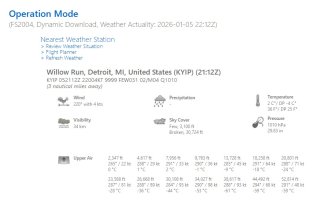
Weather rep.jpg
A bit cold but not bad flying conditions.

Suzanne and Callum already making themselves comfortable in the back.
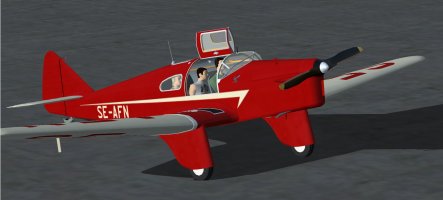
Miles passangers.jpg

The Falcon has the slightly odd arrangement of pilot up-front and two passengers behind.
I slipped into the pilot’s seat:
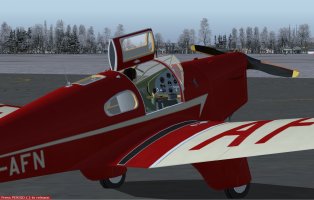
Miles 2.jpg

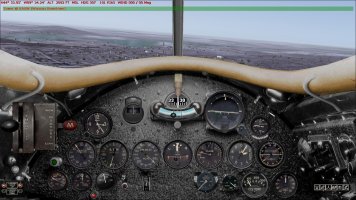
The panel was as expected for a 90+ year old aircraft, a basic modern radio and GPS the only additions. No autopilot or modern radio navigation equipment.
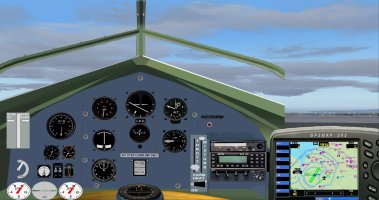
Miles panel.jpg

Suzanne, who has much more experience as a pilot than me, had worked out a flight plan based on paper specs; we had all decided this first leg would do as an experimental flight to find out the Falcon’s comfortable cruise speed and altitude. The only ice protection was the carb heat.
We powered up and followed the procedure sheet carefully. I radioed for clearance to taxi and take-off. Clearance given to taxi to 23L and hold.
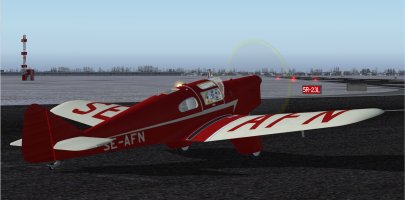
1 holding 23L.jpg

Take-off clearance given and we were away.
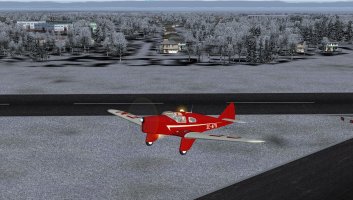
2 Miles t off.jpg

Happy cruise at 2200 rpm translated to 84 kts ground speed, the Falcon was not equipped with a manifold pressure gauge. The flight plan was heading 268 degrees at 4000’.
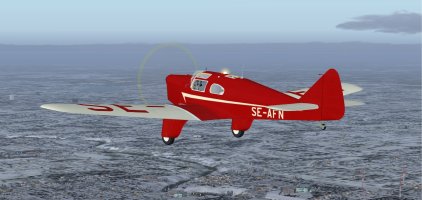
3 miles cruise.jpg

It was a question of keeping eyes peeled and knowing where we were, referencing ground features to the map, (the GPS certainly helped). I wondered about the “gentlemen” adventurers of the 1930s, epitomised in characters like Bertie Wooster and Jeeves in England and The Great Gatsby here in the US. To do or die bravado but insulated by wealth from the cruelty of the great depression.
“Time to keep your eyes peeled for Kellogg” Suzanne shouted. No sooner had she spoken than a bank of low cloud obscured the view:
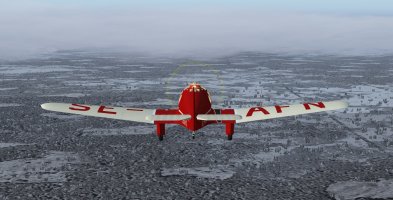
4 Miles low cloud.jpg

Luckily we were in and out of the cloud in minutes. I thought I could see a runway just about visible ahead:
KBTL ahead.jpg

I tried to tune KBTL ATC but the radio would not change frequency. I tried again and got a faint crackly reply from Willow Run tower, I explained our problem and asked them to contact KBTL ATC to let them know we would be landing on 27 direct approach in around five minutes. The guy did not seem too happy but I expected him to comply for safety sake if nothing else. The radio on the list for repair when we landed. Ironic that it was one of the only two modern instruments fitted.
The Falcon was easy to line up for final, the flaps reducing speed with little if no ballooning effect.
With full flaps she descended gently at 65 knots with about 25% power.
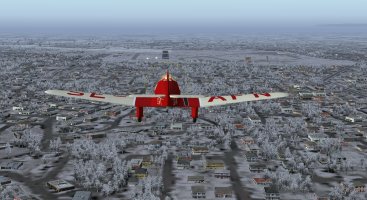
5 Miles line up.jpg

Landing was gentle, a three pointer not recommended, using the strong main gear advised then dropping onto the tail wheel to taxi.
Close down procedure completed I opened the famous gull wing door. We locked her up and went looking for food and a radio engineer.

FIRST LEG COMPLETED!

 
Back
Top