
-
Please see the most recent updates in the "Where did the .com name go?" thread. Posts number 16 and 17.
You are using an out of date browser. It may not display this or other websites correctly.
You should upgrade or use an alternative browser.
You should upgrade or use an alternative browser.
Virtavia F-104 Texture Problem
- Thread starter Tom Burnside
- Start date
Tom Burnside
Charter Member
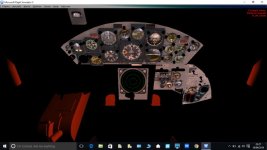
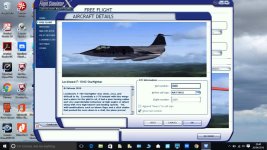
Looks like your missing a specular file(s), or the specular you have is far too dark (reflecting no light) on the exterior....the interior looks like an alpha channel that controls visibility problem.
Is there a way to solve this.

Mach3DS
Charter Member
Are all the variants like this? Or just this particular one? If it's just this one, see if there's a shared texture folder and either point the specific texture.cfg fallback to that folder, or copy the contents of it directly to the affected texture(s). If that doesn't solve it....you'll have to open the textures of the parts that look like they work correctly and compare them to the ones that don't looking for anomalies between them and fixing what's missing. Kind of a trial and error process without knowing exactly. I don't have this one. So I'm not sure.

DaveQ
Charter Member
Tom, have you renamed any of the folders? Eg, renamed them Lockheed F-104 Starfighter as an example? The texture.cfg file for the Kreigsmarine paints points back to Alpha (possible Virtavia) F-104 Starfighter 0 for additional texture files; you are missing VC files in the texture.shared folder and some files in the texture.bump folder, both in the F-104 Starfighter 0 directory. As Rick says, check the 'texture.cfg' file in the Kreigsmarine paint folder.
Hope you sort this.
DaveQ
Hope you sort this.
DaveQ
Tom Burnside
Charter Member
Rick not all variants the variant with just the sidewinders are fine but the others are like this. Dave I havent renamed any of the folders I have just installed it into FSX and this is what I got.
DaveQ
Charter Member
I still think you need to check how the 'texture,cfg' files read. This is from a very old version (hence 'Alpha F-104....)
[fltsim]
fallback.1=..\..\ALPHA F-104 Starfighter 0\texture.shared
fallback.2=..\..\ALPHA F-104 Starfighter 0\texture.bump
If you copy both these texture folders from the Italian one which has only Sidewinders (the one labelled 0 as above) into the other 3 sub-directories that might work. Or, as Rick says, just copy all the files out of these two folders into every other texture folder in the set, then that would work as well. Other than that you have an incomplete download.
DaveQ
[fltsim]
fallback.1=..\..\ALPHA F-104 Starfighter 0\texture.shared
fallback.2=..\..\ALPHA F-104 Starfighter 0\texture.bump
If you copy both these texture folders from the Italian one which has only Sidewinders (the one labelled 0 as above) into the other 3 sub-directories that might work. Or, as Rick says, just copy all the files out of these two folders into every other texture folder in the set, then that would work as well. Other than that you have an incomplete download.
DaveQ