
-
Please see the most recent updates in the "Where did the .com name go?" thread. Posts number 16 and 17.
-
IMPORTANT DOWNLOADING INFORMATION - ALL MEMBERS PLEASE READ
Please see this thread for updates. Update Thread
SOH ADMINISTRATION
You are using an out of date browser. It may not display this or other websites correctly.
You should upgrade or use an alternative browser.
You should upgrade or use an alternative browser.
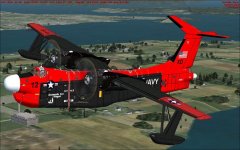
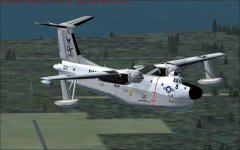
Virtavia Martin SP-5B Marlin released!
- Thread starter Ferry_vO
- Start date


tommieboy
SOH-CM-2025
DX10....
Wow....that self-shadowing looks so clean and sharp! On my old rig with DX9 that self-shadowing would have sand paper edges.
Tommy

fsafranek
SOH-CM-2024
I saw the email just now. Great detective work.

Frank,
Sent a follow up to Phil(support) this AM. Was able to "fix" with a little thought. Isolated the issue as something "electric", as some of the gauges were inop, as were the flaps. Out of curiosity, opened up the Albatross aircraft.cfg file, and noticed that all of the entries had "0" for minimum voltage (3rd entry). All of the entries for the Marlin had values, some of them high.
On a whim, changed all electrical entries for min voltage on the Marlin to "0", and viola the Marlin now works fine!!
Puzzling, but now it seems to work. Never had an issue like this, for all the other dozens of aircraft that I have (embarrassed to say how many that I actually have, not even my wife knows).
Bill

YoYo
SOH-CM-2023

YoYo
SOH-CM-2023
My screen shots always pale in comparison to other people's. My big gripe is I'd like to get rid of the jagged edges on the aircraft's surfaces. Any suggestions would be appreciated.
Which GPU (graphic card)? Perhaps You must turn on AntiAliasing and Anisotropic.

NVIDIA GeForce GTX 550 TiWhich GPU (graphic card)? Perhaps You must turn on AntiAliasing and Anisotropic.
As for the electrical issues reported earlier in the thread, I have modified the settings and presume that the Boss will do the same on the release version. If the issue shows itself again please let us know so we can apply the proper fix.
That was heads up trouble shooting by Bill. Thanks!
That was heads up trouble shooting by Bill. Thanks!


tommieboy
SOH-CM-2025
NVIDIA GeForce GTX 550 Ti
I have a much older card than that and can take some pretty good scene captures. Even though I set up Anti-aliasing (and a whole bunch of other settings) in the graphic card's setup software, I still have to check the following boxes in FSX Settings - Display for Anti-aliasing to work:
Filtering: Bilinear
Anti-aliasing
Not sure why I have to do this, but it was the same deal with my old ATI card / software too.....

Tommy


YoYo & tommieboy, thanks for the suggestions. I turned on Anti-aliasing and Anisotropic filtering in the FSX settings and that helped quite bit to eliminate the jagged edges. I'm going to do some more experimenting, I have to admit I don't have a good grasp on what the filtering does or doesn't do.
tommieboy
SOH-CM-2025
......I have to admit I don't have a good grasp on what the filtering does or doesn't do.
Join the club.......I have always struggled with optimizing the graphics settings with every card I have ever installed.
Tommy
YoYo
SOH-CM-2023
YoYo & tommieboy, thanks for the suggestions. I turned on Anti-aliasing and Anisotropic filtering in the FSX settings and that helped quite bit to eliminate the jagged edges. I'm going to do some more experimenting, I have to admit I don't have a good grasp on what the filtering does or doesn't do.
No problem, here, on SOH is more suggestions: http://www.sim-outhouse.com/sohforums/showthread.php?49661-Anti-alias-and-filtering-in-FSX .
It depences from resolutions too and power of computer, for example I have AntiAliasing x4 and Anizo x16, sometimes too use SuperSampling (before on resolutions 1920x1080).
Always it has impact for FPS too. You can setup it direct on soft of Graphic Card and/or in FSX settings.

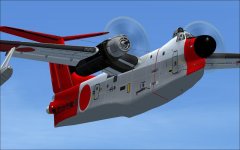
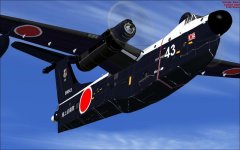
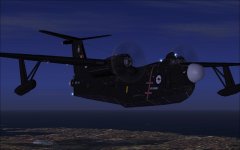
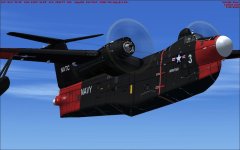

icycle
SOH-CM-2024
Don't worry, you're not stupid, it took me a fermented malt beverage (or two) to stumble on a potential solution to a similar issue I had.
Each entry in the electrical section of the aircraft.cfg is laid out with three entries: 1st is for "Bus Type", 2nd is for "Max amp"(erage), 3rd is "Min(imum) Voltage". So I simply changed ALL the "Min Voltage" entries(3rd entry in each line) to "0".
So your example of
light_Beacon = 0, 10, 19,
change the "19" to "0", so it reads
light_Beacon = 0, 10, 0
do that for all entries, and see if it works. It fixed the issue for me.....
Bill
Each entry in the electrical section of the aircraft.cfg is laid out with three entries: 1st is for "Bus Type", 2nd is for "Max amp"(erage), 3rd is "Min(imum) Voltage". So I simply changed ALL the "Min Voltage" entries(3rd entry in each line) to "0".
So your example of
light_Beacon = 0, 10, 19,
change the "19" to "0", so it reads
light_Beacon = 0, 10, 0
do that for all entries, and see if it works. It fixed the issue for me.....
Bill