What Is the Best Animation Option for a Model

pstrany

Charter Member
Hi;

this is a technical question for the experts. I'm animating camera bay doors on a Bf 109G-8, and I need to assign the animation to a key. I can't use the spoiler/speedbrake key, as I'm already using that for automatic slats. I was able to animate them using the Concorde nose extend keyframe animation, but I was wondering if there was a better option? Is there a different key that I could use that others might be more familiar with?

Thanks!

Paul
 
Hi Paul,

Keystrokes which are also often used for additional animations are the "extend tail hook" command or the "fold wings" keystroke.

Cheers,
Huub
 
Hi Paul,
Just a suggestion, that you don't use any keys that are the 'odd' ones ie concorde nose, some need key assignment that people either won't have done or don't know how to...and then say..''it doesn't work!'...lol.

I would use the the tailhook key or unfold wings command, (putting an entry for operation in the ac.cfg..apol if that's teaching your granny etc).

Cheers

Shessi
 
I would use tailhook or fold wings if you don't need the part to open while flying.
 
A small addition to the comments already made - I would favour the tailhook command, as any DP ordnance disappears when you use the "fold wings" command:pop4:
 
Well UT, learned something new!

Also, we're a bit DOHHH!, wingfold won't work when flying, and if used on the ground, the ac won't then fly, coz it thinks it hasn't any wings.....

I think tailhook it is then!

Cheers

Shessi
 
Tailhook It Is, But.....

Thanks for the suggestions. It is helpful to know what people expect, I'd hate to put all the work into animating the camera bay doors only to have no one able to open them because I used an obscure tag.

The only problem i have is that I use the tailhook tag to animate the droptank in FS2004, so this will work very well for the CFS2 model, but it's going to be problematic for FS2004 model. Guess I should pose that question over on the FS2004 forum though.

Thank you all for the replies........


Paul
 
Thanks for the suggestions. It is helpful to know what people expect, I'd hate to put all the work into animating the camera bay doors only to have no one able to open them because I used an obscure tag.

The only problem i have is that I use the tailhook tag to animate the droptank in FS2004, so this will work very well for the CFS2 model, but it's going to be problematic for FS2004 model. Guess I should pose that question over on the FS2004 forum though.

Thank you all for the replies........


Paul

Maybe FS2004 users are more used to deal with the Concorde nose extend key.
 
Paul,
Well if you're talking about Fs9, why not use the rear canopy open command...SHIFT + E + 2, it's already assigned in Fs9, and it's makes sense as you're 'opening a window'. In CFS2 just use tailhook.

Cheers

Shessi
 
Thanks for the suggestions. It is helpful to know what people expect, I'd hate to put all the work into animating the camera bay doors only to have no one able to open them because I used an obscure tag.

The only problem i have is that I use the tailhook tag to animate the droptank in FS2004, so this will work very well for the CFS2 model, but it's going to be problematic for FS2004 model. Guess I should pose that question over on the FS2004 forum though.

Thank you all for the replies........


Paul

You have mail Paul!! :)
 
Thank you for the kind suggestions. I've already incorporated the tailhook animation for the CFS2 version, and it works a treat. Much smoother than the concorde nose, which is a side benefit. I'll try the rear canopy when I can get back to things. Had a bit of a health setback, nothing major, but annoying, and requires me to back off everything for just a bit. I'll post a screenshot when I get the texturing worked out.


Paul
 
Thank you for the kind suggestions. I've already incorporated the tailhook animation for the CFS2 version, and it works a treat. Much smoother than the concorde nose, which is a side benefit. I'll try the rear canopy when I can get back to things. Had a bit of a health setback, nothing major, but annoying, and requires me to back off everything for just a bit. I'll post a screenshot when I get the texturing worked out.


Paul

Paul,

You can also try cowl_flaps. I used that on the P-51D, you can open it to any positions.

Andrew
 
Thanks for all the help, and I got them working. And Andrew, thanks for the suggestion, but I had to use the cowl flaps to animate the split flaps on the radiators. It was tailhook or some obscure animation option.

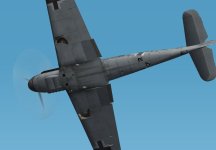
The camera bays are between frames 5 & 6 as seen below. When not in use, there are sliding doors that cover the openings.


Paul
 

Attachments

  • g801-01.jpg
    g801-01.jpg
    28.8 KB · Views: 2
Back
Top