
-
Please see the most recent updates in the "Where did the .com name go?" thread. Posts number 16 and 17.
-
IMPORTANT DOWNLOADING INFORMATION - ALL MEMBERS PLEASE READ
Please see this thread for updates. Update Thread
SOH ADMINISTRATION
You are using an out of date browser. It may not display this or other websites correctly.
You should upgrade or use an alternative browser.
You should upgrade or use an alternative browser.
Zoom in/out function
- Thread starter OleBoy
- Start date
OleBoy
Go into Settings, Assignments. Scroll down the list until you find Decrease Selection. Hit Change Assignment and click on what button you want to use to Decrease Selection (which is zooming out). Hit OKAY. Then scroll down until you find Increase Selection. Hit Change Assignment. Click on the button you want to use to Increase Selection (zoom in). Hit OKAY.
OBIO
Go into Settings, Assignments. Scroll down the list until you find Decrease Selection. Hit Change Assignment and click on what button you want to use to Decrease Selection (which is zooming out). Hit OKAY. Then scroll down until you find Increase Selection. Hit Change Assignment. Click on the button you want to use to Increase Selection (zoom in). Hit OKAY.
OBIO
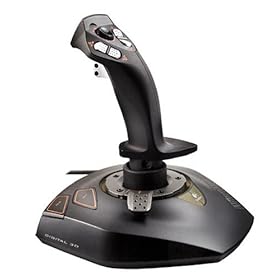


EDIT, was to slow, mine was the top pic and I now understand why.
I've got one of those in the loft, was really quite fond of it, not as sensitive as my current one, but I do recall it has a throttle and twist rudder. So why u using a-z and auto-rudder?
Jamie
I've got one of those in the loft, was really quite fond of it, not as sensitive as my current one, but I do recall it has a throttle and twist rudder. So why u using a-z and auto-rudder?
Jamie
Oleboy,
Seems like this stick should be programmable inside fs9. It's a nice stick, too
Try following OBIO's advice, -- punch the button you want on the joystick for the function you have selected in the menu. This part of the FS9 interface is quite powerful. Seems like you can set the throttle axis to the little red lever, mebbe?
Also open the Logitech wingman app, it may help you out.
cheerio,
brady
Seems like this stick should be programmable inside fs9. It's a nice stick, too
Try following OBIO's advice, -- punch the button you want on the joystick for the function you have selected in the menu. This part of the FS9 interface is quite powerful. Seems like you can set the throttle axis to the little red lever, mebbe?
Also open the Logitech wingman app, it may help you out.
cheerio,
brady

wombat666
Administrator
http://www.flight1.com/view.asp?page=library
Go to the Flight 1 site and download the free 'F1 View Utility'.
Or just click on the download link below.
It allows you to use your mouse wheel to zoom in and out ........dead simple.

[FONT=Verdana, Arial, Helvetica, sans-serif]F1View Utility for FS2004 (742 KB)[/FONT]
Go to the Flight 1 site and download the free 'F1 View Utility'.
Or just click on the download link below.
It allows you to use your mouse wheel to zoom in and out ........dead simple.
[FONT=Verdana, Arial, Helvetica, sans-serif]F1View Utility for FS2004 (742 KB)[/FONT]