
-
Please see the most recent updates in the "Where did the .com name go?" thread. Posts number 16 and 17.
-
IMPORTANT DOWNLOADING INFORMATION - ALL MEMBERS PLEASE READ
Please see this thread for updates. Update Thread
SOH ADMINISTRATION
You are using an out of date browser. It may not display this or other websites correctly.
You should upgrade or use an alternative browser.
You should upgrade or use an alternative browser.
Default Cessna Skyhawk
- Thread starter Aircanuck
- Start date

MrZippy
SOH-CM-2026
...good point Chris, should of said "panel lighting".
Use the panel light switch!
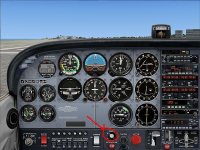
... thank you, gave it a try with no success. I know someone else had this problem a ways back who provided the fix in the a/c config folder, I followed his instructions and it did the trick.
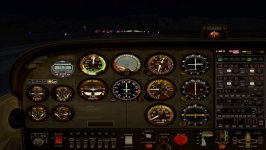
I recently did a re install of FSX and I'm now back to a dark panel ..... not the end of the world I suppose.
Cheers
I recently did a re install of FSX and I'm now back to a dark panel ..... not the end of the world I suppose.
Cheers
MrZippy
SOH-CM-2026
Here is the [lights] section of my aircraft.cfg: Panel light on/off by the switch or Shift+L keys.
[LIGHTS]
//Types: 1=beacon, 2=strobe, 3=navigation, 4=cockpit
light.0 = 3, -2.76, -18.11, 2.97, fx_navred
light.1 = 3, -2.78, 18.11, 2.95, fx_navgre
light.2 = 2, -3.13, -18.31, 2.95, fx_strobe
light.3 = 2, -3.11, 18.31, 2.95, fx_strobe
light.4 = 1, -20.51, 0.00, 6.20, fx_beacon
light.5 = 4, -2.27, 0.00, 1.45, fx_vclight
[LIGHTS]
//Types: 1=beacon, 2=strobe, 3=navigation, 4=cockpit
light.0 = 3, -2.76, -18.11, 2.97, fx_navred
light.1 = 3, -2.78, 18.11, 2.95, fx_navgre
light.2 = 2, -3.13, -18.31, 2.95, fx_strobe
light.3 = 2, -3.11, 18.31, 2.95, fx_strobe
light.4 = 1, -20.51, 0.00, 6.20, fx_beacon
light.5 = 4, -2.27, 0.00, 1.45, fx_vclight
Light Switch
My light section has the last line marked inoperative as below:
[LIGHTS]
//Types: 1=beacon, 2=strobe, 3=navigation, 4=cockpit
light.0 = 3, -2.76, -18.11, 2.97, fx_navred
light.1 = 3, -2.78, 18.11, 2.95, fx_navgre
light.2 = 2, -3.13, -18.31, 2.95, fx_strobe
light.3 = 2, -3.11, 18.31, 2.95, fx_strobe
light.4 = 1, -20.51, 0.00, 6.20, fx_beacon
//light.5 = 4, -2.27, 0.00, 1.45, fx_vclight
As for using the keyboard, mine operates as follows:
L = All lights toggle
Shift + L= VC lights toggle
Control + L= Landing lights and beacon toggle
My light section has the last line marked inoperative as below:
[LIGHTS]
//Types: 1=beacon, 2=strobe, 3=navigation, 4=cockpit
light.0 = 3, -2.76, -18.11, 2.97, fx_navred
light.1 = 3, -2.78, 18.11, 2.95, fx_navgre
light.2 = 2, -3.13, -18.31, 2.95, fx_strobe
light.3 = 2, -3.11, 18.31, 2.95, fx_strobe
light.4 = 1, -20.51, 0.00, 6.20, fx_beacon
//light.5 = 4, -2.27, 0.00, 1.45, fx_vclight
As for using the keyboard, mine operates as follows:
L = All lights toggle
Shift + L= VC lights toggle
Control + L= Landing lights and beacon toggle

My light section has the last line marked inoperative as below:
[LIGHTS]
//Types: 1=beacon, 2=strobe, 3=navigation, 4=cockpit
light.0 = 3, -2.76, -18.11, 2.97, fx_navred
light.1 = 3, -2.78, 18.11, 2.95, fx_navgre
light.2 = 2, -3.13, -18.31, 2.95, fx_strobe
light.3 = 2, -3.11, 18.31, 2.95, fx_strobe
light.4 = 1, -20.51, 0.00, 6.20, fx_beacon
//light.5 = 4, -2.27, 0.00, 1.45, fx_vclight
As for using the keyboard, mine operates as follows:
L = All lights toggle
Shift + L= VC lights toggle
Control + L= Landing lights and beacon toggle
Awesome RayHff , problem solved !!
As I had done in a previous tweak , I went ahead and removed the two // and we have interior lights once again.
Cheers for all your comments and help
