• Please see the most recent updates in the "Where did the .com name go?" thread. Posts number 16 and 17.

    Post 16 Update

    Post 17 Warning old domain name stealing credentials

  • Special Server Maintenance

    Just when you think you have everything running some what better...

    You get a message from the Hosting company. Short story they need to move us to a new server. I have been working with them to plan a good date for all concerned. Here is what we have come up with as a schedule.

    1. November 4th 17:00 -5UTC shut off the forums and start backup proceedures. During this time there will be no access to the forums or the Resource Section.
    2. November 5th Continue with Backups and download same until complete.
    3. November 6th 7:00 turn over server to hosting company to move system to new server
    4. November 7th - 8th restore backups and upgrade forum software.

    If all goes well we should be back online on November 8th.

    To keep you updated we will post updates on AVSIM forums.

    Thank you for your support.

Default Cessna Skyhawk

Aircanuck

Charter Member
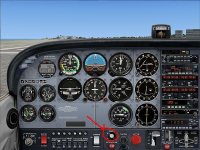
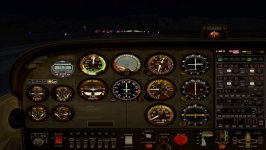
At the present time when I turn the A/C's light's on, the cabin lights remain off ?? Is there a separate switch ?

I thought there was a Simmer ( awhile back ) out there that had come up with a quick fix for this concern in the A/C's config file.

Cheers for now
 
... thank you, gave it a try with no success. I know someone else had this problem a ways back who provided the fix in the a/c config folder, I followed his instructions and it did the trick.

I recently did a re install of FSX and I'm now back to a dark panel ..... not the end of the world I suppose.

Cheers
 
Here is the [lights] section of my aircraft.cfg: Panel light on/off by the switch or Shift+L keys.

[LIGHTS]
//Types: 1=beacon, 2=strobe, 3=navigation, 4=cockpit
light.0 = 3, -2.76, -18.11, 2.97, fx_navred
light.1 = 3, -2.78, 18.11, 2.95, fx_navgre
light.2 = 2, -3.13, -18.31, 2.95, fx_strobe
light.3 = 2, -3.11, 18.31, 2.95, fx_strobe
light.4 = 1, -20.51, 0.00, 6.20, fx_beacon
light.5 = 4, -2.27, 0.00, 1.45, fx_vclight

panel light.jpg
 
Light Switch

My light section has the last line marked inoperative as below:

[LIGHTS]
//Types: 1=beacon, 2=strobe, 3=navigation, 4=cockpit
light.0 = 3, -2.76, -18.11, 2.97, fx_navred
light.1 = 3, -2.78, 18.11, 2.95, fx_navgre
light.2 = 2, -3.13, -18.31, 2.95, fx_strobe
light.3 = 2, -3.11, 18.31, 2.95, fx_strobe
light.4 = 1, -20.51, 0.00, 6.20, fx_beacon
//light.5 = 4, -2.27, 0.00, 1.45, fx_vclight

As for using the keyboard, mine operates as follows:

L = All lights toggle
Shift + L= VC lights toggle
Control + L= Landing lights and beacon toggle
 
Might also be the typical problem of the flood/panel lights that work only at night time ?
 
My light section has the last line marked inoperative as below:

[LIGHTS]
//Types: 1=beacon, 2=strobe, 3=navigation, 4=cockpit
light.0 = 3, -2.76, -18.11, 2.97, fx_navred
light.1 = 3, -2.78, 18.11, 2.95, fx_navgre
light.2 = 2, -3.13, -18.31, 2.95, fx_strobe
light.3 = 2, -3.11, 18.31, 2.95, fx_strobe
light.4 = 1, -20.51, 0.00, 6.20, fx_beacon
//light.5 = 4, -2.27, 0.00, 1.45, fx_vclight

As for using the keyboard, mine operates as follows:

L = All lights toggle
Shift + L= VC lights toggle
Control + L= Landing lights and beacon toggle

Awesome RayHff , problem solved !!

As I had done in a previous tweak , I went ahead and removed the two // and we have interior lights once again.

Cheers for all your comments and help :applause:
 
Back
Top