Converting from 2098 to 4096 images

The way I would do it, would be to open the file in Photoshop and then Click:

Image> Image Size > enter your new image size.
 
The way I would do it, would be to open the file in Photoshop and then Click:

Image> Image Size > enter your new image size.

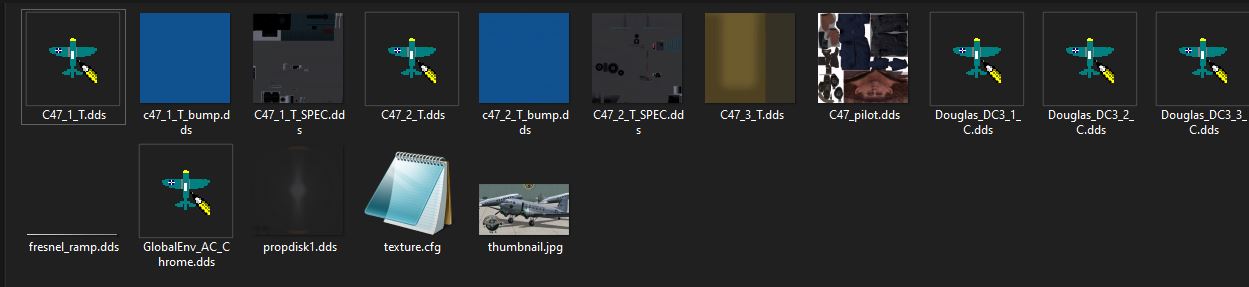
Don't have Photoshop but have paint.net and it can do like you say. Question now is, which of these files do I convert to 4096? I had converted most of them and the plane lost its
reflective shine, and went to a dull gray finish, It is a C-47 with shiny aluminum reflection. Most of these are in a DDS 32 bit 2048 x 2048 mode.


Capture.jpg
 
I'd leave them at 2048x2048 if I were you. You're not going to gain anything by up-scaling them apart from using more memory.
 
I think Dave is right. Unless you wish to totally rework the textures, just upscaling them will not make them look any better but just eat up video memory.

If you wish please tell us what you wish to achieve and appropriate help may be given.
 
I think Dave is right. Unless you wish to totally rework the textures, just upscaling them will not make them look any better but just eat up video memory.

If you wish please tell us what you wish to achieve and appropriate help may be given.

Based on advise I've read here, I think I will just leave well enough alone.

I've seen some nice looking aircraft paint textures in the 4096 mode but I see it is at a price in memory.

Thanks
 
In my humble opinion, it's only worth up-scaling from 2048 to 4096 if you are going to completely re-do the stenciling, panel lines and rivet details.
 
If you're willing to put in the work, upscaling them will provide double the image quality. obviously. Much more detail can be had. But simply changing the existing texture, especially in a .dds format, which is already been compressed from the original image it was made from will result in some really bad looking textures in high detail. LOL
 
If you're willing to put in the work, upscaling them will provide double the image quality. obviously. Much more detail can be had. But simply changing the existing texture, especially in a .dds format, which is already been compressed from the original image it was made from will result in some really bad looking textures in high detail. LOL

The work being completely redoing all the stenciling and markings and edges of lines etc.. Making a 2048 texture a 4096 texture doesn't make it any better. Just makes it take up 4 times the memory.

Given I'm only on FSX, I pretty regularly downscale textures from 4096... pretty hard to tell the difference unless you zoom way in. Then again, I'm only flying on a 24" monitor.
 
Back
Top
