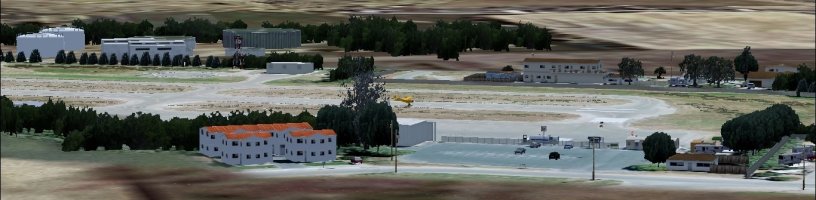
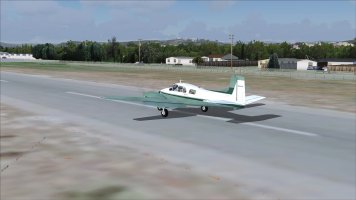
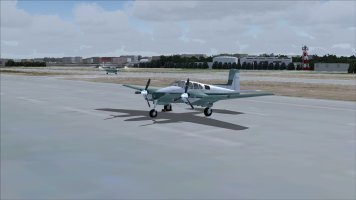
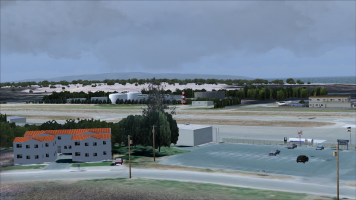
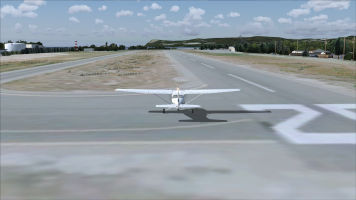
Dustin Mosher's Ocean City L52 scenery

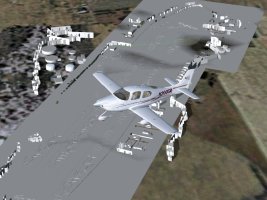
Here's what I get;

IIRC this is a mismatch between textures made on Apple Mac vs Windows, I've seen it before in other sceneries by the Mosher brothers, but can't remember the fix

(ie file names are good etc and all present, but the texture header incorporates Mac data that windows can't read)

ttfn

Pete


L52_.jpg
 
Pete could you eventually post an image of the listing of your Scenery bgls and textures included?

I wonder what you mean, by: "Mac data incorporation"... since i can't find any of that in my Scenery...

Of course i had a few textures, that were safed as DXT1 (which FS9 can't read..). so i had to convert them to DXT3 or 8-888 Extended BMP Textures with DXTBMP... so FS9 can actually read them..

Also i then got rid of the fuzzy .kml Photoreal from Google Earth and added my own FSET Photoreal surrounding to it... which looks sharp and crisp... and fitts the actual Photorealistic Ground Poly of the Scenery and even provides some Autogen for the Photoreal Surrounding.
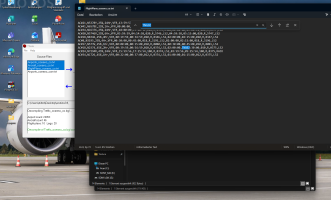
 
Pete could you eventually post an image of the listing of your Scenery bgls and textures included?

I wonder what you mean, by: "Mac data incorporation"... since i can't find any of that in my Scenery...

Of course i had a few textures, that were safed as DXT1 (which FS9 can't read..). so i had to convert them to DXT3 or 8-888 Extended BMP Textures with DXTBMP... so FS9 can actually read them..

Also i then got rid of the fuzzy .kml Photoreal from Google Earth and added my own FSET Photoreal surrounding to it... which looks sharp and crisp... and fitts the actual Photorealistic Ground Poly of the Scenery and even provides some Autogen for the Photoreal Surrounding.

It's in the metadata of the texture files that tells windows how to open it, not a file extension, Mac adds some machine code that windows
cannot read, ie colour palette used, what version of mac was used, whether the file is compressed
Etc
 
ah and the only issue i have with the scenery, is currently the spawning point... when loading the scenery, the aircraft spawns near the runway, and not on the active runway... so i guess this is an afcad issue... which i need to tackle...

1794747277208.png
 
@Motormouse - perhaps a case of missing scenery libraries??

per included readme:
2. Install the following scenery libraries as per provided instructions (available on Avsim and elsewhere):

--------EZ-Fuel Tanks by Sidney Schwartz ez-fuel_tanks.zip

--------Small Airstrip Objects SS by Sidney Schwartz small_airstrip_objects_ss.zip

--------EZ Scenery Objects (Free Download) http://www.abacuspub.com/catalog/s600.htm

--------The RWY12 Libraries http://www.simviation.com/fsdesign_scenery8.htm


all presumably required to be present in your sim-install?

With regards to libraries, I have the A-I-O pack by Wolfgang Gersch: https://library.avsim.net/search/basic/fs2004sd/Gersch and the Abacus EZ Libraries - not included in Gersch's Classic Libraries compilation, but the installer for which is available herein: https://simviation.com/1/search?submit=1&keywords=Harry+Potter+Kings+Cross

cheers!
 
Last edited:
I also found another issue...

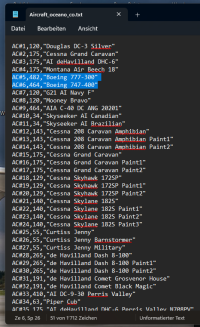
The included flightplan for the Traffic: "Traffic_Oceano_co.bgl" features a "TNG02" airfield... which though doesn't exist in the Airports list... haha...

Seems like this airfield has a few issues here and there...

1794750103549.png

And i wonder why the Traffic file features a 747 and a 777... as these aircraft would definitely be much too big for this small airfield... lol

1794750326654.png
 
@Motormouse - perhaps a case of missing scenery libraries??

per included readme:
2. Install the following scenery libraries as per provided instructions (available on Avsim and elsewhere):

--------EZ-Fuel Tanks by Sidney Schwartz ez-fuel_tanks.zip

--------Small Airstrip Objects SS by Sidney Schwartz small_airstrip_objects_ss.zip

--------EZ Scenery Objects (Free Download) http://www.abacuspub.com/catalog/s600.htm

--------The RWY12 Libraries http://www.simviation.com/fsdesign_scenery8.htm


all presumably required to be present in your sim-install?

With regards to libraries, I have the A-I-O pack by Wolfgang Gersch: https://library.avsim.net/search/basic/fs2004sd/Gersch and the Abacus EZ Libraries - not included in Gersch's Classic Libraries compilation, but the installer for which is available herein: https://simviation.com/1/search?submit=1&keywords=Harry+Potter+Kings+Cross

cheers!

I have all the libraries; not just a matter of missing objects as the ground textures
are not showing up

Ttfn

Pete
 
The included flightplan for the Traffic: "Traffic_Oceano_co.bgl" features a "TNG02" airfield... which though doesn't exist in the Airports list... haha...

Seems like this airfield has a few issues here and there...
That's not an IACO code, but simply a missing comma. The author obvisouly never compiled the traffic file. Please do checks before releasing! About aircraft.cfg file l wouldn't be such pernickety as long as it doesn't activate those aircraft.

Bernard
 
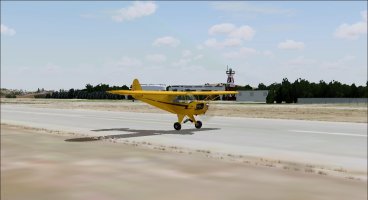
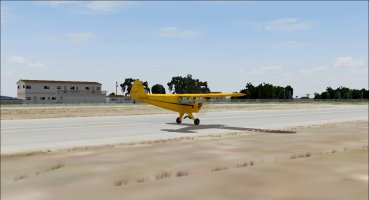
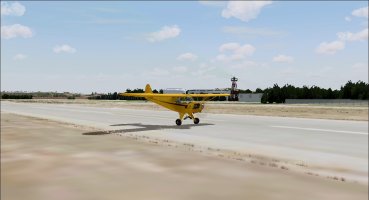
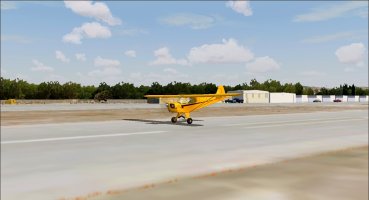
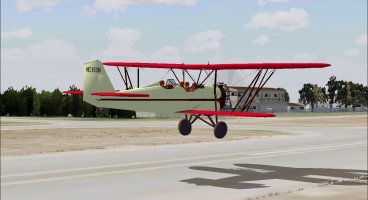
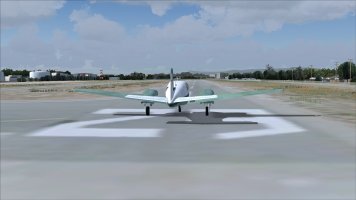
Pete, I have nothing with Mac (or against it) , but the scenery seems to appear normal on my machine.

1794782217674.jpeg

1794782234113.jpeg

1794782284862.jpeg

1794782252337.jpeg

And as you can see in the last screenshot, I have working AI traffic as well

The only problem I do have with this scenery is a flickering ground texture. (And the minor mis-alignment Airbasil already mentioned)

Cheers,
Huub
 
Back
Top