
-
Please see the most recent updates in the "Where did the .com name go?" thread. Posts number 16 and 17.
-
IMPORTANT DOWNLOADING INFORMATION - ALL MEMBERS PLEASE READ
Please see this thread for updates. Update Thread
SOH ADMINISTRATION
You are using an out of date browser. It may not display this or other websites correctly.
You should upgrade or use an alternative browser.
You should upgrade or use an alternative browser.
Another bleedin British Jet
- Thread starter Henry
- Start date

DaveQ
Charter Member
A great big thanks again to Dave Garwood for this superb piece of freeware. And the 2048x2048 paint kit is brilliant too - so easy to use. Here's a WIP screenshot of XF382, currently preserved at the Midland Air Museum in the colours of No. 234 Squadron as part of No. 1 Tactical Weapons Unit at RAF Brawdy in the mid-1980's. Although an F6A I've used the FGA9 model file because the aircraft carries a drag chute housing over the tail pipe.

DaveQ
DaveQ

Panther_99FS
Retired SOH Administrator
Okay...
Now I REALLY miss not having a system....Garwood's Hunter was definitely a favorite of mine in FS2004
Job well done...:woot:
Now I REALLY miss not having a system....Garwood's Hunter was definitely a favorite of mine in FS2004
Job well done...:woot:
DaveQ
Charter Member
If you go to the Hunter FGA9 texture folder, copy the existing Gauges_LM file and name it something else. Then copy and paste the Gauges_LM file from the 'red lights' folder in the original zip file into the 'texture' folder and over-write the original. Now go fly at night. The instrument lights are now red not white -cooool!! 
DaveQ
DaveQ

noddy
SOH-CM-2026
Many thanks for this great aircraft.
View attachment 82378
View attachment 82379
View attachment 82380
View attachment 82378
View attachment 82379
View attachment 82380
If you go to the Hunter FGA9 texture folder, copy the existing Gauges_LM file and name it something else. Then copy and paste the Gauges_LM file from the 'red lights' folder in the original zip file into the 'texture' folder and over-write the original. Now go fly at night. The instrument lights are now red not white -cooool!!
DaveQ
Thanks!
-G-
wan I down load it from ? Can't find it !
Go to http://classicbritishfiles.com and click on Latest Files. There are 2 files to download both about halfway down the list - Hunter_FGA9_FSX and Hunter_extras_FSX. There's also a paintkit in the smae place.
I finally got to fly her for the first time last night....WOW!
Thanks Dave! :ernae: This is a super jet, and one of my faves. Handles beautifully.
Took a flight from Gibraltar and cruised around the western Med/Atlantic coast (you can see the Ark Royal in one of the shots). Even intercepted a tube liner
Here are a few screenies from the flight:
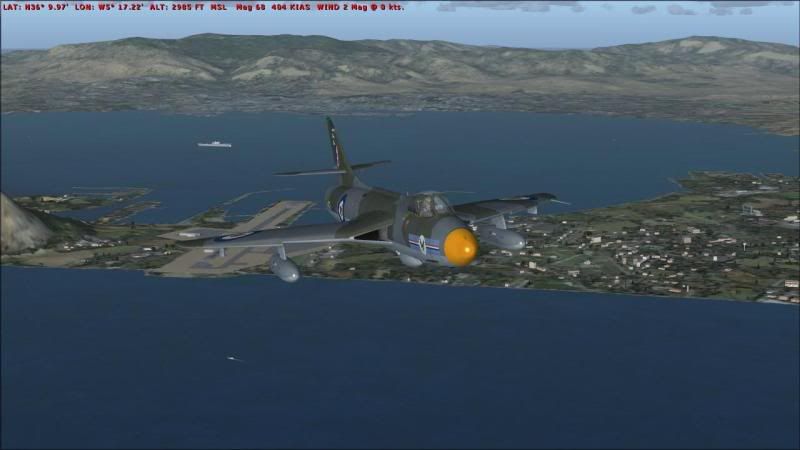
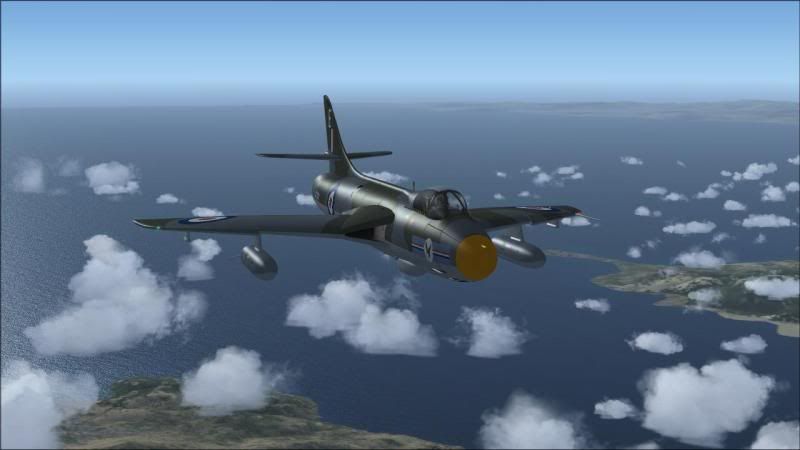


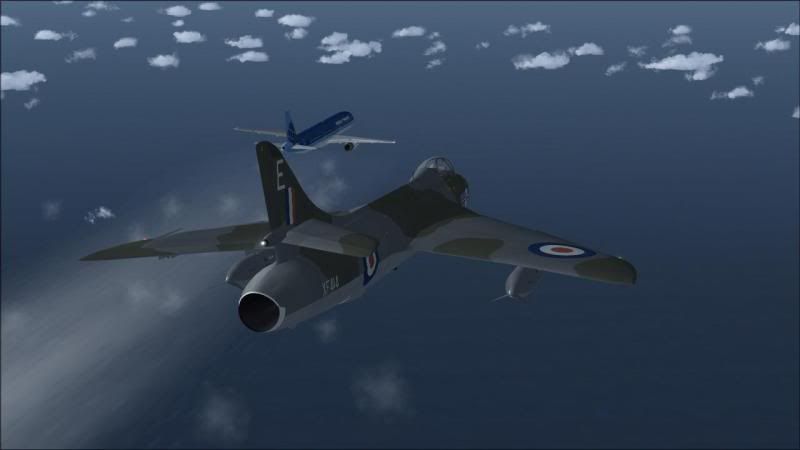

Awesome freeware jet with payware quailty. Thank you again, Dave!!
-G-
Thanks Dave! :ernae: This is a super jet, and one of my faves. Handles beautifully.
Took a flight from Gibraltar and cruised around the western Med/Atlantic coast (you can see the Ark Royal in one of the shots). Even intercepted a tube liner
Here are a few screenies from the flight:
Awesome freeware jet with payware quailty. Thank you again, Dave!!
-G-
Go to http://classicbritishfiles.com and click on Latest Files. There are 2 files to download both about halfway down the list - Hunter_FGA9_FSX and Hunter_extras_FSX. There's also a paintkit in the smae place.
Ah, clicking on the text works, thanks.
MHAircraft
Charter Member
After installing the Hunter plus extra pack, my FSX became a slide show that barely manages 5 fps. Anyone else see this problem?
MHAircraft
Charter Member
Removing the Hunter and nothing else restored the frame rate. That' just too bad, because this is a masterpiece.
Removing the Hunter and nothing else restored the frame rate. That' just too bad, because this is a masterpiece.
Very odd. No impact on frames for me. I assume you installed as per usual and per the read me?
Have you tired re-installing just the Mk9 version? I installed that one first and flew then added the "extras" package.
-G-


DaveWG
Charter Member
After installing the Hunter plus extra pack, my FSX became a slide show that barely manages 5 fps. Anyone else see this problem?
There should be no reason for that to happen. The extra pack models don't contain anything unusual. Are you running SP2?
DaveWG
Charter Member
A great big thanks again to Dave Garwood for this superb piece of freeware. And the 2048x2048 paint kit is brilliant too - so easy to use. Here's a WIP screenshot of XF382, currently preserved at the Midland Air Museum in the colours of No. 234 Squadron as part of No. 1 Tactical Weapons Unit at RAF Brawdy in the mid-1980's. Although an F6A I've used the FGA9 model file because the aircraft carries a drag chute housing over the tail pipe.
DaveQ
Nice repaint
 The panel should be accurate for that, as that's the aircraft is was modelled from.
 BTW, the 2-seaters are undergoing conversion as we speak. Exterior is about done, just needs paint jobs, the VC has only just been started, but it shouldn't take too long.
MHAircraft
Charter Member
There should be no reason for that to happen. The extra pack models don't contain anything unusual. Are you running SP2?
I have FSX-A. Anything I should be aware of? Thanks!