• There seems to be an uptick in Political comments in recent months. Those of us who are long time members of the site know that Political and Religious content has been banned for years. Nothing has changed. Please leave all political and religious comments out of the forums.

    If you recently joined the forums you were not presented with this restriction in the terms of service. This was due to a conversion error when we went from vBulletin to Xenforo. We have updated our terms of service to reflect these corrections.

    Please note any post refering to a politician will be considered political even if it is intended to be humor. Our experience is these topics have a way of dividing the forums and causing deep resentment among members. It is a poison to the community. We appreciate compliance with the rules.

    The Staff of SOH

  • Please see the most recent updates in the "Where did the .com name go?" thread. Posts number 16 and 17.

    Post 16 Update

    Post 17 Warning

Dino's Cat is out!!

Not now,ALWAYS..When did I ever make superficial repaints on top of others Bob ? What are you implying by throwing in that extra word ? Are we going for masked jabs now ? Why?

It was meant as a compliment referring to the Tomcat skins and how quickly you were getting them out, sorry it offended you. I never said superficial either. :kilroy:
 
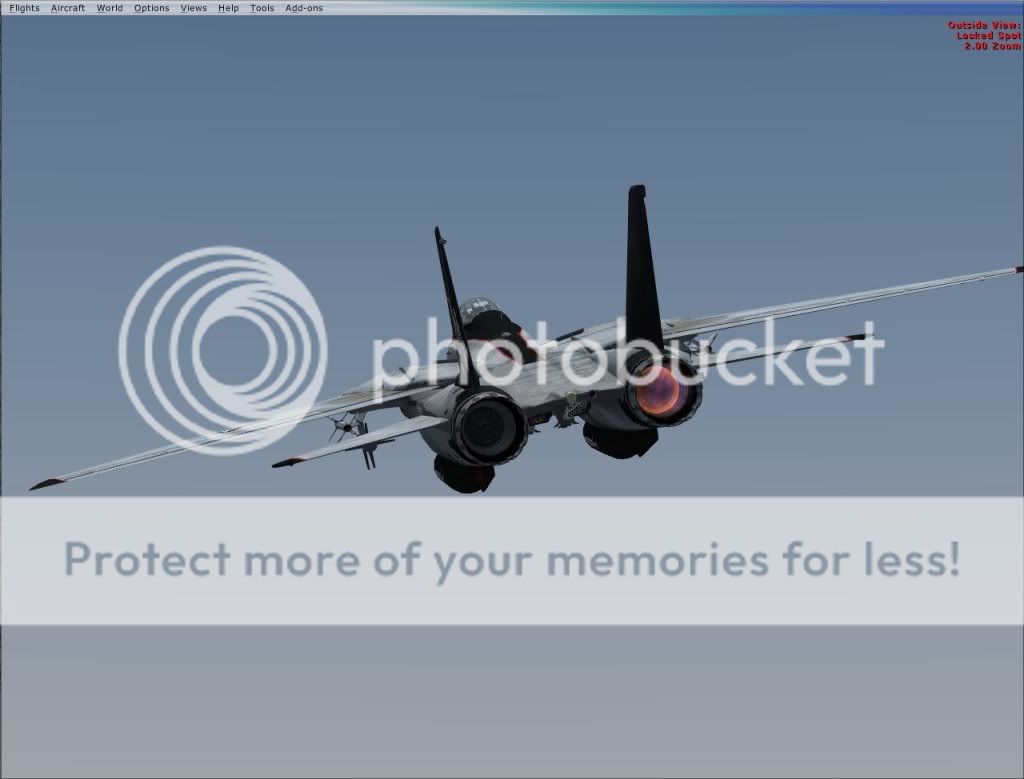
My best friend has uploaded his Tomcat afterburner upgrade over at flightsim.com. He also did an afterburner for the new Mig-21 which I am going to post over on that thread as well.

<center>FSX - FSX Modern Military </center> <center>FSX/Acceleration F-14 Afterburner Upgrade
</center> <center>[SIZE=-1] [ Download | View ] [/SIZE]</center>
Name: f-14dabh.zip Size: 2,772,203 Date: 07-06-2009
[SIZE=-1]
F-14DABH.GIF
FSX/Acceleration F-14 Afterburner Upgrade. These are replacement afterburner effects for Dino Cattaneo's Grumman F-14D Super Tomcat for FSX SP2/Acceleration. By Bry Hardee.[/SIZE]
 
Boom, you are very welcome. Been away for 4 days and leaving again for another 5 days. Back this next weekend to continue painting.

Thanks again, Tom
 
Thanks Quicksand and all, I already have some good ideas of what will be next. I did several of the Iris F-14A and B so keep your eyes pealed. Back next Sunday.
 
Attention:

Just got a phone call from my friend who put the afterburner pack together and he informed me that a couple of people reported that after installing the effects pack they are experiencing a problem with the formation lights not being able to be switched off. Not everyone who has installed the pack is having this issue which is puzzling. It is being looked into and a patch using the gauge setup that Stovall originally prescribed here for the burner effects is now being tested to see if that helps with those who are reporting this type of problem. If anyone is having this issue, please let me know.
 
I have it with 0.95, too... but they are hardly visible in DX10 anyway...If I can find an FSX native afterburner effect, I´ll try to put it in....

It looks good, when it shows, and with a different effect, I guess it´ll work good, too.
 
Okay, this is what I want those having trouble with the formation lights staying on to try. This is based on Stovalls mod.

Download and ab_f16_.zip from flightsim.com, Extract the gauge KO_F16_FX and move it to your FSX gauges folder(if you don't have it there already). The effects files remain the same

Then, add these lines to each of your panel config entries after the [Vcockpit06] entry

[Vcockpit07]
Background_color=0,0,0
size_mm=32,32
visible=0
pixel_size=32,32
texture=$exhaust

gauge00=KO_F16_FX!F16_AB_THROGGLE, 0,0,1,1


Then copy and paste these lines into the Tomcat's config lights section

[LIGHTS]
//Types: 1=beacon, 2=strobe, 3=navigation, 4=cockpit, 5=landing
//Lights encoded into MDL file
light.1 = 10, -13.50, 0.00, 4.00, fx_F14_vclight,
light.2 = 10, -19.00, 0.00, 4.00, fx_F14_vclight,
light.3= 9, -56.5, -4.85, -1.25,fx_F14_Burnerflame , // Eng2 Afterburner Flame
light.4= 9, -56.5, 4.56, -1.25,fx_F14_Burnerflame , // Eng2 Afterburner Flame
light.5= 9, -55.5, -4.90, -0.57, fx_21um_ab.burner1.fx
light.6= 9, -55.5, 4.60, -0.57, fx_21um_ab.burner1.fx

See if this clears up the problem with the formation lights. Let me know what happens as soon as you're finished testing.

DFA
 
Wingmate, go in to the sim again and try advancing the throttles slowly into burner/max power and see if both burner effects come on.
 
Ok.. that part worked but now in the lower afterburner stages I get flicker burner effects in one and none in the other
 
Back
Top