• There seems to be an uptick in Political comments in recent months. Those of us who are long time members of the site know that Political and Religious content has been banned for years. Nothing has changed. Please leave all political and religious comments out of the forums.

    If you recently joined the forums you were not presented with this restriction in the terms of service. This was due to a conversion error when we went from vBulletin to Xenforo. We have updated our terms of service to reflect these corrections.

    Please note any post refering to a politician will be considered political even if it is intended to be humor. Our experience is these topics have a way of dividing the forums and causing deep resentment among members. It is a poison to the community. We appreciate compliance with the rules.

    The Staff of SOH

  • Please see the most recent updates in the "Where did the .com name go?" thread. Posts number 16 and 17.

    Post 16 Update

    Post 17 Warning

Dino's Cat is out!!

Okay, two quick questions, are you using DX9 or DX10? And also in the main F-14 texture folder, is there a file called f14d_burner_flame.dds?

 
Okay, the author and I are running DX9 as well
Now, remove that texture(f14d_burner_flame.dds) from the texture folder to a safe location. Also open your original F14DA095.zip folder and identify the 9 afterburner related effects and then locate them in your FSX effects folder and remove them if they are there. They may be causing interference with the newer effects in use more or less like they are overlapping. This was found to be a problem during initial beta testing. I wish to extend a apology to anyone who has had trouble with this. The author did a bit of beta testing but as always, seems something gets overlooked/missed. Is all a learning curve.
 
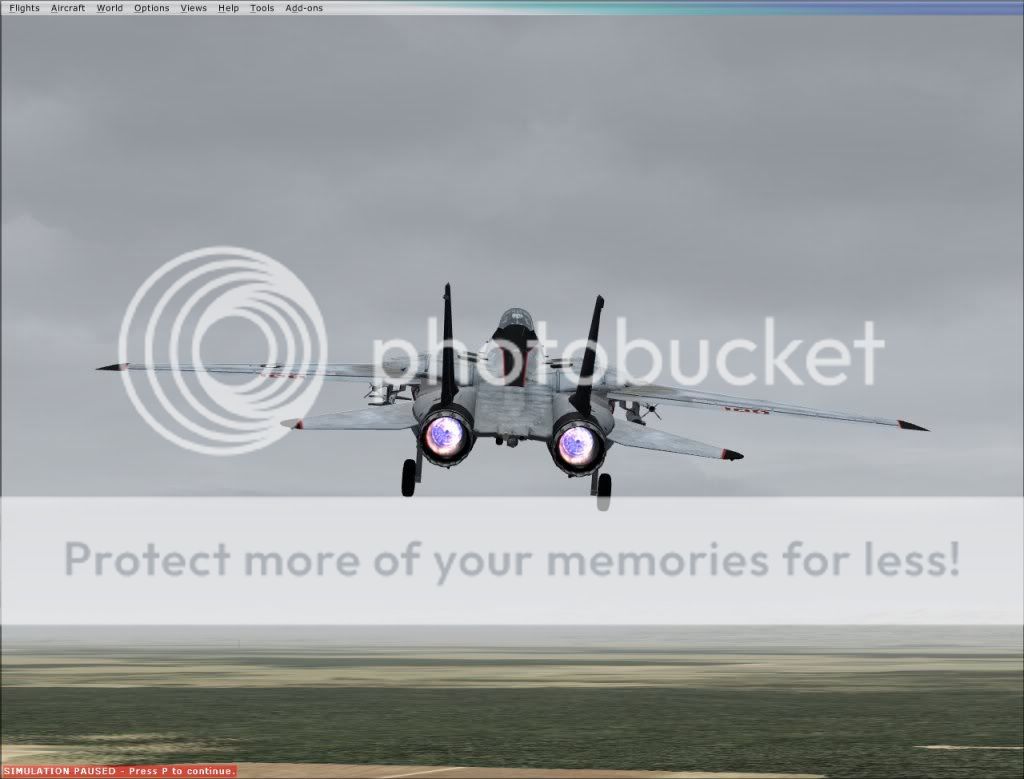
Now this is what I get
BurnersAgain.jpg
 
Very puzzling. It's being looked into. In the mean time, try a fresh install of the Effects only leaving to config lights section intact and the updated panel configs.
 
I have 0.95 and I am using Bry's AB. I have the formation lights on, too. But I will write of the issue from anther point of view.

When I use my default flight I noticed the issue. I deleted the default flight ---I needed a new one anyway for new purpose and geographic area ----from within the game. But the issue remained. I delete all my saved flights when a new F-14D release is made and create 2 or 3 new flights with one becoming default.

When I load the default, there is no AB so I close the flight and reload the same default flight and the AB works fine but with the formation lights on and I can't turn the lights off.

This erratic behavior may, or may not, be helpful but I'll try to assist.

THe effect doesn't work in DX10.
 
go in to the sim again and try advancing the throttles slowly into burner/max power and see if both burner effects come on.<!-- / message --><!-- sig -->

Yes, that sorted it out for me - formation lights work, as do AB, IF you advance the throttles slowly . .
 
Okay, this is what I want those having trouble with the formation lights staying on to try. This is based on Stovalls mod.

Download and ab_f16_.zip from flightsim.com, Extract the gauge KO_F16_FX and move it to your FSX gauges folder(if you don't have it there already). The effects files remain the same

Then, add these lines to each of your panel config entries after the [Vcockpit06] entry

[Vcockpit07]
Background_color=0,0,0
size_mm=32,32
visible=0
pixel_size=32,32
texture=$exhaust

gauge00=KO_F16_FX!F16_AB_THROGGLE, 0,0,1,1


Then copy and paste these lines into the Tomcat's config lights section

[LIGHTS]
//Types: 1=beacon, 2=strobe, 3=navigation, 4=cockpit, 5=landing
//Lights encoded into MDL file
light.1 = 10, -13.50, 0.00, 4.00, fx_F14_vclight,
light.2 = 10, -19.00, 0.00, 4.00, fx_F14_vclight,
light.3= 9, -56.5, -4.85, -1.25,fx_F14_Burnerflame , // Eng2 Afterburner Flame
light.4= 9, -56.5, 4.56, -1.25,fx_F14_Burnerflame , // Eng2 Afterburner Flame
light.5= 9, -55.5, -4.90, -0.57, fx_21um_ab.burner1.fx
light.6= 9, -55.5, 4.60, -0.57, fx_21um_ab.burner1.fx

See if this clears up the problem with the formation lights. Let me know what happens as soon as you're finished testing.

DFA
Ok! Funziona tutto! Perfetto: non ho problemi.
 
I know I'm the new guy here, but how about giving me a chance to finish what I am working on for the afterburners???

The one I released for FS9/FS2004 can't be beat, even by the IRIS payware version. Here's a video of it. http://www.simtube.com/view_video.php?viewkey=5fc9d5356f11e4c45d61

For Dino's Super Tomcat, I'm working on making it more realistic as for the cone, and a couple other visuals that I missed with the first one. I am also working on making it DX10 compatible, so it will be 2 different versions, that you will have to pick from.

As well, there will be an included XML gauge to make sure it works fluidly with Dino's afterburners, as he has them now.

Also, I am currently working on the texture for the VF2 Bounty Hunters.

RD
 
There's a modified/custom XML gauge in the works for the burner pack Bry put out. It is going to be well tested before it is uploaded. Will advise when it becomes available.
 
There's a patch and it works nicely.
E-mailed Bry because of formation lights always on, and he was so kind sending me a patch for his effects.
Installed and is working.
Great improvement for a beautifull plane.
 
F-14d hud

We're in luck for a new F-14D HUD. I have contacted the creator of the Aerosoft F-16's HUD and he is interested in making a new F-14D HUD and MFD's work will begin in about 1.5 months as he is currently occupied with other projects.
 
Tig,I believe Dino used the stock Legacy Hornet HUD from Accel.I think the real F-14 HUD is much different than the hornets.
 
Back
Top