
• There seems to be an uptick in Political comments in recent months. Those of us who are long time members of the site know that Political and Religious content has been banned for years. Nothing has changed. Please leave all political and religious comments out of the forums.

    If you recently joined the forums you were not presented with this restriction in the terms of service. This was due to a conversion error when we went from vBulletin to Xenforo. We have updated our terms of service to reflect these corrections.

    Please note any post refering to a politician will be considered political even if it is intended to be humor. Our experience is these topics have a way of dividing the forums and causing deep resentment among members. It is a poison to the community. We appreciate compliance with the rules.

    The Staff of SOH

  • Please see the most recent updates in the "Where did the .com name go?" thread. Posts number 16 and 17.

    Post 16 Update

    Post 17 Warning

A2A Spitfire out!

Kind of off topic....has anyone had the problem of their elevator trim wheels not working ...I have the Saitek X45 that has two rotary wheels that I use for rudder and elevator trim...on this aircraft it has no effect whatsoever...I have had to apply trim to other key inputs...which isn't nearly as precise or fun...So was just wondering if anyone has a solution for this little hiccup in an other wise fantastic, fun, sim aircraft.

Try to use Input Configurator. It's a small tool in Microsoft Flight Simulator X\A2A\Spitfire\Tools\ folder.
 
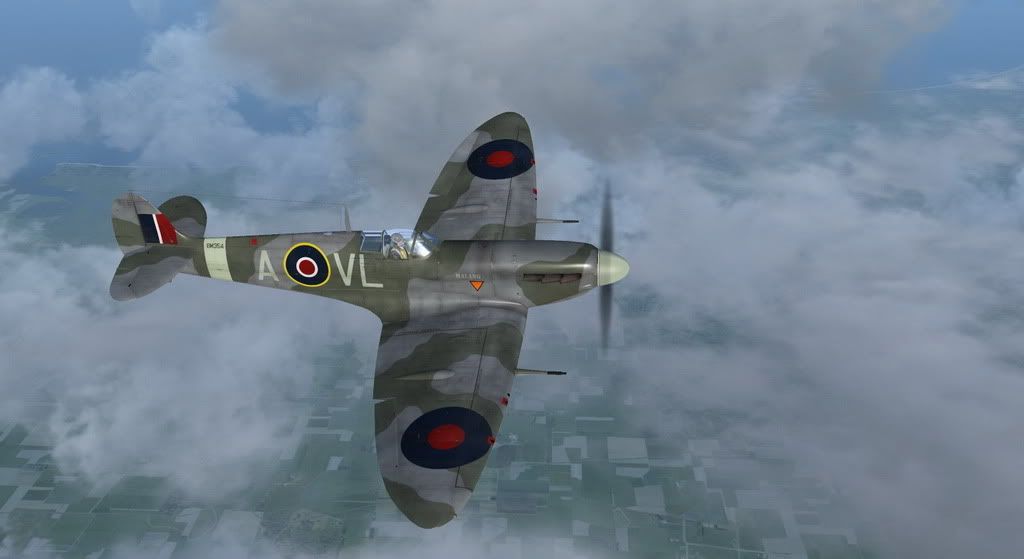
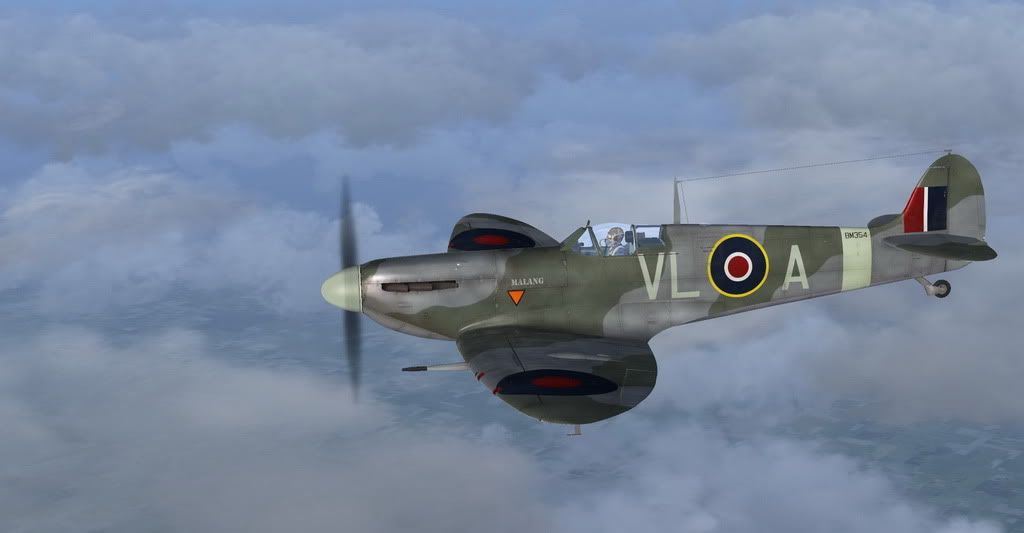
I know, I know, it should be a Mk.V, but as long as that hasn't landed..

FX9561.jpg


FX9570.jpg
 
X45 saitek fsx configurator

Try to use Input Configurator. It's a small tool in Microsoft Flight Simulator X\A2A\Spitfire\Tools\ folder.

Yes I have tried the configurator as well. All it manages to do is give a 48% input no matter how the wheel is rolled through its travel. I suppose it will be addressed in future.. I was just hoping someone else had figured it out....Thanks for your reply

Ol'Jarhead:wavey:
 
Maybe help, maybe not. I have a Logitech G940. If I don't check it, FSX tries to assign a function for any setting to all three pieces so I end up the three different parking brakes, two or three different elevator trim controls and so on. I still have that happening in Slew mode so the sim goes crazy if I hit "Y". It would be worth going through the FSX control settings and be sure your elevator trim is assigned to only one controller device and one key stroke.

Glenn
 
A2A looks to have done another Beauty here

But the paints are just Wonderful Thank you all for your paints...and please keepem coming
Well done :wavey:
 
.................

its been drving me nuts why i can get the spinner to show colour other than black
..................

any ideas

On other paints I found that the spinner colouring was in three places, one for engine off and initial rotation, another for spin up and the last at full revolutions. It maybe you haven't located the paint area for all phases of the prop.

I located parts by making each texture sheet a single bright colour, so I could find at least where to start looking for the missing mapping, although they all ended up on the same sheet which I found by striping the sheet with different colours until I found the right place.
 
On other paints I found that the spinner colouring was in three places, one for engine off and initial rotation, another for spin up and the last at full revolutions. It maybe you haven't located the paint area for all phases of the prop.

I located parts by making each texture sheet a single bright colour, so I could find at least where to start looking for the missing mapping, although they all ended up on the same sheet which I found by striping the sheet with different colours until I found the right place.


ive got the paint kit right,

the problem ive got is no matter what model i select the model appears for a second then right before my eyes its reverts to the 2 bladed model

ie i have 3 blades after selecting then it changes on its own to 2 blades as i said WTF?

LEWIS..... little help please
 
jeansy: Someone over at the A2A Spit support forum (have you tried there? Or was it you under a different name over there?) was reporting exactly the same issue. It was an Accu-Sim activation/installation problem that was stopping the prop from being changed and yes, if you have the two-blade prop on, the hub will be black. It just is. You can only change the prop colour on the three-blade variants.

If it wasn't you, it's worth going over there and reading the conversation about it.

Ian P.
 
jeansy: Someone over at the A2A Spit support forum (have you tried there? Or was it you under a different name over there?) was reporting exactly the same issue. It was an Accu-Sim activation/installation problem that was stopping the prop from being changed and yes, if you have the two-blade prop on, the hub will be black. It just is. You can only change the prop colour on the three-blade variants.

If it wasn't you, it's worth going over there and reading the conversation about it.

Ian P.

thanks Ian i saw that thread but never read all of it and missed the final posts, yes i had to download a addition file, weird they say you need accusim, i have it , oh well fixed by downloading another file
 
Sorry for not being around Jeansy, real life issues kept me away from PC until late yesterday, only had time to do support mails and then quickly fall asleep.

Glad to see your sorted though. Sounds like you are second person to have this, can you let me know what anti-virus, anti spyware etc etc software you have running? Issue arises from Accu-sim installer not being able to write 1 .dll correctly.
 
Is anyone going to do a lovely high gloss restored P7350, the Battle of Britain Memorial Flights Mk IIa? I might even be tempted to part with my hard earned pennies and pick this up. :)

http://www.raf.mod.uk/bbmf/theaircraft/spitfirep7350.cfm

Sort of. I was going to try K9998 QJ-K as my first repaint and also do a variation as P7350 since it's wearing those markings right now.

However, as it's my first repaint, I'm sure it will take me a lot longer than many others on here.
 
Back
Top