IRIS F-15 throttle

XLR8

Charter Member
I did a fresh install of FSX ACEL today. Installed the F15 freeware strike eagle . The throttle stay wide open . I remember a fix for this in a thread,and did a search and found a C/D mod but seen no fix in it . Dose anyone know how to fix this . Thanks
 
I did a fresh install of FSX ACEL today. Installed the F15 freeware strike eagle . The throttle stay wide open . I remember a fix for this in a thread,and did a search and found a C/D mod but seen no fix in it . Dose anyone know how to fix this . Thanks


Open the panel.cfg file, scroll down to the VCockpit01 section and edit the following gauge out like this (add the semi-colon before the gauge02=):

;gauge02=F15_Gauges!Afterburner FDC, 1,1,20,20

Cheers,
Dave
 
Hi all...

I REALLY hate to necro-bump an old, old thread, but I must...

I've recently dusted off FSX and installed some planes from long ago. I've been using Dan Chruch's FlyInside program that enables the Oulus to work with FSX. Now flying is GREAT!

I've tried in vain to find a solution to my Iris Mudhen F15E throttle problem, but I cannot. The closest is this thread. My panel.cfg file doesn't have the line referenced above and the throttle is either stuck wide open or completely off. Does anyone have a solution to offer? There isn't any information on Iris' page, and the plane was removed years ago from what I've learned.

Help is appreciated and thank you in advance!

BoxxMann
 
Hi all...

I REALLY hate to necro-bump an old, old thread, but I must...

I've recently dusted off FSX and installed some planes from long ago. I've been using Dan Chruch's FlyInside program that enables the Oulus to work with FSX. Now flying is GREAT!

I've tried in vain to find a solution to my Iris Mudhen F15E throttle problem, but I cannot. The closest is this thread. My panel.cfg file doesn't have the line referenced above and the throttle is either stuck wide open or completely off. Does anyone have a solution to offer? There isn't any information on Iris' page, and the plane was removed years ago from what I've learned.

Help is appreciated and thank you in advance!

BoxxMann

Here's a note to posterity as the situation has been resolved. You have to edit the arcraft.cfg file and go down to the [autopilot] sub group. After that you have to change the following settings as follows:

[autopilot]
autopilot_available = 0
flight_director_available = 0
autothrottle_available = 0
autothrottle_arming_required= 0


All of the 0's are 1's by default. I don't know the exact one that fixes it, but changing all four to 0 fixed the stuck throttle.

Happy flying!
 
My two cents worth--a day late and a dollar short!

Here's a note to posterity as the situation has been resolved. You have to edit the arcraft.cfg file and go down to the [autopilot] sub group. After that you have to change the following settings as follows:

[autopilot]
autopilot_available = 0
flight_director_available = 0
autothrottle_available = 0
autothrottle_arming_required= 0


All of the 0's are 1's by default. I don't know the exact one that fixes it, but changing all four to 0 fixed the stuck throttle.

Happy flying!

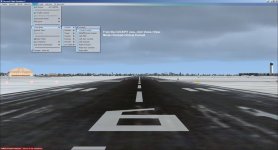
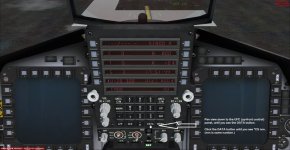
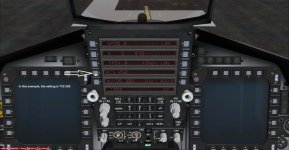
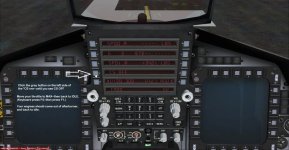
I have attached some pics showing how to resolve this...
 

Attachments

  • Figure_01.jpg
    Figure_01.jpg
    46.6 KB · Views: 0
  • Figure_02.jpg
    Figure_02.jpg
    61.1 KB · Views: 0
  • Figure_03.jpg
    Figure_03.jpg
    58.6 KB · Views: 0
  • Figure_04.jpg
    Figure_04.jpg
    62.5 KB · Views: 0
Back
Top