• Please see the most recent updates in the "Where did the .com name go?" thread. Posts number 16 and 17.

    Post 16 Update

    Post 17 Warning old domain name stealing credentials

  • Special Server Maintenance

    Just when you think you have everything running some what better...

    You get a message from the Hosting company. Short story they need to move us to a new server. I have been working with them to plan a good date for all concerned. Here is what we have come up with as a schedule.

    1. November 4th 17:00 -5UTC shut off the forums and start backup proceedures. During this time there will be no access to the forums or the Resource Section.
    2. November 5th Continue with Backups and download same until complete.
    3. November 6th 7:00 turn over server to hosting company to move system to new server
    4. November 7th - 8th restore backups and upgrade forum software.

    If all goes well we should be back online on November 8th.

    To keep you updated we will post updates on AVSIM forums.

    Thank you for your support.

IRIS F-15 throttle

XLR8

Charter Member
I did a fresh install of FSX ACEL today. Installed the F15 freeware strike eagle . The throttle stay wide open . I remember a fix for this in a thread,and did a search and found a C/D mod but seen no fix in it . Dose anyone know how to fix this . Thanks
 
I did a fresh install of FSX ACEL today. Installed the F15 freeware strike eagle . The throttle stay wide open . I remember a fix for this in a thread,and did a search and found a C/D mod but seen no fix in it . Dose anyone know how to fix this . Thanks


Open the panel.cfg file, scroll down to the VCockpit01 section and edit the following gauge out like this (add the semi-colon before the gauge02=):

;gauge02=F15_Gauges!Afterburner FDC, 1,1,20,20

Cheers,
Dave
 
Hi all...

I REALLY hate to necro-bump an old, old thread, but I must...

I've recently dusted off FSX and installed some planes from long ago. I've been using Dan Chruch's FlyInside program that enables the Oulus to work with FSX. Now flying is GREAT!

I've tried in vain to find a solution to my Iris Mudhen F15E throttle problem, but I cannot. The closest is this thread. My panel.cfg file doesn't have the line referenced above and the throttle is either stuck wide open or completely off. Does anyone have a solution to offer? There isn't any information on Iris' page, and the plane was removed years ago from what I've learned.

Help is appreciated and thank you in advance!

BoxxMann
 
Hi all...

I REALLY hate to necro-bump an old, old thread, but I must...

I've recently dusted off FSX and installed some planes from long ago. I've been using Dan Chruch's FlyInside program that enables the Oulus to work with FSX. Now flying is GREAT!

I've tried in vain to find a solution to my Iris Mudhen F15E throttle problem, but I cannot. The closest is this thread. My panel.cfg file doesn't have the line referenced above and the throttle is either stuck wide open or completely off. Does anyone have a solution to offer? There isn't any information on Iris' page, and the plane was removed years ago from what I've learned.

Help is appreciated and thank you in advance!

BoxxMann

Here's a note to posterity as the situation has been resolved. You have to edit the arcraft.cfg file and go down to the [autopilot] sub group. After that you have to change the following settings as follows:

[autopilot]
autopilot_available = 0
flight_director_available = 0
autothrottle_available = 0
autothrottle_arming_required= 0

​

All of the 0's are 1's by default. I don't know the exact one that fixes it, but changing all four to 0 fixed the stuck throttle.

Happy flying!
 
My two cents worth--a day late and a dollar short!

Here's a note to posterity as the situation has been resolved. You have to edit the arcraft.cfg file and go down to the [autopilot] sub group. After that you have to change the following settings as follows:

[autopilot]
autopilot_available = 0
flight_director_available = 0
autothrottle_available = 0
autothrottle_arming_required= 0

​

All of the 0's are 1's by default. I don't know the exact one that fixes it, but changing all four to 0 fixed the stuck throttle.

Happy flying!

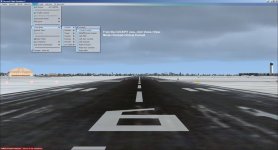
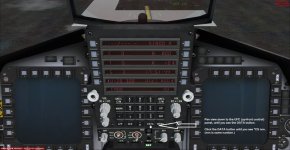
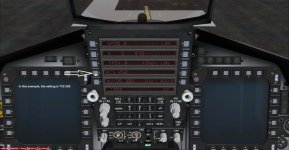
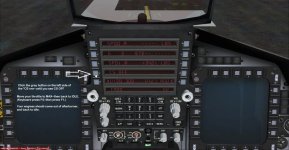
I have attached some pics showing how to resolve this...
 

Attachments

  • Figure_01.jpg
    Figure_01.jpg
    46.6 KB · Views: 0
  • Figure_02.jpg
    Figure_02.jpg
    61.1 KB · Views: 0
  • Figure_03.jpg
    Figure_03.jpg
    58.6 KB · Views: 0
  • Figure_04.jpg
    Figure_04.jpg
    62.5 KB · Views: 0
Back
Top