

gsnde
Members +
Hi everyone,
I’m happy to share AI Aircraft Editor.NET 5.1.31.0, the first public release of the 5.x series. You can find it in the MAIW download section and at The Owl's Nest. One of the things I most wanted to improve was how AIAE behaves on high-DPI displays. This release also gave me the chance to update Arno’s ModelConverterX viewer and make better use of wide screens.
Here’s what’s new:
- .NET 10 and 64-bit Windows. AIAE now runs on .NET 10. Setup installs the .NET 10 Desktop Runtime if it’s missing.
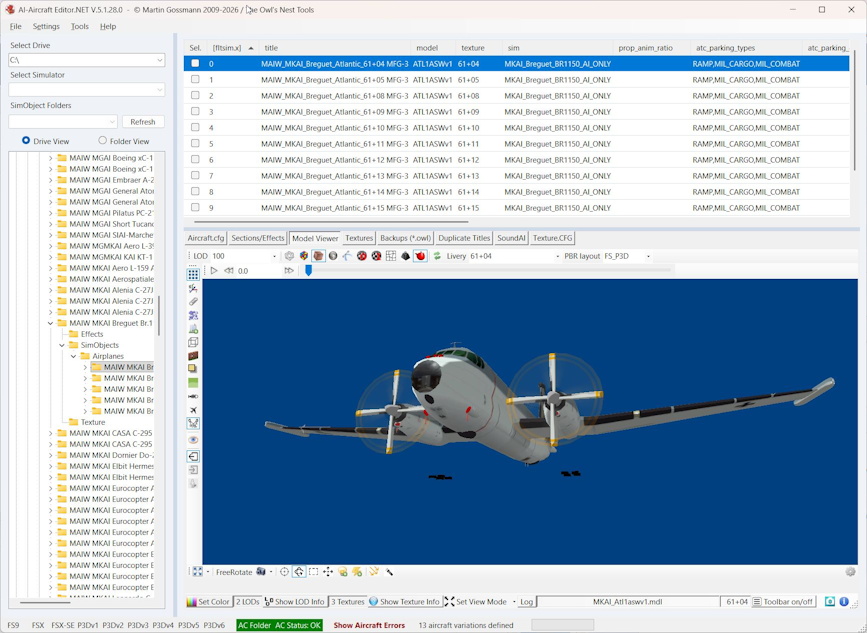
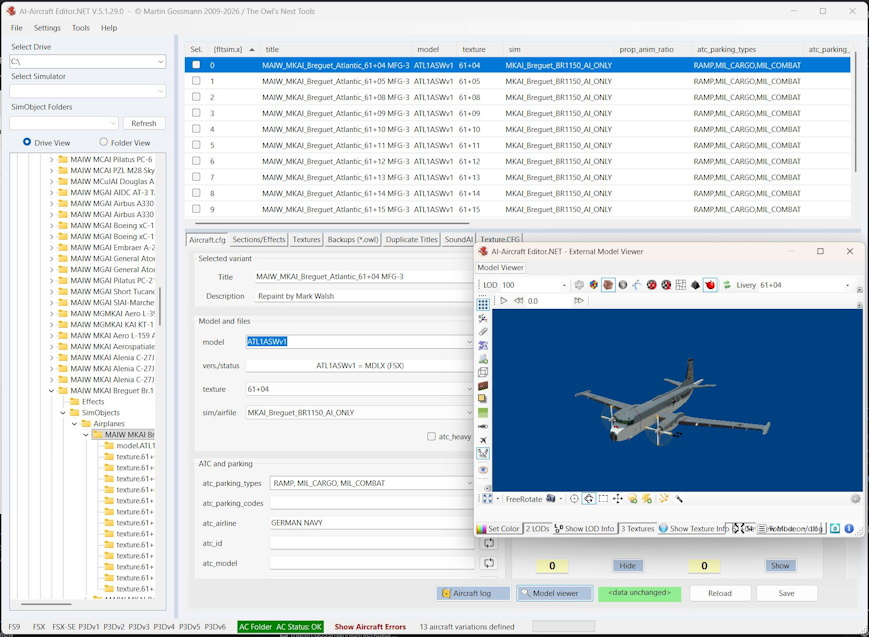
- Updated ModelConverterX viewer. AIAE uses Arno’s current developer release. On a wide screen, you can see the model preview alongside the aircraft details.
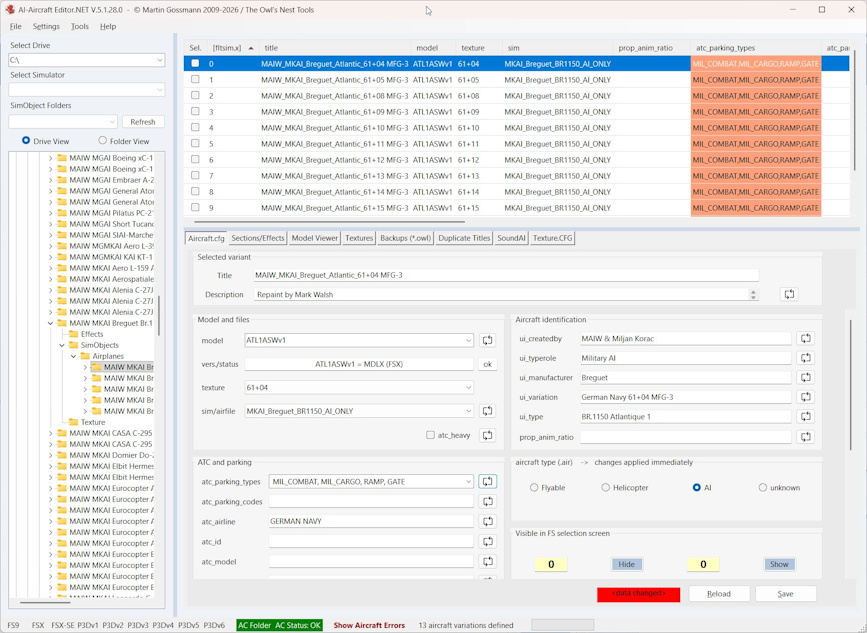
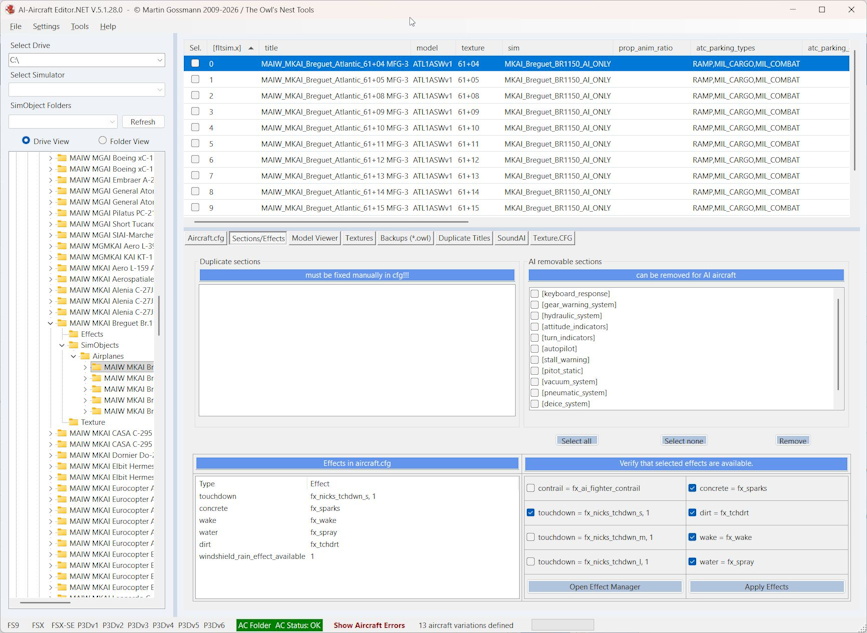
- A layout that adapts to your window. The detail panels and the Sections/Effects tab stack vertically when space is tight. You can resize the aircraft variation list with the divider, and it keeps that height when you switch folders.
- Standard user rights. AIAE shows the affected path if Windows denies a write. If you’re saving a protected `aircraft.cfg`, you can approve that save through the Windows UAC prompt.
- An easier upgrade from V4. Setup keeps your existing installation folder and your desktop shortcut preference.
- A standalone updater. You can check for updates from the Start menu even if the editor itself won’t start.
Support for aliased `model.cfg` files is still on my list.
If you give it a try, I’d be interested to hear how the new layout works on your screen.
Martin
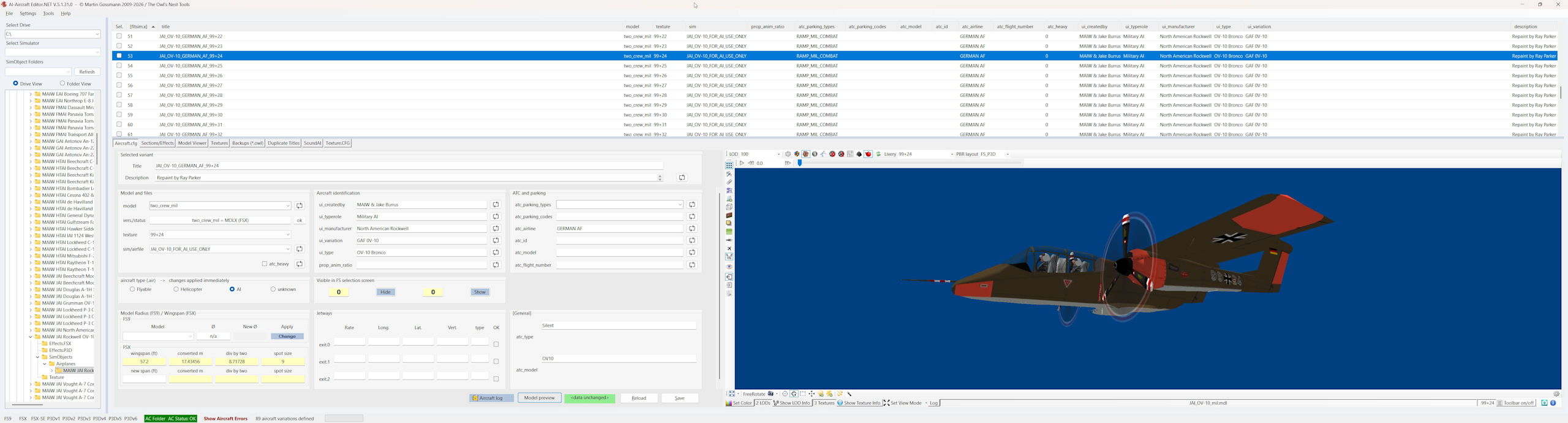
I’m happy to share AI Aircraft Editor.NET 5.1.31.0, the first public release of the 5.x series. You can find it in the MAIW download section and at The Owl's Nest. One of the things I most wanted to improve was how AIAE behaves on high-DPI displays. This release also gave me the chance to update Arno’s ModelConverterX viewer and make better use of wide screens.
Here’s what’s new:
- .NET 10 and 64-bit Windows. AIAE now runs on .NET 10. Setup installs the .NET 10 Desktop Runtime if it’s missing.
- Updated ModelConverterX viewer. AIAE uses Arno’s current developer release. On a wide screen, you can see the model preview alongside the aircraft details.
- A layout that adapts to your window. The detail panels and the Sections/Effects tab stack vertically when space is tight. You can resize the aircraft variation list with the divider, and it keeps that height when you switch folders.
- Standard user rights. AIAE shows the affected path if Windows denies a write. If you’re saving a protected `aircraft.cfg`, you can approve that save through the Windows UAC prompt.
- An easier upgrade from V4. Setup keeps your existing installation folder and your desktop shortcut preference.
- A standalone updater. You can check for updates from the Start menu even if the editor itself won’t start.
Support for aliased `model.cfg` files is still on my list.
If you give it a try, I’d be interested to hear how the new layout works on your screen.
Martin