airfields misplaced

highpockets

SOH-CM-2025
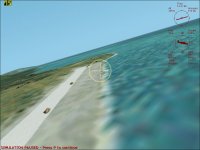
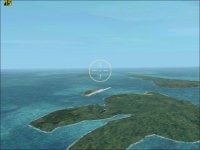
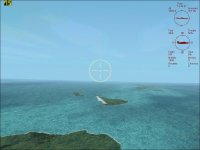
Doing some free flight from Moen airbase ,Truk in Shadow Wolf 07 USS Essex 2020 campaign to take a look at two airfields is saw out of whack earlier.
Not sure what I have done or not done. Moen looks great in the missions and in the free flight, but these two have double runways Not sure if they are Param or Eten.
Any suggestions?
Thanks
 

Attachments

  • cfs2 2020-04-08 16-42-11-90.jpg
    cfs2 2020-04-08 16-42-11-90.jpg
    50.7 KB · Views: 1
  • cfs2 2020-04-08 16-43-21-45.jpg
    cfs2 2020-04-08 16-43-21-45.jpg
    53.8 KB · Views: 3
Highpockets,
I've encountered that before.
You will have to find out which ones you have two of in all of your scenery files and GSLs.
Do they both show when you go to map view?
Their names should appear when you mouse over them.
Once you find the name of one you can search for it in your scenery bgl files.
Since I have all of my ETO, MTO, PTO in the same main folder outside of CFS2, it is easy to search for duplicates in all the sub folders.
Sometimes Xavier, Maskrider, and Penn32 have done the same runways and if you have all of theirs installed, you end up with that.
DD73


Doing some free flight from Moen airbase ,Truk in Shadow Wolf 07 USS Essex 2020 campaign to take a look at two airfields is saw out of whack earlier.
Not sure what I have done or not done. Moen looks great in the missions and in the free flight, but these two have double runways Not sure if they are Param or Eten.
Any suggestions?
Thanks
 
Devildog
Thanks for the response. I was beginning to do a search,but you have given me a good start as to how.
 
Highpockets,

It looks like the stock Param & Eten runways are still showing.

From my Carolines readme:
"
The basic order (as it appears in the
scenery library screen within CFS2 is:

JBr_UT Carolines Atolls (Atolls always above Islands)
JBr_UT Carolines Islands

Stock runway excludes (just above Runways layer works on my system,
other systems need this placing directly under the Islands scenery layer)
Runways
…"

Hope this helps.
 
Uncle TGt
Hmm. I tried both to no avail. What should I have in the adffiles- allrunways.bgl or cfs2afd.bgl.
Also same question for runways file --runways.bgl or allrunways.bgl
The only stock runway excludes I have in that file are PNG.bgl's.
You can see how little I know about the scenery install process.:dizzy:
I did deactivate from Rhumba's world mesh the pacific coastline.bgl's and Lod 9 mesh list which included Truk9.bgl.
I have no idea where those instructions came from as I just have them in my scenery files if I am using Rumba's world mesh
 
Got the duplicated airfields taken care of. Now have Japanese bunkers on the runways on a mission to Truk in USS Essex 2020 :dizzy::banghead:
 
Back
Top