
-
Please see the most recent updates in the "Where did the .com name go?" thread. Posts number 16 and 17.
-
IMPORTANT DOWNLOADING INFORMATION - ALL MEMBERS PLEASE READ
Please see this thread for updates. Update Thread
SOH ADMINISTRATION
You are using an out of date browser. It may not display this or other websites correctly.
You should upgrade or use an alternative browser.
You should upgrade or use an alternative browser.
Bloom from Russia
- Thread starter Roger
- Start date
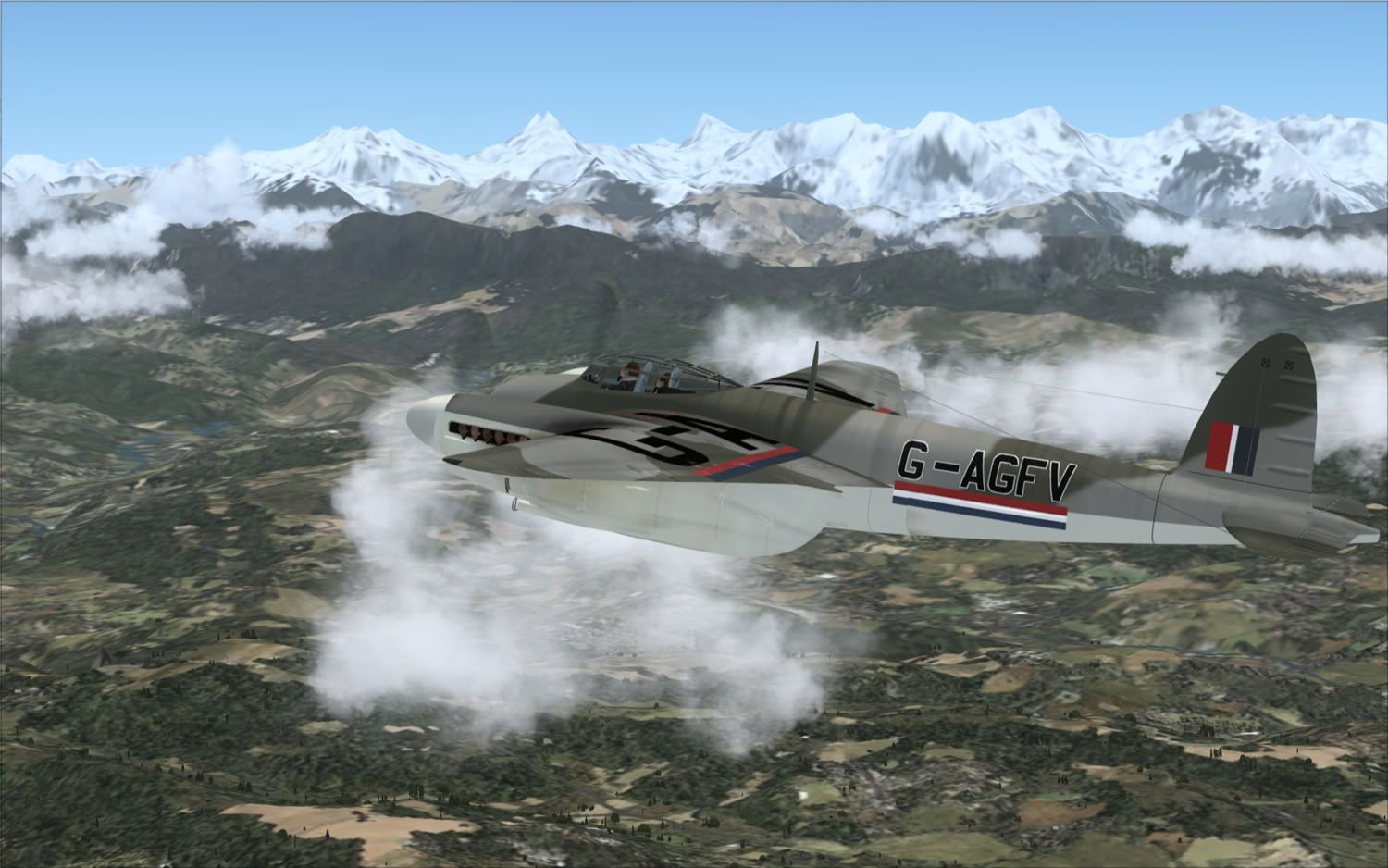
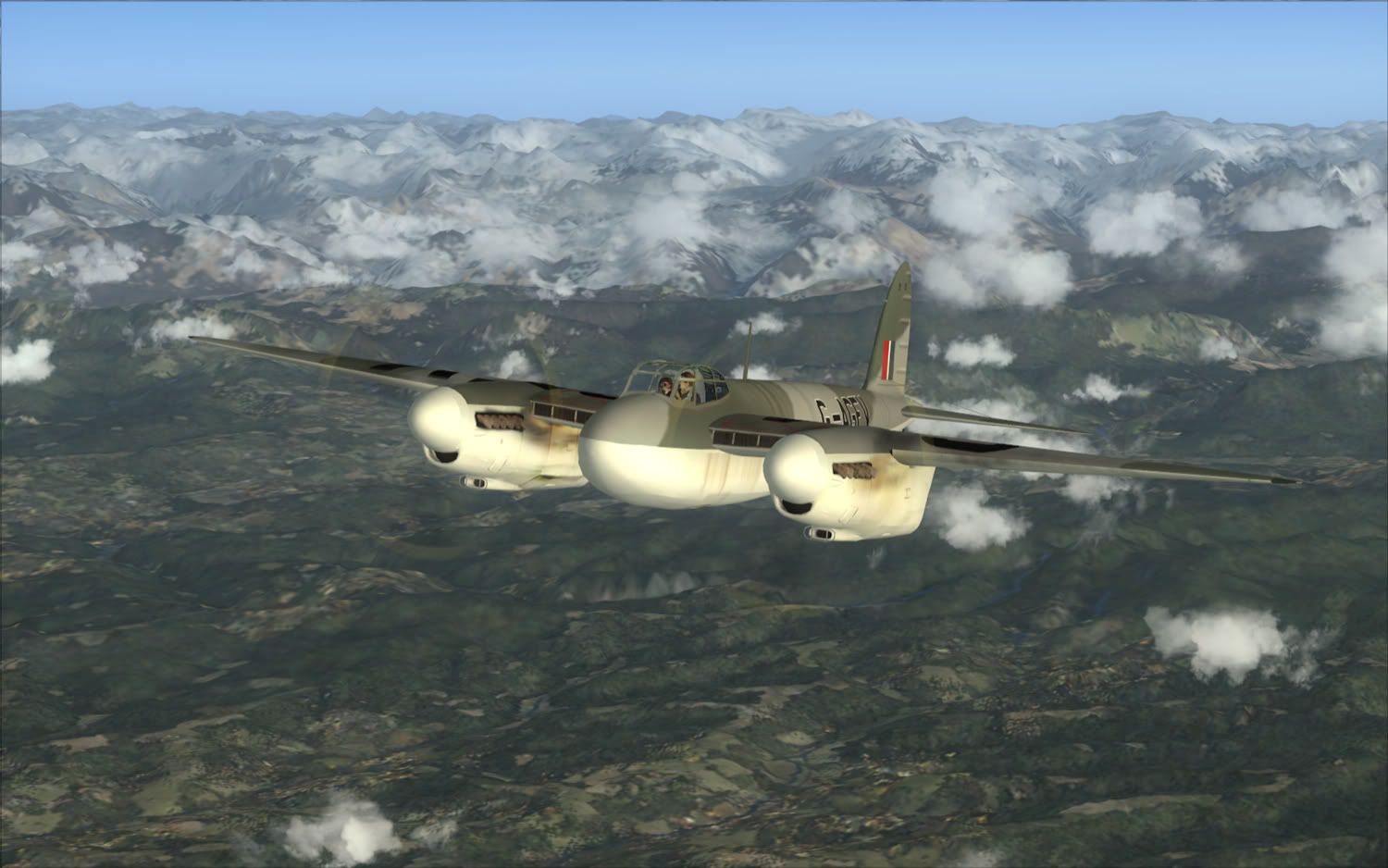

Hi Guys and Girls ! Ive been using this mod for about a year now, i had the white screen at first but then downloaded an earlier version of the mod, works with both fs9 & FSX
www.classicwings.net/bloom.zip
Craig
If you have trouble using the latest build (for me, it caused FS9 to CTD); I strongly recommend downloading and using the above build instead. The earlier build worked fine for me.
Next, you can go into the enbseries.ini, and turn and off the vaious effects here:
[EFFECT]
EnableBloom=1
EnableOcclusion=0
EnableReflection=0
EnableMotionBlur=0
EnableWater=0
EnableShadow=0
DepthBias=0
I changed the 0s to 1s, turning back off the ones that caused a CTD; until I only had those that worked.
Next, each effect has it's own section further down, that you can use to tweek it further. I thought that maybe the difference was due to the .ini settings in each; but replacing the earlier .dll with the later .dll caused a CTD again. I don't know yet if the earlier version has the screenshot function.
I also noticed a frame hit; and jaggies do seem to be worst; but I haven't gone back and forth enough to verify that is the case. It can be turned off; I only notice a difference when I turn it on and off by the frame rates. I think how much of a difference this enhancement makes depends on your video card and drivers; as well as your monitor settings.
-James
RyanJames170
Back...
WElll, i cant say i'm no expert on nuthin but i'm glad to post this.. sorry it's so big, but there are modifications throughout the entire file..
[PROXY]
EnableProxyLibrary=0
InitProxyFunctions=0
ProxyLibrary=
[GLOBAL]
UseEffect=1
AlternativeDepth=1
AllowAntialias=1
BugFixMode=0
SkipShaderOptimization=1
QuadVertexBuffer=0
EnableShaders_3_0=1
UseMRTRendering=1
AdditionalConfigFile=enbseries2.ini
[EFFECT]
EnableBloom=0
EnableOcclusion=0
EnableReflection=0
EnableMotionBlur=0
EnableWater=0
EnableShadow=0
DepthBias=0
EnableDepthOfField=0
[INPUT]
KeyUseEffect=123
KeyBloom=120
KeyOcclusion=121
KeyReflection=122
KeyCombination=16
KeyScreenshot=44
KeyShadow=119
KeyWater=118
KeyShowFPS=106
[REFLECTION]
ReflectionPower=100
ChromePower=100
UseCurrentFrameReflection=1
ReflectionQuality=0
ReflectionSourceSpecular=50
ReflectionSourceTFactor=50
UseAdditiveReflection=0
ReflectionDepthBias=0
UseLowResReflection=1
ReflectionSinglePass=1
UseEnvBump=0
EnvBumpAmount=100
EnvBumpOffset=100
ReflectionFlip=0
[BLOOM]
BloomPowerDay=0
BloomFadeTime=300
BloomConstantDay=1
BloomQuality=0
BloomScreenLevelDay=87
BloomCurveDay=0
BloomPowerNight=18
BloomConstantNight=0
BloomCurveNight=0
BloomScreenLevelNight=20
BloomAdaptationScreenLevel=24
BloomAdaptationMultiplier=100
BloomAllowOversaturation=1
BloomMaxLimit=100
[SSAO]
UseFilter=0
OcclusionQuality=1
FilterQuality=1
DarkeningLevel=25
BrighteningLevel=30
IlluminationLevel=29
AdditiveIlluminationLevel=30
UseAmbientOcclusion=1
UseIndirectLighting=1
FadeDistance=50
UseForAlphaTest=0
UseForAlphaBlend=0
[COLORCORRECTION]
DarkeningAmountDay=23
ScreenLevelDay=29
ScreenLevelNight=3
DarkeningAmountNight=-30
GammaCurveDay=-1
GammaCurveNight=-2
ColorSaturationDay=1
ColorSaturationNight=-4
UsePaletteTexture=0
[WATER]
UseWaterDeep=0
WaterDeepness=20
WaterQuality=0
[SHADOW]
ShadowFadeStart=40
ShadowFadeEnd=80
ShadowAmountDay=83
ShadowAmountNight=30
ShadowScreenLevelDay=40
ShadowScreenLevelNight=40
ShadowQuality=0
UseShadowFilter=0
FilterQuality=1
ShadowBlurRange=30
[ENGINE]
ForceAnisotropicFiltering=0
MaxAnisotropy=8
ForceDisplayRefreshRate=0
DisplayRefreshRateHz=60
[MOTIONBLUR]
MotionBlurQuality=1
MotionBlurVelocity=0
MotionBlurRotation=0
[PERPIXELLIGHTING]
SpecularColorMin=0
SpecularColorMax=100
SpecularColorMultiplier=100
SpecularGlossinessMin=0
SpecularGlossinessMax=100
SpecularGlossinessMultiplier=100
[DEPTHOFFIELD]
DOFQuality=2
DOFNumberOfPasses=1
DOFFocusRange=50
DOFBlurinessRange=10
how well has this worked for every one??

dougal
Charter Member 2016
Hi Guys and Girls ! Ive been using this mod for about a year now, i had the white screen at first but then downloaded an earlier version of the mod, works with both fs9 & FSX
www.classicwings.net/bloom.zip
Craig
Very many thanks Craig, I'd almost given up on this working for me. I've no idea what causes the white screen - there seems to be no common denominator for those with it. There are many on the Avsim thread for whom it doesn't work.
Will I be able to apply the same 'tweeks' I see others trying with the newer DLL?
Thanks
dougal
Charter Member 2016
Apparently all his Bloom stuff can be gotten directly from the new 185 Nvidia drivers.......
Blimey! Really?
Apparently all his Bloom stuff can be gotten directly from the new 185 Nvidia drivers.......
Do you have any more details on that?
I'm just having no luck with this dll. Through testing, I've discovered that switching the antialiasing in my nVidia control panel from "enhance application settings" to "override application settings" seems to have solved a problem I was having of massive blurriness, but now the only difference I see when switching on the module using Shift-F12 is the appearance of these odd black shape artifacts floating in the scene. They don't happen on straight-ahead views, but come into the frame when I look to one side or another. Other than that, there's no difference in the scene from having the module turned on or off. I might try the older version, but something in this newer one just doesn't like me.

Henry
Retired SOH Administrator
i have the 185 drivers?Apparently all his Bloom stuff can be gotten directly from the new 185 Nvidia drivers.......
but dont see where
no i dont i have 182
sorry
H
Henry
Retired SOH Administrator
i believe the black shapes are caused by pushing your video card too hardI'm just having no luck with this dll. Through testing, I've discovered that switching the antialiasing in my nVidia control panel from "enhance application settings" to "override application settings" seems to have solved a problem I was having of massive blurriness, but now the only difference I see when switching on the module using Shift-F12 is the appearance of these odd black shape artifacts floating in the scene. They don't happen on straight-ahead views, but come into the frame when I look to one side or another. Other than that, there's no difference in the scene from having the module turned on or off. I might try the older version, but something in this newer one just doesn't like me.
i get that if my settings are too high
H
SolarEagle
Charter Member
Apparently all his Bloom stuff can be gotten directly from the new 185 Nvidia drivers.......
No, that is not correct. The new driver includes an Ambient Occlusion feature. Read about it here:
http://www.nzone.com/object/nzone_ambientocclusion_home.html
Also, you cannot accomplish bloom effects via monitor settings, as you suggest. It may appear that way from from static screens, so watch the video Cody posted and then you will understand.

Bjoern
worst developer ever
Apparently all his Bloom stuff can be gotten directly from the new 185 Nvidia drivers.......
No, it can't. Ambient Occlusion is an entirely different feature, which basically produces softer as well as more realistic shadows.

Daube
SOH-CM-2026
Hey guys.....if you just use your Monitor adjustments and or your driver´s you can get exactly the same results!!!!!! Mamma Mia!!!!!!
The problem is that you are just seeing screenshots.
In reality, the effects on the colors are not fix, they are dynamic, depending on what is displayed on the screen. So adjusting your drivers/screen colors settings will not give you the same results, not at all.
You can compare this "bloom" module to a video camera. When you are recording a video from inside your house for example, you can see the furniture etc... but the windows appear very bright, and you can't really see what is outside, because it's too bright.
But if you get closer (or you zoom) on the window, then suddently your camera adjusts the color contrast and lighting, so the outside becomes visible. At the same time, the inside becomes very dark, so you can't really see the furnitures or other objects, because they are too dark.
The bloom effect does exactely that.
It's a very intereting effect when you fly inside a dark cockpit. You can see the instruments but the outside sky and clouds are so bright that you would like to put sunglasses.... until you get close to the window enough, so the outside becomes visible and the inside becomes dark. This give a very natural effect, in fact. I cannot fly without this module anymore. I use it since several months already.
To learn more about how this addon works, and suggestions for tweeking it; you might want to pay a visit to the original GTA forum at:
http://www.gtaforums.com/index.php?act=Print&client=printer&f=58&t=314556
I found a good setup for my ancient ATI Radeon 5250 card; in early versions, it wouldn't have worked; but Boris persisted, and I found that loading the 2008 version listed earlier, and using the following ini file worked nicely for me.
[PROXY]
EnableProxyLibrary=0
InitProxyFunctions=1
ProxyLibrary=
[GLOBAL]
UseEffect=0
AlternativeDepth=0
AllowAntialias=0
BugFixMode=1
SkipShaderOptimization=1
QuadVertexBuffer=1
[EFFECT]
EnableBloom=1
EnableOcclusion=0
EnableReflection=1
EnableMotionBlur=0
EnableWater=0
EnableShadow=1
DepthBias=100
[INPUT]
KeyUseEffect=123
KeyBloom=120
KeyOcclusion=121
KeyReflection=122
KeyCombination=16
KeyShadow=119
KeyWater=118
[REFLECTION]
ReflectionPower=10
ChromePower=10
UseCurrentFrameReflection=1
ReflectionQuality=0
ReflectionSourceSpecular=0
ReflectionSourceTFactor=0
UseAdditiveReflection=1
ReflectionDepthBias=0
UseLowResReflection=0
ReflectionSinglePass=1
UseEnvBump=1
EnvBumpAmount=160
EnvBumpOffset=100
ReflectionFlip=1
[BLOOM]
BloomPowerDay=5
BloomFadeTime=30000
BloomConstantDay=2
BloomQuality=0
BloomScreenLevelDay=8
BloomCurveDay=10
BloomPowerNight=10
BloomConstantNight=2
BloomCurveNight=10
BloomScreenLevelNight=10
BloomAdaptationScreenLevel=35
BloomAdaptationMultiplier=40
BloomAllowOversaturation=1
[SSAO]
UseFilter=1
OcclusionQuality=2
FilterQuality=2
DarkeningLevel=15
BrighteningLevel=8
IlluminationLevel=40
AdditiveIlluminationLevel=40
UseAmbientOcclusion=1
UseIndirectLightning=1
FadeDistance=60
[COLORCORRECTION]
DarkeningAmountDay=15
ScreenLevelDay=80
ScreenLevelNight=30
DarkeningAmountNight=-20
GammaCurveDay=10
GammaCurveNight=10
ColorSaturationDay=1
ColorSaturationNight=1
UsePaletteTexture=0
[PLUGIN]
WeatherMod=0
[WATER]
UseWaterDeep=1
WaterDeepness=500
WaterQuality=2
[SHADOW]
ShadowFadeStart=40
ShadowFadeEnd=80
ShadowAmountDay=70
ShadowAmountNight=30
ShadowScreenLevelDay=60
ShadowScreenLevelNight=20
ShadowQuality=1
UseShadowFilter=1
FilterQuality=1
ShadowBlurRange=30
[ENGINE]
ForceAnisotropicFiltering=0
MaxAnisotropy=8
ForceDisplayRefreshRate=0
DisplayRefreshRateHz=75
[MOTIONBLUR]
MotionBlurQuality=1
MotionBlurVelocity=50
MotionBlurRotation=50
-James
http://www.gtaforums.com/index.php?act=Print&client=printer&f=58&t=314556
I found a good setup for my ancient ATI Radeon 5250 card; in early versions, it wouldn't have worked; but Boris persisted, and I found that loading the 2008 version listed earlier, and using the following ini file worked nicely for me.
[PROXY]
EnableProxyLibrary=0
InitProxyFunctions=1
ProxyLibrary=
[GLOBAL]
UseEffect=0
AlternativeDepth=0
AllowAntialias=0
BugFixMode=1
SkipShaderOptimization=1
QuadVertexBuffer=1
[EFFECT]
EnableBloom=1
EnableOcclusion=0
EnableReflection=1
EnableMotionBlur=0
EnableWater=0
EnableShadow=1
DepthBias=100
[INPUT]
KeyUseEffect=123
KeyBloom=120
KeyOcclusion=121
KeyReflection=122
KeyCombination=16
KeyShadow=119
KeyWater=118
[REFLECTION]
ReflectionPower=10
ChromePower=10
UseCurrentFrameReflection=1
ReflectionQuality=0
ReflectionSourceSpecular=0
ReflectionSourceTFactor=0
UseAdditiveReflection=1
ReflectionDepthBias=0
UseLowResReflection=0
ReflectionSinglePass=1
UseEnvBump=1
EnvBumpAmount=160
EnvBumpOffset=100
ReflectionFlip=1
[BLOOM]
BloomPowerDay=5
BloomFadeTime=30000
BloomConstantDay=2
BloomQuality=0
BloomScreenLevelDay=8
BloomCurveDay=10
BloomPowerNight=10
BloomConstantNight=2
BloomCurveNight=10
BloomScreenLevelNight=10
BloomAdaptationScreenLevel=35
BloomAdaptationMultiplier=40
BloomAllowOversaturation=1
[SSAO]
UseFilter=1
OcclusionQuality=2
FilterQuality=2
DarkeningLevel=15
BrighteningLevel=8
IlluminationLevel=40
AdditiveIlluminationLevel=40
UseAmbientOcclusion=1
UseIndirectLightning=1
FadeDistance=60
[COLORCORRECTION]
DarkeningAmountDay=15
ScreenLevelDay=80
ScreenLevelNight=30
DarkeningAmountNight=-20
GammaCurveDay=10
GammaCurveNight=10
ColorSaturationDay=1
ColorSaturationNight=1
UsePaletteTexture=0
[PLUGIN]
WeatherMod=0
[WATER]
UseWaterDeep=1
WaterDeepness=500
WaterQuality=2
[SHADOW]
ShadowFadeStart=40
ShadowFadeEnd=80
ShadowAmountDay=70
ShadowAmountNight=30
ShadowScreenLevelDay=60
ShadowScreenLevelNight=20
ShadowQuality=1
UseShadowFilter=1
FilterQuality=1
ShadowBlurRange=30
[ENGINE]
ForceAnisotropicFiltering=0
MaxAnisotropy=8
ForceDisplayRefreshRate=0
DisplayRefreshRateHz=75
[MOTIONBLUR]
MotionBlurQuality=1
MotionBlurVelocity=50
MotionBlurRotation=50
-James
Bjoern
worst developer ever
*Bump*
Anyone else getting anti-aliasing cutouts after flying for a while and changing views?
I tend to lose all my AA (forced through NHancer) and can only recover it in ~10% of all cases, which isn't quite productive when taking screenshots and it also hurts my eyes. :d
Anyone else getting anti-aliasing cutouts after flying for a while and changing views?
I tend to lose all my AA (forced through NHancer) and can only recover it in ~10% of all cases, which isn't quite productive when taking screenshots and it also hurts my eyes.
:dMenendezDiego
Charter Member
To all the sceptics...


Best thing I've ever added to FSX
Regards, Diego
Best thing I've ever added to FSX
Regards, Diego
I tend to lose all my AA (forced through NHancer) and can only recover it in ~10% of all cases.
Same here. I'd love to find a fix.
I'm wondering if it's a hardware limitation:
Q: At high resolutions and antialiasing not works.
A: Not enough video memory.
I have the Nvidia 8800GT with 512mb; are we losing AA because video RAM is insufficient?