

gray eagle
SOH-CM-2026
Here is my status:@Twice43 and @lagaffe , just an FYI if folks are looking for their Community folder, there's a much easier way to verify its location. (Your detailed instructions were great, but just keeping it simple for newer users.)
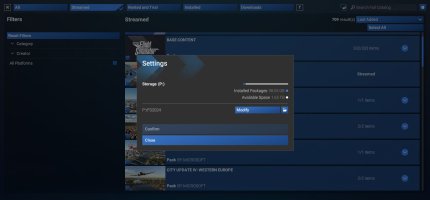
In FS2024, go to Marketplace/My Library and click the second Gear icon next to "Search Full Catalog". That will show (and let you easily change) the folder that contains your Community/Community2024 folders.
View attachment 188711
Also, if you're currently using the horrific default C:\Users\<YourUsername>\AppData\Local\Packages\Microsoft.Limitless_8wekyb3d8bbwe\LocalCache\Packages\Community path, changing it here should move your content to whatever human-named folder you decide to use instead.
When I initially installed MSFS2024 , some stuff went to Drive C and other stuff went to Drive P