• There seems to be an uptick in Political comments in recent months. Those of us who are long time members of the site know that Political and Religious content has been banned for years. Nothing has changed. Please leave all political and religious comments out of the forums.

    If you recently joined the forums you were not presented with this restriction in the terms of service. This was due to a conversion error when we went from vBulletin to Xenforo. We have updated our terms of service to reflect these corrections.

    Please note any post refering to a politician will be considered political even if it is intended to be humor. Our experience is these topics have a way of dividing the forums and causing deep resentment among members. It is a poison to the community. We appreciate compliance with the rules.

    The Staff of SOH

  • Please see the most recent updates in the "Where did the .com name go?" thread. Posts number 16 and 17.

    Post 16 Update

    Post 17 Warning

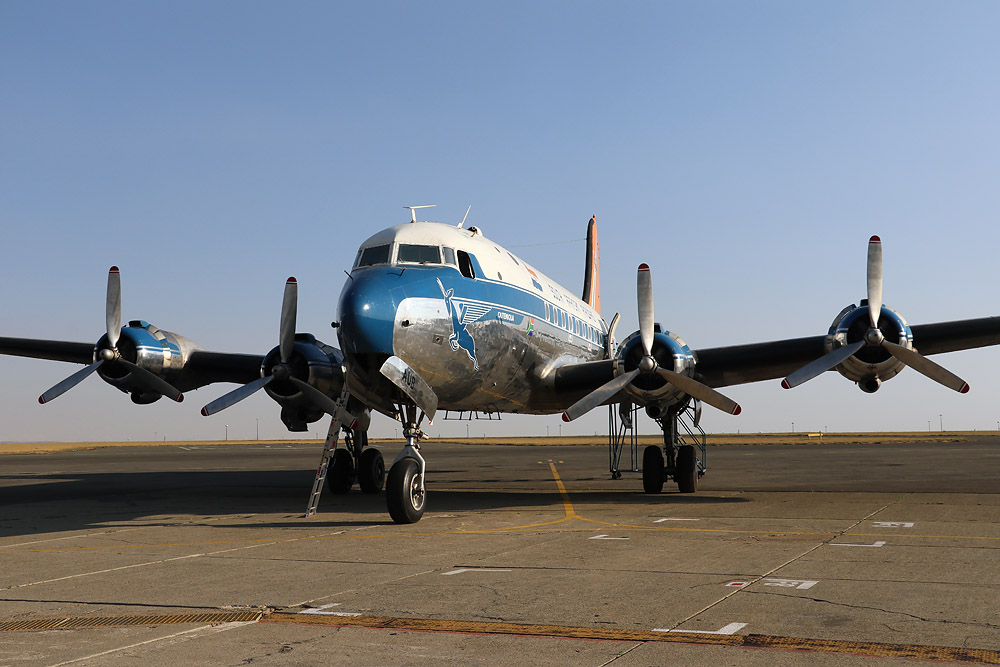
DC-4 Skymaster


Here is a great video I found last night and there is a surprise for Javis at around the 9:35 into the video. I immediately thought of you when I saw this....... great vintage photography. The TWA Connie landing at 5:35 is absolutely beautiful. There is a lot of DC-4 footage too.
 
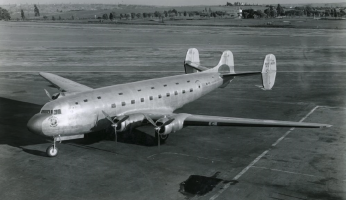
Precisely by talking about Connie and three "rudders" I read that the first DC-4 had been let’s say failed and that it had received as designation the initials DC-4E, E for Experimental and this DC-4 Experimental had three "rudders".

I didn’t find many photos on this prototype but there are some nonetheless.

1768406677970.png

1768406776378.png
 
Last edited:
Hi,

When I work on a 3D model, I tend to take the time to think and anticipate potential problems if possible in order to have the right objects grouped according to the possible solution that I envisage.

The "project structure" for the DC-4 is functionnal, it compile for MSFS 2020 and the sim can load the model. Surface controls are operationnal, all gears can be raised and the front gear can steered.
Propellers aren't moving: I am in the process of reorganizing the different objects that make up the propellers (stiil, slow, blurred) .

Under FS20 at LFPO - Orly :
View attachment 180366
Yesterday there is a problem that appeared to me: I have a Warthog and therefore two throttle axes, which has always been sufficient for the planes I created or used in simulators (Single or Twing engines).

A four-engined is something new for me and I was wondering how I would be able to test this aircraft during development.
Thrustmaster is selling a set of 2 USB throttles for airliners at an affordable price ($100 each). These sets can be coupled in pairs to manage a four-engined vehicle. The joystick will not really be suitable but it could do the trick.
=> https://support.thrustmaster.com/en/kb/1789-en

Another less expensive solution would be to propose an option allowing the motors to be coupled in two:
- motor 1 and 2 coupled to the left axis and
- motor 3 and 4 coupled to the right axis.
Does this last option seem interesting to you ?
I have the Honeycomb Bravo, and that's exactly what I did to fly the B-24 last night. I had the two left throttles mapped to the first axis, and the two right throttles mapped to the second. Then I mapped the two left prop pitch levers to the third axis,. and the two right prop pitch levers to the fourth axis. And finally I mapped the two left mixtures to the fifth axis, and the two right mixtures to the sixth axis. This allows easy use for flying and taxying.
 
Precisely by talking about Connie and three "rudders" I read that the first DC-4 had been let’s say failed and that it had received as designation the initials DC-4E, E for Experimental and this DC-4 Experimental had three "rudders".

I didn’t find many photos on this prototype but there are some nonetheless.

View attachment 180402

View attachment 180403
In the book "Douglas Propliners" there are another three pictures of the one and only DC-4E. It also states that the aircraft was sold to Japan, and one of those pictures shows it on a barge in transit with the tail removed.
 
In the book "Douglas Propliners" there are another three pictures of the one and only DC-4E. It also states that the aircraft was sold to Japan, and one of those pictures shows it on a barge in transit with the tail removed.

I believe the Japanese government wanted to study it, to develop a long-range strategic bomber.
 
I have an X56, so I have two physical axes for throttles as well. For singles, I only use one axis bound to the all-inclusive "Throttle" axis. The other physical throttle axis is left unassigned. For twins, I have the left throttle set to Throttle 1 and the right to Throttle 2 as you might expect. For quads, I double-bind the left throttle to 1 and 2, while the right throttle gets double-bound to 3 and 4. It's easy to set up in the sim. Just ignore the message that says you already have the lever bound to another function.
 
I always use engine 1+2 and 3+4 on the X and Y axes. For me this works well enough for short turns and differential power with crosswind take-off.
 
Hello Didier,
For your information, I bought two Thrustmaster Airbus throttles that can be paired. On the first throttle, I have ENG1 and ENG2, and on the other, I assigned ENG3 and ENG4. It works well. I use them for the PMDG DC-6.

Best regards
 
Thanks for your answers, I will program this option and think seriously to buy two TCA Thrustmaster.
 
Hello,

Version 003:
- Exterior LOD00 is separated and isolated in its proper file : DC-4_Ext_B3623.blend
- Interior LOD00 (more detailled cockpit) is separated and grouped with the Interior LOD01
- Interior LOD01 (less detailled cockpit) is groued with LOD00 in its proper file: DC-4_Int_B3623.blend

Exterior:
The first step was to separate from the general 3D model the part concerning the aircraft access scales and place them in a separate blender file Stairs_B3623.blend

Last week, the work focused on the 3 landing trains in order to simplify the tree structure and to place the different objects in a simple structure so as to have functioning gears: currently, gears are unfolding and going into its compartments with standard animations

Today, all the elements composing the propellerss have been cleaned in the initial tree structure.
Two related animations have been created to manage the propulsor0 and the various objects composing this propulsor have been attached (slow, still, blurred, feather blades) in order to respond to the XML code that will manage them.
The first one is to manage the engine start step in order to realize the pullthrought operation.
The second one is to manage the blades rotation and the visibility of the three variations: slow, still, blurred.
The structure is thinked to limit the number of objects to realize this set.

Thanks to a plugin delivered with blender (Addon-Mesh-Extras) we can select the whole of a propulsor and attach it to a particular Empty.
This operation is similar to the one existing in 3DS which allows grouping animations and objects. The big advantage of this function is that it then allows duplicating the group and moving it in 3D space while maintaining active animations as well as created trees. :cool:

By applying this method to the first propulsor, I was able to complete in 5 minutes the other 3 propulsors (1,2,3) and place them exactly at their final location that is to say, on the axis of each engine.

It remains of course to differentiate/rename the animations and objects from these 3 duplicates, but I have save a lot of time on Blender in a simple operation based, I repeat, on a plugin integrated into each Blender version that simply needs to be activated.

The final rendering of the exterior:
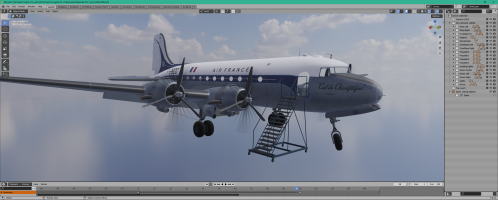
1769371382446.png

Although I seem to spend a lot of time cleaning the general file, renaming objects and animations and meticulously distributing the different objects in separate collections, this allows me:
- to better understand how the plane was designed by Mike "CYUL",
- to prepare a structure with which I am used to working (greater efficiency),
- simplified object names and animations make it easier to write the XML code to manage the whole thing, because I want to delete all of my code in a FS9/FSX way to only use "ModelBehaviors", if necessary I write my own templates,
- using names and animations that I have used in others creation, allows me to use older "ModelBehaviors" for more efficiency,
- to divide the plane into several elements that could, when the time comes, allow me to finish the project for MSFS 2020 or to group these collections in such a way as to be able to build an addon meeting 'modular' standards which are allowed with the 2024 SDK ... especially since RonH (DA40CGDFQ) stated last night on their Discord that a lot of work had been done on the first versions of the 2024 export plugin and that very soon a very successful version would be delivered.

Knowing a little RonH via FSDeveloper, we can trust it.

 
Last edited:
Back
Top