Hello,
Version 003:
- Exterior LOD00 is separated and isolated in its proper file :
DC-4_Ext_B3623.blend
- Interior LOD00 (more detailled cockpit) is separated and grouped with the Interior LOD01
- Interior LOD01 (less detailled cockpit) is groued with LOD00 in its proper file:
DC-4_Int_B3623.blend
Exterior:
The first step was to separate from the general 3D model the part concerning the aircraft access scales and place them in a separate blender file
Stairs_B3623.blend
Last week, the work focused on the 3 landing trains in order to simplify the tree structure and to place the different objects in a simple structure so as to have functioning gears: currently, gears are unfolding and going into its compartments with standard animations
Today, all the elements composing the propellerss have been cleaned in the initial tree structure.
Two related animations have been created to manage the propulsor0 and the various objects composing this propulsor have been attached (slow, still, blurred, feather blades) in order to respond to the XML code that will manage them.
The first one is to manage the engine start step in order to realize the pullthrought operation.
The second one is to manage the blades rotation and the visibility of the three variations: slow, still, blurred.
The structure is thinked to limit the number of objects to realize this set.
Thanks to a plugin delivered with blender (
Addon-Mesh-Extras) we can select the whole of a propulsor and attach it to a particular Empty.
This operation is similar to the one existing in 3DS which allows
grouping animations and objects. The big advantage of this function is that it then allows duplicating the group and moving it in 3D space while
maintaining active animations as well as created trees.

By applying this method to the first propulsor, I was able to complete in 5 minutes the other 3 propulsors (1,2,3) and place them exactly at their final location that is to say, on the axis of each engine.
It remains of course to differentiate/rename the animations and objects from these 3 duplicates, but I have save a lot of time on Blender in a simple operation based, I repeat, on a plugin integrated into each Blender version that
simply needs to be activated.
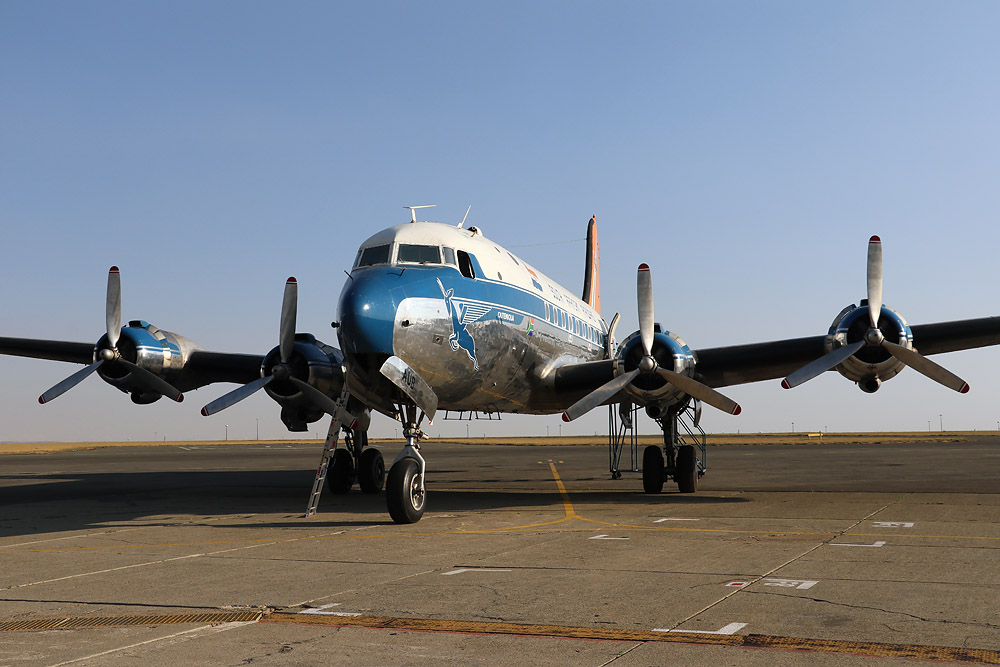
The final rendering of the exterior:
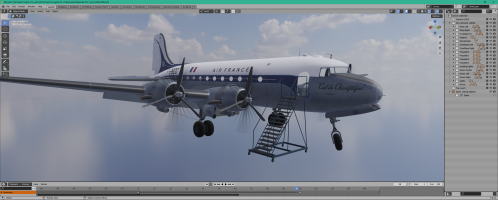
Although I seem to spend a lot of time cleaning the general file, renaming objects and animations and meticulously distributing the different objects in separate collections, this allows me:
- to better understand how the plane was designed by Mike "
CYUL",
- to prepare a structure with which I am used to working (greater efficiency),
- simplified object names and animations make it easier to write the XML code to manage the whole thing, because I want to delete all of my code in a FS9/FSX way to only use "ModelBehaviors", if necessary I write my own templates,
- using names and animations that I have used in others creation, allows me to use older "ModelBehaviors" for more efficiency,
- to divide the plane into several elements that could, when the time comes, allow me to finish the project for MSFS 2020 or to group these collections in such a way as to be able to build an addon meeting 'modular' standards which are allowed with the 2024 SDK ... especially since
RonH (DA40CGDFQ) stated last night on their Discord that a lot of work had been done on the first versions of the 2024 export plugin and that very soon a very successful version would be delivered.
Knowing a little RonH via FSDeveloper, we can trust it.










 Need. More. Axes!