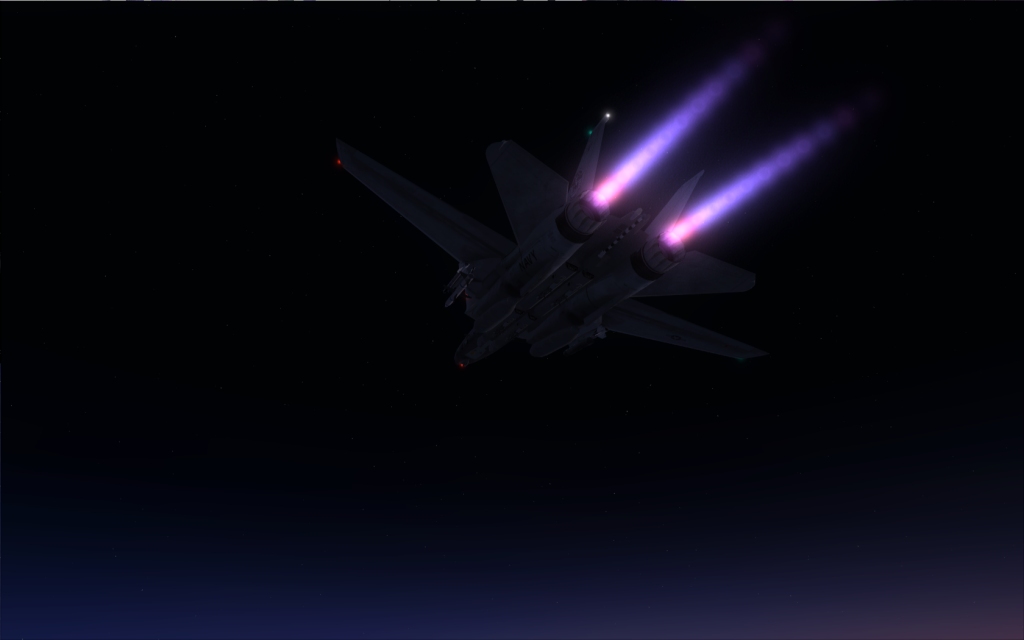
ok..so now that you know what effect I use here,s what you have to do..
1.You need to have the payware model effects installed
2.Get the gauge folder named "KO_F16_FX" from Kirk Ollson F16, like Stovall recomended,and put it in the gauge folder.
3.Add this line to each panel.cfg for the effect to work via throttle ( I have no idea why we have three panel folders )
[Vcockpit07]
Background_color=0,0,0
size_mm=32,32
visible=0
pixel_size=32,32
texture=$exhaust
gauge00=KO_F16_FX!F16_AB_THROGGLE, 0,0,1,1
4.my aircraft.cfg for lights looks like this:
[LIGHTS]
//Types: 1=beacon, 2=strobe, 3=navigation, 4=cockpit, 5=landing
//Lights encoded into MDL file
light.1 = 10, -13.50, 0.00, 4.00, fx_F14_vclight,
light.2 = 10, -19.00, 0.00, 4.00, fx_F14_vclight,
light.3= 9, -48.5, -4.50, -0.30, fx_iris_f14a_aniburner
light.4= 9, -48.5, 4.98, -0.20, fx_iris_f14a_aniburner
light.5 = 5, -14.0, 0.0, -1.30, fx_shockwave_landing_light_narrow
5.Stovall recomends to remove the original F-14 effects except this file
fx_navorange_t45.fx wich is probably shared with the T-45 Goshawk.
I didn't know if it was copyright to tell people to do this or not obviously not lol, so I just didn't say how to do it at first!
This adds the payware Iris pro F14B HUD to your tomcat
follow yago's instructions above for the Iris burners too!
Add this to [Vcockpit01] section in your panel .cfg
gauge00=F-14_Systems!HUD-V14, 36,36,440,440,
and add the F-14_systems.CAB to your panel folder
thats it!
It really is much better!