
Jacek_Kasprowicz
Members +
I just bought a Flight Replicas P-40N for MSFS on the Marketplace.
Before buying it, I watched this video:
And I read the manual for this plane.
I was happy to have both the historical and the Airshow versions.
But my historical version also has an autopilot.
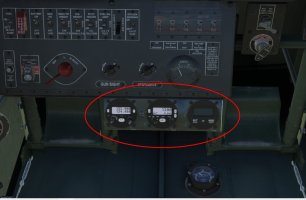
It's not shown in the video or the manual.
How can I hide it to fly historically?
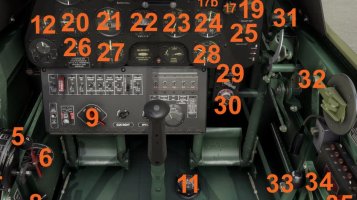
I understand that the Airshow version can have radios and navigation.
But they shouldn't be available in the historical version.
How can I disable it to get the same version as in the manual and videos?
Best regards
Before buying it, I watched this video:
And I read the manual for this plane.
I was happy to have both the historical and the Airshow versions.
But my historical version also has an autopilot.
It's not shown in the video or the manual.
How can I hide it to fly historically?
I understand that the Airshow version can have radios and navigation.
But they shouldn't be available in the historical version.
How can I disable it to get the same version as in the manual and videos?
Best regards


