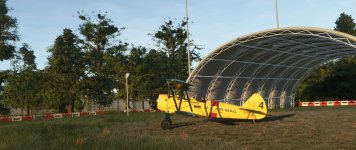
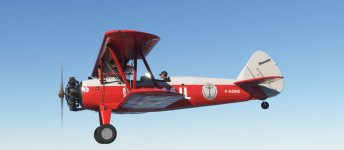
banjoman1960
Charter Member
ad also this one,from The Aviator movie, https://flightsim.to/file/67970/gas-stearman-varney-airlines

Please see the most recent updates in the "Where did the .com name go?" thread. Posts number 16 and 17.
Just when you think you have everything running some what better...
You get a message from the Hosting company. Short story they need to move us to a new server. I have been working with them to plan a good date for all concerned. Here is what we have come up with as a schedule.
If all goes well we should be back online on November 8th.
To keep you updated we will post updates on AVSIM forums.
Thank you for your support.
I love the Stearman.
Although I don't have MSFS ( still with FSX:SE ) , I do get to fly Stearman 203 in real life ....


I love the Stearman.
Although I don't have MSFS ( still with FSX:SE ) , I do get to fly Stearman 203 in real life ....
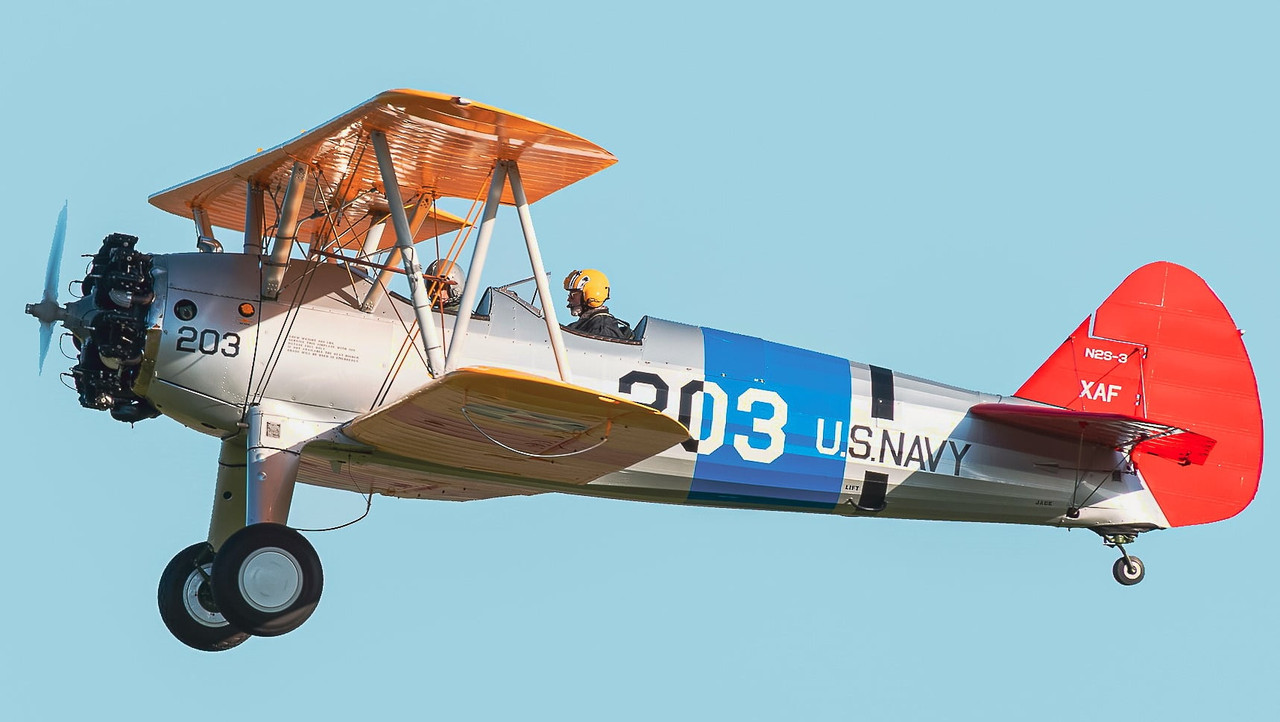
 XAF (0001) by JanKees Blom, on Flickr
 Screenshot (2503) by JanKees Blom, on Flickr
 Screenshot (2504) by JanKees Blom, on Flickr


I've transferred the textures for LN-VAR to all 3 Stearman models. The original LN-VAR is a PT-17 with a R-670 Continantal engine and wooden propeller. The GAS PT-17 Stearman don't have option for the wooden propeller. So I choosed the PT-17 model (with pitch propeller), as that was the one most similar to the original. The red "Fire extinguisher" placard on port side is not present on the original aircraft. I've tried to remove that placard, but I am not able to do so.
I used to find in P3D that GAS aircraft were amenable to AP tweaking in the .cfg files so you could get a basic Autopilot working.
I have flown the Stearman a couple of times & tried the basic keyboard AP, (Z & ALT HLD & HDG HLD), but can't get it to take yet.
I've looked in systems.cfg and there is an AP section, with "autopilot_available =1", which, I think, means an AP will work.
So, is there another line somewhere in the .cfg's I need to tweak to get an AP going??
Thanks
T43


I used to find in P3D that GAS aircraft were amenable to AP tweaking in the .cfg files so you could get a basic Autopilot working.
I have flown the Stearman a couple of times & tried the basic keyboard AP, (Z & ALT HLD & HDG HLD), but can't get it to take yet.
I've looked in systems.cfg and there is an AP section, with "autopilot_available =1", which, I think, means an AP will work.
So, is there another line somewhere in the .cfg's I need to tweak to get an AP going??
Thanks
T43
I used to find in P3D that GAS aircraft were amenable to AP tweaking in the .cfg files so you could get a basic Autopilot working.
I have flown the Stearman a couple of times & tried the basic keyboard AP, (Z & ALT HLD & HDG HLD), but can't get it to take yet.
I've looked in systems.cfg and there is an AP section, with "autopilot_available =1", which, I think, means an AP will work.
So, is there another line somewhere in the .cfg's I need to tweak to get an AP going??
Thanks
T43
systems cfg,
;Leaving this in for content creators remove the ; before circuit.19 and circuit.20
circuit.19 = Type:CIRCUIT_AUTOPILOT #Connections:bus.2 #Power:0, 0, 10.0 #NamedISABLED Autopilot ; Autopilot 15W
circuit.20 = Type:CIRCUIT_GPS #Connections:bus.2 #Power:0, 0, 10.0 #NamedISABLED GPS ; AS530 45W
Ok, thank you.
Not sure which words to remove, or is it the whole line, [both of them]?
T43
[ELECTRICAL]
bus.1 = Name:MAIN_BUS
bus.2 = Connections:bus.1#Name:AVIONICS_BUS
battery.1 = Connections:bus.1, bus.3#Capacity:13.6#Voltage:curve.1#Name:MAIN_BATTERY         ; Main Battery
alternator.1 = Connections:bus.1#iEng:0#Load:curve.2#Voltage:curve.3#Name:Alternator
curve.1 = 0:11, 0.1:11.5, 0.5:12, 0.9:12.3, 1:12.5                         ; Battery voltage for capacity %
curve.2 = 500:5, 600:15, 1000:30, 1800:40                             ; Load from RPM table
curve.3 = 100:10, 500:13.2, 600:13.5, 1000:13.9, 1800:14                     ; Voltage from RPM table

circuit.1 = Type:CIRCUIT_GENERAL_PANEL        #Connections:bus.1    #Power:0.5, 1, 10.0        #Name:General_Panel ; General panel
circuit.2 = Type:CIRCUIT_STARTER        #Connections:bus.1    #Power:1000, 1500, 10.0        #Name:Starter_1 ; Starter 3500W
circuit.3 = Type:CIRCUIT_DIRECTIONAL_GYRO    #Connections:bus.1    #Power:10, 15, 10.0        #Name:Directional_Gyro ; directional gyro 15W
circuit.4 = Type:CIRCUIT_STANDBY_VACUUM        #Connections:bus.1    #Power: 5, 10, 10.0        #Name:STBY_Vacuum ; stby vacuum
circuit.5 = Type:CIRCUIT_XPNDR            #Connections:bus.2    #Power:10, 18, 10.0        #Name:Transponder ; Transponder 18W
circuit.6 = Type:CIRCUIT_TURN_COORDINATOR    #Connections:bus.1    #Power:10, 15, 10.0        #Name:Turn_Coordinator ; turn coordinator 15W
circuit.7 = Type:CIRCUIT_AVIONICS        #Connections:bus.2    #Power:20, 25, 10.0        #Name:Avionics_1 ; avionics 1
circuit.8 = Type:CIRCUIT_AUDIO            #Connections:bus.2    #Power:10, 15, 10.0        #Name:Audio ; Audio 15W
circuit.9 = Type:CIRCUIT_PITOT_HEAT        #Connections:bus.2    #Power:30, 40, 10.0        #Name:Pitot_Heat ; pitot_heat 40W
circuit.10 = Type:CIRCUIT_NAV:1            #Connections:bus.2    #Power: 4,  5, 10.0        #Name:NAV1 ; NAV 1 5W
circuit.11 = Type:CIRCUIT_COM:1            #Connections:bus.2    #Power: 4,  5, 10.0        #Name:COM1 ; COM 1 5W
circuit.12 = Type:CIRCUIT_LIGHT_PANEL        #Connections:bus.1    #Power:10, 15, 10.0        #Name:Instruments_Lights ; panel lights (11) 15W
circuit.13 = Type:CIRCUIT_LIGHT_CABIN:1        #Connections:bus.1    #Power:10, 15, 10.0        #Name:Cabin_Light_pilot ; Cabin light 15W
circuit.14 = Type:CIRCUIT_LIGHT_CABIN:2        #Connections:bus.1    #Power:10, 15, 10.0        #Name:Cabin_Light_copilot ; Cabin light 15W
circuit.15 = Type:CIRCUIT_LIGHT_NAV        #Connections:bus.1    #Power:10, 15, 10.0        #Name:Nav_Light_1 ; nav 1 light 15W
circuit.16 = Type:CIRCUIT_LIGHT_WING        #Connections:bus.1    #Power:10, 15, 10.0        #Name:Wing_Light ; wing light 15W
circuit.17 = Type:CIRCUIT_LIGHT_LOGO        #Connections:bus.1    #Power:10, 15, 10.0        #Name:Logo_Light ; logo light 15W
circuit.18 = Type:CIRCUIT_XML            #Connections:bus.2    #Power:10, 15, 10.0        #Name:Aera_Tablet

;Leaving this in for content creators
circuit.19 = Type:CIRCUIT_AUTOPILOT        #Connections:bus.2    #Power:0, 0, 10.0        #Name:DISABLED Autopilot ; Autopilot 15W
circuit.20 = Type:CIRCUIT_GPS            #Connections:bus.2    #Power:0, 0, 10.0        #Name:DISABLED GPS ; AS530 45W
;circuit.21 = Type:CIRCUIT_LIGHT_BEACON        #Connections:bus.1    #Power:0, 0, 10.0        #Name:DISABLED Beacon_Light ; Beacon light 28V @ 0.26A
;circuit.22 = Type:CIRCUIT_LIGHT_STROBE        #Connections:bus.1    #Power:0, 0, 10.0        #Name:DISABLED Strobe_Light_1 ; strobe light 25W
;circuit.23 = Type:CIRCUIT_LIGHT_RECOGNITION    #Connections:bus.1    #Power:0, 0, 10.0        #Name:DISABLED Recognition_Light ; recognition light 15W
;circuit.24 = Type:CIRCUIT_LIGHT_TAXI        #Connections:bus.1    #Power:0, 0, 10.0        #Name:DISABLED Taxi_Light ; taxi light 60W
;circuit.25 = Type:CIRCUIT_LIGHT_LANDING #Connections:bus.2 #Power:0, 0, 10.0 #Name:DISABLED Landing_Light ; Landing light 95Wthe lines are all in,so backup......
and you need only remove the ; before......save and done,work great for me,i use a key for alt and heading hold,one for ap on/off.
you need all 3 cfg. so pt17 18 and the a75l300.
;Leaving this in for content creators
circuit.19 = Type:CIRCUIT_AUTOPILOT #Connections:bus.2 #Power:0, 0, 10.0 #NameISABLED Autopilot ; Autopilot 15W
circuit.20 = Type:CIRCUIT_GPS #Connections:bus.2 #Power:0, 0, 10.0 #Name
;circuit.21 = Type:CIRCUIT_LIGHT_BEACON #Connections:bus.1 #Power:0, 0, 10.0 #Name
;circuit.22 = Type:CIRCUIT_LIGHT_STROBE #Connections:bus.1 #Power:0, 0, 10.0 #Name
;circuit.23 = Type:CIRCUIT_LIGHT_RECOGNITION #Connections:bus.1 #Power:0, 0, 10.0 #Name
;circuit.24 = Type:CIRCUIT_LIGHT_TAXI #Connections:bus.1 #Power:0, 0, 10.0 #Name
;circuit.25 = Type:CIRCUIT_LIGHT_LANDING #Connections:bus.2 #Power:0, 0, 10.0 #Name
 face in lieu of the "D" is significant?
Update
Thank you banjoman
Finally got it to work after taking out the 2, ";", per your instructions.
I found I needed to be patient for the ALT HLD to take effect as initially it started to drop, then slowly levelled out.
Appreciate your assistance.
Now, off to find some more liveries!
T43