Interesting Scenery Question

Aharon

Members +
Shalom and greetings all my pals,

I am NOT NOT NOT expert in P3D sceneries hence my unusual question for all of you P3D experts about my FSX with SP1 and SP2 set in Windows 10.

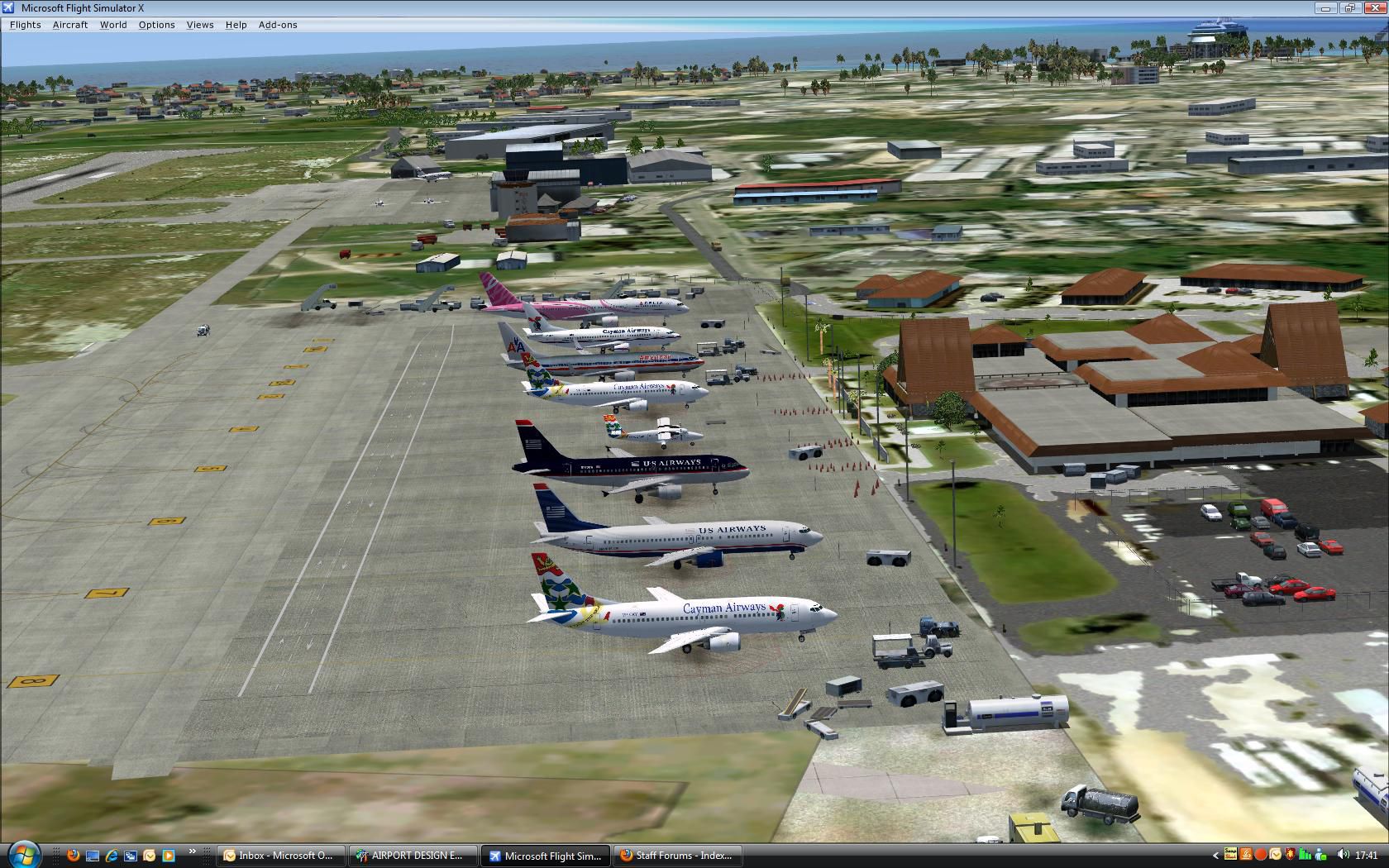
Few years ago, I bought payware MWCR scenery for use of FSX and it is fantastic scenery that works well in my FSX. Only one problem is that there is no night lights such as runway lights, taxiway lights, terminal building windows' light, etc. Also no 4 PAPI lights too. So I asked the developer for assistance and they sent me P3D version of the same scenery telling me it will work in FSX and will solve all problems for missing night lights. That P3D scenery was designed for P3D versionn 1-2 or 1-3.

Although I got the P3D scenery few years ago, I am still TOO SCARED to install into my FSX out of fear it will cause crash in my FSX and might damage my FSX beyond repairable.

My question is that is it true that P3D scenery designed for P3D V1-3 will work in my FSX?? If so, which files in the P3D scenery should I copy from and paste into my FSX's MWCR scenery folder to correct the problem of missing night lights??

Thank you for any assistance any of you might offer.

Regards,

Aharon
 
From a Google Search:


Generally, no. Scenery designed specifically for Prepar3D (P3D) Versions 1 through 3 will not work correctly in FSX. Because P3D is a continuously evolved platform, code and material formats compiled using newer P3D Software Development Kits (SDK) are incompatible with the older FSX engine.
FSDeveloper +2

While you might be able to manually transfer basic 2D layout files (like .bgl files), complex 3D objects, custom lighting, and advanced textures will often fail to render, display transparently, or cause simulator crashes.


Why the incompatibility happens:

  • Compiled Code: Scenery designed explicitly for P3D features updated MDL formats (the code format for 3D objects) and material configurations that FSX cannot read.


  • Texture and Effects: Newer bump maps, dynamic lighting, and special effects used in P3D are not supported natively by FSX.


  • Installers: Many modern P3D add-ons utilize registry-checking installers that prevent installation if an active P3D environment is not detected.

Tips for attempting conversion:

If you have an older P3D scenery and strictly need it in FSX, you can use ⁠ModelConverterX, a popular freeware tool used to load 3D objects and recompile them into a native FSX .mdl format.
 
That Google AI reply is basically utter garbage and not worth the space it takes up on the screen. FSX and P3D up to v3 are almost identical in protocols and SDKs with only minor differences. A lot of the FSX aircraft I made with LDR were compiled using the P3D v3 SDK tools not the tools from the FSX SDK and they work fine in FSX and P3D.

My external FSX add-on scenery location 'C:\FSX Scenery' is the exact same location that my P3D v4.5 scenery manager looks for when using add-on scenery (as well as C:\Users\Larry\Orbx Library\p3dv4) and 32-bit FSX scenery packages work fine in 64-bit P3D v4.5 (payware or freeware). The difference might come if you were to try to take a native 64-bit compiled P3D v4.5 scenery and then try to use that in 32-bit FSX. Then there might be problems.

Aharon stated that the creators of the scenery had sent him the P3D package that covered versions 1-3 and FSX. They should know their own products better than anyone so if they say it will work I would take them at their word, you can always make a back-up of what currently exists so that you can go back if you mess up.

This is what I would do if it was me but if you do it then it's at your own risk as I don't have that software/scenery so cannot test it here for you.

1. Take the entire add-on scenery folder for MWCR that you currently have installed for FSX and copy it to a different location, preferably on a different drive (just the MWCR folder not the entire 'Add-on Scenery' tree).
2. Go into the FSX add-on scenery manager and delete/remove the MWCR scenery package from the manager and let it rebuild it's database.
3. Close FSX and then navigate to the location where the MWCR scenery was installed and delete the MWCR scenery folder (but not the back-up you made).
4. Re-install the MWCR scenery using the supplied installer or instructions for the P3D version.
5. Start FSX and then add the new scenery into the add-on scenery manager as normal.
6. Go test.
7. If it works, well done you are good to go. If it fails replace the new MWCR folder with the one you backed-up and test again to make sure you are back to how it was.

HTH
 
I developed a lot of scenery for FSX and later P3D. As I remember the only thing that can derail FSX, when installing a P3D scenery, is when there is an included scenery object library which has objects designed with native PBR textures. The other thing is when sceneries interfere with default libraries (installs / replaces stuff in native FSX folders, messing with world data). As long as this is not the case you should be safe. If FSX won't start, just move the scenery away or delete it.


Cheers,
Mark
 
As I remember the only thing that can derail FSX, when installing a P3D scenery, is when there is an included scenery object library which has objects designed with native PBR textures.
If the scenery package has PBR textures then that means it had to have been compiled with the 64-bit P3D v4+ SDK tools as the PBR texture schema did not exist in the 32-bit version of P3D which is why a native P3D v4.5+ scenery will not work in FSX.
 
Thanks all for very very very kind replies and very very useful suggestions. I am still too scared to try. LOL

Quick question please: which file in the P3D version of MWCR scenery folder is for runway lights, night window lights for terminals, 4 PAPIs, and taxiway nights?? Or is it ALL OVER on ALL files of the scenery folder?? I am thinking of copying only one or two files from P3D version of MWCR scenery folder and pasting on FSX version of MWCR folder to get all night lights and 4 PAPIs working. Will this trick do? Or is it out of question and I must install full P3D version scenery into FSX after removing the FSX version scenery?

Regards,

Aharon
 
If we don't have the P3D or FSX version of the airport you are having issues with how can we possibly tell you which files are involved?

At this point I would say contact the vendor again for advice or avoid going to MWCR if it is causing you issues (there are plenty more airports in the sim).
 
If we don't have the P3D or FSX version of the airport you are having issues with how can we possibly tell you which files are involved?

yes that might be true but I can show you screenshots of files of the scenery folder. When I examined comparison of files between FSX scenery and P3D scenery, I realized they are same and have same modification dates therefore no ability to distinguish.
At this point I would say contact the vendor again for advice or avoid going to MWCR if it is causing you issues (there are plenty more airports in the sim).

I did few years ago and got reply that they no longer support FSX no matter if I just bought the scenery few years ago.
From reading complete three day transcript of communication between me and the owner of scenery company, I just realized that they sent me P3Dv4 scenery while telling me it will work in FSX. Now I understand why I have been so afraid to install for past years!! It is shame. MWCR is one of my favorite airports.

Anyway thanks to all for kind help and my apologies for causing false alarm while I did NOT realize it is P3Dv4, not P3Dv1-3. Struck me strange that the software company kept insisting that P3Dv4 scenery would work in my FSX.

Regards,

Aharon
 
It may still work if it does not contain P3D v4.5 specific file types like PBR textures (identifiable by the terms 'albedo', 'metallic' and 'normal' in the file names). If it has regular textures (diffuse, specular and bump) there is a good chance it will still work fine in FSX. If the creators say it will work in FSX why are you so hesitant to trust them?

If you are adamant you want an add-on version of MWCR there is this freeware option available too:

 
It may still work if it does not contain P3D v4.5 specific file types like PBR textures (identifiable by the terms 'albedo', 'metallic' and 'normal' in the file names). If it has regular textures (diffuse, specular and bump) there is a good chance it will still work fine in FSX. If the creators say it will work in FSX
Thanks for this great tip explaining to me about difference in the file name formats for FSX and P3DV4
If you are adamant you want an add-on version of MWCR there is this freeware option available too:
I already have that freeware retro MWCR scenery with old and original terminal buildings. The payware version I am using is modern MWCR scenery with new terminal buildings.

Once again, thanks for great explanation on file formats for FSX and P3D.

As for why I am hestitant to trust the developer, that person was single staff member owning his software company meaning he was amateur although he made great sceneries however missing night lights for terminals, runway, and taxiways and the other fact there are some FSX buildings that are not supposed to be on MWCR scenery are clear proof of his amateur work but the FSX version of MWCR is wonderful. That was years ago.

Maybe I will delete the scenery and re-install the scenery in hope it will get night lights working.

Regards,

Aharon


Back
Top