• Please see the most recent updates in the "Where did the .com name go?" thread. Posts number 16 and 17.

    Post 16 Update

    Post 17 Warning old domain name stealing credentials

  • Special Server Maintenance

    Just when you think you have everything running some what better...

    You get a message from the Hosting company. Short story they need to move us to a new server. I have been working with them to plan a good date for all concerned. Here is what we have come up with as a schedule.

    1. November 4th 17:00 -5UTC shut off the forums and start backup proceedures. During this time there will be no access to the forums or the Resource Section.
    2. November 5th Continue with Backups and download same until complete.
    3. November 6th 7:00 turn over server to hosting company to move system to new server
    4. November 7th - 8th restore backups and upgrade forum software.

    If all goes well we should be back online on November 8th.

    To keep you updated we will post updates on AVSIM forums.

    Thank you for your support.

It's an AI thing

Willy

Administrator
Staff member
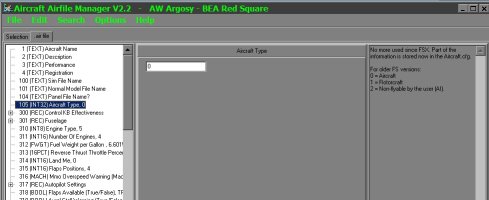
I'm working on some custom AI traffic for FSX SE and wanting to throw some of Milton's Howard 500s in there for the AI to have fun flying about. It's been a good while since I've last done AI conversions to aircraft and I used to use XML Notepad to change the little 1 to a 2 so the aircraft selection menu would ignore it. Problem is that XML Notepad is not gee-hawing on my fancy new Win 11 rig. So what other programs/apps are good for minor tweaks to a .air file?

Thanks in advance,

Willy
 
Another option is "Aircraft Typer", though it may be difficult to find now (dated Jan 2004); runs well in Win7, no idea about newer OS.

"FS Aircraft Typer - FSAT
====================
version 1.0

What it is
----------
As AI Traffic was implemented in MSFS the number of aircrafts installed in MSFS increased enormously. To enjoy a lot of AI Traffic also means to have an oversupply of non-flyable aircrafts in the MSFS aircraft menu. Also the process of opening the MSFS aircraft menu takesmuch more time with hundreds of aircrafts that have to be loaded. To get rid of them when choosing an aircraft in MSFS but still let the aircrafts fly as AI Traffic is not possible with MSFS. This simple tool lets you make this job very quickly.

Compatibility
-------------
This little software was tested on Windows XP with a PIV 2400 but should work as well with other 32 Bit Windows OS and slower computers. Only for FS 2002&2004, for AI Traffic was not yet implemented in former versions of MSFS.

To do it
---------
1. Select an aircraft directory (FSAT automatically detects the aircraft folders of FS2002 and FS2004)
2. FSAT reads in all airfiles in the subfolders
3. Select the aircrafts whose type you wish to change or select <Find AI Traffic Aircrafts> to automatically detect AI Aircrafts
4. Select the aircraft type (<non flyable> means that the aircraft is not shown in the MSFS aircraft menu)
4. Write the changes to the airfile
5. FSAT makes a backup of all airfiles being changed (.FSAT_bak)

THATS ALL"
 
I'm running Win 11 not by choice, but what came on this 64 bit rig.
By accident, I stumbled across what I used to use, while looking for something else here in the resource files. CFS2 Airedit. Smallish airfile editor that still works fine in FSX although the last time I used it was for FS9. I've played around with airfile editors years ago, but never really knew what I was doing. I mentioned XML Notepad above, but after I re-discovered CFS2 Airedit, I realized that it was in CFS3 that I use using XML Notepad to modify other things, not airfiles.

In FSX SE, I'm running a separate folder in SimObject for AI aircraft to keep them from clogging up the flyable ones in the main aircraft folder.
 
Back
Top