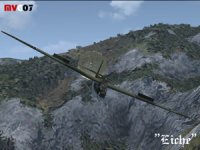
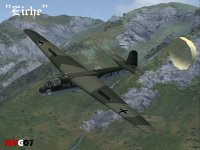
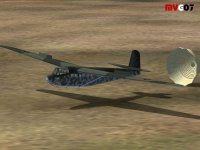
I animated the drag chute with an additional flap position. For example, the Su-22.
Two flaps positions for swing wings and two positions for the landing flap.
Position five animated the drag chute.
In the Aircraft.CFG the looks.
[Flaps.0] // Animation; Angel = KayFrames
type=1
span-outboard=0.500000
extending-time=18.000000
system_type=0
flaps-position.0= 0.00, 0.00
flaps-position.1= 218.00,0.00
flaps-position.2= 400.00,0.00
flaps-position.3= 500.00, 0.00
flaps-position.4= 600.00, 0.00
flaps-position.5= 600.00, 0.00
lift_scalar= 0.0
drag_scalar= 0.0
pitch_scalar=0.0
[Flaps.1] // Schwenkflügel; Swiveling Wings
type=1
span-outboard=0.500000
extending-time=12.000000
system_type=0
flaps-position.0= 0.00, 0.00
flaps-position.1= 10.00,0.00
flaps-position.2= 20.00,0.00
flaps-position.3= 20.00, 0.00
flaps-position.4= 20.00, 0.00
flaps-position.5= 20.00, 0.00
lift_scalar= 1.0
drag_scalar= 0.5
pitch_scalar= 2.0
[Flaps.2] // Klappen; Flaps
type=1
span-outboard=0.500000
extending-time=5.000000
system_type=0
flaps-position.0= 0.00, 0.00
flaps-position.1= 0.00,0.00
flaps-position.2= 0.00,0.00
flaps-position.3= 5.00, 0.00
flaps-position.4= 10.00, 0.00
flaps-position.5= 10.00, 0.00
lift_scalar= 2.0
drag_scalar= 1.5
pitch_scalar= 1.5
[Flaps.3] // Bremsschirm; Drag Chute
type=1
span-outboard=0.500000
extending-time=0.03
system_type=0
flaps-position.0= 0.00,0.00
flaps-position.1= 0.00,0.00
flaps-position.2= 0.00,0.00
flaps-position.3= 0.00,0.00
flaps-position.4= 0.00, 0.00
flaps-position.5= 10.00, 0.00
lift_scalar= -0.2
drag_scalar= 75.0
pitch_scalar= -5.00
The drag chute is animated by key frame 0 to 100.
Are controlled animation and visibility over the makeMDL.parts.xml
Code:
<part>
    <name>Bremsschirm_schirm</name>

    <visible_in_range>
        <parameter>
            <code>
                    (A:FLAPS HANDLE PERCENT, percent) 95 > (A:GROUND VELOCITY, knots) 35 > &&
                                 if{ 1 } els{ 0 }
            </code>
        </parameter>
        <minvalue>1</minvalue>
        </visible_in_range>

    <animation>
        <parameter>
            <code>
                               (A:FLAPS HANDLE PERCENT, percent) 95 >
                                 if{ 100 } els{ 0 }
                         </code>
                        <lag>180</lag>
        </parameter>
        </animation>
</part>