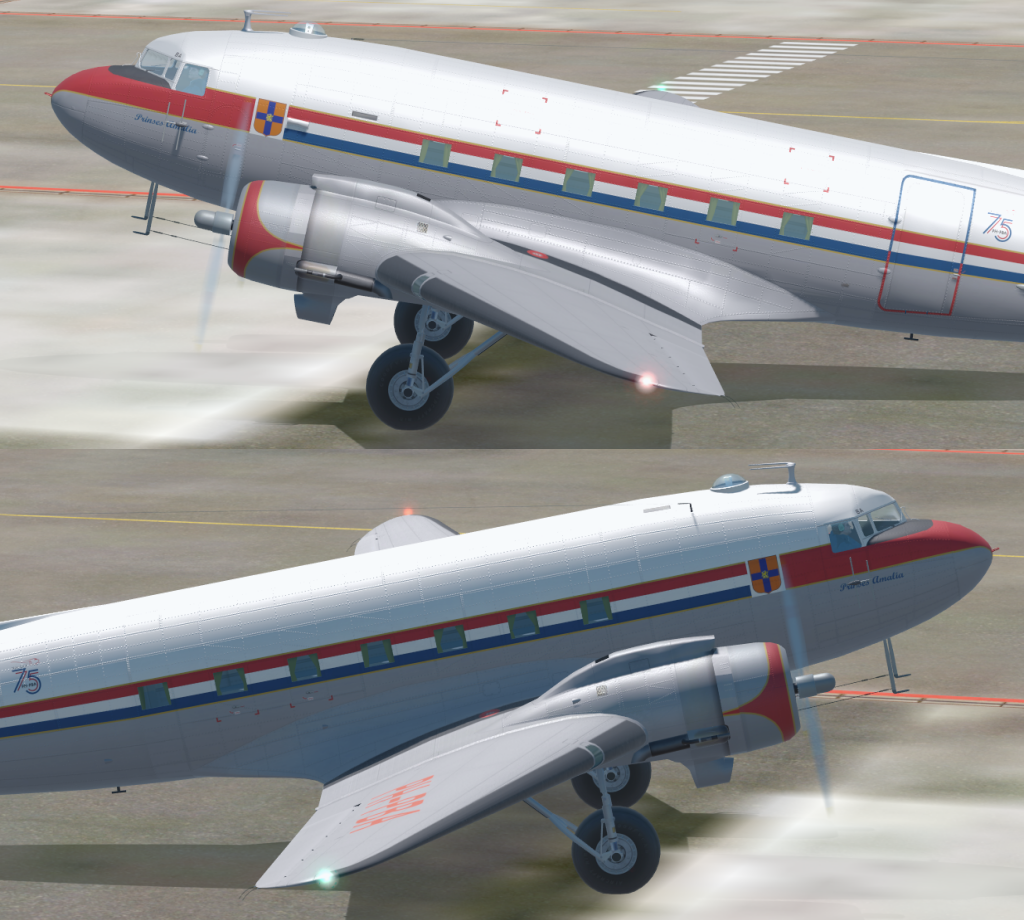
Jankees, PBR is a new skillset to learn. One thing, is to understand what actually does what in the texture files, and how the Albedo (diffuse) map interacts with the Roughness Metallic files.
P3D has it setup differently than DCS, but it still applies. The Albedo color needs to be MUCH MUCH lighter than anything is FSX or non PBR P3D ever did. The brightness of the color plays a part in it's luminosity in terms of PBR bloom. The problem I see most, is that people will confuse the SMOOTHNESS, with the METALNESS. While BOTH work together to create a "Metallic" surface, increasing the Smoothness without increasing the Dielectric component usually results in something looking "Wet" or glossy. The other HUGE consideration with PBR in P3D, is that at least to my eye, appears to not use the environment very well as the reflection. It's too washed out. In order to get a convincing Aircraft aluminum, you need to have bright, direct sunlight, with no clouds, and a HIGH contrast sky color, like very dark blue. Otherwise, at least to my eyes, the PBR is not rendered well in low lighting conditions.


You can see in the images above, that the contrast is much better. This was a significant change from the actual color in the FSX/P3D (non PBR) version of the XF92 skin. In previous non-PBR the skin tone was actually about 50% brightness dark grey #808080 RGB. This image is nearing the white range in terms of Albedo color. Perhaps this has changed in v5, but it doesn't appear so?
These are images below are some paints I've done for DCS, used for comparison for PBR. But it illustrates better how a rendering engine uses PBR. Unless the paint is glossy with some kind of clear coat, the smoothness required is much lower. I use ~50% brightness in the Green channel for paint. The Blue channel I use somewhere near almost black (#191919) for paint that is a non conductive insulator.



 but I can try, what can I do to set up this for v5 option?

 Just add these extra lights to the aircraft.cfg at the [lights] section, added two on each side: