
-
Please see the most recent updates in the "Where did the .com name go?" thread. Posts number 16 and 17.
-
IMPORTANT DOWNLOADING INFORMATION - ALL MEMBERS PLEASE READ
Please see this thread for updates. Update Thread
SOH ADMINISTRATION
You are using an out of date browser. It may not display this or other websites correctly.
You should upgrade or use an alternative browser.
You should upgrade or use an alternative browser.
Milviz F-15E Service Pack
- Thread starter krazycolin
- Start date


strykerpsg
SOH-CM-2026
Mine look like Naruto's.

Thunderbolt
Charter Member 2014
On some planes, the burners will use the default texture fx1.bmp (or one of the fx*.bmp, I don't remember which one exactely) to display the burners "body".
If this texture has been replaced by some "light" addons, like "Nick's light fix" for example (which replaces the round lights by star lights), then the burners will start looking ridiculous.
Perhaps Thunderbolt has installed some addon like that ? Or does the Milviz burner effect refers to a specific texture instead ?
No light addons installed, but with the aircraft from A2A or VRS Superbug comes the A2A light effects ?
In the FSX.cfg I found this BLOOM_EFFECTS=1 ?

UnknownGuest12
New member
Afterburner Effects
Hi
Some tests I made with after-burner...
Found out that when I press “I” key got flares? and a strange afterburner effect with no change in aircraft thrust, no action with joystick thrust lever.
Normal afterburner, with joystich, the one with the yellow circles.
L key onlt nose gear landing light...
No bloom effects, only “Shade” and REX together with GEX.
Windows 7 64 8 Gb RAM and Nvidia G-Force 560 Ti
Hope this helps
Regards
Hi
Some tests I made with after-burner...
Found out that when I press “I” key got flares? and a strange afterburner effect with no change in aircraft thrust, no action with joystick thrust lever.
Normal afterburner, with joystich, the one with the yellow circles.
L key onlt nose gear landing light...
No bloom effects, only “Shade” and REX together with GEX.
Windows 7 64 8 Gb RAM and Nvidia G-Force 560 Ti
Hope this helps
Regards
Skyhawk_310R
Charter Member
The way the code was written for this jet, you should use the switch on the left console to cycle the landing and taxi light -- don't use the I or the L keys.
Ken
Ken
MenendezDiego
Charter Member
Regarding the price,
Originally the price was to be $50.00.
We decided to have a promotional period upon release, and set the price to $39.99.
After it became evident we needed to produce a Service Pack, we opted to keep the price at $39.99 for those who agreed to purchase the F-15E with the promise of a Service Pack which would fix the issues.
In short, we kept the price at $39.99 as a way of saying thank you, and sorry to our customers who were hanging on and sticking with us throughout the Service Pack process.
Now that the service pack has been released, the price is now at the original intended price of $50.00.
$50.00 is a great price for this aircraft. I believe that if someone purchases the aircraft, and takes a little time to read the manual/do some system flying, they'll feel more than satisfied.
As always, there is a 30 day money back guarantee if you are not satisfied.
Hope that answered your question, Diego
Originally the price was to be $50.00.
We decided to have a promotional period upon release, and set the price to $39.99.
After it became evident we needed to produce a Service Pack, we opted to keep the price at $39.99 for those who agreed to purchase the F-15E with the promise of a Service Pack which would fix the issues.
In short, we kept the price at $39.99 as a way of saying thank you, and sorry to our customers who were hanging on and sticking with us throughout the Service Pack process.
Now that the service pack has been released, the price is now at the original intended price of $50.00.
$50.00 is a great price for this aircraft. I believe that if someone purchases the aircraft, and takes a little time to read the manual/do some system flying, they'll feel more than satisfied.
As always, there is a 30 day money back guarantee if you are not satisfied.
Hope that answered your question, Diego
Naruto-kun
Charter Member
Hi
Some tests I made with after-burner...
Found out that when I press “I” key got flares? and a strange afterburner effect with no change in aircraft thrust, no action with joystick thrust lever.
Normal afterburner, with joystich, the one with the yellow circles.
L key onlt nose gear landing light...
No bloom effects, only “Shade” and REX together with GEX.
Windows 7 64 8 Gb RAM and Nvidia G-Force 560 Ti
Hope this helps
Regards
Looking at this. For now just use Cowl flaps open incrementally. Trying to find a way to trigger the cowl flaps event and the flare effect without triggering the burner and other effects.
MenendezDiego
Charter Member
Anyone else remember this?
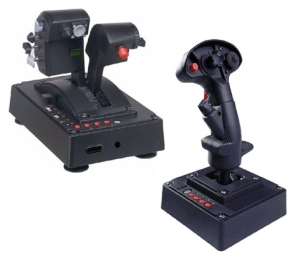
I loved mine. Learned all about HOTAS at a very early age (Janes F-15E and F/A-18E).
Would be nice to see something similar made!
I loved mine. Learned all about HOTAS at a very early age (Janes F-15E and F/A-18E).
Would be nice to see something similar made!

Let the killing begin...this is FSX?
Diego, you have no doubt seen the TM Warthog?
I shot something down last night with a 120...don't know what it was. Too high to be a Cessna. That was a first for me. Gave me bad dreams.
Jim
Anyone else remember this?
I loved mine. Learned all about HOTAS at a very early age (Janes F-15E and F/A-18E).
Would be nice to see something similar made!
Diego, you have no doubt seen the TM Warthog?
I shot something down last night with a 120...don't know what it was. Too high to be a Cessna. That was a first for me. Gave me bad dreams.
Jim
Naruto-kun
Charter Member
Ready for action :salute: . Has not used the weapans yet, but the aircraft has the right feeling!! Superb model
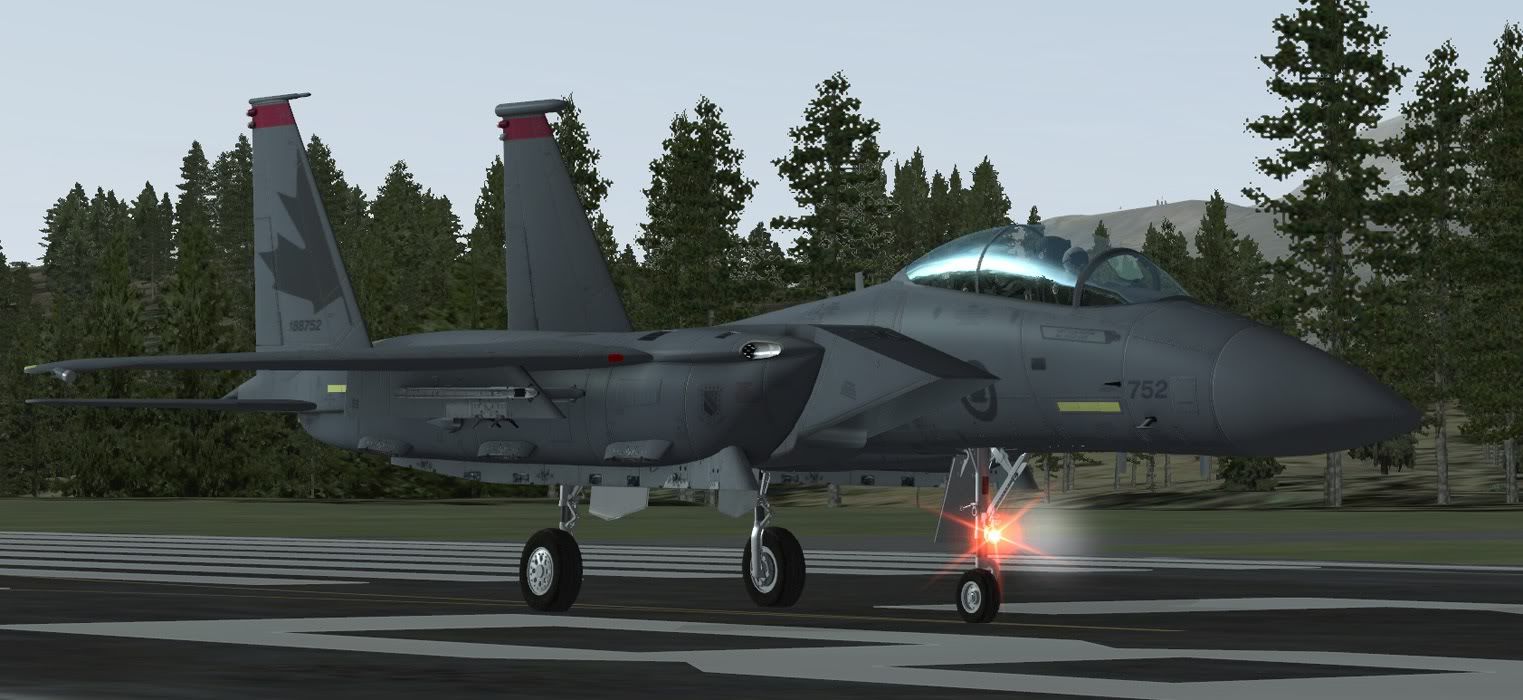
And it appears some effects that werent supposed to be around made it in the installer.....check the milviz forums. Im posting how to remove that ugly red light on the landing light.
And it appears some effects that werent supposed to be around made it in the installer.....check the milviz forums. Im posting how to remove that ugly red light on the landing light
.....Oooops, in fact, I like this effect :redf: . But I`ll check your posting i Milviz forum.
Naruto-kun
Charter Member
Well if you wanna keep it im not gonna stop ya but lol afaik there is no red light on an F-15 nose gear 

Black.Hornet
Members +
I think even after you released the SP, I think I will stick to the Iris plane, cause it still looks like you have issues with it.

Red light issue caused by left over effects files from the original install. The fix for anyone wanting to remove the red part of the landing lights is go the the FSX / Effects folder, find the files listed below and removed them. They are left over from the original install and not part of the SP which is a whole new aircraft. There are no issues at all that I can see with the update. Great job everyone at Milviz.
Remove these files. If you don't have them great, don't worry.
Milviz_F15_navgreen.fx
Milviz_F15_navred.fx
Milviz_F15_navwhite.fx
Remove these files. If you don't have them great, don't worry.
Milviz_F15_navgreen.fx
Milviz_F15_navred.fx
Milviz_F15_navwhite.fx
Skyhawk_310R
Charter Member
Got, it and have to say wow! I was able to test fly the beta's and can say this is a totally different bird altogether.
Ken, does the installer install your HAS's to the appropriate Mudhen fields? Also, I didn't see any missions contained with the file, do we donwload those from Milviz seperately? Thanks again. May have to call in sick on Monday now.
Matt
Matt,
No, the missions are totally separate from the jet. The missions are part of a freeware package that is available for direct download off my own server and the links to download are in a thread at the MilViz website F-15E General Support forums.
However, this latest SP jet will work in the missions without you needing to make any modifications or having to re-download the package. The missions you already have work equally well with the SP.
Ken