
-
Please see the most recent updates in the "Where did the .com name go?" thread. Posts number 16 and 17.
-
Special Server Maintenance
Just when you think you have everything running some what better...
You get a message from the Hosting company. Short story they need to move us to a new server. I have been working with them to plan a good date for all concerned. Here is what we have come up with as a schedule.
- November 4th 17:00 -5UTC shut off the forums and start backup proceedures. During this time there will be no access to the forums or the Resource Section.
- November 5th Continue with Backups and download same until complete.
- November 6th 7:00 turn over server to hosting company to move system to new server
- November 7th - 8th restore backups and upgrade forum software.
If all goes well we should be back online on November 8th.
To keep you updated we will post updates on AVSIM forums.
Thank you for your support.
You are using an out of date browser. It may not display this or other websites correctly.
You should upgrade or use an alternative browser.
You should upgrade or use an alternative browser.
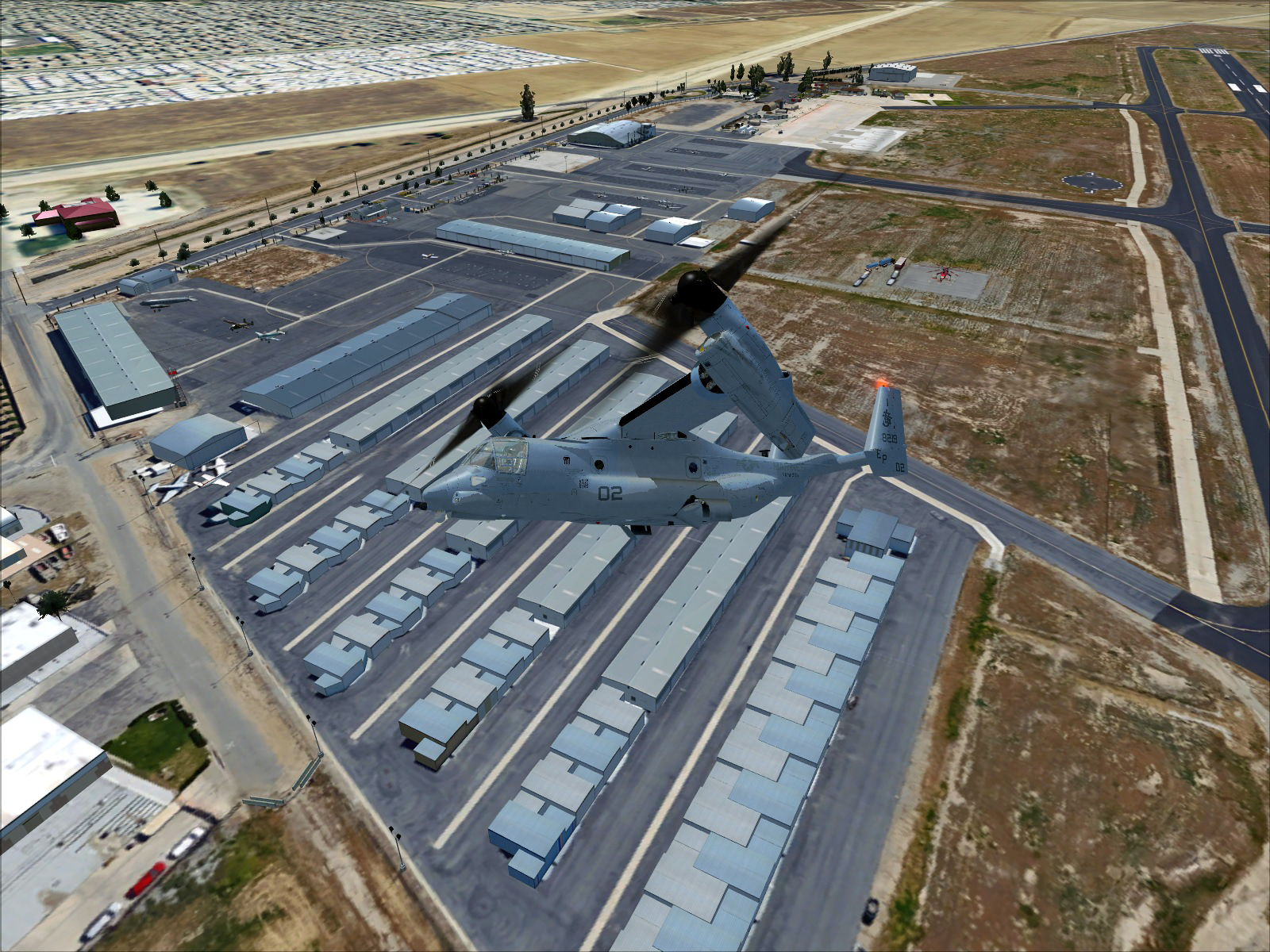
MV22B Rel1.0 released
- Thread starter Postbaer61
- Start date


airattackimages
Charter Member
Why is everyone so grim?The Grim is perfect!
Reminds me of our aircraft in the NAVY-RA5C Vigilante, really full of grim...And the wash rack and that lovely strong soap....
Looking forward to your repaint!
Rick

I like grime, generally. Although, being the second newest aircraft in the Marine Corps inventory, I've actually seen some pretty clean and pristine looking Ospreys. Even the ones that are broken and waiting for AAA
Love all the amazing work and contributions going on with this machine. This is one of my most favorite addons. Thanks Maryadi for building and releasing her.

updated with some vc texture wear and a.o. to external skins.
http://www.sim-outhouse.com/sohforums/local_links.php?catid=117&linkid=22530
V1.1
1) bake in ambient occlusion to external textures
2) add some VC surface wear around panel and pedestal
http://www.sim-outhouse.com/sohforums/local_links.php?catid=117&linkid=22530
V1.1
1) bake in ambient occlusion to external textures
2) add some VC surface wear around panel and pedestal
Last edited:
airattackimages
Charter Member

WarHorse47
SOH-CM-2024
Thanks.updated with some vc texture wear and a.o. to external skins.
http://www.sim-outhouse.com/sohforums/local_links.php?catid=117&linkid=22530
V1.1
1) bake in ambient occlusion to external textures
2) add some VC surface wear around panel and pedestal
This may be a stupid question, but here goes. How do you apply the a.o. to all of the external skins? Or is it only for the updated texture in the download?
a.o. is applied to the one in the download.
i made a.o. layer available to flypastu and letourn for their upcoming textures sets so you may see them soon.
i made a.o. layer available to flypastu and letourn for their upcoming textures sets so you may see them soon.
Thanks.
This may be a stupid question, but here goes. How do you apply the a.o. to all of the external skins? Or is it only for the updated texture in the download?

Is anybody success with air refueling gauge?
I ever try get_fuel and a2a_refuel (from link on early page) but this 2 gauge seem not realistic rather than "In-Flight Refueling Gauge" (from Andy Niko and Jivko Rusev).
with In-Flight Refueling Gauge I can't get fuel event I fly close enough to AI traffic aircraft.
I ever try get_fuel and a2a_refuel (from link on early page) but this 2 gauge seem not realistic rather than "In-Flight Refueling Gauge" (from Andy Niko and Jivko Rusev).
with In-Flight Refueling Gauge I can't get fuel event I fly close enough to AI traffic aircraft.

seawing
Charter Member
Is anybody success with air refueling gauge?
I ever try get_fuel and a2a_refuel (from link on early page) but this 2 gauge seem not realistic rather than "In-Flight Refueling Gauge" (from Andy Niko and Jivko Rusev).
with In-Flight Refueling Gauge I can't get fuel event I fly close enough to AI traffic aircraft.
Good morning! So far I only used the FSX refuel function - so not quite realistic. I usually use TacPack for refuelling, where it is automatic, when in range (which is realistically small, to be fair). I have, however, installed the AAR gauge and will try again with it later today. I'll report when done!
Seawing

Dave Torkington
Charter Member
Is anybody success with air refueling gauge?
I ever try get_fuel and a2a_refuel (from link on early page) but this 2 gauge seem not realistic rather than "In-Flight Refueling Gauge" (from Andy Niko and Jivko Rusev).
with In-Flight Refueling Gauge I can't get fuel event I fly close enough to AI traffic aircraft.
Yes kalong it's possible with the Andy Niko / Jivko Rusev gauge.
I personally found that the refuelling 'area' set by the gauge was very difficult to achive and suited only the AI KC-135 model. I want to respect the authors copyright but I can say I tweaked the size of the refuelling area so it's achievable...
Not at all realistic using the VC-10 of course but until we have an AI KC-130

Dave.
Attachments

letourn
Charter Member
The refueling area was create to work when following any airplane. You need to be a little low and on the six hours of that plane. It won't work if you try to catch a basket on a KC-130 unless you do what Dave did cheat the gauge a bid.
Dave check the Razbam AV-8B+ comes with an AI-KC-130 and often on sale for 5$. It wont take ooff and land but prefect for Tacpack or AICarriers over sea.
Dave check the Razbam AV-8B+ comes with an AI-KC-130 and often on sale for 5$. It wont take ooff and land but prefect for Tacpack or AICarriers over sea.

Postbaer61
Bluebear
I have experimented with the freeware version KC130 ( kc130.zip) from Hovercontrol.com.
It is indeed a fs2002 version, but with a few small changes,
you can use it as an AI version.
I have converted the textures to DDS DXT5 and removed all gauge entries in the panel.cfg and added an AI sound.
And it works great.


It is indeed a fs2002 version, but with a few small changes,
you can use it as an AI version.
I have converted the textures to DDS DXT5 and removed all gauge entries in the panel.cfg and added an AI sound.
And it works great.
Can you explaine how to do this,please?I have converted the textures to DDS DXT5 and removed all gauge entries in the panel.cfg and added an AI sound
Postbaer61
Bluebear
Can you explaine how to do this,please?
I have copied the imagetools, "dxt_dds.bat" and "ImageTool.exe" from the Falcon50fsx.v.1.2native/ Repaints / Imageconverter folder,
into the texture folder of the KC130 and executed.
(You will find the Falcon50 pack here in the download library)
Can I get link for KC130, hope than work too in P3D?
is somebody tried using camera down gauge from Rob ( bundle in osprey package).
I wonder if use it in FSX not give frame rate impact.
I asking Rob to build 1 more camera that work in FSX, pointing to fuel probe.
I make 2 camera VC in P3D (as FSX can't do this) work similar with Rob gauge camera.
my plan is using 2 camera, work automatically (no user can give input) base on certain condition to add additional view when air refueling and see landing spot / pick up external load below it.
I just want to know it the camera down (Rob gauge) are frame rate friendly in FSX.
my experience in P3D using camera down give big impact to p3d frame rate. maybe because my system old already.
additional note:
lucky me Rob just sent an email about camera
is somebody tried using camera down gauge from Rob ( bundle in osprey package).
I wonder if use it in FSX not give frame rate impact.
I asking Rob to build 1 more camera that work in FSX, pointing to fuel probe.
I make 2 camera VC in P3D (as FSX can't do this) work similar with Rob gauge camera.
my plan is using 2 camera, work automatically (no user can give input) base on certain condition to add additional view when air refueling and see landing spot / pick up external load below it.
I just want to know it the camera down (Rob gauge) are frame rate friendly in FSX.
my experience in P3D using camera down give big impact to p3d frame rate. maybe because my system old already.
additional note:
lucky me Rob just sent an email about camera
Hi Maryadi,additional note:
lucky me Rob just sent an email about camera
If you like my proposal (for FSX-Accell/Steam) I will send you the camera's package.
Read Karol's reply in the "FS-developer Gauges" thread; his suggestion might solve the incompatibility problem of the FSX "fs9view" module in P3D.
I will add that to the code, so you can try it.
Rob