• Please see the most recent updates in the "Where did the .com name go?" thread. Posts number 16 and 17.

    Post 16 Update

    Post 17 Warning old domain name stealing credentials

  • Special Server Maintenance

    Just when you think you have everything running some what better...

    You get a message from the Hosting company. Short story they need to move us to a new server. I have been working with them to plan a good date for all concerned. Here is what we have come up with as a schedule.

    1. November 4th 17:00 -5UTC shut off the forums and start backup proceedures. During this time there will be no access to the forums or the Resource Section.
    2. November 5th Continue with Backups and download same until complete.
    3. November 6th 7:00 turn over server to hosting company to move system to new server
    4. November 7th - 8th restore backups and upgrade forum software.

    If all goes well we should be back online on November 8th.

    To keep you updated we will post updates on AVSIM forums.

    Thank you for your support.

My 707-320B Combi's parking brake will not release after S.U. # 6

FlameOut

SOH-CM-2026
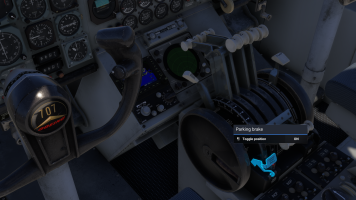
Screenshot (1585).png

They have done a top shelf recreation on this jet and it's too bad that I only had 2 days or so to enjoy it!
I'm using MH Dennis's GSX profile (GSX Profile for the inbuilds / Working Titles Boeing 707-320C) to correctly position the stairs, parking cones etc.
Just asking, could that have goobered up the "Set parking brake"?
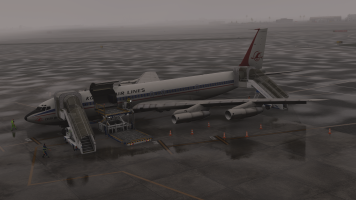
Screenshot (1567).png

And here is another warning that I have:
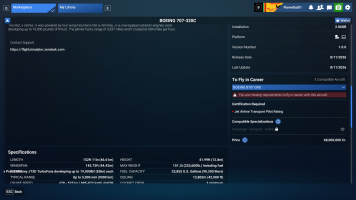
Screenshot (1618).png I do not fly in Career Mode.
Just asking, could that have goobered up the "Set parking brake"?

I have not seen anyone reporting this issue over at the Official MSFS 2024 Forum.
I have not filed a "Bug Report"
Searching for "Set Parking Brake" in the MSFS 2024 Forums will only garnish a result of "Toggle Parking Brake" going all the way back to September 2024.
In this post there was a comment in March 2025 about the Left Brake Axis being erroneously applying brake pressure at a 50% level above the "Neutral Slider" and you had to go into the sensitivities section and reset & save at a "Zero Level"
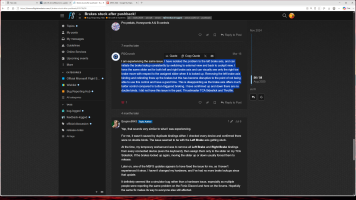
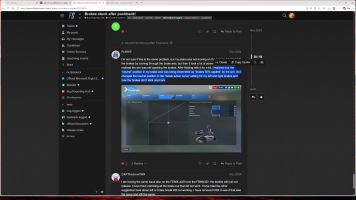
Screenshot (1590).png

Screenshot (1592).png

Well crap that doesn't work!

Screenshot (1594).png


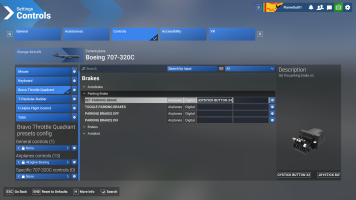
None of these boxes are clickable

Screenshot (1595).png

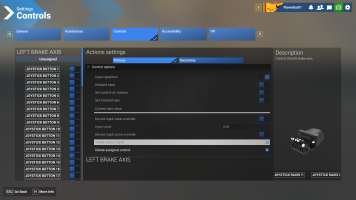
Ah-ha, by chance I clicked on some of the "Joystick Buttons" on the left side of this box and then the boxes on the right became clickable!
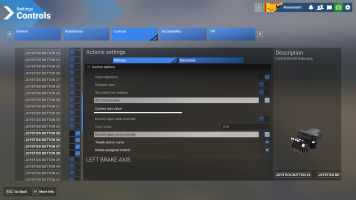
Screenshot (1638).png

I do not know what these damn things do!

Why don't they(Asosbo/Microsoft) make these "Buttons, Axis's, Input, Curve Override etc. do something like blink on & off, slide left & right, change colors, vibrate or do a damn back flip or something so I can see what is doing what like they did in MSFS 2020.
And they went through all of the trouble to have a little picture of my Honeycomb Bravo Unit why don't they make that little mutha light up and show me which button, toggle switch or axis is supposed to be moving! Grrrrr.(

I use SimHanger Flight Simulation's Honeycomb Bravo profiles for all of my assignment needs and have followed his videos. The 4Engine-Boeing specifically.

I deleted every one of those profiles thinking they may have become corrupt. I redownloaded the whole set of them again and imported them as per his instructions.


Profiles :
https://drive.google.com/drive/folders/1cOqzErkm78FwD5h_XA5R9aXfJLAKUjp1

I've unplugged and changed USB ports of my Honeycomb Bravo Unit USB cable both using the simulation and not using the simulation.

The Set Parking Brake toggle switch on my Honeycomb Bravo Unit works for every other aircraft that I've tested in MSFS 2024.

I also have another problem on the 4 engine jets: 707, 747, & the Dreamlifter
Engines 3 & 4 work correctly in all engine phases like forward thrust, reverse thrust, idle, and cutoff but engines 1 & 2 give only forward thrust. The reverse thrust pedals do not move into their positions.

Thanks for bearing with me.

- Don
 
Don,
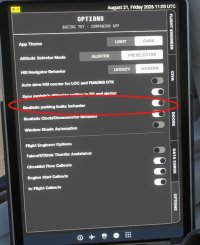
Same as Killbilly, I haven't encountered parking brake issues. Seems like you've covered all your bases, but the only last-resort suggestion would be to try toggling the 'realistic parking brake behavior' option on the 707 app from the EFB. Perhaps one of those settings will convince the parking brake to cooperate? Just a guess...

If it's any consolation, I have encountered a few unrelated vexing issues with SU6 as well; assistance and graphics settings 'resetting' repeatedly, etc. Hopefully Asobo will get it sorted out for all of us...

707_PB.jpg

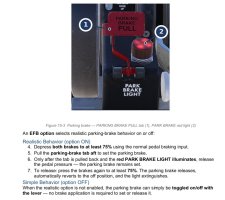
707_PB1.jpg
 
I had disabled the 707 in my Library this morning. I exited the sim and turned off the PC.
I re-enabled the 707 in my Library again ===>>> Nada, nothing!:mad:

Thanks to you both, I'll give my Thrustmaster Pedals a try, using your recommendations.

Just wondering:
Step #7, to use the simple function says "...is not enabled, the parking brake can simply be toggled on/off with the lever..."
So has the parking brake command functioned been changed from "Set Parking Brake" to "Toggle"
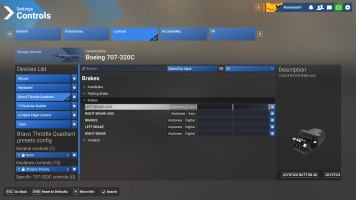
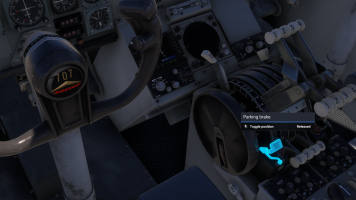
In my 1st. screenshot up above it clearly shows Toggle position (my bad that I did not pay close attention to my own screenshot!)

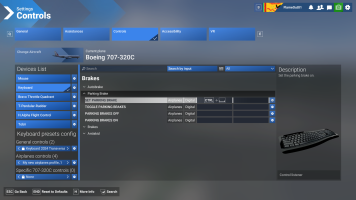
In this screenshot I have it set to "Set Parking Brake" using Joystick Button 34, as per the 4Engine-Boeing profile provided by Mark at the link above (see what I mean, it is not assigned to a damn Joystick ===>>> it's on my damn Honeycomb Bravo Unit.:mad:


Screenshot (1586).png

And the Keyboard command is Lt. Ctrl + Spacebar:

Screenshot (1587).png

Thanks again, I'll give something a try.... maybe a brick :banghead:
- Don
 
Alright fellas' that was the problem, thank you both!

Screenshot (1641).png

I let the flight engineer go through the cockpit work flows, etc.
We got to the ready for pushback (before engine start) and the default keyboard command for pushback "Lt. Alt + P" nor the communication keyboard command to the tower, ground "|\" below the Backspace key ever worked when I told the ground that I was ready for pushback. ( BTW, is that Matt Wagner's voice from DCS?)

I tried GSX Pro to pushback, and it told me to set the parking brake ===>>>> nope I'm not doing that.
I let the Flight engineer get us through all of the engines start up (yeah, I helped too) Then I thought I'd give her a little gas but no sign of moving!

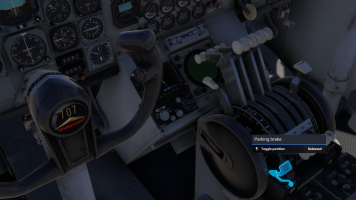
Oh crap, below as you can see, I'm at Full throttle and I have no forward movement, I'm stuck on the ground while the screenshot says the brakes are in the released function.

Screenshot (1645).png

I started flipping that "Joystick Button 34 on my Honeycomb Bravo Unit and stepping on the toe brakes of my Thrustmaster pedals repeatedly because I was mad!

Bam, off she went and hit the light poles and cargo containers where I was parked and got stuck....

I went into "Slew mode" with the keyboard command "Shift+Z".... and used all of those keyboard commands for moving the aircraft "Shift + W,S,A,D" and to turn left or right the Number pad "arrows" not the grouped set of arrow keys.
I got myself over to the taxiway and hit "Shift+Z" again to get out of slew mode.

Anyhoo, I got off the ground for about a hour and returned to the airport.
Screenshot (1651).png

Thanks again.

- Don
 
Just to update, yesterday my 707's parking brake started working with that "Joystick Button 34" on my Honeycomb Bravo Unit in the simple brake parking brake behavior mode like it is supposed to do! Go figure, damn gremlins! :banghead:

- Don
 
Back
Top