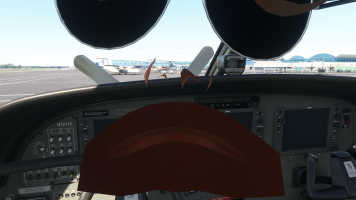
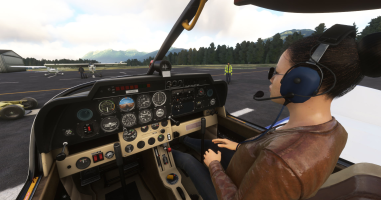
Let me take an example with the default DR400, which is located in the "Official" folder.
The plane's folder name is "asobo-aircraft-dr400".
I navigate to the sub-folder "model" of that aircraft.
In there, there are several files. I'm only looking at the files with extension ".gltf", and especially the ones that mention "cockpit" (or "interior" for some other planes).
So I can see the files "DR400_cockpit_LYCOMING_LOD00.gltf" (LOD0) and "DR400_cockpit_LYCOMING_LOD01.gltf" (LOD1).
What I want to do from now on, is the following:
- edit the LOD1 file in Notepad++
- if you have installed the JSON extension within Notepad++, trigger the "format JSON" menu.
- use the search function to find "PILOT_1".
- you should find something like this:
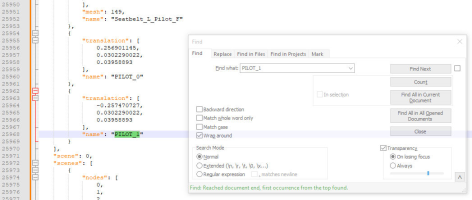
- copy that "translation" section from the "{" to the "}" (lines 25.962 to 25969 in this case). We're going to paste them in the LOD0 file.
- edit the LOD0 file in Notepad++. Use the JSON formatting just like the LOD1 file.
- scroll down until you find the end of the section that lists a lot of "translation" items, and just before it lists the "nodes" as simple numbers. That's the place.
- see in the screenshot below, you want to do two things from this point:
1- paste the "translation" section you had copied from the LOD1 file at the end of the list of translations
2- add one number to the list of "nodes" which is right below.
- it should look like that for the translations (I have already pasted it in that screenshot):
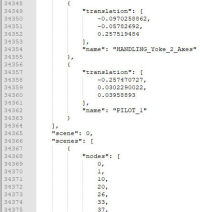
Then in the list of nodes, I have added the last number, like next in line (I have added "216" in this case):
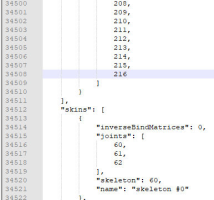
Just mind the commas (",") !