
-
Please see the most recent updates in the "Where did the .com name go?" thread. Posts number 16 and 17.
-
IMPORTANT DOWNLOADING INFORMATION - ALL MEMBERS PLEASE READ
Please see this thread for updates. Update Thread
SOH ADMINISTRATION
You are using an out of date browser. It may not display this or other websites correctly.
You should upgrade or use an alternative browser.
You should upgrade or use an alternative browser.
P-51D Mustang ‘Cadillac of the Skies’ for FSX Part 1 Restored - OUT NOW!
- Thread starter WarBert
- Start date
 :salute:
Bomber_12th
SOH-CM-2025
Cirrus, I am always open to seeing new photos of Mustangs! EAA 2007 and 2004 were actually some of the years that I didn't get out to Oshkosh. If you have any photos of "Daddy's Girl", that would be great!
I did just start cleaning out a lot the images I have had on my system, much more than I needed - at one time, I had more than 1,000 images, just for use in building this product, but most of which were from within the cockpits, of various little details.
I did just start cleaning out a lot the images I have had on my system, much more than I needed - at one time, I had more than 1,000 images, just for use in building this product, but most of which were from within the cockpits, of various little details.
Bomber_12th
SOH-CM-2025
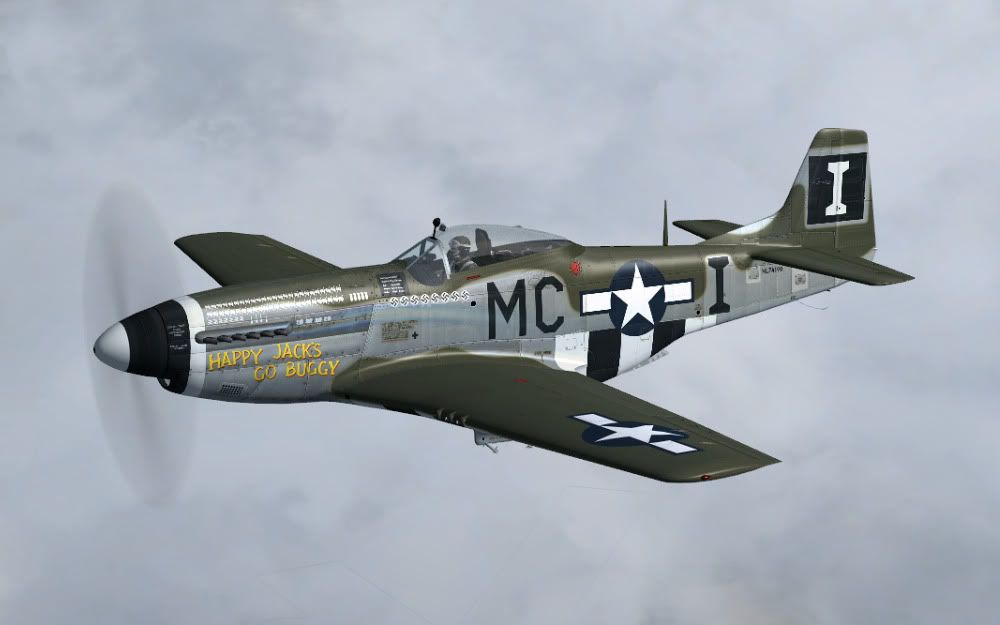
By the way, anyone notice the two different serial numbers on the tail of "Fragile But Agile"? Don't worry, this is completely accurate. The aircraft itself is really 44-12016. However, period photos show that the left-side of the rudder was painted as 44-12018, a mistake that was made when the last three numbers were applied again, after the tail markings were painted in the field. Within the restoration, this was copied. The actual 44-12018, wasn't assigned to the same squadron as Fragile But Agile.
The family of Lt. Bert Lee, the original pilot of this very aircraft, were able to see the aircraft for the first time, a few months back, shortly after the aircraft was finished. While piloted by Bert Lee, however, the aircraft wasn't yet known as "Fragile But Agile", though his marks are left directly below the canopy, found still scratched into the original metal.
The family of Lt. Bert Lee, the original pilot of this very aircraft, were able to see the aircraft for the first time, a few months back, shortly after the aircraft was finished. While piloted by Bert Lee, however, the aircraft wasn't yet known as "Fragile But Agile", though his marks are left directly below the canopy, found still scratched into the original metal.

Cirrus N210MS
Charter Member
all i can say is wow! this P-51 Is Better then my Flight1 P51 By 900 times! way Better Frame Rates Better Handling and the Flight Panel is By Far Better then theres could have ever been!
i give Your P-51 10 of 10
My NEW FAV P-51 Mustang :salute: Good work Warbird SIM
i give Your P-51 10 of 10
My NEW FAV P-51 Mustang :salute: Good work Warbird SIM

skyhawka4m
Charter Member
Having been so long since the last product release, I had lost my trouble-shooting knowledge, otherwise I would have been much more of a help to you than I was, SkyHawk!I hope tonight you'll be able to fully enjoy it, as you had hoped to last night.
All is well bomber! she is awesome! I only took her up for a quick spin this morning but I will be doing a bunch tonight after family issues are taken care of.
Just a quick question...is there a key to make the doors bleed off when on the ramp? and also make the pilot disappear?
Again bomber thanks for your help and a wonderful plane and I look forward to more versions and paints.
Bomber_12th
SOH-CM-2025
SkyHawk - without delving into any 'black-magic', the clamshell doors do drop open, when the engine is shut down, and the red hydraulic T-handle is pulled. They fall completely down in about 5-7 seconds, accurate to the real thing.
There has been a myth, for quite some time (started by plastic model builders), that when dumping the hydraulic pressure, the flaps will come down too - which is completely false. On a poorly-kept Mustang, the flaps will lose pressure over time, and will fall, but it can take hours, sometimes days, for them to drop fully - a properly-kept Mustang, with a tight system, the flaps will not fall after shut down. The common practice amongst Mustang pilots is to drop the flaps, just before shut down, so that there isn't any pressure being held in the lines.
There has been a myth, for quite some time (started by plastic model builders), that when dumping the hydraulic pressure, the flaps will come down too - which is completely false. On a poorly-kept Mustang, the flaps will lose pressure over time, and will fall, but it can take hours, sometimes days, for them to drop fully - a properly-kept Mustang, with a tight system, the flaps will not fall after shut down. The common practice amongst Mustang pilots is to drop the flaps, just before shut down, so that there isn't any pressure being held in the lines.
Cirrus N210MS
Charter Member
MY NEW REPAINT FOR MY NEW P51!!
I gotta say, as someone who has modeled the P-51 many times, its not an easy bird to capture. She looks simple, but has many many small complex curvs on it. This model I think captures the feel of the P-51 better then any others I have seen so far, and not only that, but it gets good frame rate? Top notch work guys! Nice to have a good Runstang D in the sky! :salute:
Bomber_12th
SOH-CM-2025
I guess it helps that I have an older machine - the important thing is that it runs okay on my computer, right? Thank you Kevin!
It is interesting how flat certain areas really are, especially over the nose, or how the spine contours up into the canopy frame, or how much the top of the vertical fin strakes back, etc. - all areas that were checked, double-checked, and checked again. Of course things like the laminar airfoil, radiator scoop, carb intake, landing gear strake, were all given the same scrutiny.
Thank you Kevin!It is interesting how flat certain areas really are, especially over the nose, or how the spine contours up into the canopy frame, or how much the top of the vertical fin strakes back, etc. - all areas that were checked, double-checked, and checked again. Of course things like the laminar airfoil, radiator scoop, carb intake, landing gear strake, were all given the same scrutiny.
Cirrus N210MS
Charter Member
how do i get my drop tanks for long range?
Bomber_12th
SOH-CM-2025
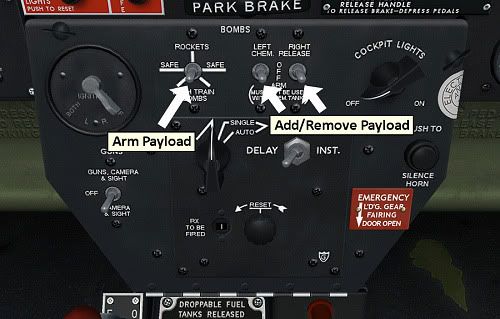
As this image indicates, you must click on the either of the two right-side arming switches, for the tanks to load. Some variants have 75-gallon tanks, some have 108-gallon tanks, and some have no tanks at all. They can be released (in an emergency of course!) by clicking on the "Train Bombs" switch, also pictured, and then either clicking on the top control stick button, to release both tanks, or by clicking on the individual, manual release levers, below the engine control unit, which will drop the tanks one at a time.
By default, just as in the restored aircraft, you only have the option to fill the left and right main wing tanks. The fuselage tank and wing tanks, if in-place, are really just for display, even if functional. However, both 75-gallon and 108-gallon external fuel tank entries are provided for within the aircraft.cfg file. Simply remove the // marks from one of the sets of external tanks, and then you can fill them with fuel in the sim (activating both 75 and 108 gallon tanks really won't work, nor is it accurate).
[fuel]
Longitudinal (feet), Lateral (feet), Vertical (feet), Usable(gallons), Unusable (gallons)
fuel_type = 1
number_of_tank_selectors = 1
electric_pump=1
LeftMain = 0, -4.37, -2.28, 92, 0
RightMain = 0, 4.37, -2.28, 92, 0
//Center1 = -6.5, 0.0, 2.620, 85, 0 <- 85-Gallon Fuselage Fuel Tank
//External1 = 0, -7.51, -3.23, 108, 0 <- Left 108-Gallon Drop Tank
//External2 = 0, 7.51, -3.23, 108, 0 <- Right 108-Gallon Drop Tank
//External1 = 0, -7.51, -3.23, 75, 0 <- Left 75-Gallon Drop Tank
//External2 = 0, 7.51, -3.23, 75, 0 <- Right 75-Gallon Drop Tank
By default, just as in the restored aircraft, you only have the option to fill the left and right main wing tanks. The fuselage tank and wing tanks, if in-place, are really just for display, even if functional. However, both 75-gallon and 108-gallon external fuel tank entries are provided for within the aircraft.cfg file. Simply remove the // marks from one of the sets of external tanks, and then you can fill them with fuel in the sim (activating both 75 and 108 gallon tanks really won't work, nor is it accurate).
[fuel]
Longitudinal (feet), Lateral (feet), Vertical (feet), Usable(gallons), Unusable (gallons)
fuel_type = 1
number_of_tank_selectors = 1
electric_pump=1
LeftMain = 0, -4.37, -2.28, 92, 0
RightMain = 0, 4.37, -2.28, 92, 0
//Center1 = -6.5, 0.0, 2.620, 85, 0 <- 85-Gallon Fuselage Fuel Tank
//External1 = 0, -7.51, -3.23, 108, 0 <- Left 108-Gallon Drop Tank
//External2 = 0, 7.51, -3.23, 108, 0 <- Right 108-Gallon Drop Tank
//External1 = 0, -7.51, -3.23, 75, 0 <- Left 75-Gallon Drop Tank
//External2 = 0, 7.51, -3.23, 75, 0 <- Right 75-Gallon Drop Tank
Bomber_12th
SOH-CM-2025
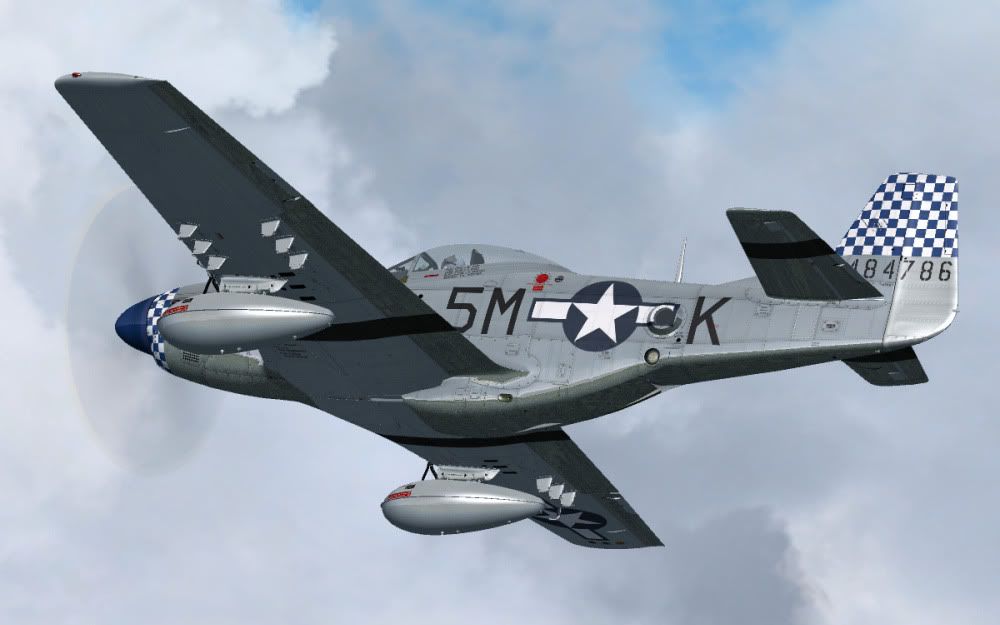
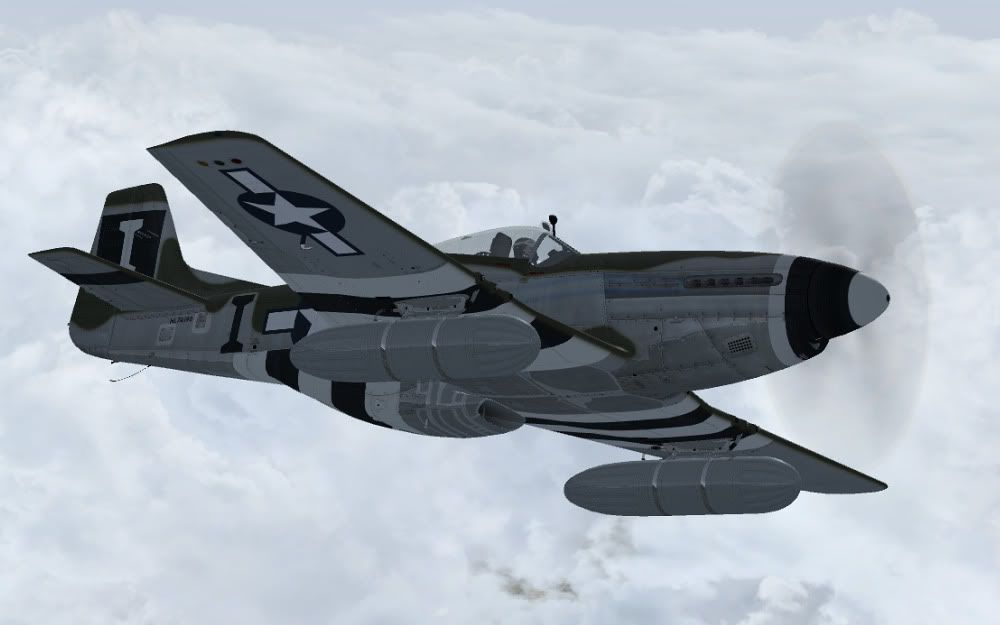
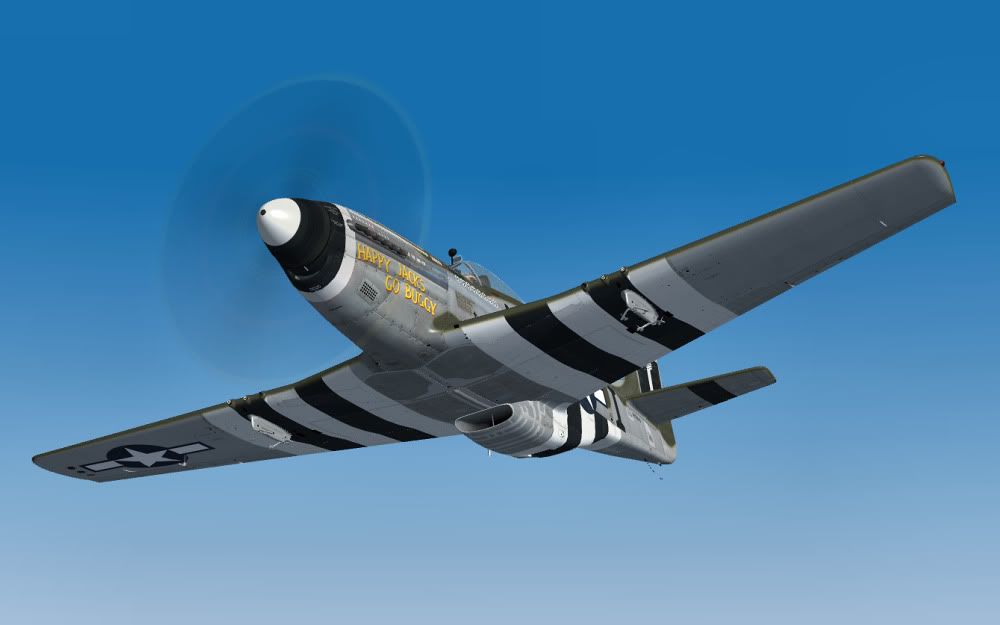
Some more images I have on file:
Glowing gauge faces under UV-light - though not by Radium of course!
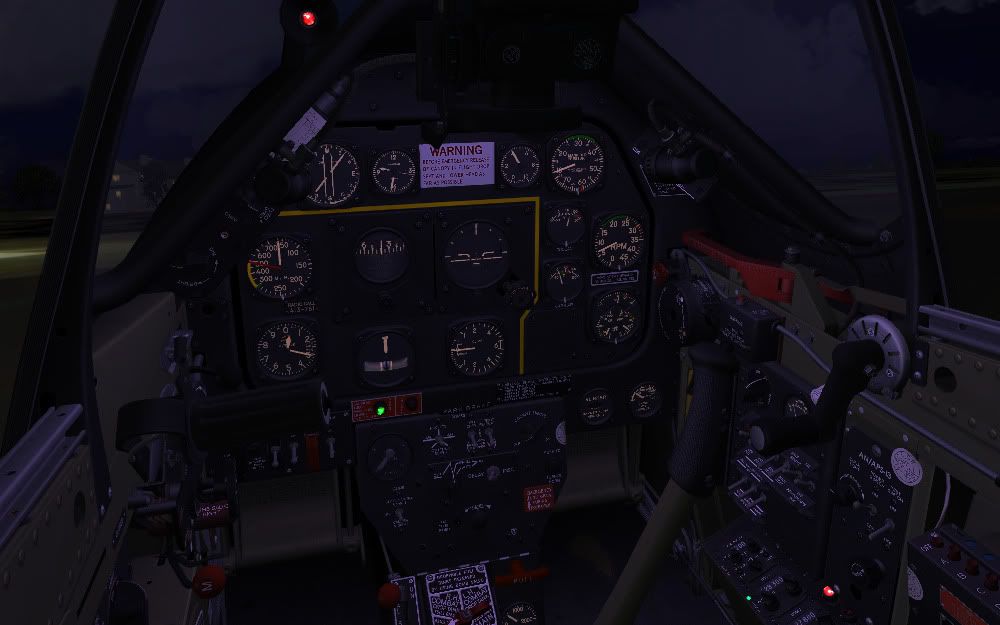
Glowing gauge faces under UV-light - though not by Radium of course!
Cirrus N210MS
Charter Member


Bomber_12th
SOH-CM-2025
Sorry to pee on the parade, but was it not just problems from this company a while back when they released the P51?
Is it safe to buy???
I love to support, but I'm to old for bull?!? Life is just to short.
Ben
Rectified moons ago, Ben! Should be no worries.
As indicated by another member in this thread - purchase, download, install, and you're good to go!

doublecool
Charter Member
Could not help myself 
It said 2 to 7 days to receive
Really looking forward to another Brilliant Mustang Bomber. I wish you much success
It said 2 to 7 days to receive
Really looking forward to another Brilliant Mustang Bomber. I wish you much success
It said that on mine, but it only took ten minutes. Worry not, you who are on the fence... It is worth it! By the way, I really like the whistling sound. I know some do not, but I feel it makes it much more realistic and closer to the actual aircraft. Initially I was worried, but after I heard it, it was a non issue, sounds just like that video. So if you're worried about the company and download,etc; don't be.
JP
JP
doublecool
Charter Member
Warbirdsim has done Good  What a beauty... Well Done!
Thanks again Bomber Can't wait to see what you're thinking of after the Mustangs
PS Fighter Leaders is still an all time Favorite of Mine
What a beauty... Well Done!Thanks again Bomber
Can't wait to see what you're thinking of after the MustangsPS Fighter Leaders is still an all time Favorite of Mine
