• Please see the most recent updates in the "Where did the .com name go?" thread. Posts number 16 and 17.

    Post 16 Update

    Post 17 Warning old domain name stealing credentials

  • Special Server Maintenance

    Just when you think you have everything running some what better...

    You get a message from the Hosting company. Short story they need to move us to a new server. I have been working with them to plan a good date for all concerned. Here is what we have come up with as a schedule.

    1. November 4th 17:00 -5UTC shut off the forums and start backup proceedures. During this time there will be no access to the forums or the Resource Section.
    2. November 5th Continue with Backups and download same until complete.
    3. November 6th 7:00 turn over server to hosting company to move system to new server
    4. November 7th - 8th restore backups and upgrade forum software.

    If all goes well we should be back online on November 8th.

    To keep you updated we will post updates on AVSIM forums.

    Thank you for your support.

RAF Lakenheath for MSFS

Great page to bookmark! And I'll trade you a visual aid for just about every setting. This video helped me get my settings 90% right the first time. There are some things that you can explain all day long, but until you see the differences, you really don't understand them. I watched about 5 minutes of this video and realized I needed to take notes. So I came back with pen, paper, and caffeine and did some serious scribbling. When I got done, my mediocre rig was running with very respectable visuals and fluid frames. I was able to max (or nearly max) those things with the most visual impact, while settings with very little visual impact are kept in check to reduce load.

 
Sensational video
Surprisingly, in many cases, you don’t need more than a medium graphics setting
:ernaehrung004::applause:
 
A definite yes. Go to the store and update the sim. grab a beer and some crips, you'll need them.

Priller


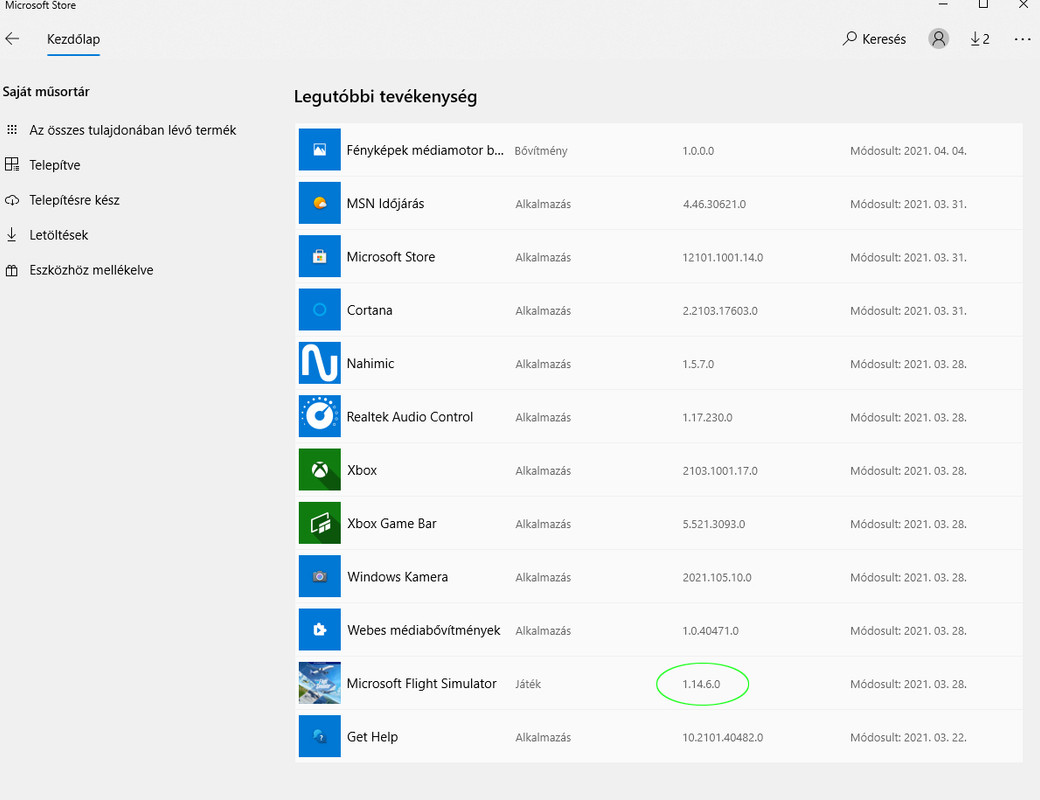
Updated according to the store!


updt.jpg
 
Delete the scenery from your community folder. Empty the scenery indexes folder in your app data. redownload the scenery and reinstall. Start up the sim again and start a flight from Lakenheath and let us know.

Priller
 
Delete the scenery from your community folder. Empty the scenery indexes folder in your app data. redownload the scenery and reinstall. Start up the sim again and start a flight from Lakenheath and let us know.

Priller

I've already done that, it hasn't improved

Zsolt
 
I've already done that, it hasn't improved

Zsolt

From Main Menu click on "PROFILE" tab at the top, then the "CONTENT MANAGER" tab at the bottom center of that page. On the left hand side, click on the "UPDATE AVAILABLE" tab and see if any updates are available for your installed content.
 
From Main Menu click on "PROFILE" tab at the top, then the "CONTENT MANAGER" tab at the bottom center of that page. On the left hand side, click on the "UPDATE AVAILABLE" tab and see if any updates are available for your installed content.

No update available :mixed-smiley-010:
 
Updated according to the store!


updt.jpg
If you don't have one already, I recommend a membership over at the "official" forum. As much as I was able to take FS9 apart and reassemble it like a lawnmower engine, my knowledge of the inner workings of MSFS are sadly lacking. But there are people over there that have an inside line to the developers and can answer some pretty tough questions.

https://forums.flightsimulator.com
 
Hi,

With the new version i get unwanted bushes and tree's on some aprons. Does anyone have this?

Marcel
 
Back
Top