
-
Please see the most recent updates in the "Where did the .com name go?" thread. Posts number 16 and 17.
-
IMPORTANT DOWNLOADING INFORMATION - ALL MEMBERS PLEASE READ
Please see this thread for updates. Update Thread
SOH ADMINISTRATION
You are using an out of date browser. It may not display this or other websites correctly.
You should upgrade or use an alternative browser.
You should upgrade or use an alternative browser.
[Released] FSX Solomon 1943
- Thread starter roger-wilco-66
- Start date
N
NoNewMessages
Guest
A picture or coordinates would help.

Sundog
SOH-CM-2026
That's it! I guess I should have been more specific, but it is so large I thought it was obvious, but if you haven't seen that you wouldn't know that. I'm guessing it's just an incorrectly labeled landclass, but having not made any terrain/scenery mods for FSX, I just don't know. I'll remember the overhead shot next time. I'm just glad someone else is seeing it and it isn't unique to my system. Of course, that doesn't mean I'm not crazy.

N
NoNewMessages
Guest
The overhead helps when trying to know which island's scenery files to look at when using the tools of the SDKs.
I can see what's wrong and why, but am pondering a temporary "fix" until Mark returns from his vacation.
I can see what's wrong and why, but am pondering a temporary "fix" until Mark returns from his vacation.
N
NoNewMessages
Guest
I wouldn't normally "fix" another developer's work, but I know Mark a little bit and do not think he will mind a quick and simple fix. He can make the permanent fix in about 30 seconds when he returns from vacation.
Take the BGL file in the Zip and copy it into the \Solomon 1943 Landscape\scenery folder and all the water should be back.
Take the BGL file in the Zip and copy it into the \Solomon 1943 Landscape\scenery folder and all the water should be back.
Just finished off the complete Solomons recon tour heading out of the area via the northern Japanese bases.
The attention to details made this a very enjoyable exploration. There are things to discover tucked in all over the place.
View attachment 16005View attachment 16006View attachment 16007View attachment 16008
FAC
The attention to details made this a very enjoyable exploration. There are things to discover tucked in all over the place.
View attachment 16005View attachment 16006View attachment 16007View attachment 16008
FAC

Just a little note from a beach on the coast of France: it is a pleasure to see that people enjoy this! Love the screen shots!
I see that there is an error with a water polygon near San Cristobal, I will fix that upon returning - thanks NNM for stepping in.
Gotta close now, my little one keeps running away!
Cheers,
Mark
I see that there is an error with a water polygon near San Cristobal, I will fix that upon returning - thanks NNM for stepping in.
Gotta close now, my little one keeps running away!
Cheers,
Mark
Just a little note from a beach on the coast of France: it is a pleasure to see that people enjoy this! Love the screen shots!
I see that there is an error with a water polygon near San Cristobal, I will fix that upon returning - thanks NNM for stepping in.
Gotta close now, my little one keeps running away!
Cheers,
Mark
Mark,
It is gratifying to hear that you are enjoying a well deserved vacation with your family. Thank you and also the rest of your team of SOH'ers for all your hard work on this project. You and the others put in a lot of effort on this and it shows. Excellent!
Stan (Maryland, USA)

icycle
SOH-CM-2024
I am embarassed to say I have tried unsuccessful with trying to add AI . I am usually fairly good at AFX but I have run into a few snags . I have attempted AGGH , AGBK , and also tried to add a water runway to AGGV-Suavanao which was deleted in the scenery but now places you just inside the treeline close to the Japanese Seaplane Base at Rekata . I have made sure I have a tower and ground communication and add proper parking space that match the particular AC I use . I make sure I use AI AC that I or others have used in other FSX sceneries . Yes , I actually use the "fault finder" at the end and correct any mistakes . I really suspect I may be adding incorrect elevation/altitude numbers which I'm sure would render no AI showing up .
Question : If anyone has made some AFX(AFCAD) files or I should say changes for this scenery and would you mind sharing ????
Would be much appreciated:salute:
Rich:ernae:
Yes, I've tried to add parking spaces to add some extra places to start, if nothing else, but every time I try and add ANYTHING, half of the objects on the airfield disappear. AI flights are certainly a NO GO too.
The lack of other aircraft is making me think I'm in a Stephan King movie!! I'm a bit perplexed.
Bill

Hanimichal
Charter Member
Thanks, wonderful work
Are there any way to carrier/naval traffic unlock for multiplayer?
Are there any way to carrier/naval traffic unlock for multiplayer?
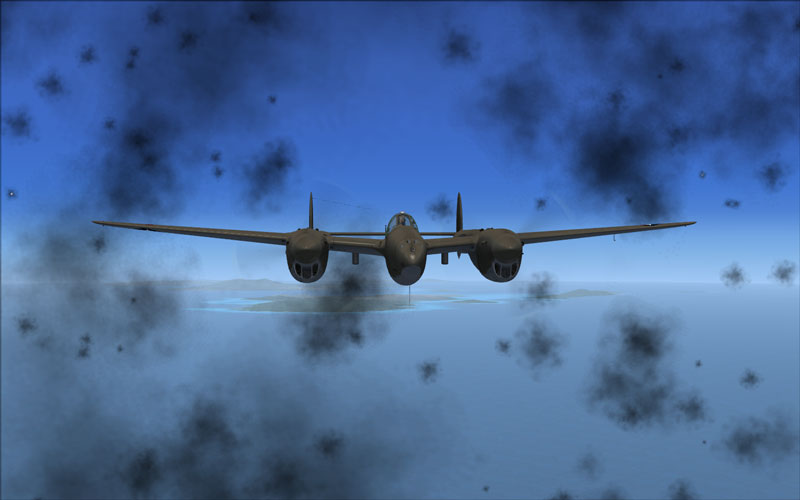

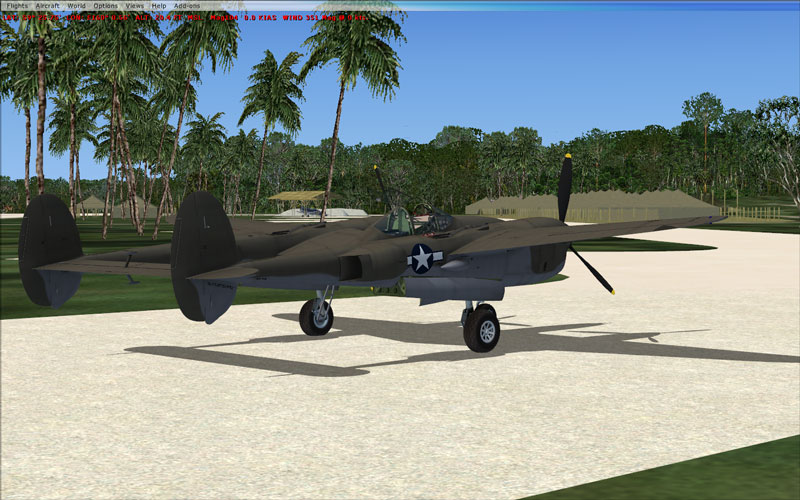
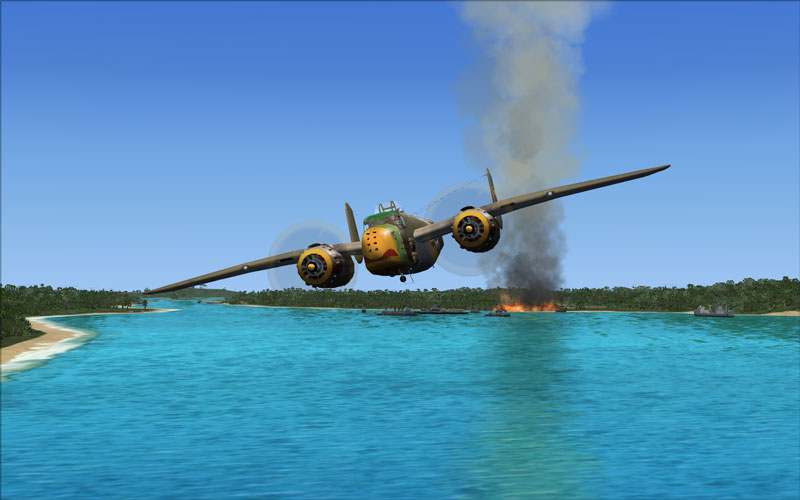
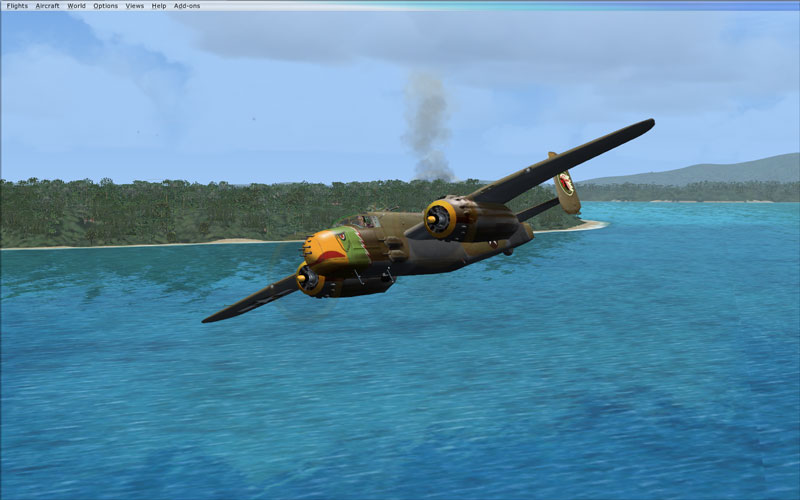
impressive
went back to the default scenery to see the difference, all i can say is it is night and day, i definitely need a better computer to really enjoy it. maybe some developers will take notice with what's possible, i know this is not a combat sim, but with the right scenery and effects as You have shown it becomes a whole different experiance. thanks to everyone involved.
went back to the default scenery to see the difference, all i can say is it is night and day, i definitely need a better computer to really enjoy it. maybe some developers will take notice with what's possible, i know this is not a combat sim, but with the right scenery and effects as You have shown it becomes a whole different experiance. thanks to everyone involved.
AI flights are certainly a NO GO too
Sorry to hear others are having issues with AI in the Solomons with the new scenery. I set up some AI flights e.g. Henderson to Vella, Munda etc and back and they seem to have survived installation of both the beta and final versions of Mark's scenery.
Think I may have had to add some parking to the default airfields to get certain aircraft, e.g. some B-24's needing a larger diameter parking spot, to show up.. I use ADE. Also need to convert the flightplan compiled with TTools with the FS9>FSX converter tool. Had success adding water runways in FS9 and will try that next - need some Black Cat PBY's at Tulagi - and report back.
icycle
SOH-CM-2024
I think I got the AI sorted - I think
I found my issue with ADE was that I had not imported all the Solomon's 1943 object libraries into ADE. Once that was done, when I added parking, I did not lose all the custom objects.
I've put in parking spaces at Henderson, Lunga (Fighter 1), and Munda, and have some simple back and forth traffic at this point. With a little massaging, I have F6F's,F4F's,F4U's,SBD's and P-40's around. With a little ambition, I might try some B-24's,B-17's,A-20's & C-47/R4D's next. Finding a suitable A6M,G4M, and maybe a "Mavis" or "Emily", could mean that the Japanese bases might not be too far behind.
Bill
I found my issue with ADE was that I had not imported all the Solomon's 1943 object libraries into ADE. Once that was done, when I added parking, I did not lose all the custom objects.
I've put in parking spaces at Henderson, Lunga (Fighter 1), and Munda, and have some simple back and forth traffic at this point. With a little massaging, I have F6F's,F4F's,F4U's,SBD's and P-40's around. With a little ambition, I might try some B-24's,B-17's,A-20's & C-47/R4D's next. Finding a suitable A6M,G4M, and maybe a "Mavis" or "Emily", could mean that the Japanese bases might not be too far behind.
Bill
I have F6F's,F4F's,F4U's,SBD's and P-40's around. With a little ambition, I might try some B-24's,B-17's,A-20's & C-47/R4D's next. Finding a suitable A6M,G4M, and maybe a "Mavis" or "Emily",
Now that sounds like the just the right plan! It was a busy place then. Interestingly, nothing much ever happened there before or since . .
Regards,
expat

Crusader
SOH-CM-2022
Prop Suggestions ?
As most of you know , Japanese AC are few and far between . Found this G4M1 Betty on Flightsim or Avsim ? (g4m1bty.zip) . Visual outside view is good and I primarily plan to use as AI but need some different props . Any suggestions ? The only other Japanese plane I've found thats works very well as an AI is Shockwave's WWII Fighters "Zero" which actually has alittle age to it now . Not only as a AI but flys well in FSX too . There is also a Mavis by "Ito" that I might try as AI . Any other AC suggestions please post as we need Japanese AC to even up the odds .
Rich
Forgot to add I already have the FSX
Nakajima J1N1-S</PRE>
As most of you know , Japanese AC are few and far between . Found this G4M1 Betty on Flightsim or Avsim ? (g4m1bty.zip) . Visual outside view is good and I primarily plan to use as AI but need some different props . Any suggestions ? The only other Japanese plane I've found thats works very well as an AI is Shockwave's WWII Fighters "Zero" which actually has alittle age to it now . Not only as a AI but flys well in FSX too . There is also a Mavis by "Ito" that I might try as AI . Any other AC suggestions please post as we need Japanese AC to even up the odds .
Rich
Forgot to add I already have the FSX
Nakajima J1N1-S</PRE>
Think there is another Mavis by Alphasim, now freeware, you might want to check out.
I had also started to populate the Solomons with Japanese AI aircraft in FS9 before defecting to FSX and got about as far as you have. Problem with FSX is that the CFS2 models offer some nice choices, e.g. Rufe seaplane version of the Zero among others, but these don't show up at all in FSX and the FS9 models often have the prop issue like in your screenie. Sometimes this can be fixed by swapping out other props from a different FSX a/c, sometimes not.
Let us know how things progress.
I had also started to populate the Solomons with Japanese AI aircraft in FS9 before defecting to FSX and got about as far as you have. Problem with FSX is that the CFS2 models offer some nice choices, e.g. Rufe seaplane version of the Zero among others, but these don't show up at all in FSX and the FS9 models often have the prop issue like in your screenie. Sometimes this can be fixed by swapping out other props from a different FSX a/c, sometimes not.
Let us know how things progress.