• Please see the most recent updates in the "Where did the .com name go?" thread. Posts number 16 and 17.

    Post 16 Update

    Post 17 Warning old domain name stealing credentials

  • Special Server Maintenance

    Just when you think you have everything running some what better...

    You get a message from the Hosting company. Short story they need to move us to a new server. I have been working with them to plan a good date for all concerned. Here is what we have come up with as a schedule.

    1. November 4th 17:00 -5UTC shut off the forums and start backup proceedures. During this time there will be no access to the forums or the Resource Section.
    2. November 5th Continue with Backups and download same until complete.
    3. November 6th 7:00 turn over server to hosting company to move system to new server
    4. November 7th - 8th restore backups and upgrade forum software.

    If all goes well we should be back online on November 8th.

    To keep you updated we will post updates on AVSIM forums.

    Thank you for your support.

Scenery Graphics

collensr

SOH-CM-2025
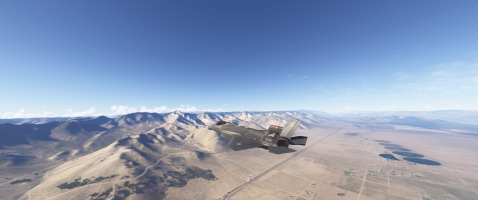
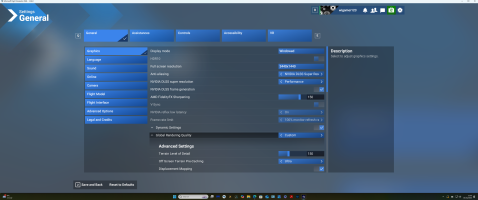
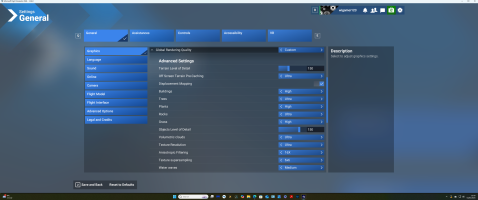
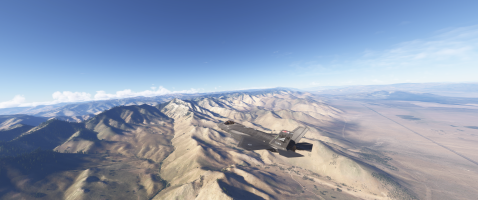
I'm still not seeing much difference in the new sim in terms of graphic depiction of landscape. I do a lot of flying in the US West particularly the Military Ranges in California/Nevada. I've tried to capture what I am seeing in the images below. From a distance are blurred humps which then grow a few stick trees as I get closer. However, in reality these are the wooded Eastern slopes of the Sequoias & Kern Valley. Wondered if anyone could pass on some graphics settings that might improve things a bit. I've attached my current settings.

Many thanks

Richard
Screenshot (14).png

Screenshot (12).png


Screenshot (15).png

Screenshot (16).png
 
In that first screenshot of your settings, try changing the Nvidia DLSS superresolution to quality or high quality.

Also, change the rolling cache file to 32 GB.

Priller
 
I thought I might do a comparison on my end. The first screenshot was taken using all of the same exact graphics settings you've shown. (For additional reference, my rolling cache file is set to 50 GB and I have a 1 GB internet connection.)

The second screenshot is using my normal graphics settings - DLSS Super Resolution: Quality, AMD FidelityFX Sharpening: 100, and Global Rendering Quality set to Ultra, but with Terrain Level of Detail maxed at 400, Objects Level of Detail maxed at 200, and Motion Blur off. It was interesting, doing this comparison, how the colors of the scenery in the distance are even impacted (note the difference in colors of the circular fields). I believe it is the Terrain Level of Detail which has that impact.


Thanks Chaps - very helpful !

Having flown a ton of photo missions over this area I know I am being super picky here and this area probably holds zero interest to most FS users!

I'll continue 'fettling the sliders' tomorrow !

Cheers
 
Try bumping up your Terrain Level of Detail to 200 or higher. Makes the mountains look much better. I'm using mostly medium settings on my older system, but have found that the higher LOD settings are very satisfactory.
 
Level of Detail can be missunderstood, it basically describes the radius around the user perspective at which the details are ramped down. For example, if your Terrain LOD is at 400, you have a certain distance with full detail, after that the details are reduced (as it's not really visible anymore). If you LOD sliders are lower, that will reduce this distance, leading to the exact difference shown in John's shots. Before the dirt road on the hills, it makes little visible difference, after that it is quite obvious.
 
Back
Top