
-
Please see the most recent updates in the "Where did the .com name go?" thread. Posts number 16 and 17.
-
Special Server Maintenance
Just when you think you have everything running some what better...
You get a message from the Hosting company. Short story they need to move us to a new server. I have been working with them to plan a good date for all concerned. Here is what we have come up with as a schedule.
- November 4th 17:00 -5UTC shut off the forums and start backup proceedures. During this time there will be no access to the forums or the Resource Section.
- November 5th Continue with Backups and download same until complete.
- November 6th 7:00 turn over server to hosting company to move system to new server
- November 7th - 8th restore backups and upgrade forum software.
If all goes well we should be back online on November 8th.
To keep you updated we will post updates on AVSIM forums.
Thank you for your support.
You are using an out of date browser. It may not display this or other websites correctly.
You should upgrade or use an alternative browser.
You should upgrade or use an alternative browser.
Screenshots (FS2024)
- Thread starter DennyA
- Start date


jankees
SOH-CM-2026
 P-38(0005) by JanKees Blom, on Flickr
 P-38(0006) by JanKees Blom, on Flickr
 P-38(0007) by JanKees Blom, on Flickr
vipgroup
SOH-CM-2024
Nobody likes to look like a fool, especially when they have been around FS for almost 40 years, owned an FS company, and written an FS book. BUT I must now look like a twit and ask for help.
I have owned FS2024 for most of this year, but still use F2020 90% of the time. So, when I do use FS2024, I am 100% lost in trying to take and find screenshots. I have tried Shift+V, and that brings up my tablet. I have assigned Ctrl+spacebar to take photo, but nothing happens, and if it does I am unable to find any resulting images anywhere in the places people suggest.
It is driving me batty to feel so darned helpless and daft. I am on PC and using the XBox games version, not Steam.
Help would be much appreciated.
- Kenneth
I have owned FS2024 for most of this year, but still use F2020 90% of the time. So, when I do use FS2024, I am 100% lost in trying to take and find screenshots. I have tried Shift+V, and that brings up my tablet. I have assigned Ctrl+spacebar to take photo, but nothing happens, and if it does I am unable to find any resulting images anywhere in the places people suggest.
It is driving me batty to feel so darned helpless and daft. I am on PC and using the XBox games version, not Steam.
Help would be much appreciated.
- Kenneth
jankees
SOH-CM-2026
I use the windows key + printscreen, and it saves the shots in my pictures as png
 47(0001) by JanKees Blom, on Flickr
 47(0002) by JanKees Blom, on Flickr
 47(0004) by JanKees Blom, on Flickr
 47(0007) by JanKees Blom, on Flickr
 47(0008) by JanKees Blom, on Flickr
 47(0009) by JanKees Blom, on Flickr
47(0001) by JanKees Blom, on Flickr47(0002) by JanKees Blom, on Flickr47(0004) by JanKees Blom, on Flickr47(0007) by JanKees Blom, on Flickr47(0008) by JanKees Blom, on Flickr47(0009) by JanKees Blom, on Flickr
vipgroup
SOH-CM-2024
I will give that a go. Thanks.I use the windows key + shift + the S key simultaneously to use the Microsoft snipping tool.
vipgroup
SOH-CM-2024
I will try that approach as well. Thank you.I use the windows key + printscreen, and it saves the shots in my pictures as png
https://getsharex.com/ and excellent screenshot app, it may do videos too not sure. Its on Steam if you use Steam. It has an auto upload to any pretty much any image site you could imagine, has a ton of options. It's a bit of a task to get it all set up but once you do its awesome.
jankees
SOH-CM-2026
 duck (0003) by JanKees Blom, on Flickr
 duck (0005) by JanKees Blom, on Flickr
 duck (0008) by JanKees Blom, on Flickr
 duck (0004) by JanKees Blom, on Flickr
 duck (0011) by JanKees Blom, on Flickr
jankees
SOH-CM-2026
 corsairs (0004) by JanKees Blom, on Flickr
 corsairs (0005) by JanKees Blom, on Flickr
 corsairs (0007) by JanKees Blom, on Flickr
 corsairs (0006) by JanKees Blom, on Flickr
Daube
SOH-CM-2026
I don't take much screenshots anymore since I fly in VR (and VR screenshots don't look very good...), but hey, sometimes I take the time, just before I switch the headset on 
Just did a quick flight from Johnson Creek to Sulphur Creek in the BlackSquare Baron.
The lighting, shadows and colors in MSFS2024 are really satisfying to me.

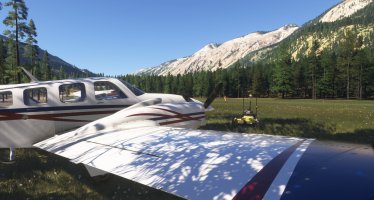
Just did a quick flight from Johnson Creek to Sulphur Creek in the BlackSquare Baron.
The lighting, shadows and colors in MSFS2024 are really satisfying to me.


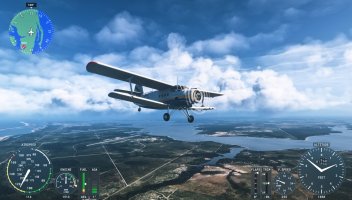
vipgroup
SOH-CM-2024
My FS2024 is not the Steam version, but might try it out with FS2020 on Steam. Thanks for the info.https://getsharex.com/ and excellent screenshot app, it may do videos too not sure. Its on Steam if you use Steam. It has an auto upload to any pretty much any image site you could imagine, has a ton of options. It's a bit of a task to get it all set up but once you do its awesome.
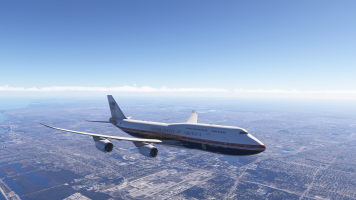
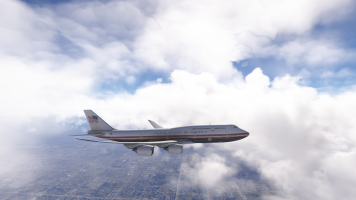
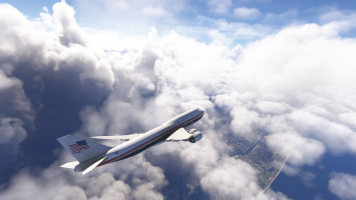
Well what I meant was the screenshot app is available on steam and at that website, but it works for any game or really anything, hit a hot key and it basically PrintScreens a screenshot (with camera sound if you want) to the directory you set and depending on the app, game or just desktop it renames them and can put a date, time whatever, very customizable.My FS2024 is not the Steam version, but might try it out with FS2020 on Steam. Thanks for the info.
jankees
SOH-CM-2026
 q1 (0001) by JanKees Blom, on Flickr
 q1 (0002) by JanKees Blom, on Flickr
 Q (0001) by JanKees Blom, on Flickr
 Q (0007) by JanKees Blom, on Flickr
jankees
SOH-CM-2026
 AKH (0003) by JanKees Blom, on Flickr
 AKH (0004) by JanKees Blom, on Flickr
 AKH (0005) by JanKees Blom, on Flickr
Hollister56
Members +
Looking good JanKees, here's a bare metal Classic!
vipgroup
SOH-CM-2024
Thanks for the clarification.Well what I meant was the screenshot app is available on steam and at that website, but it works for any game or really anything, hit a hot key and it basically PrintScreens a screenshot (with camera sound if you want) to the directory you set and depending on the app, game or just desktop it renames them and can put a date, time whatever, very customizable.