SIM UPDATE 16

OK - found the swapper. Just updated both files and confirmed the versions in the actual folder. I was also able to find the same dlss library as a stand-alone d/l, but not the frame-gen file. I remember swapping the first one manually a couple of years ago, but the swapper does make it easy.
 
For those that swear by using the latest/greatest DLSS version, as I do - just a quick reminder that, once the SU16 update is installed, it rolls back the DLSS in MSFS to quite an older version, so you will need to use DLSS Swapper to update it again.

Not with the Steam version of MSFS ( I think) - throughout all the updates, my DLSS seems to have stayed the same.
 
Tom/Jan - side question but related - now that we have SU16 would it be worth asking folk to share their graphics settings - we've not done that in a while.
Yes please - I've used the Nvidia App on occasion which has settings I know not what they do, and there are others in the sim itself.
Be good to catch up with recommended settings.
Also be aware that there will be several items in your Content Manager that need updates too.
No kidding - the Update D/Loaded in about a minute, but then I have around 17GB of City/World to come after!

Unrelated: I noticed a Wishlist item was on sale (At Last!) but got to the Steam authorising etc etc and then finally: Paypal not accepted in your country (NZ) Say What??
 
Tom/Jan - side question but related - now that we have SU16 would it be worth asking folk to share their graphics settings - we've not done that in a while.
Good idea. But we do need to make the distinction Nvidia/AMD as they are completely different beasts!

But this is Tom's turf, so it's his call.

Jan
 
What fresh hell is this? Since the update, I now get a half-second freeze (including sound) every so often -- say, about every 10-15 minutes or so. I've seen it with multiple planes so far and with and without my community folder installed. None of my settings have changed from before the update.
Anyone else seeing this?
 
What fresh hell is this? Since the update, I now get a half-second freeze (including sound) every so often -- say, about every 10-15 minutes or so. I've seen it with multiple planes so far and with and without my community folder installed. None of my settings have changed from before the update.
Anyone else seeing this?
Brian,

Try deleting the rolling cache file and rebuilding it in the data options of the sim. I always do that after an update. Cleaning the DirectX cache usually helps as well.

Cheers,

Jan
 
Brian,

Try deleting the rolling cache file and rebuilding it in the data options of the sim. I always do that after an update. Cleaning the DirectX cache usually helps as well.

Cheers,

Jan
Thanks, I'll give that a try. I don't use a rolling cache, so I forget. I have heard that clearing it still helps.
 
I was a Beta tester for FSX lo many years ago. What I discovered was they were really not interested in input as everything appeared to be set in stone by the Beta time.
 
There's a CTD when visiting certain parts of the world.
Today's 654 MB update speaks of this but NZ apparently not solved.
 
Got the update. Tested for about 30 minutes. No CTD at all, update installed, but EHAM is still "purple haze"...

Priller
 
I am currently running the beta, and have not turned on MSFS for a while. When I do, will it install the update OVER the beta? NC
 
For those that swear by using the latest/greatest DLSS version, as I do - just a quick reminder that, once the SU16 update is installed, it rolls back the DLSS in MSFS to quite an older version, so you will need to use DLSS Swapper to update it again.
Seems like the framegeneration mod is not supported any more
 
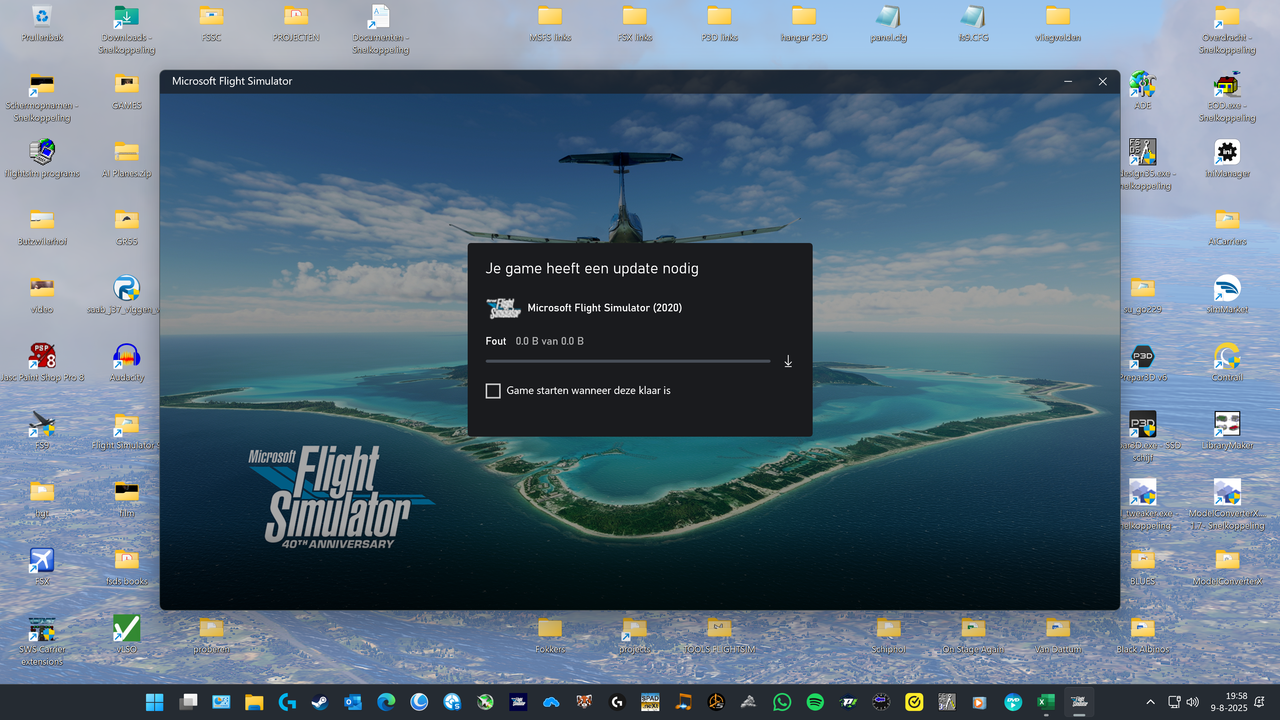
After reading about the update I tried to start the sim. This is all I see.


I have no idea.

Cees
 
Back
Top