SSW F-104G Canopy Scratches

Keith no appologie needed as it can be a thread about any SSW subject, it is all, "good to know" information! It looks like their last post in FB was back in April 2025. Time for an update you would think?

It would be cool if they ever release their F-84 for FS2024, and I am waiting for Heatblur to get off their tailpipes and release their FS2024 F4 Phantom.
 
Last edited:
They last posted on the official forum TF-104G thread (also covers the F-104) in July this year, a fix for the radar maps disappearing.

I see there is also a mod (F104 ADV) on flightsim.to that is a big rewrite of some of the F104 files and also 'fixes FS24 compatibility') - is this required for your mods or is it not needed?
 
I was not awear for this on flightsim.to, so thank you for pointing this out.

I read through all the comments and it is interesting. This mod is a completely separate from the mods I have done to my F-104G.

My F-104G flies very well with just a copy and paste from FS2020 to FS2024 and after my mods. I really don't want any random failures or other issues like NWS. I just taxi with the rudder pedals and that keeps it simple. This airplane has it's own WASM module and it sounds almost like this mod on flightsim.to is another Wasm module created by the developer and the two work hand in hand together?

You can edit the F-104 Wasm module using AI and make some changes, but how it is actually done I am not sure. My approach is to let AI modify the original Wasm module and test the results out myself. Many of these mods require a registered version of FSUIPC and Spad.next.

I do read their official forum and was referring to their Facebook page. The last post was about fuel flow complaint on their official forum. With full full in the tip tanks at FL340/.86 my a FF rate is approx 3500 pph. But I had to do a fuel mod to get it to that point and it is still WIP needing further refinement. On April 15th they said they are suspending development of the F-104G UFN due to personal reasons. Whatever those reasons are I hope they get resolved and they can continue developing this amazing jet!

As a side note I would like to see this jet take the path of the only actual flying F-104's, the Starfighter's out of Florida, cockpits and all. Now that would be very cool IMHO. I wish I could figure out how to do a completely redesigned cockpit panel copying one of the Starfighters modern panels.

Here is a list of some of the things I have been working on in a PDF.
 

Attachments

  • F-104G_Working_Modifications_Reference.pdf
    91.3 KB · Views: 8
1790124385199.png

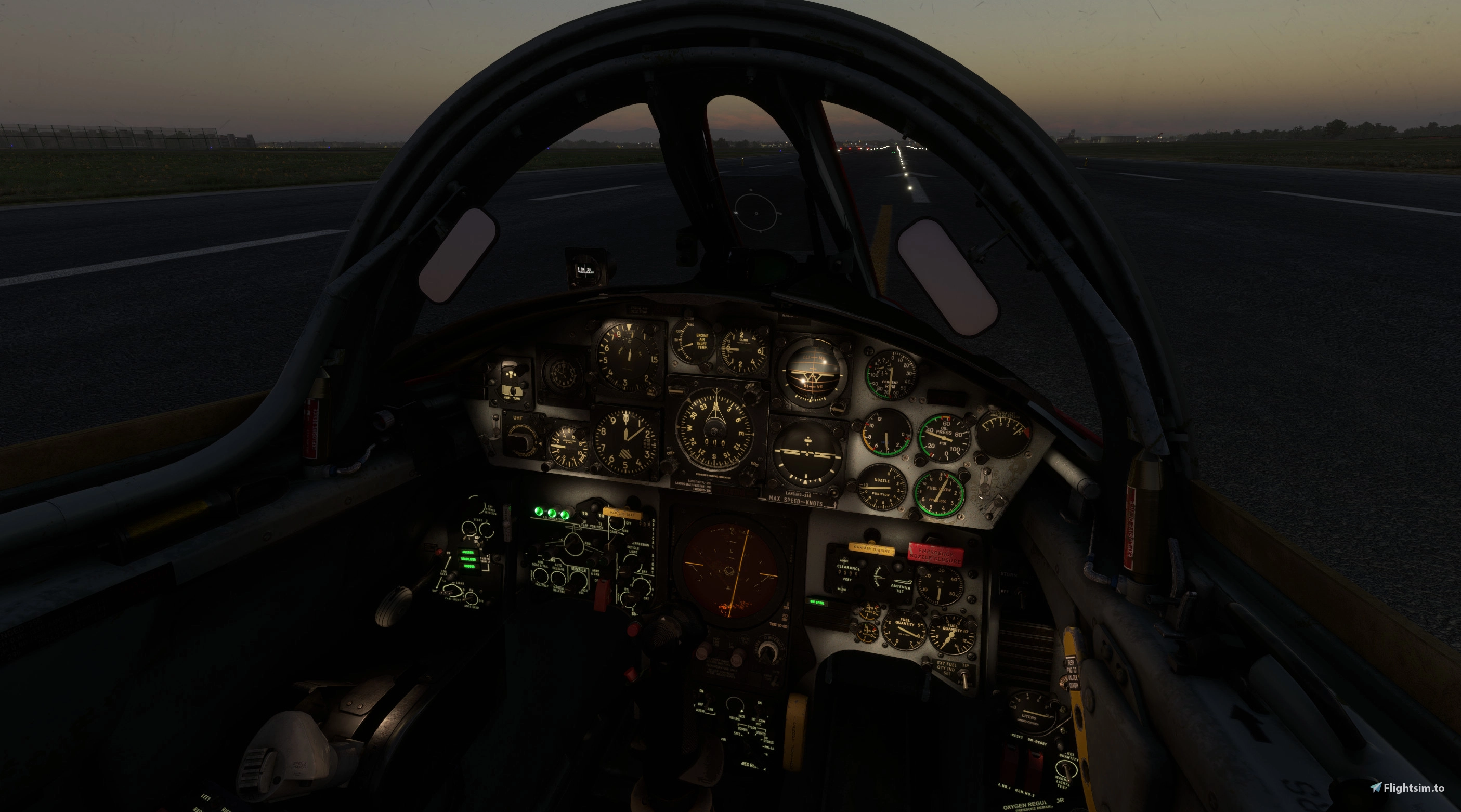
Night OPS with new cockpit lighting. Using some of the files found here.


I attached a step by step edit for just the lights and nothing else in the above download. The lighting is much better now. This works fine in FS2024.

What I did was tell AI that I want to merge the files for the light fix only and it compared the two files, my SSW F104G to the files downloaded from flightsim.to. Then it did the clean merge for me because I shared those two folders with AI and gave it reading and writing authority.

It is so easy to do it this way and a lot quicker too. You can share this PDF with the other two files mentioned above and the AI of your choice and it will know exactly what to do

Ed

1790124943652.png
 

Attachments

  • F-104G VC Lighting Fix - Merge Notes.zip
    8.8 KB · Views: 1
Last edited:
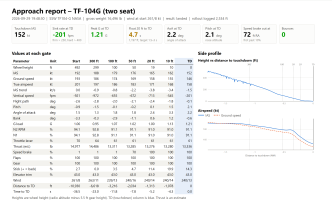
This morning I was working on the stablizer trim settings as they were not correct on my setup, notably take off trim, what it took to turn on the stablizer green light before take off and using the hat switch on approach, the trim was too aggressive with just one click of the hat switch. This was on my system in FS2024. If you are experiencing these same issues then take a minute to read the attached PDF. It requires a modification of the Wasm and xml files which is beyond most of us, including me, so this PDF was written so you can share it with AI and it can make the changes for you if you share your F-104 folder with it and give it read and write authority, which I highly recommend. With my experience using AI, it always makes a backup of the original files, but to be on the safe side, I would strongly recommend copy and paste your working copy of your current F-104 into another location so you always have a untouched working example. You can never have too many backups!

As a side note I pay for AI on a per monthly basis, it's about $20 dollars each and I am currently using ChatGPT and Claude. I think having a paid version gives you some features that a free version does not. More time is one of them, they time out and have usage limits and you might need a paid version to share folders, not 100 percent sure. FYI
 

Attachments

  • F104G_Trim_Mods_Guide.zip
    11.7 KB · Views: 1
Last edited:
I was working on adding sounds to some of the clickable items in the cockpit and I started with the canopy handle. These sounds are found in the default sound folder of the F-104G, but they don't seem to be defined in the sound.xml file. The xml file was updated and I am pleased with the results. I attached the updated PDF. I have been working on the engine and jet whine sounds too to make them less annoying at cruise altitude. The external view was very loud and then interior sounds had some very unusual frequencies that after a little while was not pleasant to listen to the ears, at least not to my ears. All the startup sounds are intack, but at crusie it is now a pleasant hum, same for the external view. Does anyone has issues with the sounds at cruise and in the external view?


Attachments

  • SSW_FRF104G_Canopy_Handle_Fix_Guide.zip
    40.4 KB · Views: 2
Back
Top