-
Please see the most recent updates in the "Where did the .com name go?" thread. Posts number 16 and 17.
You are using an out of date browser. It may not display this or other websites correctly.
You should upgrade or use an alternative browser.
You should upgrade or use an alternative browser.
Trying To Improve My FSX Screenshots
- Thread starter Aharon
- Start date


Hageneezz
Members +
This must be FS2024! Great shotsShalom and greetings all my pals,
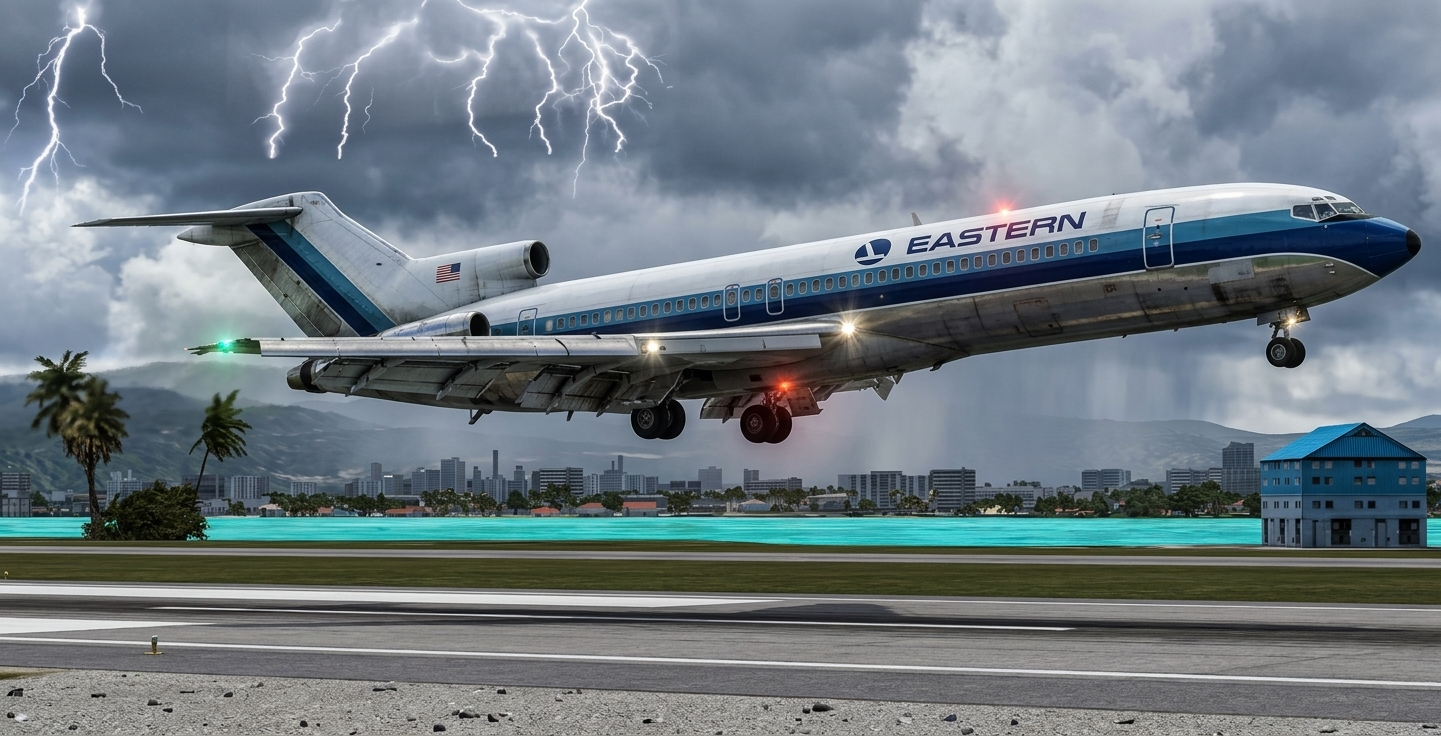
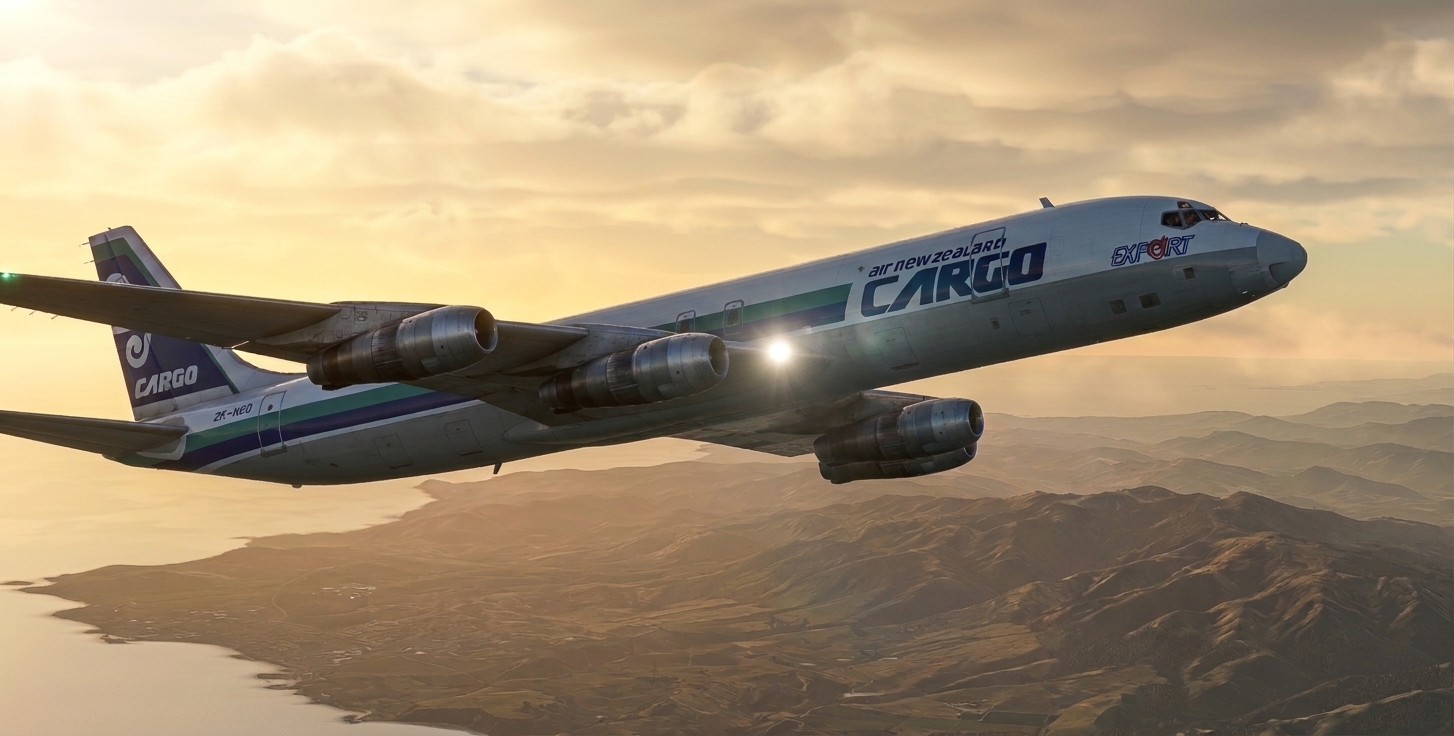
Court Line Flyer also known as Karl the forum member of CBFSim forums was very kind to paint at my request this Cayman Airways livery on freeware BAC 1-11 as seen on my screenshot below.

Regards,
Aharon

Adds a whole new aspect. Some purists will cry foul, but you've gotten me thinking now!it is editing software with AI feature

scotty
Members +
Would it be possible to obtain some more specific information regarding the software being used?it is editing software with AI feature.

vonstroheim
SOH-CM-2026
It's been discussed here... Wolfebee89 says it all... The tool/software seems to be Google Gemini.Would it be possible to obtain some more specific information regarding the software being used?
[...] and to all who are otherwise unaware, a discussion on the subject at Calclassic https://calclassic.proboards.com/thread/11522/screenshot-art-ai-enhanced albeit the notion is somewhat different - primarily to avoid landing into hot-water where any infringements on photo copyrights are concerned, and yet another good reason to attach the relevant AI tags
What would be useful (for me) would be an AI tool (maybe Gemini) for improving BMP or DDS textures in the game, not for enhancing screenshots outside of the game... It's cute and fun for sure, but feels like cheating...

It's cute and fun for sure, but feels like cheating...
Doesn't it only becomes cheating when you don't tell people you used AI ?

You could debate whether it is still "your screenshot" or has become a "Gemini image". However in the end the only question you should ask yourself, is do I like the image or not.
Cheers,
Huub
I completely agree - the enhanced images posted on this thread and a couple of other threads are great and the aircraft themselves are almost indistinguishable from photographs of the real thing but they are certainly not what the same aircraft is going to look like on the FSX screen! So unless, as you say, the technique became available in game, I would have to question the value of AI enhanced screenshots for most simmers.What would be useful (for me) would be an AI tool (maybe Gemini) for improving BMP or DDS textures in the game, not for enhancing screenshots outside of the game... It's cute and fun for sure, but feels like cheating...
Bill
It's cute and fun for sure, but feels like cheating...
Nope not cheating. Or otherwise everybody would feel MS2020 and MS2024 feel like cheating with too realistic graphic features anyway.
Also, is using Photoshop editing feel like cheating?? I do not think so. Apart from Gemini software with AI function, there are lots of new editing softwares including Photoshop that feature same AI functions that Gemini has.
The sole objective is of course beauty of screenshots AS LONG AS anyone is flying the plane in any flight sim platform. If someone is creating AI assisted screenshots WITHOUT flying, that is CHEATING.
Moreover, if you take look at backgrounds such as buildings and trees, you will recognize FSX default trees and buildings.
Gemini just improves quality of freeware planes while leaving FSX default backgrounds alone. Go and look at my new screenshot about Chanukah and Christmas which makes you recognize familarity of FSX trees in background.
I do mention new editing software of AI in my every screenshot posting to improve screenshots.
Regards,
Aharon
Although I don't want to get into a discussion on semantics, I would suggest that the objective of posting screenshots on SOH or any flightsim forum is to show the reader what can truly be achieved when flying in FSX or indeed any other platform. Although your AI enhanced images are amazing and beautiful and I commend you for them they unfortunately do not fulfill that objective!The sole objective is of course beauty of screenshots AS LONG AS anyone is flying the plane in any flight sim platform. If someone is creating AI assisted screenshots WITHOUT flying, that is CHEATING.
Bill
Although your AI enhanced images are amazing and beautiful and I commend you for them they unfortunately do not fulfill that objective!
Well if I work hard to fly a flight and create lots of screenshots out of a flight (I am known for averaging 45 screenshots per flight per screenshot posting), I do feel fulfilling objective when I pick one out of 45 screenshots and use editing software with AI function to improve the quality of freeware add on plane while leaving background alone. Look at my Chanukah and Christmas screenshot post and you will recognize FSX default trees in background. I also improved FSX screenshots using editing software with AI by making the planes look better while leaving FSX default or FSX payware/freeware airport sceneries in background alone.
Regards,
Aharon
Well if I work hard to fly a flight and create lots of screenshots out of a flight (I am known for averaging 45 screenshots per flight per screenshot posting), I do feel fulfilling objective when I pick one out of 45 screenshots and use editing software with AI function to improve the quality of freeware add on plane while leaving background alone.
I have always liked your screenshots although I didn't realise you shot so many on each flight for every one you post! As I said, your enhanced screenshots are amazing and I am probably just wishing that the aircraft we see on our FSX screens looked as good as the ones in your new screenshots!!
Cheers,
Bill
scotty
Members +
Thank you very much. I hadn't expected it to be this simple. Well then...It's been discussed here... Wolfebee89 says it all... The tool/software seems to be Google Gemini.

I've done very similar work using Gimp and no AI. Takes longer to learn how to do but very satisfying in the end.
The lightning bolts in this image are just a Gimp brush. None of it is from the simulator. Note the link takes to the resource where the image lives.
The lightning bolts in this image are just a Gimp brush. None of it is from the simulator. Note the link takes to the resource where the image lives.


B29 Superfortress Korea for FS9.zip
- Dangerousdave26
- b29 superfortress korea for fs9.zip
- FS 2004 Military Korean Era Repaints
The lightning bolts in this image are just a Gimp brush. None of it is from the simulator.
You are right. I use Photoshop brush to create realistic lighting bolts. Also anyone can use photo editing brush to create snow flurries for flight sim screenshots.
BTW, I hope you like my FSX screenshots edited by AI to thank you for all hard work you did for SOH forums.
Regards,
Aharon
vonstroheim
SOH-CM-2026
Rob Koval released a few days ago at Simviation a very nice little MiG I-270:

The default texture is quite ok but I wanted something more exciting. So I asked Google Gemini to change and improve the DDS fuselage texture.
The original DDS file looks like this. All the fuselage is only this one texture file, much easier for a test.

This is what I asked Gemini:
1. replace big USSR red star by Ukrainian Air Force roundel and replace small USSR red star by Ukrainian Air Force insign
2. replace red sripe by blue stripe
3. make it more realistic with some wear marks (I had to redo this step twice)
4. flip vertically top left ukrainian air force insign (was upside down...)
5. reduce ukrainian air force insign size by half (was too big)
I had other ideas in mind (like add some markings, etc...) but my free Gemini trial limit was reached (have to wait 5 hours to continue). But first experiment was already impressive:

And in the sim (here FSX Acc with DX10), it looks great!


VC is fine, I've just lightened it up a little bit (regular photoshoping):

So AI tools are useful indeed, and I'd rather use them like this, instead of improving screenshots... Personal choice...
But AI tools means also huge and noisy datacenters gulping large amount of power and water... So don't overuse them!
The default texture is quite ok but I wanted something more exciting. So I asked Google Gemini to change and improve the DDS fuselage texture.
The original DDS file looks like this. All the fuselage is only this one texture file, much easier for a test.
This is what I asked Gemini:
1. replace big USSR red star by Ukrainian Air Force roundel and replace small USSR red star by Ukrainian Air Force insign
2. replace red sripe by blue stripe
3. make it more realistic with some wear marks (I had to redo this step twice)
4. flip vertically top left ukrainian air force insign (was upside down...)
5. reduce ukrainian air force insign size by half (was too big)
I had other ideas in mind (like add some markings, etc...) but my free Gemini trial limit was reached (have to wait 5 hours to continue). But first experiment was already impressive:
And in the sim (here FSX Acc with DX10), it looks great!
VC is fine, I've just lightened it up a little bit (regular photoshoping):
So AI tools are useful indeed, and I'd rather use them like this, instead of improving screenshots... Personal choice...
But AI tools means also huge and noisy datacenters gulping large amount of power and water... So don't overuse them!
So I asked Google Gemini to change and improve the DDS fuselage texture.So AI tools are useful indeed, and I'd rather use them like this, instead of improving screenshots... Personal choice...
Interesting idea. You became first person to do repaint using AI assistance. Does Gemini save the repaint under same DDS format?? I wonder if I can ask Gemini to make American Airlines livery metallic shine and save the file under same file format?? Or I ask ask same thing for jet engine cowls to make it metallic shine.
Regards,
Aharon
vonstroheim
SOH-CM-2026
No, you need to convert the DDS to a conventional image like PNG, BMP or JPG, and then convert back to DDS the result (Gemini in my case produced a JFIF file, never heard of this one, but it looks like a JPG and my Paint Shop Pro could read it).Does Gemini save the repaint under same DDS format?
I use an old version of PSP, v8, with the Nvidia DDS plugin for Photoshop. DtxBMP or GIMP can do the same I believe...
https://developer.nvidia.com/texture-tools-exporter