Visible Copilot Question

Tom Clayton

Administrator
Staff member
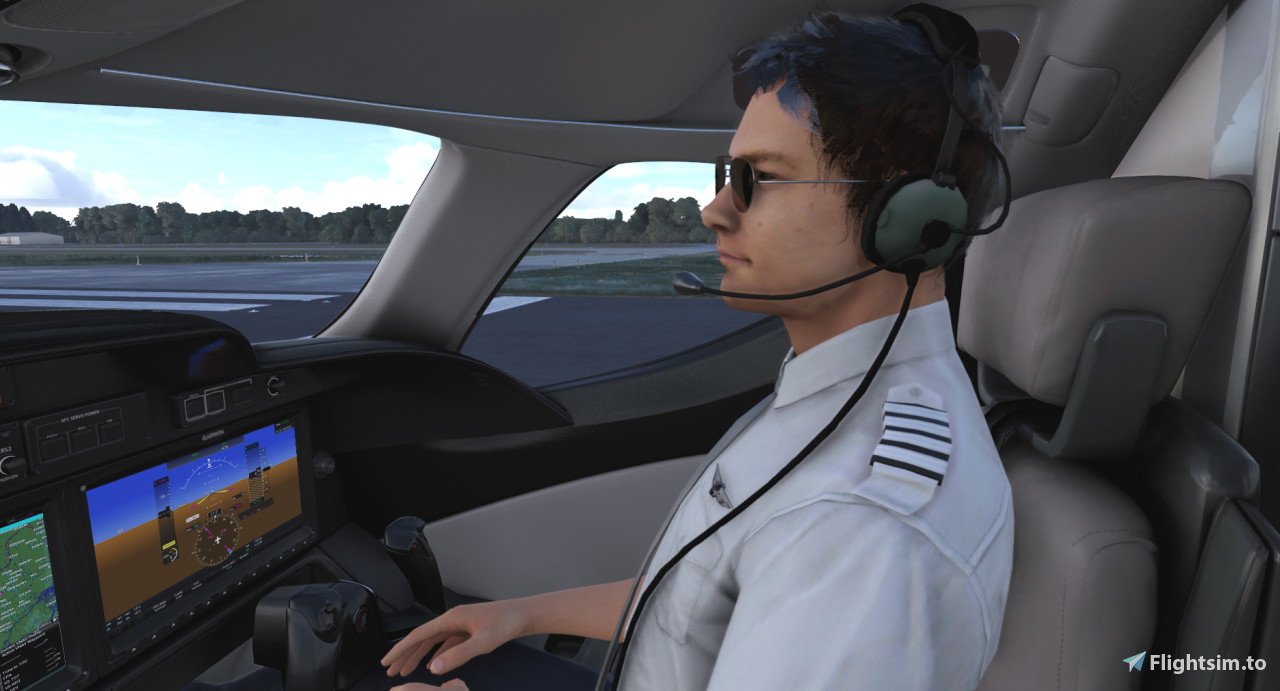
Every high-altitude go-fast I have has one major flaw - no copilot in the cabin. So I'm looking to the FSW Lear 35. If anyone here owns it, can you tell me if a visible copilot is an option on that one?

 
You might be able to add the copilot in the virtual cockpit by yourself, if the plane was not bought from the marketplace.
It's just a matter of editing a text file.
There are very few MSFS2020 plane for which this technique doesn't work, because their virtual cockpit have incorrect shapes or position...
 
There is an option on the EFB tablet to add the weight of the co-pilot and passengers to make the models appear. The passengers work as expected but I have not been able to make the co-pilot appear despite adding the required weight . I have report this to FSW by email and on Discord but no fix for the bug as yet.
 
There is an option on the EFB tablet to add the weight of the co-pilot and passengers to make the models appear.
That's what I was nervous about. I guess I'll keep waiting for the latest Cessna that's supposed to be coming. The dev's say it's been submitted to the MP, but it still hasn't been released to the public yet.
 
You might be able to add the copilot in the virtual cockpit by yourself, if the plane was not bought from the marketplace.
It's just a matter of editing a text file.
There are very few MSFS2020 plane for which this technique doesn't work, because their virtual cockpit have incorrect shapes or position...
That's very interesting. I was not aware of this. Can you share more details as to which file and which line to edit? I have the FSW Lear 2020 version and absolutely love the plane.
 
Even in he Community folder, not all planes have those files that can be modified like that. Even though I already owned the Honda from the MP, I bought it again from Orbx thinking I'd finally be able to make that edit. Nope...
 
That is strange, as all MSFS2020 planes have similar files...
The edit consists in accessing two GLTF files located in the model folder, in order to copy a text section from one file into the other. This is a very small section of text, and the process itself is kind of similar to adding a repaint to an FSX plane, for example.

The two GLTF (not very sure of the extension anymore and I'm far from my gaming computer for a few days....) correspond to the LOD0 (virtual cockpit) and LOD1 (most detailed external model). These two files are pure text. Using an editor like Notepad++, the text can be formatted from one line to a nice structured/multi-line text that is much more readable.
From then, we search the text section containing "PILOT_1" (that's the name of the copilot model) in the LOD1 gltf file, and we copy that section over to the LOD0 file.

The only plane for which that modification is impossible are the one that are bought from the MSFS marketplace, because for these planes, the LOD0 file is not visible, it's encrypted so you can read or edit it.

As for buying a plane again, I had to do that too, for the Aeroplane Heaven Swift. I made the mistake to buy it from the marketplace at first, then realized I couldn't add a visible copilot, then I bought it again from OrbX and I could make the modification finally :)
 
The Honda has the LOD 0 and 1, but they don't have the pilot section to copy from 1 to 0. I have NP++ and the json plugin, and I modified a few of my stock planes, including the TBM, which has become pretty much the only stock plane left that I fly. I even briefly considered copying the section from another plane, but I quickly figured out that the "Translation" header of that clip means that the rest of the numbers are XYZ coordinates, so it wouldn't work, even if the model was capable of interpreting the text.
 
Try following: open the "model" folder and open the interior.xml with a text editor. look for Pilot_1 and change the lines to:

<Component ID="PILOT_1" Node="PILOT_1">
<UseTemplate Name="ASOBO_GT_Visibility_Code">
<VISIBILITY_CODE>(PAYLOAD STATION WEIGHT:2,pounds) 0 &gt; </VISIBILITY_CODE>
</UseTemplate>
</Component>

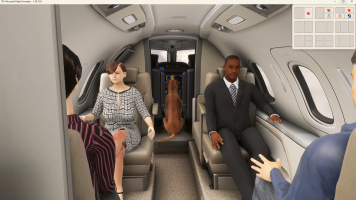
no guarantee that it will work but worth a try. At least I've got my dog on board and he is defined via the copilot avatar

Screenshot (838).png
 
Last edited:
I see he modified the Interior file - I may try that on some of my others that I've had less than good luck with when I get home. If this works, I see a lot of Honda flights in my future.
 
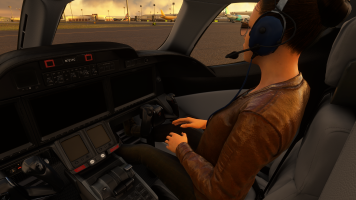
It worked! I ran the modified xml through the Compare plugin in Notepad++ and saw how it was done, but unfortunately the other jets that I wish I could modify the same way are locked down in the Official folder. If only FFX would release the Cirrus jet through Orbx like they did the Honda.

Microsoft Flight Simulator Screenshot 2026.10.01 - 17.20.31.44.png
 
Last edited:
In the past I tried numerous methods of modifying the FSW Lear's interior GLTF files to enable a visible copilot in the VC and never had any success. I've successfully enabled the copilot in other 2020 models using the same method, but there's just something in the FSW model or code that's preventing this method from working. I'm sure it's a case of "user error" on my part, but I gave up trying.

The FSW Discord page has some comments from the developer explaining why the 2020 model does not have visible copilot:


If anyone wants to give it a try, here's a solid tutorial that I used with success on many 2020 models, however as I mentioned earlier I had zero luck with the FSW Lear:


FWIW, all of the models mentioned in this thread (FSW Lear, FFX HondaJet & VisionJet) have visible copilots and passengers enabled by default in their native MSFS 2024 models. I've since made the switch but still wish it was a feature when I was using 2020.
 
Last edited:
I don't plan on switching any time soon, so I'll go with the small progress of getting the Honda tweaked the way I like. I've Added a panel folder that spec's out a dark blue tail number and then downloaded a texture pack that puts accurate logos on the engine cowl (Honda vs "HJet"). I then recolored the Elite White cowl to match the dark blue tail number and then opened the aircraft.cfg to point to the correct panel for the blue tail. After that, I opened the systems file to enable differential brakes with the twist stick, then modified the stock camera position to look down 8° so that I can see the Garmin screens while I'm landing.

I'd still like to do all of that on something that can get past Mach 7.0, but I'll take what I can get for now.
 
Back
Top