• There seems to be an uptick in Political comments in recent months. Those of us who are long time members of the site know that Political and Religious content has been banned for years. Nothing has changed. Please leave all political and religious comments out of the forums.

    If you recently joined the forums you were not presented with this restriction in the terms of service. This was due to a conversion error when we went from vBulletin to Xenforo. We have updated our terms of service to reflect these corrections.

    Please note any post refering to a politician will be considered political even if it is intended to be humor. Our experience is these topics have a way of dividing the forums and causing deep resentment among members. It is a poison to the community. We appreciate compliance with the rules.

    The Staff of SOH

  • Please see the most recent updates in the "Where did the .com name go?" thread. Posts number 16 and 17.

    Post 16 Update

    Post 17 Warning

Weird Texture Folder Arrangement.

jgf

Members +
I've never encountered this "issue" in FS2004 previously. I want a custom repaint of the old Alphasim F-22, there is no paintkit for it. There are four liveries included: three nearly identical with the mottled grey radar absorbent coating, the only difference being the low contrast squadron markings on the tail; and one fictional Thunderbirds livery. All these files are dumped into one texture folder and apparently the cfg file and mdl files somehow sort it out. I logically assumed there might be distinctly named files for each livery and some common files. No such luck (I keep forgetting our computers have nothing to do with logic). The are a handful of non-specific files; the "Langley" name is on 6 files, the "Edwards" name on 58, the "AirSuperiority" on 62, and the TBird name on 116 files. I can only assume, in addition to developing the real aircraft, the govt designed this FS model. I wasted an hour searching online in hopes someone else had encountered this oddity and deciphered a simple solution. Again, no such luck.

I typically use FSRepaint to start a new livery and see how textures are mapped, then use PSP for the detail work, and a final inspection in FSRepaint. Impossible with this aircraft, FSRepaint apparently tries to load every texture in the folder, then balks and complains it is out of texture memory (apparently a built in limit, Task Manager shows it only using 150meg). So I would like to separate these textures into individual folders ...but how? (Given that there are 385 files in the texture folder, trial and error is not an option.)
 
Are the textures 'controlled' by text blocks in the 'title' line in the aircraft.cfg file?

I saw a post by Tom Gibson from Cal Classics recently describing how he can control which parts are shown on which model based on the specific 'blocks' of text in the 'title' line of the aircraft.cfg file. I can't remember if it was in a post here or over at FSDevelopers but it was within the last couple of weeks. He uses a custom gauge to read the blocks and then apply the various textures as required.
 
Possibly with:

ui_variation=1. Raptor Tyndall

ui_variation=2. Raptor Tyndall Load

ui_variation=3. Raptor Edwards

ui_variation=4. Raptor Edwards Load

etc. But I don't see how this applies to file names. (For example there are no files "Tyndall".)
 
I just downloaded the aircraft to take a look and was expecting to see a gauge somewhere that would work in conjunction with the 'ui_variation=' line but found nothing. Something somewhere is controlling what goes where but I can't see it at the moment and as my FS9 hasn't worked in years I can't check it in the sim.
 
Thanks. It is quite a conundrum, but it all works in the sim. (If only I could figure out how, lol.)

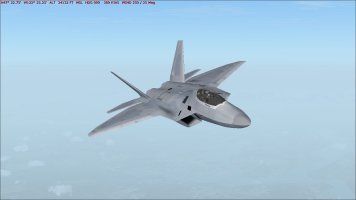
It has become my "go to" aircraft for those occasions I want something faster than GA. Not too shabby for a twenty year old model.

f22test.jpg

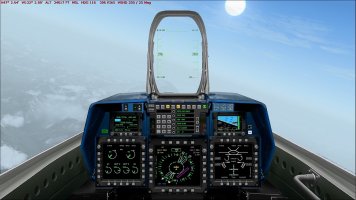
My contribution being a wide screen 2D panel (default was 1024x768).
f22pnl.jpg
 
I just found the thread on FSDeveloper where Tom Gibson was explaining how he controls visibility by code:
 
He did the same sort of thing in FS2004 too. XML code is XML code and can be read by any of the sims. He only posted in the P3D forum as that is where the question was asked.
 
  • Like
Reactions: jgf
Back
Top