DC-4 Skymaster

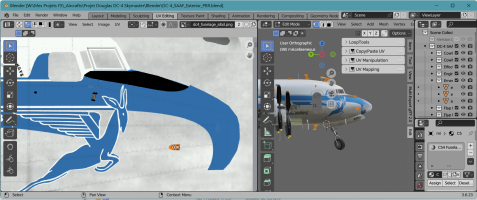
OK, I have see the exact modification to bring on the DC-4 (SAAF variation).
1793789882478.png

For pilots animations, I had planned some improvments:
- extract all animations and displays conditions from the current XML files and include them in a new specific XML file
- for animations and visibility from an external camera, nothing should be changed.
- It will mainly be the interior camera that will be reviewed.

As soon as the first engine starts or when the CTRL+SHIFT+E sequence is engaged, we will scan the position of the interior camera (existing variable in the SDK):
- If she is on the pilot’s station, then we will display the co-pilot and the radio on their seat.
- If it is on the co-pilot’s seat, the pilot and the radio will be displayed
- If it is located on the flight engineer station (jump seat in the middle), then we will display the pilot and copilot.

When discussing a few months ago with the designer of the Tiger Moth (Ants), Anthony explained to me how he handles the display between his own avatars or those of Asobo.
=> https://www.fsdeveloper.com/forum/threads/north-american-t-28-trojan.458851/page-2#post-940279

He sent me these lines of code that I need to apply to the DC-4.

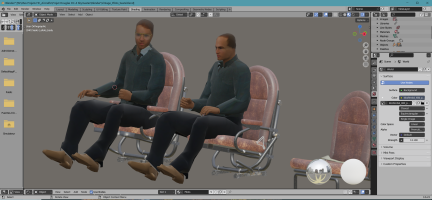
As for the avatars from the Flight Replicas addon, I have already isolated them and they are operational (animations); all I need to do now is review their textures to have:
- that is, two airline pilots
- that is, two pilots in flight uniform for the C-54s (green flight suits)
1793789348533.png


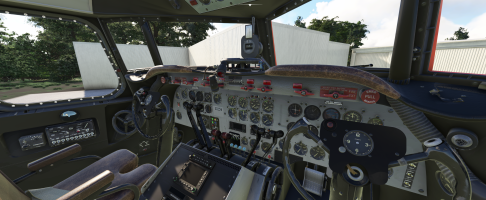
For the Fire Fighter, the new yokes are almost finished (I just need to add the clock needles),
1793791728024.png

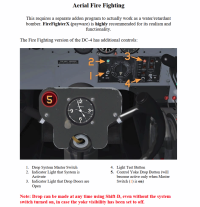
Regarding the management of buttons and hatches to carry out retardant drops, I want to reuse the same functions as those described in the Flight Replicas manual (theses manuals can be download on Flight Replicas homesite):
- a button ( 1 - Drop System Master Switch) on the panel to arm the devices,
- two other buttons ( 5 - Control Yoke Drop Button) on each shelf to trigger this drop operation,
- retardant tanks filling will be done via the MSFS UI by moving the cursor relative to an additional tank.
1793792109783.png
 
Last edited:
During the "truce granted" to us by the administrators, the "firefighter" model is almost ready: the specific panel rear the pilot's yoke for this model has been fully coded:
If the power supply is on
- the left switch (on the left of the black "fire fighter dial" ) with the green lamp to arm the "drop device",
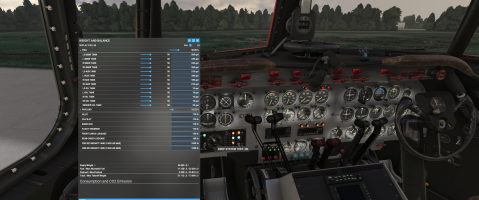
- the black button (drop system test on) at the bottom right allows you to test the different indicators and load 2x1500 lbs of retardant in tanks (this can be done or validated via the "Weight and Load" interface)
- both watches are active on each yokes.
- the red button on the pilot yoke allows you to open both tank hatches and release the retardant (white for now, a texture needs to be reviewed to change it to red/orange).
- this red button can be also activated by the shortcut "TOGGLE SPOILERS" or/and a button on your flight devices (to be able to drop in exterior views).

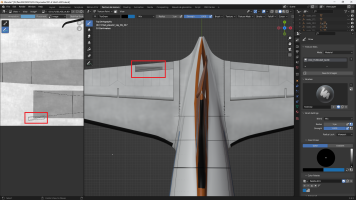
I took the opportunity to animate the exterior trim surfaces, not forgetting the indicators (pointed in red on the graduated scales) located on the cockpit panels.

1794678866756.png

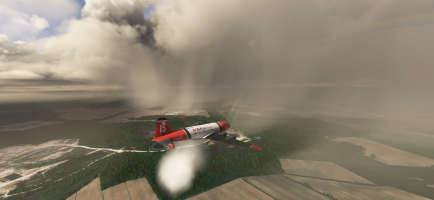
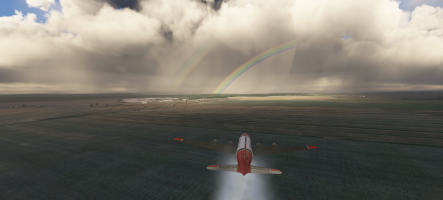
An unexpected rainbow during a test over CYMX, after un quick start and go :

1794679817046.png

I still need to check the javascript code that I retrieved from the Canso PBY and that allows us to manage the influence of the retardant mass before and after the drop operation. Indeed, the total weight of the aircraft suddenly changes, which affects the flight model: the aircraft should climb slightly after releasing all this mass.
 

Attachments

  • 1794679700818.png
    1794679700818.png
    4 MB · Views: 7
Last edited:
Will this firefighter model be separate from the other models you made? I assume you are also making modifications/impovements to the Military/Civilian models. Are you considering improved engine sounds? Thank you.
 
@gray eagle, the Firefighter is and will be included in the add-on : DC-4 L-1009, SAAF, C-54, Firefighter will be the variations released as soon as possible.
The current version use yet a WWISE package based on the DC-3 sounds and others legacy wave files.
I have planned to separate the starting sound of the famous video (last link given by Diegoxs in page 19, post #388) to incorporate this sample in the package (it's the first time that I do this so it can take some time to succeed in this operation).

@ferondoe, currently, the trims UVs of the SAAF variations are located as in the initial location (the Flight Replicas UVs), I forget to reduced them and move them in the right place (it's the same problem as you remark in the post #372).
In the Firefighter variation, I have done this move and the scale operation and now they are "perfect", so I will import them in the others models 3D so they will be replaced by trims with correct UVs and animations (the XML code is the same for each model).

For the door hinges, I will check them all one by one (Marty, try to speak in english ;) )

@jbr12, the last link in page 19 post #373 is always operational :whistle: ...
 
Last edited:
Hi Didier

I've been spending time in SAA's ZS-BMH. Thank you for all your never-ending hard work!

Starting and flying it is ok but I do have the following questions:
1. the Beacon light switch works opposite to the arrows in the Tooltip.
(1a. is it possible to make the tooltips-box smaller? On my screen the blue tooltips box is 90mm long and 10mm high, and I think it should be more in line with what we had on FS9 or FSX. I realise this might be an Asobo thing.)
2. The "Captain Tablet Showed/Hidden" function doesn't work, and neither does it work for the F.O.
3. Using the old-style avionics, where does one access and change radio frequencies for COM and NAV etc?
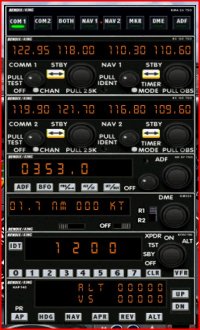
4. Would it be possible to provide an avionics package as expected on a 1990's version, digital but without GPS? Something like this?
avionics.jpg

regards
Thomas
 
If the beacon light works opposite, it's quite simple to change.

The tooltips-box is provided by Asobo so you can go in the configure item to change this ... if it is possible. at least it is possible to reduce the size of the bubble info text.

The "Captain tablet show/hidden" is provided to manage the tablet which I haven’t added to the DC-4 yet. It will be the Canso PBY tablet with adapted menus, but I still need to correct one function. It will come ...

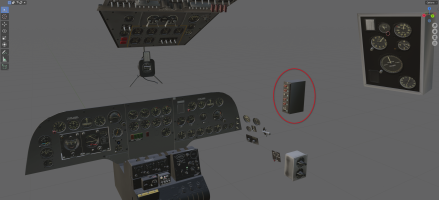
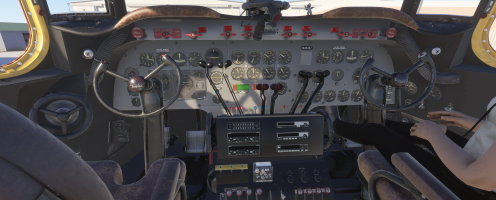
For the old-style avionic, the box to change the COM & NAV frequencies is on the pole back the copilote ... but perhaps the XML code has not been included in the v0.61 version.

1794749585752.png

For this avionic ... I have already made a lot of changes at the request of people; this one would still require some work, especially since if I do it for a variation, people might ask me to make it for the others ...
I’ve been working on this plane for 11 months, my motivation is a bit down and I would really like to switch to the other projects I have in mind ... I will study that, if I can add theses gauges from the Canso with minor changes perhaps ...
 
Last edited:
If the beacon light works opposite, it's quite simple to change.

The tooltips-box is provided by Asobo so you can go in the configure item to change this ... if it is possible. at least it is possible to reduce the size of the bubble info text.

The "Captain tablet show/hidden" is provided to manage the tablet which I haven’t added to the DC-4 yet. It will be the Canso PBY tablet with adapted menus, but I still need to correct one function. It will come ...

For the old-style avionic, the box to change the COM & NAV frequencies is on the pole back the copilote ... but perhaps the XML code has not been included in the v0.61 version.

View attachment 202178

For this avionic ... I have already made a lot of changes at the request of people; this one would still require some work, especially since if I do it for a variation, people might ask me to make it for the others ...
I’ve been working on this plane for 11 months, my motivation is a bit down and I would really like to switch to the other projects I have in mind ... I will study that, if I can add theses gauges from the Canso with minor changes perhaps ...
Thanks Didier
I saw that box behind the copilot but I couldn't figure it out. I'll take another look.
I realise your motivation might be low but you've already done so much for which we're all very grateful! One or two more minor changes will make it perfect.

regards
Thomas


regards
Thomas
 
I am currently watching the movie, "The Geisha Boy", with Jerry Lewis, and a USAF C-54 is featured in the movie a few times. Really made me check on the progress of this awesome model for MSFS. Looking forward to it! NC
 
@01thomass,

It's a DC-4 like this that you wanted ?

1794935029564.png

Modeling the support and the instruments is not the most complicated. In one day, I was able to do this for the DC4-SAAF, but as for the XML code to design, it might take a bit longer. Moreover, the presence just behind this panel of the clickable area with the mouse for trims makes things a bit complicated. I have to add a zone to prevent the mouse zones of the trims from interfering with the button input areas for these instruments.

Given a certain number of constraints, I can deliver the DC-4 or the DC-4-SAAF with these instruments, but being able to have both types of panels and switch from one to the other will really take me too much time, so I wouldn’t do it.
 
I am definitwly NOT a purist, and to tell you the truth, I have zero clue about the differences between the DC-4/C-54 panels! As for how long it takes, again, no matter. I am simply in awe of the talent it takes to create these models! Thank you sir! Navy Chief
 
Thanks you!

Three news for the DC-4/C-54:
  • I managed to modularize the add-on a little more, which in the end allows me to have a generic vintage VC and two separate avionics, one for the 30s and another for the 60s. By using the Merge function, we can now associate the desired avionic with the vintage VC for an given aircraft (if in addition I will be able to incorporate both and switch from one to the other, that will be the apotheosis)
  • On the other hand, for the 1960 avionic, I have a big problem: the animations work well during tests in MSFS 2024, but I can’t illuminate the LCD screens of the instruments. Everything seems correct; I followed the same checklist that allows me to create an HTML gauge:
    • dedicated power line, declaration in system.cfg,
    • matching the plan with a $SCREEN texture,
    • declarations in panel.cfg (to declare an HTML for a gauge) and panel.xml (to associate an electrical CIRCUIT to a gauge)
    • and yet there is something that doesn’t want "to fall into motion" (to investigate ... :mad: )
  • As I switched the sounds to a WWISE management: not yet finalized but clicks on some switches are already audible, in the end, I will put this development version in v0.7.0 and make it available instead of the previous one (the old link will be obsolete).
 
Back
Top