• Please see the most recent updates in the "Where did the .com name go?" thread. Posts number 16 and 17.

    Post 16 Update

    Post 17 Warning old domain name stealing credentials

  • Special Server Maintenance

    Just when you think you have everything running some what better...

    You get a message from the Hosting company. Short story they need to move us to a new server. I have been working with them to plan a good date for all concerned. Here is what we have come up with as a schedule.

    1. November 4th 17:00 -5UTC shut off the forums and start backup proceedures. During this time there will be no access to the forums or the Resource Section.
    2. November 5th Continue with Backups and download same until complete.
    3. November 6th 7:00 turn over server to hosting company to move system to new server
    4. November 7th - 8th restore backups and upgrade forum software.

    If all goes well we should be back online on November 8th.

    To keep you updated we will post updates on AVSIM forums.

    Thank you for your support.

A nice long-term project- Operation Fallon.

Sbob

SOH-CM-2026
:wiggle:

While I was winding down my Virtual Deployment with VFA-146 in the F/A-18C, I started to figure out what would come next.

I was kind of leaning towards a transfer to NSAWC (AKA NAWDC) at NAS Fallon east of Reno, Nevada as a Virtual senior Lieutenant.
This lets me keep a flying job (about one flight per week) while giving me the time to fix some stuff:
KNFL1.jpg

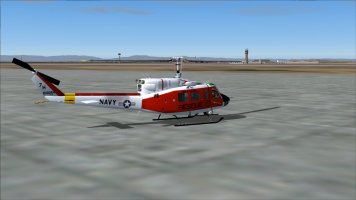
NAS Fallon- I've had the Team SDB scenery for NAS Fallon (KNFL) installed for quite a while (NAS Fallon.zip).


This scenery is dated from 2013 but I'm pretty sure its much older than that. It needs some work (especially the taxi ways) but the good news is that it should all be do-able using AFCAD2 and BGL2XML. There are also some nice Easter eggs, anytime a scenery features a Gate Guard A-7 means it can't be that bad. This is fun scenery to explore, it just needs some updating. :wiggle:
Mostly, the taxi ways need updating and I'd like to dump the static Tomcats and replace them with "MAIW Standard" AI.

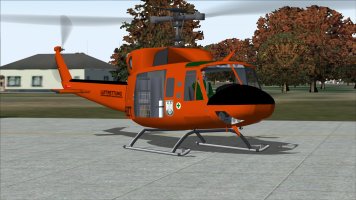
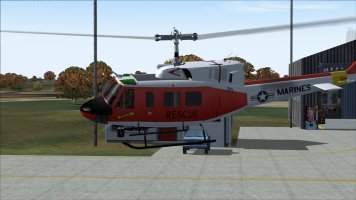
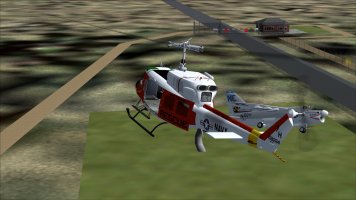
The Hovercontrol Bell 212 and 412- These are outstanding MDLs from Jordan Moore, they are just a rock-solid pain to take from cold metal to hovering. There has never been a "how to" guide or instructions on how to get them in the air. Mostly, you try to turn on everything and cross your fingers. Mostly, they just sit on the tarmac while the engines only spool up then down. :indecisiveness: As I recall, Jordan and the Hovercontrol crew wanted some choppers that were "procedural level" for FS and they got them 95% there. Then they moved on to another project and the freeware 212 and 412 just sat there. I'd like to get them working to the point where the engines are already running (but you can shut them down) and you're ready to lift off. I need to find another (better or more simplified?) .air file and play around with the aircraft.cfg file and the panel folder. In other words, I need to break these choppers before I can fix them.

The KBT Super Hornet family- This is a project I've already spent some time on, it just needs some final polish. Mostly, I need to fine tune the [Gear and Scrape] section for the complex main gear then "re-jigger" the panel folder/gauges and aircraft.cfg file to standardize the effects files. In that same direction:

The Abacus F-35C- There IS an F-35C for FS9. Abacus included it in their Carrier Strike Fighter package. Unfortunately, it shares a lot of the bad habits of other Abacus carrier aircraft. The textures need a LOT of work. I've already played around with the flight dynamics but they need some more tuning. At one point, I tested a helmet visor HUD for the VC and darned if it didn't work. I just need to play around with it some more.

So, this will be my long-term FS project for this winter (or maybe longer?). I'll post the stuff I can post in this thread or at least let you all know how I fixed it. :wiggle:
 
Hi Sbob, your contribution sounds interesting. Would like to help to decrypting the spooling up mystery. Supposing that J.Moore wanted a realistic start up we look up first in the world of real Bell choppers. found this to be studied a real world Manual Bell 412 here
Also I wished to hover n fly those wonderrfull masterpieces ... Lets try to solve it together,
cheers Jochen
 
Jochen, I've had some success with the 412. It involves finding every switch associated with the engines and transmission, turning them ON, then waving my hands a lot. :dizzy: No kidding, I'd like to give you a good start-up and run procedure but it really comes down to "it depends". Sometimes I can fly the 412, sometimes it won't work. :indecisiveness:
Part of the problem comes down to the CAB files. Some CABs include the Collective Throttle gauges, most don't.

Long term, I think I'll have to abandon the .air file(s) and most of the Engine params in the aircraft.cfg file(s) and replace them with older Huey flight dynamics. In the meantime, I've attached a zip file with the CAB files you'll need for the 412. Because most of the panel.cfg's are different, I've included the whole panel folder. You could also try this panel with the (later) HC Bell 212, but I can't say for sure it will work.

:ernaehrung004:
 

Attachments

  • Bell 412 panel.zip
    2.7 MB · Views: 3
Meanwhile, there's this..

older212.jpg

Its an older version of the HC Bell 212 for FS9. The FD looks pretty good, so far, and it loads with the engines running and ready to lift off.
The sound folder is older and simpler but it sounds pretty good.
I'm thinking its a good candidate for a "Configectomy" and I want to try adding the later MDL and a texture folder to see what happens. :unsure:
 
Well, that turned out OK. :geek: :wiggle:

woot1.jpg

The old FD with the newer MDL and a texture folder and it flies and hovers like a champ.
No VC panel, yet, but that's an easy fix. Probably. Its possible that the newer gauges might be causing some of the hassles?
 
Meanwhile, its Check-In day at Fallon.

checkin.jpg

That's the A-7 Gate Guard and the Main Gate. I've found the movie theatre and the bowling alley but where the heck is the O-Club? :indecisiveness:
The Bell 212 "downgrade" is going nicely. The big problem is the newer gauges/CAB files, so only a simple 2D panel and no VC gauges yet.
I'll finish the work on the -212 first then get started on cleaning up Fallon. :wiggle:

I should have some stuff ready to upload once the server/hosting stuff is finished on the 8th. :wavey:
 
Last edited:
The gauges are located inside the CAB files. :ernaehrung004:
You can keep the CAB files inside the panel folder (FS9) or drop them in the main GAUGES folder (FS2002 or FS9).
 
u can keep the CAB files inside the panel folder (FS9) or drop them in the main GAUGES folder (FS2002 or FS9)
I know how to hover, to fly, to autorotate nearly out of any situation but never resolved the mystery of cab files my self. All I know they are compressed files with content. So, does ist mean i have to copy all files out of the cab and paste them to FS9 main Gauges folder ?
 
So, does ist mean i have to copy all files out of the cab and paste them to FS9 main Gauges folder ?
Don't try to copy the files out of the .cab, the panel.cfg is looking for them in that form. As Sbob says, leave the .cab in the panel folder or move the whole .cab file to the main Gauges folder.
 
There's reason why so many FS9 aircraft have their gauges in the panel folder. It's because FS9 looks for them there first, and if it doesn't find them in the panel folder, then it looks in the main Gauges folder. So it's quicker if they're in the panel folder, though the difference is probably a matter of microseconds. The downside is that you'll have as many copies of each gauge as you have aircraft that use it - but in these days of multi-gigabyte drives that doesn't really matter.

Something that David taught me - that I should've figured out myself but didn't - is that putting the gauges in a regular folder is better than putting them in a cab file or any other kind of compressed file because if they're in a cab file FS9 has to decompress each gauge whenever it's used. If they're just in a regular folder that step is skipped and the response is quicker. But again, the difference is probably measured in microseconds.

Compressed gauges in a cab file take up less space on your hard drive, but again, in these days of multi-gigabyte drives that doesn't matter like it did with the computers of a couple decades ago.
 
thats amazing, asking one question and get multiple responses - but each of them is worth it! Thank u you guys,
i learned basicly >leaving them in the individual panel folder. its not worth by a spiltsecond to do it otherwise. On the other hand the middle console doesnt work, just the spooling up sequence on top of collective window, whats the mystery about ?
 
Well, a CAB file is a lot like a ZIP file for gauges. You just don't decompress it because FS takes care of that. :geek:
I don't mind CAB files, unless I'm swapping out gauges.

With the HoverControl (newer) Hueys, the big hassle are those gauges. I'm not sure if Jordan wanted a slow start-up sequence or if the 212 and 412 were going to be payware at some point (*ahem* Cerasim?), but its only the gauges that make the start-up such a chore. If you plug in one of the older Huey panel folders you can skip the frustration, you'll just lose the VC gauges (in reality, you really don't need them in the VC if you're flying daytime VFR).
I'm going to do a gauge swap for the 212/412 panel folder. I'll post it in this thread once its tested. :wiggle:
 
Last edited:
Back
Top