
-
Please see the most recent updates in the "Where did the .com name go?" thread. Posts number 16 and 17.
-
IMPORTANT DOWNLOADING INFORMATION - ALL MEMBERS PLEASE READ
Please see this thread for updates. Update Thread
SOH ADMINISTRATION
You are using an out of date browser. It may not display this or other websites correctly.
You should upgrade or use an alternative browser.
You should upgrade or use an alternative browser.
Cessna 195 for FSX
- Thread starter papab
- Start date


falcon409
SOH-CM-2026
Maybe I'm missing something here Don, but didn't your recent fix for the VC panel correct that? I used a different texture than the "Burled Wood", but adding the bmp file reference to the VC sections now allows for all the lights to be on without the texture changing colors. Beyond that, as I mentioned back a bit earlier in this thread, you will have to get the source code and do some work within the model itself to permanently correct that problem. Aside from someone doing that (which I doubt will happen), it'll take building a totally new model for FSX to correct it.. . . . . . .The "Lights On" texture changing colors has eluded me in the past, so, any ideas there would help me.
I probably missed it, if one of the folks has already found a solution...Don
Your fix is the "next best option" and makes the 195 FSX ready as far as I know. No other problems exist that I know of. Folks can change the prop blur if they have one that works better, but the existing one isn't bad. A suitable soundset hasn't been suggested for the airplane so I'm using one that works ok, but it probably isn't the right one. Bottom line is, aside from the VC I'm not aware of anything that would require a new "package" to be posted.

fxsttcb
Panel & Gauge Hack!
It fixed it for the VC, but, I did a little dusk flying with it last night and after I shut 'er down and killed the lights, the whole thing changed color in locked spot view!Maybe I'm missing something here Don, but didn't your recent fix for the VC panel correct that?
Nothing so drastic I can't get by with it, but, if someone has a resolution for that, I'm all ears.
That, more than likely, will require a new model, as you suggest.
I'm using the prop texture posted here earlier. The only default sound set that has a small radial is the DHC2 Beaver, so, I aliased mine to that until/if I find a better match. I don't have a clue what a 300HP 7 cyl radial should sound like anyhow!
For the time being I'm done fixing! I'm flying that little baby...Don
falcon409
SOH-CM-2026
Yes, the panel bitmaps go into the panel folder, not the texture folder. Also, you must amend the panel.cfg file to allow those bitmaps to load:
[Vcockpit01]
file=VC1.bmp
Background_color=0,0,0
size_mm=400
visible=1
pixel_size=1024
texture=$P1
gauge00=cessna!Attitude, 154,80,73,72
gauge01=Cessna!Altimeter, 241,80,73,72
gauge02=Cessna!VOR1, 328,79,70,72
gauge03=Cessna!OMI_Lights, 310,19,44,22
gauge04=cessna!Nav GPS Switch, 379,23,15,14
gauge05=Cessna182s!Clock, 330,47,62,28
gauge06=Cessna172!Airspeed, 66,80,73,72
gauge07=Cessna208!Turn-Bank, 67,158,73,72
gauge08=Cessna182s!Autopilot_Switch, 358,23,14,13
gauge09=Cessna208!Vertical-Speed, 241,158,73,72
gauge10=Cessna208!ADF, 326,158,73,72
gauge11=Cessna_dg!directional_gyro, 154,158,73,72
gauge12=Maule_M7_260C!compass, 208,20,51,55
gauge13=Cessna!Flaps, 16,169,42,46
[Vcockpit02]
file=VC2.bmp
Background_color=0,0,0
size_mm=960
visible=1
pixel_size=1024
texture=$P3
gauge00=SimIcons1024!Kneeboard Icon, 178,39,32,32
gauge01=SimIcons1024!ATC Icon, 143,20,32,32
gauge02=SimIcons1024!Avionics Icon, 178,6,32,32
gauge03=SimIcons1024!Map Icon, 213,6,32,32
gauge04=SimIcons1024!GPS Icon, 213,39,32,32
gauge05=Bendix_King_Radio!Bendix-King Radio DME, 250,5,225,70
gauge06=Bendix_King_Radio!Bendix-King Radio ADF, 250,75,225,70
gauge07=Cessna182s!Switches, 2,71,243,70
gauge08=Cessna!Starter, 78,5,60,62
gauge09=Cessna172!Panel_Lights_Switch, 12,8,63,63
[Vcockpit03]
file=VC3.bmp
Background_color=0,0,0
size_mm=1024
visible=1
pixel_size=1024
texture=$radio
gauge00=bendix_king_radio!Bendix-King Radio AP, 207,845,604,172
gauge01=bendix_king_radio!Bendix-King Radio Audio, 207,-4,604,119
gauge02=bendix_king_radio!Bendix-King Radio Nav-Comm 1, 207,590,604,264
gauge03=fs9gps!gps_500, 209,111,599,487
[Vcockpit04]
file=VC4.bmp
Background_color=0,0,0
size_mm=1024
visible=1
pixel_size=1024
texture=$P2
gauge00=Cessna!Fuel_Selector, 34,82,100,100
gauge01=cessna!Rudder_Trim, -2,545,138,56
gauge02=cessna!Pitch_Trim, 41,397,25,140
gauge03=cessna182s!Fuel, 94,190,156,155
gauge04=cessna182s!Fuel_Flow_Man_Pressure, 279,190,156,155
gauge05=Cessna!Vacuum_Ampermeter, 459,190,156,156
gauge06=Cessna182s!EGT_CHT, 99,367,154,156
gauge07=Cessna182s!Oil_Press_Temp, 280,366,156,156
gauge08=cessna!Tachometer, 646,364,153,152
Also, just to make this more complicated than it already is. I use the base 195 as the main aircraft, so the panels for the other two variants are aliased to the base 195. So these changes (for me) are only done in that aircraft folder. Whatever variant you are using as the base, these changes must go in that panel.cfg.
[Vcockpit01]
file=VC1.bmp
Background_color=0,0,0
size_mm=400
visible=1
pixel_size=1024
texture=$P1
gauge00=cessna!Attitude, 154,80,73,72
gauge01=Cessna!Altimeter, 241,80,73,72
gauge02=Cessna!VOR1, 328,79,70,72
gauge03=Cessna!OMI_Lights, 310,19,44,22
gauge04=cessna!Nav GPS Switch, 379,23,15,14
gauge05=Cessna182s!Clock, 330,47,62,28
gauge06=Cessna172!Airspeed, 66,80,73,72
gauge07=Cessna208!Turn-Bank, 67,158,73,72
gauge08=Cessna182s!Autopilot_Switch, 358,23,14,13
gauge09=Cessna208!Vertical-Speed, 241,158,73,72
gauge10=Cessna208!ADF, 326,158,73,72
gauge11=Cessna_dg!directional_gyro, 154,158,73,72
gauge12=Maule_M7_260C!compass, 208,20,51,55
gauge13=Cessna!Flaps, 16,169,42,46
[Vcockpit02]
file=VC2.bmp
Background_color=0,0,0
size_mm=960
visible=1
pixel_size=1024
texture=$P3
gauge00=SimIcons1024!Kneeboard Icon, 178,39,32,32
gauge01=SimIcons1024!ATC Icon, 143,20,32,32
gauge02=SimIcons1024!Avionics Icon, 178,6,32,32
gauge03=SimIcons1024!Map Icon, 213,6,32,32
gauge04=SimIcons1024!GPS Icon, 213,39,32,32
gauge05=Bendix_King_Radio!Bendix-King Radio DME, 250,5,225,70
gauge06=Bendix_King_Radio!Bendix-King Radio ADF, 250,75,225,70
gauge07=Cessna182s!Switches, 2,71,243,70
gauge08=Cessna!Starter, 78,5,60,62
gauge09=Cessna172!Panel_Lights_Switch, 12,8,63,63
[Vcockpit03]
file=VC3.bmp
Background_color=0,0,0
size_mm=1024
visible=1
pixel_size=1024
texture=$radio
gauge00=bendix_king_radio!Bendix-King Radio AP, 207,845,604,172
gauge01=bendix_king_radio!Bendix-King Radio Audio, 207,-4,604,119
gauge02=bendix_king_radio!Bendix-King Radio Nav-Comm 1, 207,590,604,264
gauge03=fs9gps!gps_500, 209,111,599,487
[Vcockpit04]
file=VC4.bmp
Background_color=0,0,0
size_mm=1024
visible=1
pixel_size=1024
texture=$P2
gauge00=Cessna!Fuel_Selector, 34,82,100,100
gauge01=cessna!Rudder_Trim, -2,545,138,56
gauge02=cessna!Pitch_Trim, 41,397,25,140
gauge03=cessna182s!Fuel, 94,190,156,155
gauge04=cessna182s!Fuel_Flow_Man_Pressure, 279,190,156,155
gauge05=Cessna!Vacuum_Ampermeter, 459,190,156,156
gauge06=Cessna182s!EGT_CHT, 99,367,154,156
gauge07=Cessna182s!Oil_Press_Temp, 280,366,156,156
gauge08=cessna!Tachometer, 646,364,153,152
Also, just to make this more complicated than it already is. I use the base 195 as the main aircraft, so the panels for the other two variants are aliased to the base 195. So these changes (for me) are only done in that aircraft folder. Whatever variant you are using as the base, these changes must go in that panel.cfg.
Hey guys, I saw a lot of talk about getting the source files for the model. If you're just looking for the model, then you can open up the .mdl in ModelConverterX and export it as a .3DS or Collada file. Import it into GMAX or 3DS Max. From there you can change all the textures from 'standard' to FSX_Materials along with exporting it as native FSX.
I've never done this with aircraft, just aircraft to static and such.
I've never done this with aircraft, just aircraft to static and such.

warchild
Charter Member
Hey guys, I saw a lot of talk about getting the source files for the model. If you're just looking for the model, then you can open up the .mdl in ModelConverterX and export it as a .3DS or Collada file. Import it into GMAX or 3DS Max. From there you can change all the textures from 'standard' to FSX_Materials along with exporting it as native FSX.
I've never done this with aircraft, just aircraft to static and such.
The thing is, we need the creator's permission and thats what we're lacking.. Without that, its a no go.. So far, attempts to contact him have been fruitless.. I dont know if that willl change or not, but at least what we have works, and perhaps someone will make an FSX model for it..
Pam

papab
Charter Member
perhaps someone will make an FSX model for it..
Pam
Perfect model for Carenado.......Only hope
Rick

Roger
Senior Administrator
My version of the "Shakey Jake" panel is now in the library under "FSX Panels".
Enjoy...Don
Many thanks Don:ernae:
papab
Charter Member
My version of the "Shakey Jake" panel is now in the library under "FSX Panels".
Enjoy...Don
Everyone needs to download Don's panel fix....
We now have a full VC panel and a fixed 2D panel plus lighting..
Outstanding job Don !:salute:
Rick
warchild
Charter Member
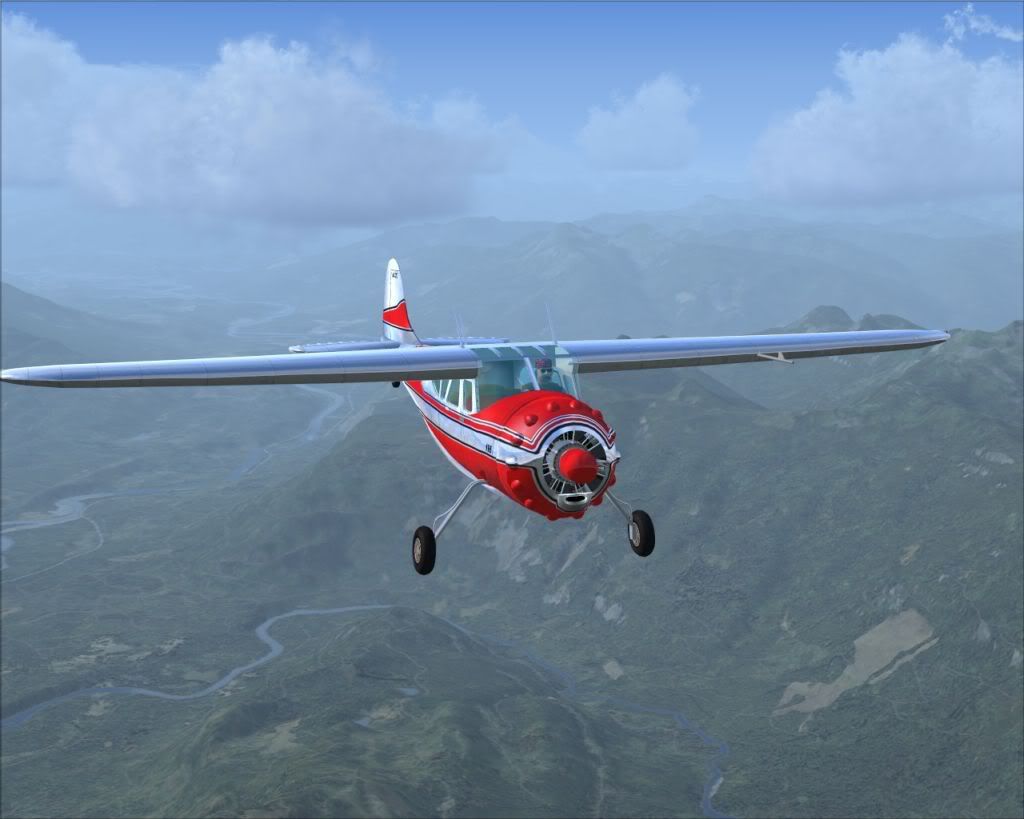
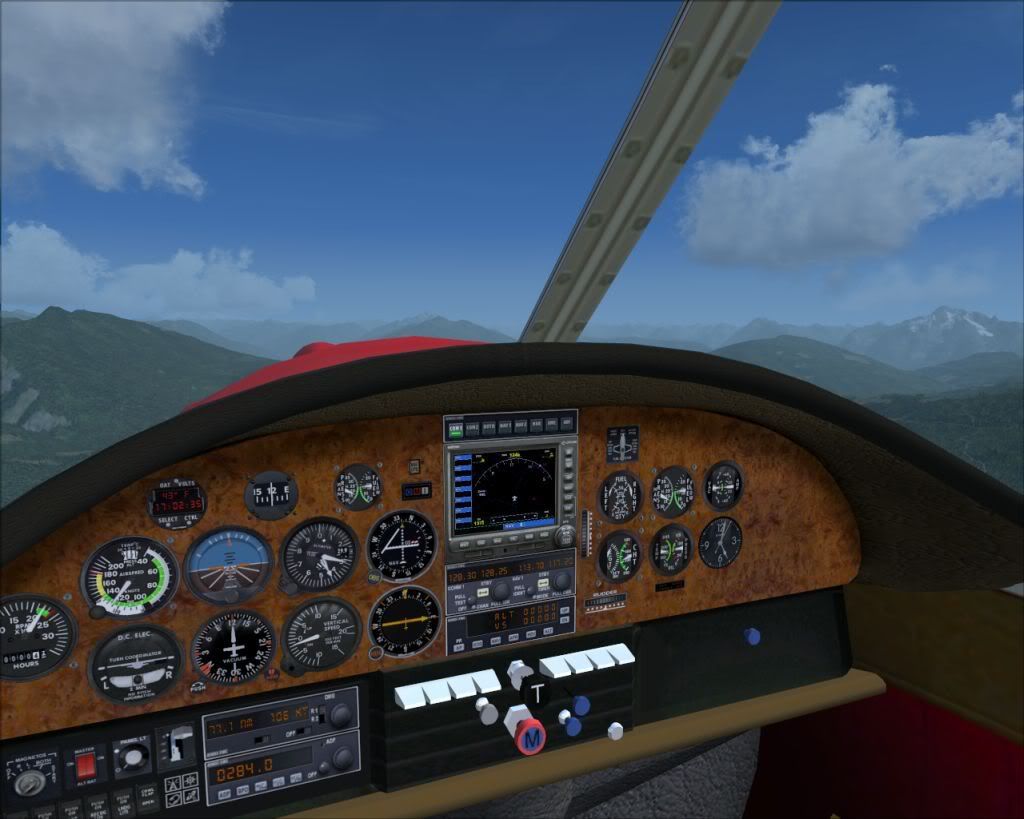
Well, i decided that i didnt like the red on all three planes, and since i needed to change out the non working gauges anyway, I got a lil extreme.. Hope yoy like it 
Pam
View attachment 43983View attachment 43984
Pam
View attachment 43983View attachment 43984
papab
Charter Member
Well, i decided that i didnt like the red on all three planes, and since i needed to change out the non working gauges anyway, I got a lil extreme.. Hope yoy like it
Pam
Pam, nice paint!!!
Did you upload it yet?
Did you try Don's panel fix-really great....
Rick
warchild
Charter Member
Pam, nice paint!!!
Did you upload it yet?
Did you try Don's panel fix-really great....
Rick
Havent uploaded yet. and i just downloaded the panel fix.. hopefully those gauges will work, because the G-1000 isnt very legible..