City Textures rework

Thanks for those files Clive.

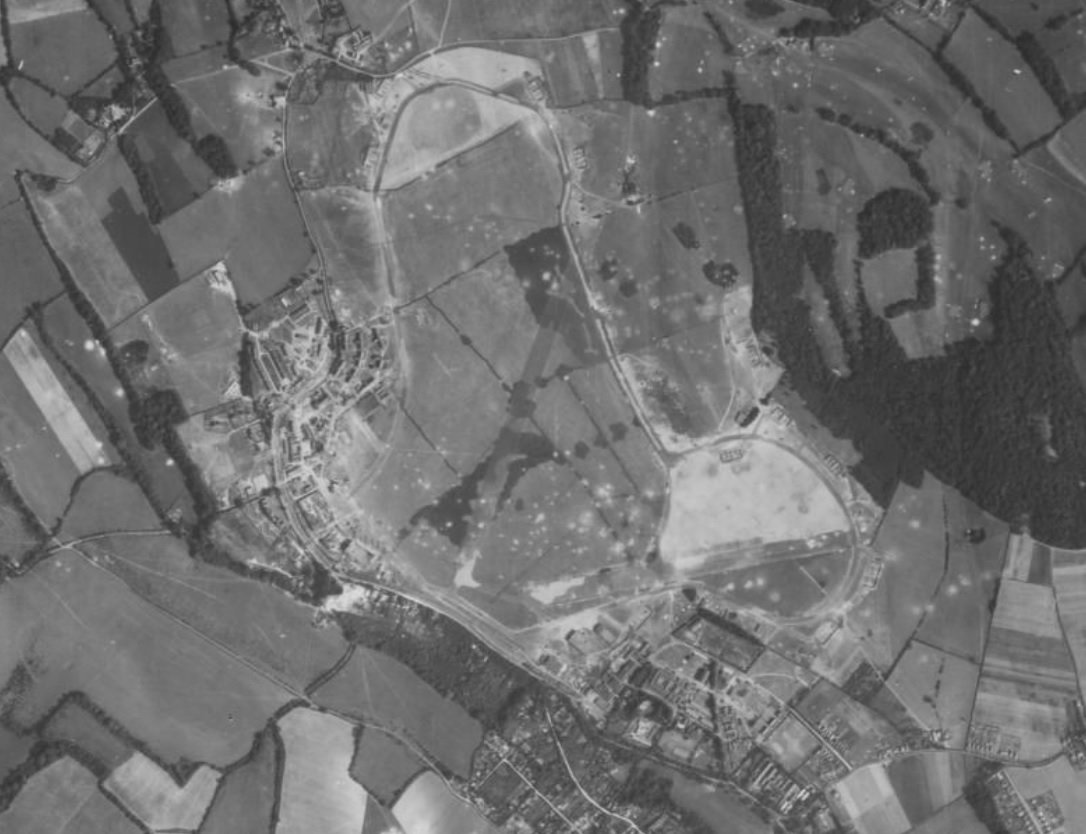
Biggin Hill 1940

I won't edit in the painted airfield camouflage and bomb craters so don't even ask.:D
Both runways are visible under the layer of paint.

More photos available of various airfields on the bob2 forum on this page:
https://a2asimulations.com/forum/viewtopic.php?t=69125
On scrolling down on that page I spotted a post by a certain 'Pat Pattle'.
bjdx.jpg
 
Last edited:
Ah yes, I remember that thread. I downloaded and saved every image. 👍

I won't edit in the painted airfield camouflage and bomb craters so don't even ask.

It's very difficult to get convincing camo on the airfields, it has been tried.
Frosty did a brilliant job of the original Kenley release but in game they do look a bit weird. I'm guessing that they probably did in real life.
It makes you wonder why we bothered, the LW still found them all.
 
Sure, the recon planes fly over, photograph everything, and the experts pour over the photos and find almost everything of value, not to mention they all had prewar knowledge of where these installations where. You can send a bomber formation to navigate to that location and they'll find it. However, it's surprising how well an airfield can blend into the terrain around it, even with no attempts at camouflage. Grass fields can be quite difficult, since the easiest part of an airport to spot is usually the paved runway. If you are not specifically navigating to it, there's a decent chance you will miss it. So I think the camouflage would be moderately effective at concealing the airfield from aircraft happening through the area looking for targets of opportunity. I would think that it would be most effective when viewed from lower angles.

The challenge in CFS3, or any flight sim, is getting it to blend so well with everything around it, it just doesn't work quite as well as in real life.
 
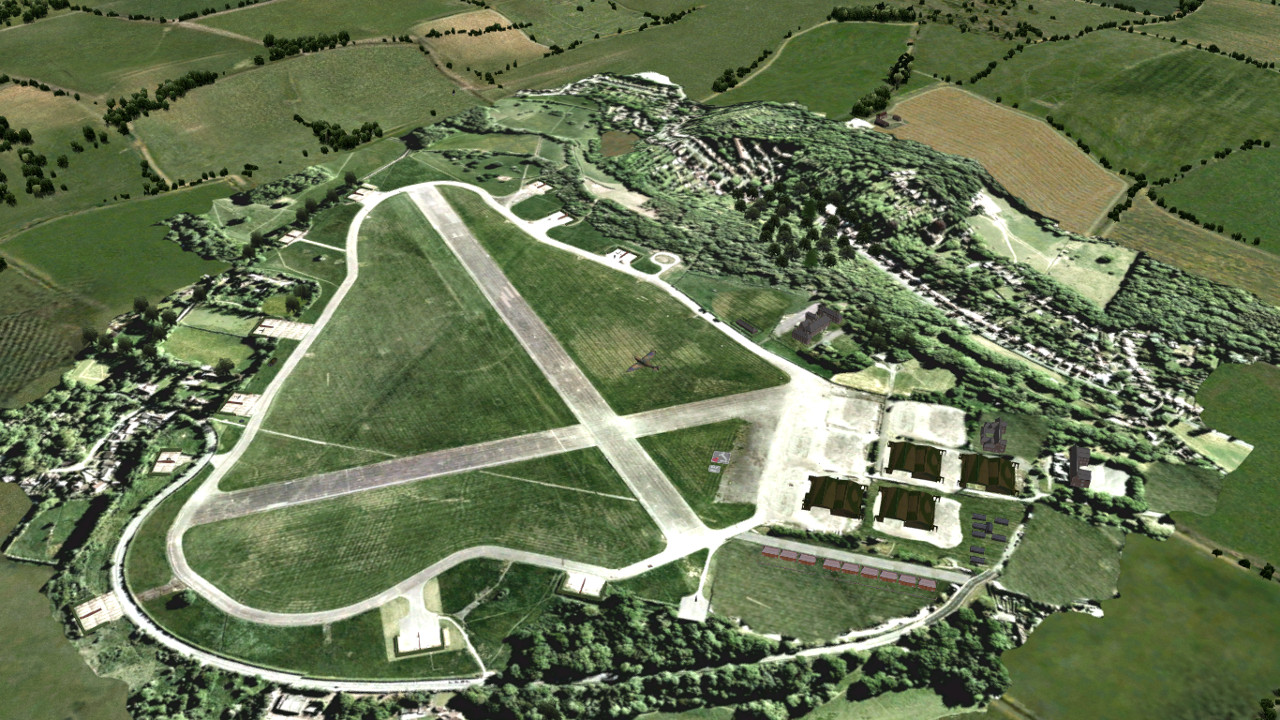
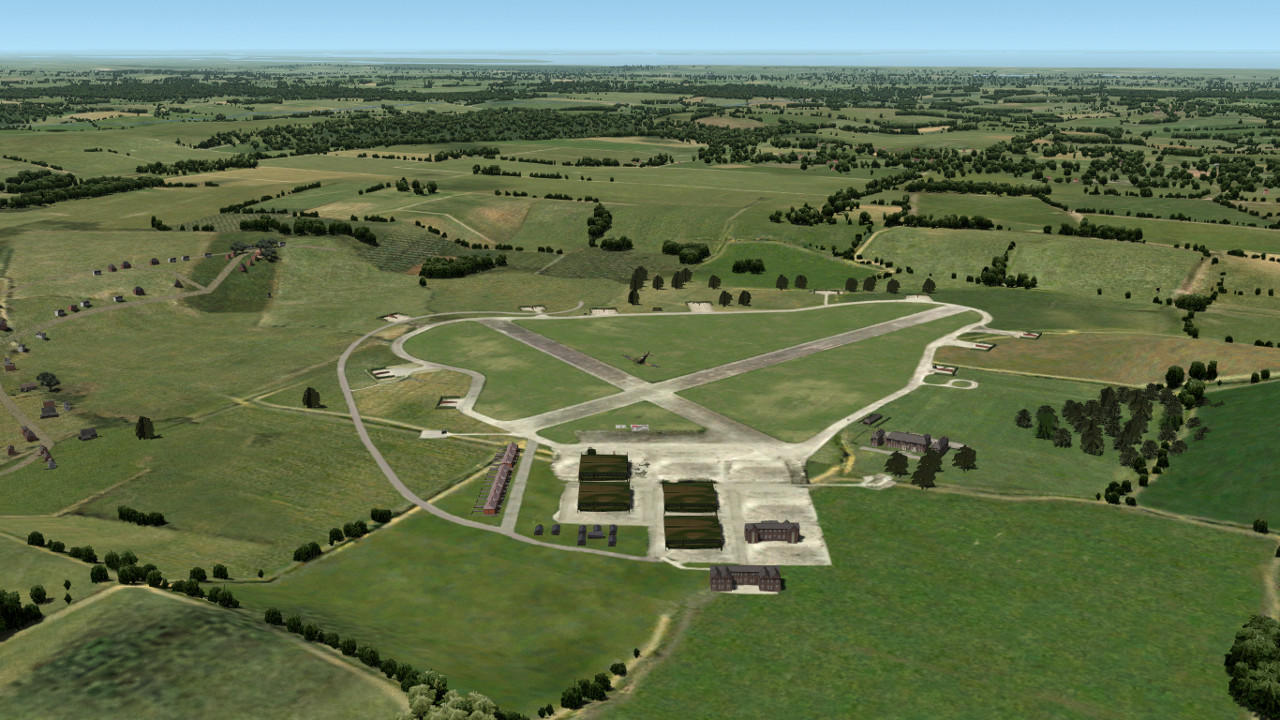
I received quite a shock when I saw Kenley with it's photo-real textures. I really like the look, but unfortunately it doesn't fit with my terrain. This was made to match the photo-real cities used in the Bob update.
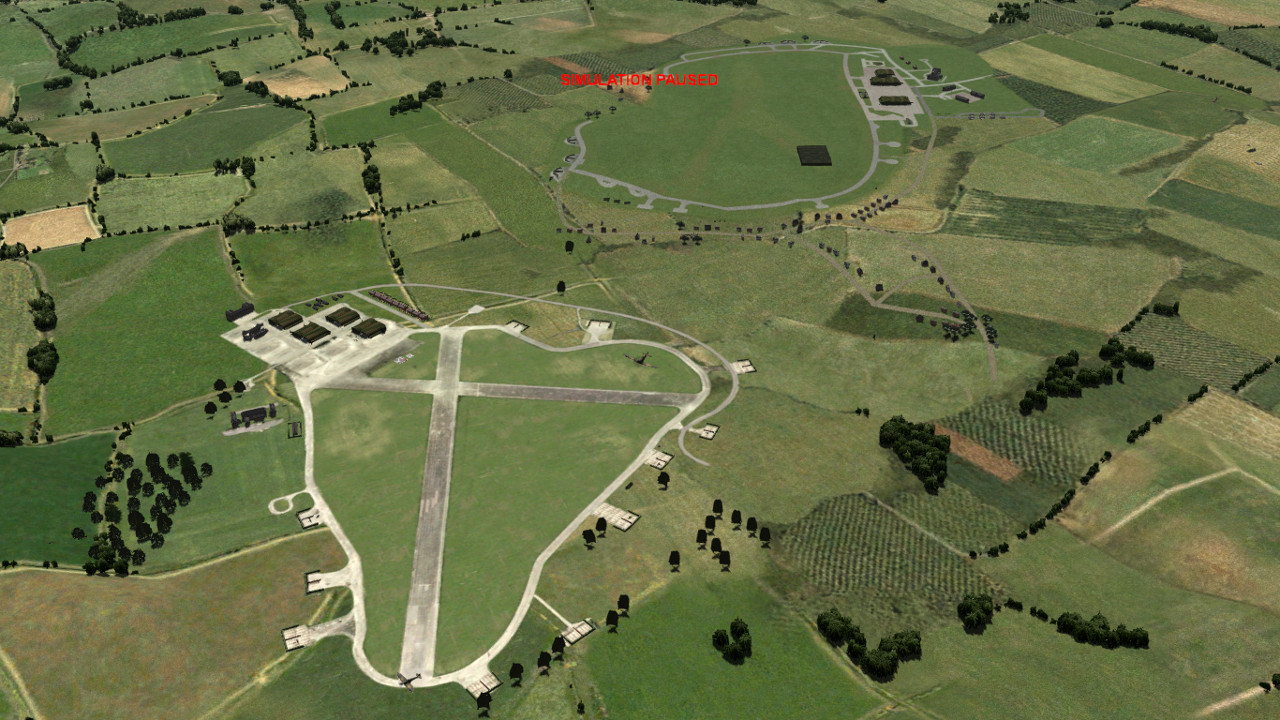
I lifted the runway and taxi tracks and enlarged it to fill the image which meant that I had to re scale and reposition the facility texture parameters , which is why Kenley sits next to Hawkinge in my construction pit.
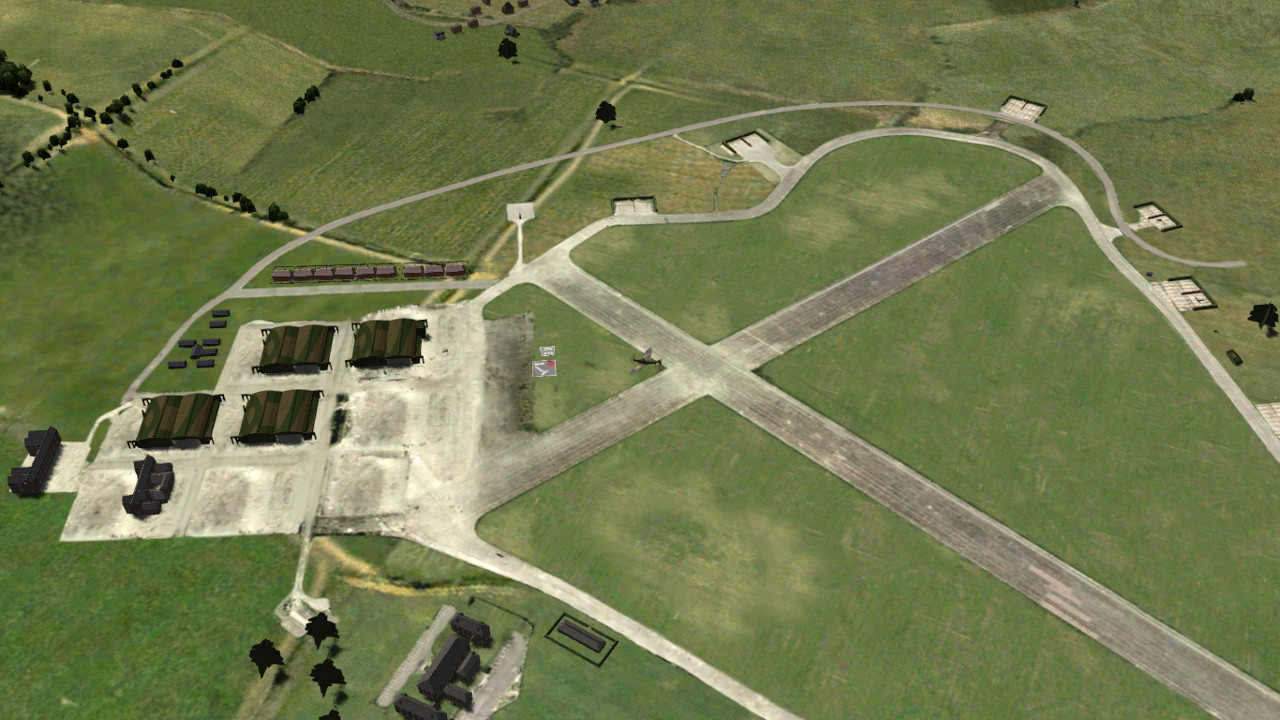
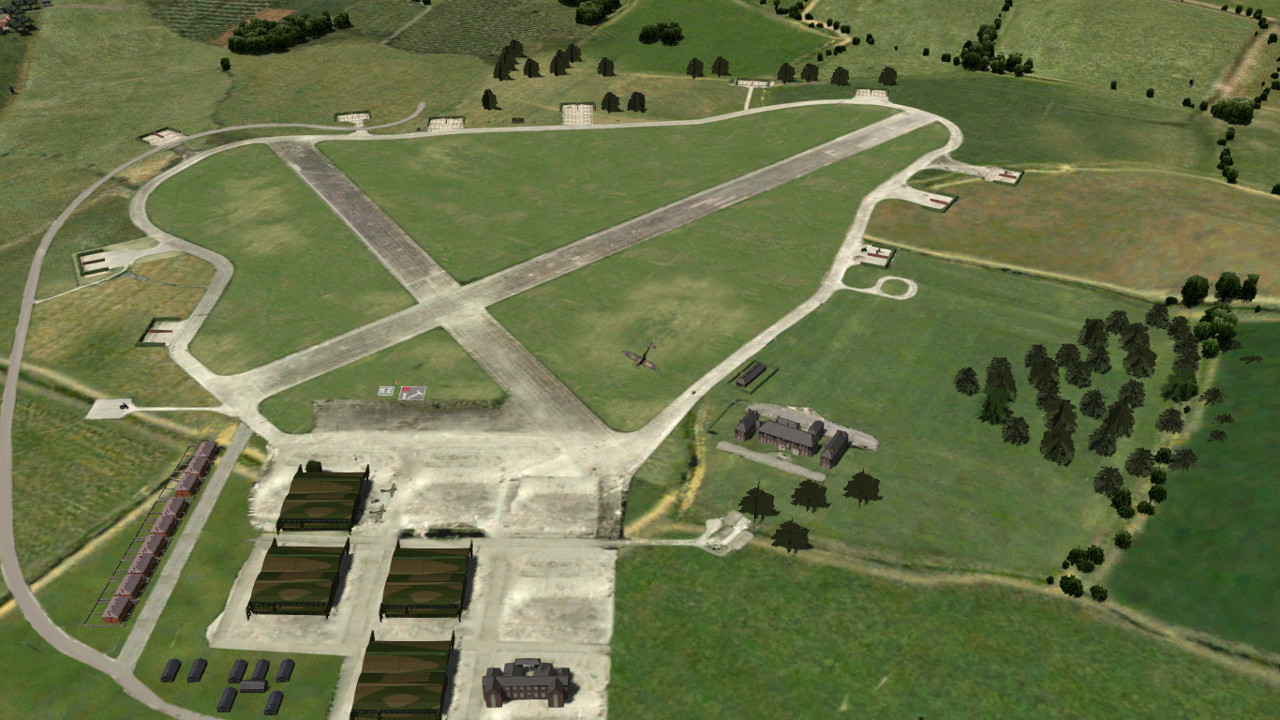
I subdued the very bright areas, added a field texture and reworked the road and hangar area, and this is the result . If this passes the constructive criticism test then I will use this as a standard for all airfield texture reworks .

cfs3-2026-10-17-13-19-37.jpg


cfs3-2026-10-17-13-55-04.jpg


cfs3-2026-10-17-13-55-39.jpg


cfs3-2026-10-17-13-56-16.jpg


cfs3-2026-10-17-13-57-14.jpg
 
Glen,
Yes agreed, the original texs are too bright/stark. The second toned down tex is just about right, both runway and grass areas look very good and as a standard airfield tex I think would work well.

The only thing is that the original tex the excess trees/undergrowth and buildings on the outside (which are only 2D), but I think makes the airfield look more realistic. Are you planning to re-add a toned down version of the areas? To save you work and FR's I don't think they need to be replaced with 3D objects.

Cheers

Shessi
 
The only thing is that the original tex the excess trees/undergrowth and buildings on the outside (which are only 2D), but I think makes the airfield look more realistic. Are you planning to re-add a toned down version of the areas? To save you work and FR's I don't think they need to be replaced with 3D objects.
When I've cleared the Kenley area of city class buildings I will add placements and maybe some trees. Today I was working at my construction pit which is located next to Hawkinge. I'm very keen now to see if I can replicate the Kenley look at Hawkinge. I will definitely use the runway on other airfields.
Take a look at the ETO install of Kenley, it uses Frosty's original texture.

My external hdd crashed a while back with all my flight sim work files history and war doccies, as well as a plethora of il21946 and cf3 stuff which included Eto installs and installation files. I doubt I will ever download these again given the download restrictions on the site. Luckily I had all of my gmax source files and my modded Bob install containing all of my various gimp xcf work files installed on my present ssd. I now regularly back up my files to a working hdd which I leave disconnected power wise when I'm not using it. I must back up my stuff to cloud storage as well at some stage.
 
Last edited:
For your interest, heres Kenley from the originall BoB install. This is a collapsed version of the multi-layered ETO model.
 

Attachments

  • ACC_Kenley_airbase.zip
    946.9 KB · Views: 2
I think you've done a great job with the grass. The color is a good fit for the rest of the scenery, and the worn areas as a nice touch that makes it look more lived-in. The paved portions look like they come from modern satellite imagery and look too bleached and worn to my eyes. It looks every bit of 80 years old instead of just a few. I'd recommend a darker look, with less wear. I think it would blend better with the rest of the terrain.
 
Back
Top