
-
Please see the most recent updates in the "Where did the .com name go?" thread. Posts number 16 and 17.
-
Special Server Maintenance
Just when you think you have everything running some what better...
You get a message from the Hosting company. Short story they need to move us to a new server. I have been working with them to plan a good date for all concerned. Here is what we have come up with as a schedule.
- November 4th 17:00 -5UTC shut off the forums and start backup proceedures. During this time there will be no access to the forums or the Resource Section.
- November 5th Continue with Backups and download same until complete.
- November 6th 7:00 turn over server to hosting company to move system to new server
- November 7th - 8th restore backups and upgrade forum software.
If all goes well we should be back online on November 8th.
To keep you updated we will post updates on AVSIM forums.
Thank you for your support.
You are using an out of date browser. It may not display this or other websites correctly.
You should upgrade or use an alternative browser.
You should upgrade or use an alternative browser.
City Textures rework
- Thread starter rince33
- Start date
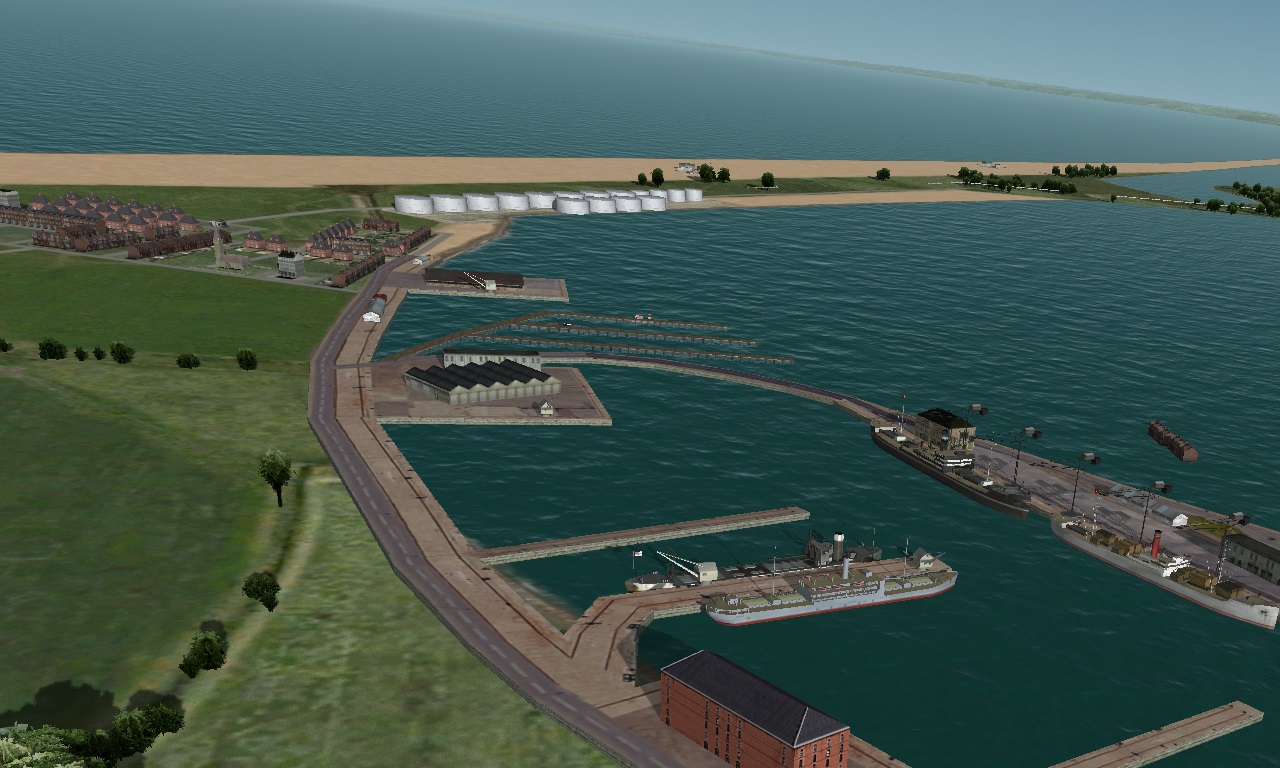
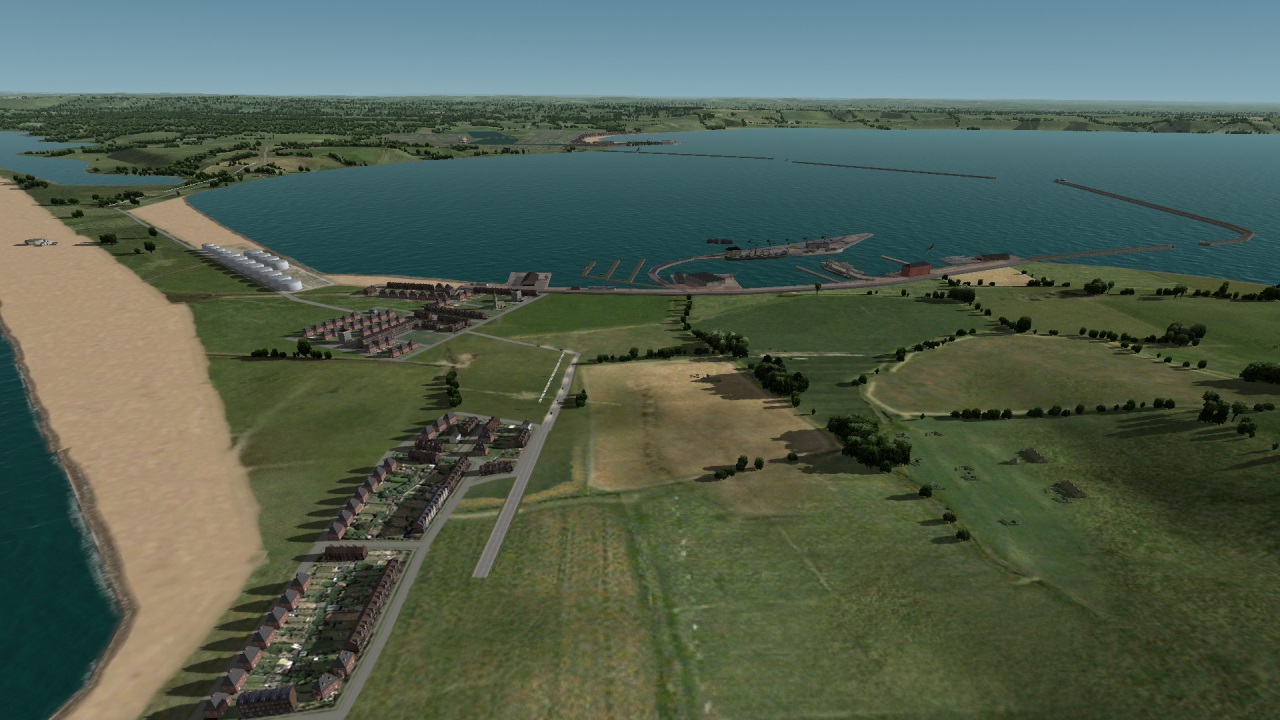
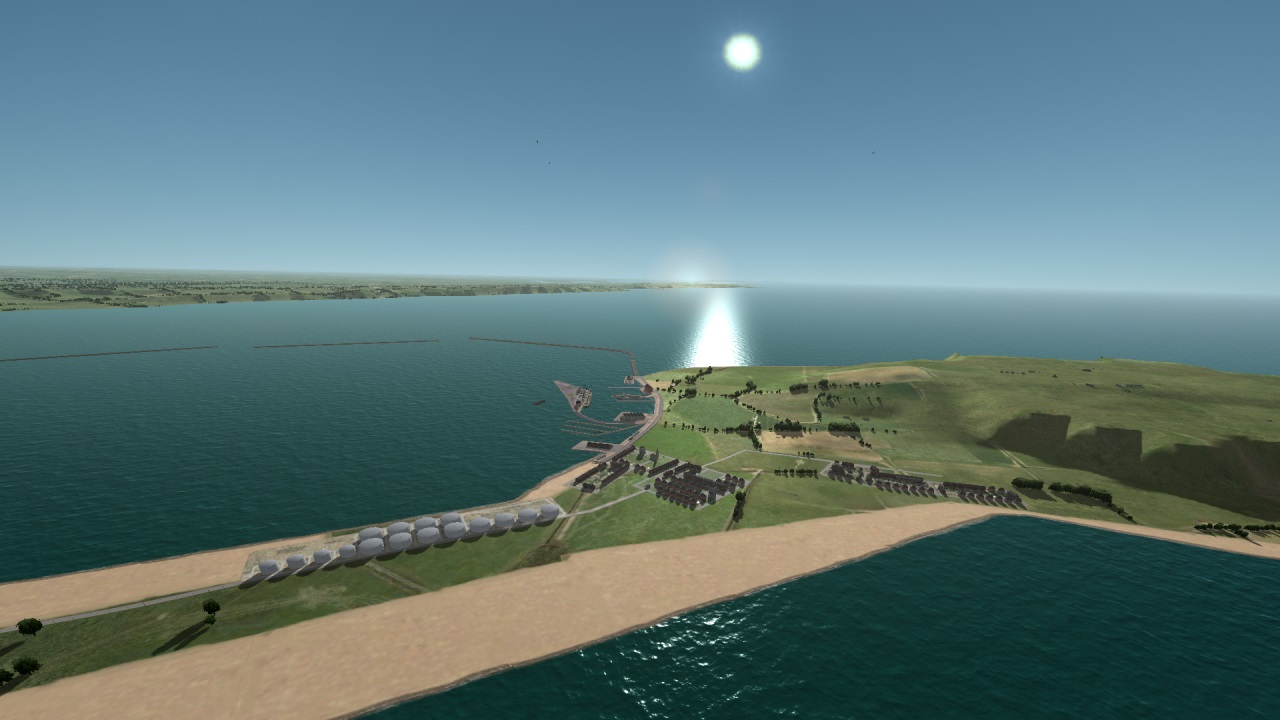
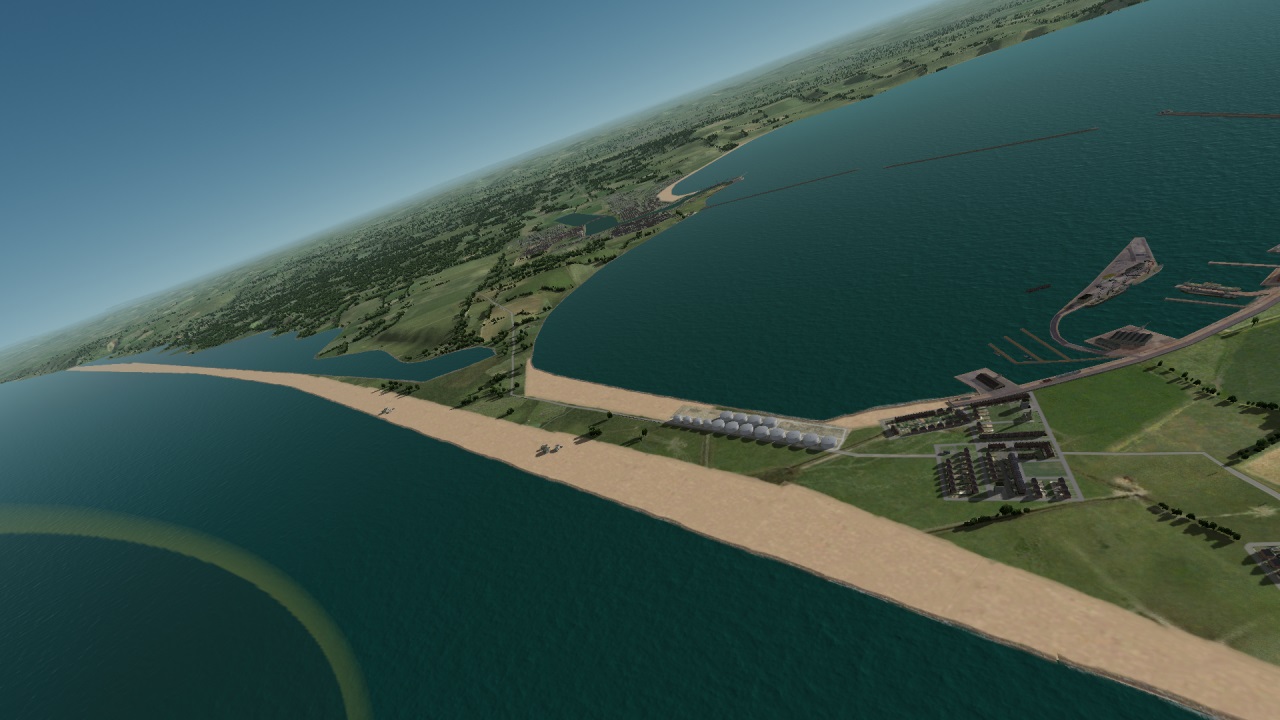
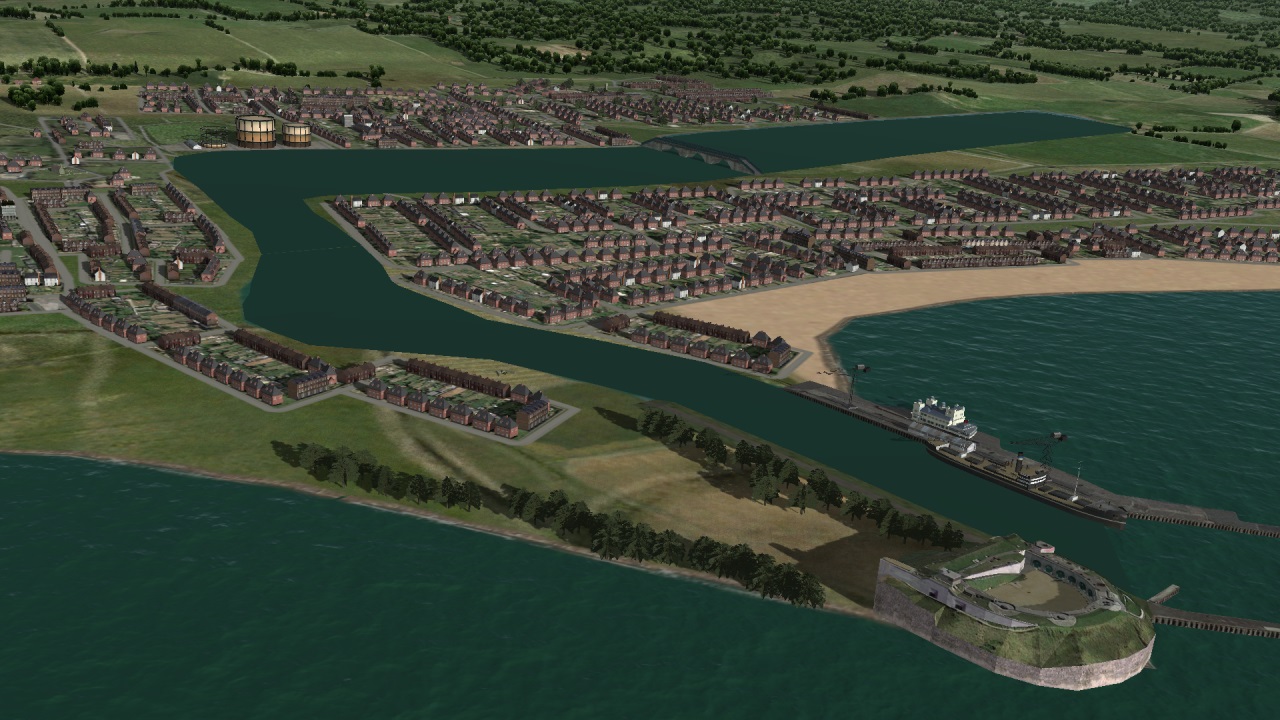
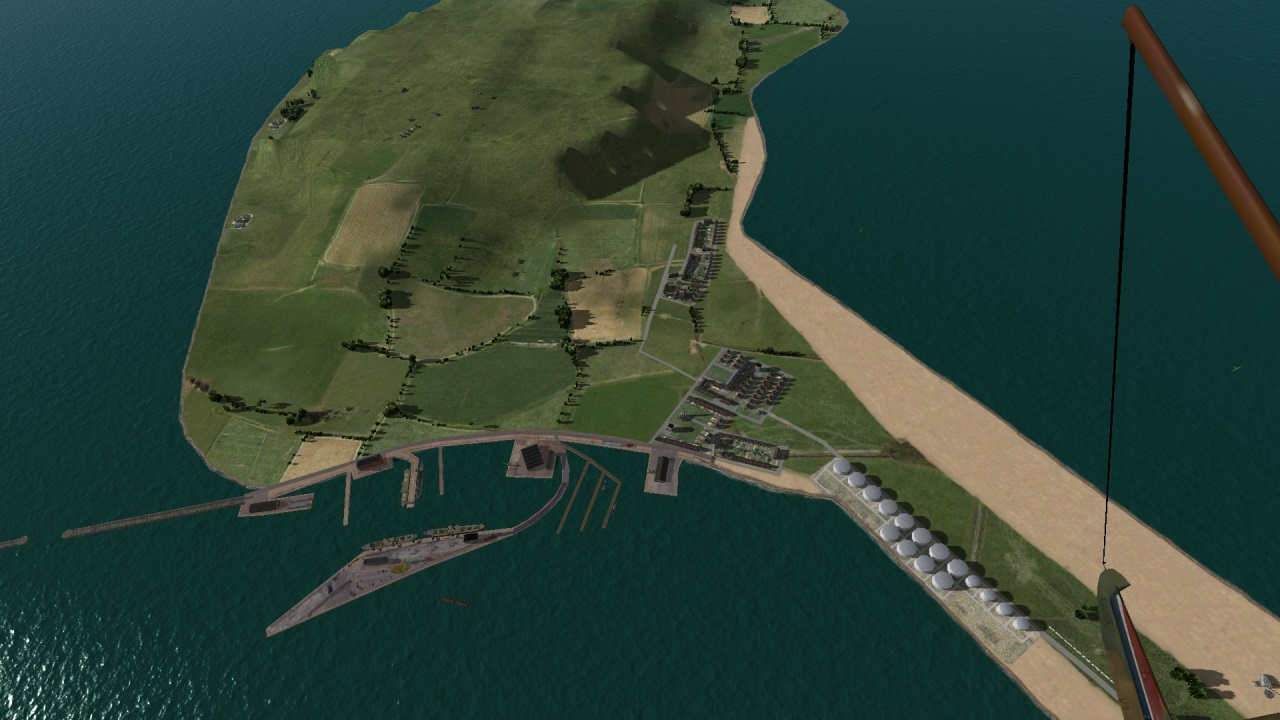
Hi Shessi,
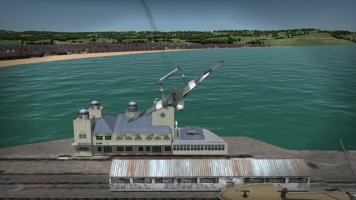
Yeah, that pier pavilion..... I haven't finished mapping the texture to some parts, otherwise I would have shown close-up shots. Its based on photos of the original old building. When I get around to completing it, I will show some close-ups. Thanks for mentioning it, a reminder to do it.
The Verne citadel awaits. I have downloaded some screenshots of the walls and moat. It will probably be a model of the walls, moat and gate and I'll add the barracks as separate placements .
Yeah, that pier pavilion..... I haven't finished mapping the texture to some parts, otherwise I would have shown close-up shots. Its based on photos of the original old building. When I get around to completing it, I will show some close-ups. Thanks for mentioning it, a reminder to do it.
The Verne citadel awaits. I have downloaded some screenshots of the walls and moat. It will probably be a model of the walls, moat and gate and I'll add the barracks as separate placements .
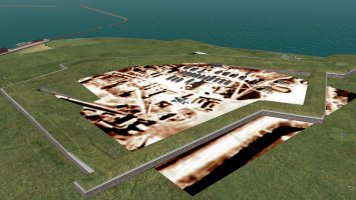
The Verne citadel main walls are complete, with just the rear moat and wall still to create. I'm using a German recce photo as a guide to building and road placement .
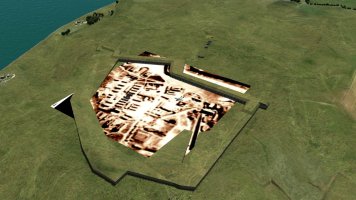
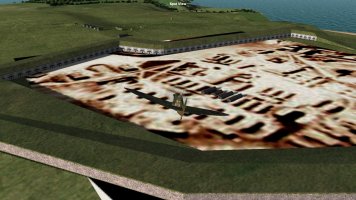
Freeware Gimp is an amazing tool. Using the transform tools I can create the images on the right from the main photo image on the left. The bottom right image is used as the southern wall inner texture.
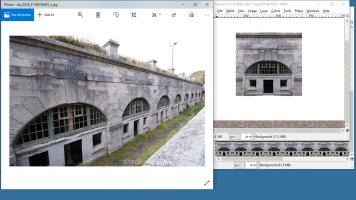
Freeware Gimp is an amazing tool. Using the transform tools I can create the images on the right from the main photo image on the left. The bottom right image is used as the southern wall inner texture.
I'm experiencing shading issues on a recently created barrack building. The issue is also affecting the older Acc_ Manston_barrack building, though the result is less obvious because of the darker texture. This is the reason that I did not complete my Weymouth pavillion model skinning. This seems to be either a Gmax or shader issue and affects the side of the models facing the light. I have lowered the sim resolution and tried various gmax and gimp adjustments to eliminate this highly irritating glitch with no change. Any suggestions would be appreciated.
I added the texture to Ankor's Texturemagic file, also no change. I also saved the texture with Paint.net,no change.
I have added my d3d8.ini and ConfigOverrides.xml as there may be an inappropriate setting.
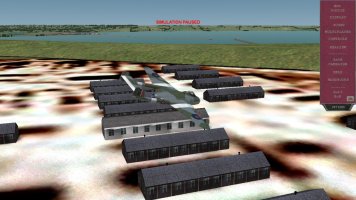
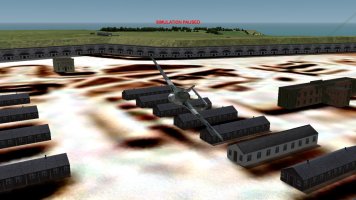
_____________________________________________________________________________
[D3D8]
; Change to NoMultisampling=1 for SweetFX compatibility, but it will disable ingame antialiasing.
NoMultisampling=0
; Aircraft shadows. 0 - No Shadows; 1 - Low; 2 - Medium; 3 - Good; 4 - High; 5 - Best
ShadowQuality=5
; These numbers define thresholds (in meters) for shadow quality steps. They are different for cockpit
; and external views because cockpit view requires much more detailed shadows at close distances.
; So what you get for cockpit view by default is that the best quality is from 0 to 2.2m, then next step
; is from 2.2m to 8m, then goes another step, and the last one is from 50m to 250m after which shadows
; are no longer rendered. Numbers can be arbitrary, but there must be 4 of them and they should increase
; with each step.
; Default values are quite conservative, so perhaps you can extend them further, for example something
; like “2.5, 15, 90, 500” may also work well for cockpit view. It is mostly about balancing distance
; vs quality and shouldn’t affect performance much.
ModelShadowDistanceCockpit=2.2, 8, 50, 250
ModelShadowDistanceExternal=20, 40, 100, 360
; Terrain shadows. 0 - Disabled; 1 - Low Quality; 2 - Medium; 3 - High
TerrainShadows=3
; 0 - Disabled; 1 - Enabled
TerrainBumpMapping=0
SceneryShadowDistance=200
SceneryShadowRefresh=2000
TerrainShadowDistance=200
TerrainShadowRefresh=2000
; Dithering is used instead of alpha blending on trees. Instead of semi-transparent pixels my shaders
; generate random “noise” making some pixels completely transparent and some completely opaque.
; It works quite well for summer trees with leaves, but may appear odd for winter scenery if it tries
; to dither tree trunks and branches. Disabling dithering removes this noise.
DitherFoliage=1
; If you use multisampling, you may try setting it to 1. This could add some level of alpha blending for trees.
; It is normally disabled, because it doesn’t work for everyone, and it is hard to tell whether it does anything.
AlphaToCoverage=0
; Enable dynamic lights (gun flashes, etc) for scenery objects. 0 - Off. 1 - On.
SceneryDynamicLighting=1
; Adjust sprite (smoke, dust, etc) brightness according to time of day. 0 - Off (always bright). 1 - On.
SpriteLighting=1
; Sun glare and lens flares. 0 - Off. 1 - On.
SunGlare=1
GlareFadeStart=-0.003
GlareFadeRange=0.015
GlareFadeAltFactor=0.8
; Ambient light (R+G+B)/3/255 threshold below which sun glare is disabled
; Should prevent underground moon glare
GlareThreshold=0.11
; Sky glow
GlowFadeStart=0.04
GlowFadeRange=0.1
GlowFadeAltFactor=0.15
; Direct sunlight
SunFadeStart=-0.003
SunFadeRange=0.015
SolidSkybox = 0.0, 0.031373, 0.176471
; How often cockpit reflections are updated (1 - fastest, 1000 - every 1000th frame, 0 - disabled)
; Note that the reflection consists of 6 sides of a cube, and this interval is for ONE side
; So even though the 1 is fastest it will still take 6 frames for full update.
CockpitReflectInterval=1
; Resolution of environment reflection cubemap.
; 1 = 128x128; 2 = 256x256; 3 = 512x512; 4 = 1024x1024
EnvMapSize=4
; Tweaks strength of environment reflection. 0 - off. 1 minimum, 9 maximum.
EnvReflection=7
; Tweak sharpness of sun and environment reflections. 1 dullest, 9 sharpest.
Glossiness=4
; -1 - Off; 0 - Default; 1 - VSync On
VSyncMode=-1
; 0 - Use default (which is 60 degrees); 1...180 - override FOV for external views.
ExternalFOV=35
; Controls zoom increment/decrement steps. Valid values from 1 to 50 - 20 is the default value for WOFF.
ZoomInStep=20
ZoomOutStep=20
; Smooth zoom speed. Zoom still changes step-wise, but transition between steps is smooth. Range of values 0 to 10. Set to 0 to disable smooth zoom.
ZoomSpeed=5
; Adjusts mouse speed for clickable cockpit functions.
MouseControlSpeed=5
; Range 0 to 10. Value of 0 disables mouse look entirely.
MouseLookSpeed=9
; Time in seconds before mouse look automatically returns to centered view.
MouseLookResetDelay=5
; Zoom Direction. Default behavior is wheel-up = zoom-in. To change it to wheel-down = zoom-in use InvertMouseZoom=1.
InvertMouseZoom=1
; Set to 0 to disable acceleration effects.
HeadShake=1
; Magnitude of head lateral movement.
; You can reduce or set it to 0 to disable head movement while still keeping rotation caused by acceleration.
OffsetScale=100
; Offset and Rotation Spring controls how much the view resists the acceleration, lower values make the view deviate from forward/center more and return slower.
OffsetSpring=24
RotationSpring=24
; Sort of "anti-damping". Higher values will make the view shake more and respond to smaller changes in speed.
OffsetResponse=6
; Reflector Sight Setup Mode for Modders
; Set to 1 to be able to see reflector gunsight coordinates on screen, use CTRL or ALT + arrow keys to adjust the gunsight.
; Additionally use CTRL/SHIFT + D/W/S/A to adjust "target" distance/wingspan and relative scale for calibrating gunsight size.
;Use ctrl/shift + one of following keys:
;W – adjust target wingspan
;D – adjust target distance
;S – adjust reticle scale #1
;A – adjust reticle scale #2
;The target is drawn as a semi-transparent magenta square at specified distance in front of “camera” (so you have to align you view with reticle first).
;Adjusted values are not saved automatically, you have to type them in manually.
ReflectorSetupMode=0
ClickableSetupMode=0 ; Set to 1 to set part names and bounding boxes to aid in setting up the clickable cockpits.
TerrainDiffuse=2.5
TerrainDetailBump=1.0
TerrainDetailColor=1.0
TerrainSpecular=-8.4, 8.0, 2.4
TerrainGlossiness=3.0
TerrainBumpFactor=1.5, 2.4, -4.5
; Scenery Lighting
SceneryDiffuse=0.9
; Facility Lighting - FacilityBrightness works as a multiplier for diffuse color of building.
; So if you have a texture pixel with RGB value = 200 and FacilityBrightness = 0.8 the result will appear as if RGB value was 200 * 0.8 = 160. It can also make objects brighter if you use value >1.1.
FacilityBrightness=1.0
; Should match PatchPixelDim in compositetexturebudgets.xml to get correct terrain bumpmapping
TerrainPatchPixelDim=256
; Weather tuning (might be overwritten by WOFF)
; Range 0...100 as percentage of sunlight reduction.
CloudShadowOvercast=0
CloudShadowHeavy=0
; 0 - No shadows; 1 - 10%; 2 - 20%; ...; 10 - 100%. Doesn't make much sense to go below 50%.
CloudShadowScale=10
; 0 - No shadows; 1 - 10%; 2 - 20%; ...; 10 - 100%. Smaller values cause brighter shadows.
CloudShadowDensity=4
CloudRenderDistance=5
; range 1 to 10, defaults to 2 (so 2 * 16km = 32km)
CloudShadowDistance=75000
; value in meters, min 10000, defaults to cloud render distance + 8km.
ModifiedCloudPattern=1
; defaults to 0, set to 1 to use XOR for better randomization of cloud positioning
CloudShadowQuality=2
;range 0 (off) to 4 (which is 8192). Defaults to 2 (i.e. 2048) that is a step above the quality in old versions.
FogLayerFadeInStart = -35.0
FogLayerFadeInRange = 4.0
FogLayerFadeOutStart = 6.0
FogLayerFadeOutRange = 5.0
; Ambient+sun light amount when night sprites are enabled
NightLightThreshold=0.30
; Set to 1 to hide searlight beams pointing directly upwards for some time (as in WOTR)
HideInactiveSearchlights=0
; Set to 1 to draw clouds sprites from both sides (normally only one side is visible)
; Slightly reduces cases of abruptly disappearing clouds when you fly past by but not much really.
DoubleSidedClouds=1
; Troubleshooting options
Enabled=1
Numpad0Switch=0
ForceHardwareVertexProcessing=1
ForceRenderTargetTextures=1
EnumAllDisplayModes=1
AutoGenMipMaps=1
WriteLog=1
FakeDriverVersion=1
AllowShaderReload=1
; Since Win7 DirectX 9 can use new drivers enabling 'unlimited' GPU memory and much faster Alt-TAB.
; Set to 1 to enable these new drivers, but may have problems with older ATI/AMD cards
UseD3D9Ex=1
; Set to 1 to convert any fullscreen mode selected in cfs3config into windowed mode.
; If resolution is less than desktop res it will appear as a normal window, if matches - borderless.
; Many modern games use 'borderless fullscreen' which is actually a windowed mode.
; Note that this mode yet doesn't support antialiasing (multisampling).
WindowedMode=0
___________________________________________________________________________________________
I added the texture to Ankor's Texturemagic file, also no change. I also saved the texture with Paint.net,no change.
I have added my d3d8.ini and ConfigOverrides.xml as there may be an inappropriate setting.
_____________________________________________________________________________
[D3D8]
; Change to NoMultisampling=1 for SweetFX compatibility, but it will disable ingame antialiasing.
NoMultisampling=0
; Aircraft shadows. 0 - No Shadows; 1 - Low; 2 - Medium; 3 - Good; 4 - High; 5 - Best
ShadowQuality=5
; These numbers define thresholds (in meters) for shadow quality steps. They are different for cockpit
; and external views because cockpit view requires much more detailed shadows at close distances.
; So what you get for cockpit view by default is that the best quality is from 0 to 2.2m, then next step
; is from 2.2m to 8m, then goes another step, and the last one is from 50m to 250m after which shadows
; are no longer rendered. Numbers can be arbitrary, but there must be 4 of them and they should increase
; with each step.
; Default values are quite conservative, so perhaps you can extend them further, for example something
; like “2.5, 15, 90, 500” may also work well for cockpit view. It is mostly about balancing distance
; vs quality and shouldn’t affect performance much.
ModelShadowDistanceCockpit=2.2, 8, 50, 250
ModelShadowDistanceExternal=20, 40, 100, 360
; Terrain shadows. 0 - Disabled; 1 - Low Quality; 2 - Medium; 3 - High
TerrainShadows=3
; 0 - Disabled; 1 - Enabled
TerrainBumpMapping=0
SceneryShadowDistance=200
SceneryShadowRefresh=2000
TerrainShadowDistance=200
TerrainShadowRefresh=2000
; Dithering is used instead of alpha blending on trees. Instead of semi-transparent pixels my shaders
; generate random “noise” making some pixels completely transparent and some completely opaque.
; It works quite well for summer trees with leaves, but may appear odd for winter scenery if it tries
; to dither tree trunks and branches. Disabling dithering removes this noise.
DitherFoliage=1
; If you use multisampling, you may try setting it to 1. This could add some level of alpha blending for trees.
; It is normally disabled, because it doesn’t work for everyone, and it is hard to tell whether it does anything.
AlphaToCoverage=0
; Enable dynamic lights (gun flashes, etc) for scenery objects. 0 - Off. 1 - On.
SceneryDynamicLighting=1
; Adjust sprite (smoke, dust, etc) brightness according to time of day. 0 - Off (always bright). 1 - On.
SpriteLighting=1
; Sun glare and lens flares. 0 - Off. 1 - On.
SunGlare=1
GlareFadeStart=-0.003
GlareFadeRange=0.015
GlareFadeAltFactor=0.8
; Ambient light (R+G+B)/3/255 threshold below which sun glare is disabled
; Should prevent underground moon glare
GlareThreshold=0.11
; Sky glow
GlowFadeStart=0.04
GlowFadeRange=0.1
GlowFadeAltFactor=0.15
; Direct sunlight
SunFadeStart=-0.003
SunFadeRange=0.015
SolidSkybox = 0.0, 0.031373, 0.176471
; How often cockpit reflections are updated (1 - fastest, 1000 - every 1000th frame, 0 - disabled)
; Note that the reflection consists of 6 sides of a cube, and this interval is for ONE side
; So even though the 1 is fastest it will still take 6 frames for full update.
CockpitReflectInterval=1
; Resolution of environment reflection cubemap.
; 1 = 128x128; 2 = 256x256; 3 = 512x512; 4 = 1024x1024
EnvMapSize=4
; Tweaks strength of environment reflection. 0 - off. 1 minimum, 9 maximum.
EnvReflection=7
; Tweak sharpness of sun and environment reflections. 1 dullest, 9 sharpest.
Glossiness=4
; -1 - Off; 0 - Default; 1 - VSync On
VSyncMode=-1
; 0 - Use default (which is 60 degrees); 1...180 - override FOV for external views.
ExternalFOV=35
; Controls zoom increment/decrement steps. Valid values from 1 to 50 - 20 is the default value for WOFF.
ZoomInStep=20
ZoomOutStep=20
; Smooth zoom speed. Zoom still changes step-wise, but transition between steps is smooth. Range of values 0 to 10. Set to 0 to disable smooth zoom.
ZoomSpeed=5
; Adjusts mouse speed for clickable cockpit functions.
MouseControlSpeed=5
; Range 0 to 10. Value of 0 disables mouse look entirely.
MouseLookSpeed=9
; Time in seconds before mouse look automatically returns to centered view.
MouseLookResetDelay=5
; Zoom Direction. Default behavior is wheel-up = zoom-in. To change it to wheel-down = zoom-in use InvertMouseZoom=1.
InvertMouseZoom=1
; Set to 0 to disable acceleration effects.
HeadShake=1
; Magnitude of head lateral movement.
; You can reduce or set it to 0 to disable head movement while still keeping rotation caused by acceleration.
OffsetScale=100
; Offset and Rotation Spring controls how much the view resists the acceleration, lower values make the view deviate from forward/center more and return slower.
OffsetSpring=24
RotationSpring=24
; Sort of "anti-damping". Higher values will make the view shake more and respond to smaller changes in speed.
OffsetResponse=6
; Reflector Sight Setup Mode for Modders
; Set to 1 to be able to see reflector gunsight coordinates on screen, use CTRL or ALT + arrow keys to adjust the gunsight.
; Additionally use CTRL/SHIFT + D/W/S/A to adjust "target" distance/wingspan and relative scale for calibrating gunsight size.
;Use ctrl/shift + one of following keys:
;W – adjust target wingspan
;D – adjust target distance
;S – adjust reticle scale #1
;A – adjust reticle scale #2
;The target is drawn as a semi-transparent magenta square at specified distance in front of “camera” (so you have to align you view with reticle first).
;Adjusted values are not saved automatically, you have to type them in manually.
ReflectorSetupMode=0
ClickableSetupMode=0 ; Set to 1 to set part names and bounding boxes to aid in setting up the clickable cockpits.
TerrainDiffuse=2.5
TerrainDetailBump=1.0
TerrainDetailColor=1.0
TerrainSpecular=-8.4, 8.0, 2.4
TerrainGlossiness=3.0
TerrainBumpFactor=1.5, 2.4, -4.5
; Scenery Lighting
SceneryDiffuse=0.9
; Facility Lighting - FacilityBrightness works as a multiplier for diffuse color of building.
; So if you have a texture pixel with RGB value = 200 and FacilityBrightness = 0.8 the result will appear as if RGB value was 200 * 0.8 = 160. It can also make objects brighter if you use value >1.1.
FacilityBrightness=1.0
; Should match PatchPixelDim in compositetexturebudgets.xml to get correct terrain bumpmapping
TerrainPatchPixelDim=256
; Weather tuning (might be overwritten by WOFF)
; Range 0...100 as percentage of sunlight reduction.
CloudShadowOvercast=0
CloudShadowHeavy=0
; 0 - No shadows; 1 - 10%; 2 - 20%; ...; 10 - 100%. Doesn't make much sense to go below 50%.
CloudShadowScale=10
; 0 - No shadows; 1 - 10%; 2 - 20%; ...; 10 - 100%. Smaller values cause brighter shadows.
CloudShadowDensity=4
CloudRenderDistance=5
; range 1 to 10, defaults to 2 (so 2 * 16km = 32km)
CloudShadowDistance=75000
; value in meters, min 10000, defaults to cloud render distance + 8km.
ModifiedCloudPattern=1
; defaults to 0, set to 1 to use XOR for better randomization of cloud positioning
CloudShadowQuality=2
;range 0 (off) to 4 (which is 8192). Defaults to 2 (i.e. 2048) that is a step above the quality in old versions.
FogLayerFadeInStart = -35.0
FogLayerFadeInRange = 4.0
FogLayerFadeOutStart = 6.0
FogLayerFadeOutRange = 5.0
; Ambient+sun light amount when night sprites are enabled
NightLightThreshold=0.30
; Set to 1 to hide searlight beams pointing directly upwards for some time (as in WOTR)
HideInactiveSearchlights=0
; Set to 1 to draw clouds sprites from both sides (normally only one side is visible)
; Slightly reduces cases of abruptly disappearing clouds when you fly past by but not much really.
DoubleSidedClouds=1
; Troubleshooting options
Enabled=1
Numpad0Switch=0
ForceHardwareVertexProcessing=1
ForceRenderTargetTextures=1
EnumAllDisplayModes=1
AutoGenMipMaps=1
WriteLog=1
FakeDriverVersion=1
AllowShaderReload=1
; Since Win7 DirectX 9 can use new drivers enabling 'unlimited' GPU memory and much faster Alt-TAB.
; Set to 1 to enable these new drivers, but may have problems with older ATI/AMD cards
UseD3D9Ex=1
; Set to 1 to convert any fullscreen mode selected in cfs3config into windowed mode.
; If resolution is less than desktop res it will appear as a normal window, if matches - borderless.
; Many modern games use 'borderless fullscreen' which is actually a windowed mode.
; Note that this mode yet doesn't support antialiasing (multisampling).
WindowedMode=0
___________________________________________________________________________________________
<Config>
<FileVersion val="60"/>
<Adapter val="0"/>
<Device val="0"/>
<Mode val="15"/>
<MultisampleType val="D3DMULTISAMPLE_NONE"/>
<VendorId val="4318"/>
<DeviceId val="4676"/>
<VersionNumberLowPart val="0"/>
<VersionNumberHighPart val="589824"/>
<TextureLimits>
<aircraftmodels Scale="0" MaxDim="1024"/>
<compositeterrain Scale="0" MaxDim="0"/>
<compositeterrainsource Scale="0" MaxDim="0"/>
<effects Scale="0" MaxDim="256"/>
<hud Scale="0" MaxDim="0"/>
<nonaircraftmodels Scale="0" MaxDim="0"/>
<precompiledterrain Scale="0" MaxDim="0"/>
<shadows Scale="0" MaxDim="512"/>
<ui Scale="0" MaxDim="0"/>
<uncategorized Scale="0" MaxDim="0"/>
</TextureLimits>
<ConfigOverrides>
<DisableWarningBoxes val="n"/>
<DisableSound val="n"/>
<DisableIntroMovie val="n"/>
<DisableMovieUI val="n"/>
<DisableUIAnimations val="y"/>
<SafeMode val="n"/>
<NoDXT1 val="n"/>
<NoDXT3 val="n"/>
<NoDXT5 val="n"/>
<DisableIndexBuffers val="n"/>
<DisableVertexBuffers val="n"/>
<Disable1600x1200 val="n"/>
<Disable1280x1024 val="n"/>
<Disable1024x768 val="n"/>
<DualPassRender val="n"/>
<HighResolutionZBuffer val="y"/>
<TerrainDetailTexture val="y"/>
<DisableWindowed val="n"/>
<DisableValidateDevice val="y"/>
<DisableWriteOnlyVB val="n"/>
<DisableWriteOnlyIB val="n"/>
<DisableTriangleStrips val="n"/>
<UnsupportedHardware val="n"/>
<UnsupportedDriver val="n"/>
<DisableCompositeTerrainTextureMips val="n"/>
<DisableCompositeTerrainTextures val="n"/>
<DisableCompositeGroundPlaneTextures val="n"/>
<DisableCompositeAircraftTextures val="n"/>
<DisableScenery val="n"/>
<DisableEnvironmentMapping val="n"/>
<DisableShadows val="y"/>
<DisableWhiteOut val="n"/>
<DisableTerrainLighting val="y"/>
<DisableSceneryLighting val="y"/>
<DisableSun val="n"/>
<DisableStars val="n"/>
<DisableRenderText val="n"/>
<DisableLabels val="n"/>
<DisableTacticalDisplay val="n"/>
<DisableTargetCone val="n"/>
<DisableHUD val="n"/>
<DisableChat val="n"/>
<DisableAdvisor val="n"/>
<DisableSimWarnings val="n"/>
<DisableTimeCompress val="n"/>
<DisableWeather val="n"/>
<DisableClouds val="n"/>
<DisableBlendToOffscreen val="n"/>
<DisableClear val="n"/>
<DisableTerrainRender val="n"/>
<DisableTerrainUpdate val="n"/>
<DisableSceneDBRender val="n"/>
<DisableWaterRender val="n"/>
<DisableWaterShorelineRender val="n"/>
<DisableWaterReflectionRender val="n"/>
<DisableWaterAnimationRender val="n"/>
<DisableTerrainTextureRingBlend val="n"/>
<DisableFog val="n"/>
<DisableRain val="n"/>
<DisableTexturedAlphaMaterial val="n"/>
<DisableShellCasings val="n"/>
<DisableTerrainDiffuseLighting val="n"/>
<DisableTerrainDecalRender val="n"/>
<DisableVCFog val="n"/>
<DisableInCloudEffect val="n"/>
<DisablePropDiscs val="n"/>
<CompositeAircraftTextureBudget val="8192"/>
<CompositeAircraftTextureMaxDim val="1024"/>
<CompositeAircraftTexturePool val="D3DPOOL_DEFAULT"/>
<CompositeAircraftTextureUsage val="0"/>
<CompositeTerrainTextureBudget val="Five"/>
<VertexBufferPool val="D3DPOOL_DEFAULT"/>
<IndexBufferPool val="D3DPOOL_DEFAULT"/>
<PreCompiledTerrainTextureBudget val="four"/>
<UserShadowTextureBudget val="1"/>
<AIShadowTextureBudget val="10"/>
<ObjectShadowTextureBudget val="250"/>
<UserShadowSize val="512"/>
<AIShadowSize val="256"/>
<ObjectShadowSize val="256"/>
<MaxParticles val="5000"/>
<ZBiasBitsResolution val="16"/>
<ZBiasTerrainDecal val="0"/>
<ZBiasWaterPolyNear val="1"/>
<ZBiasWaterPolyFar val="0"/>
<ZBiasWaterLineNear val="1"/>
<ZBiasWaterLineFar val="0"/>
<ZBiasFlatEffects val="25"/>
<ZBiasShadow val="16"/>
<ZBiasTerrainAlphaNear val="0"/>
<ZBiasTerrainAlphaFar val="0"/>
<ZBiasObject val="1"/>
<ZBiasObjectFar val="0"/>
<ZBiasEffects val="0"/>
<ZBiasClouds val="1"/>
<TerrainVertexBufferCapacity val="16384"/>
<TerrainIndexBufferCapacity val="32768"/>
<VertexCacheSize val="15"/>
<BackClipDist val="100000"/>
<InteriorWaterLoadingFactor val="0.800000011920929"/>
<WaterDetailTextureSize val="5"/>
<WaterElevationBias val="4"/>
<WaterElevationBiasFactor val="0.5"/>
<NearPassBackClipDist val="13200"/>
<FarPassNearClipDist val="13000"/>
<FogStartDist val="128748"/>
<CloudScale val="10"/>
<TerrainBestImageQuality val="0"/>
<MaxLandClassVariations val="0"/>
<TerrainMaxBlenderInstPerFrameNear val="256"/>
<TerrainMaxBlenderInstPerFrameFar val="128"/>
<SceneryTriangleBudget val="five"/>
<TerrainTriangleBudget val="five"/>
<MaxModelLOD val="100"/>
<FullscreenSwapEffect val="D3DSWAPEFFECT_DISCARD"/>
<CompositeTerrainTexturePool val="D3DPOOL_DEFAULT"/>
<CompositeTerrainTextureUsage val="0"/>
<TextMaxTextures val="0"/>
<OverallGraphicDetail val="5"/>
<AircraftDetail val="5"/>
<SceneryDetail val="5"/>
<TerrainDetail val="5"/>
<EffectsQuality val="5"/>
<CloudsQuality val="5"/>
</ConfigOverrides>
</Config>
<FileVersion val="60"/>
<Adapter val="0"/>
<Device val="0"/>
<Mode val="15"/>
<MultisampleType val="D3DMULTISAMPLE_NONE"/>
<VendorId val="4318"/>
<DeviceId val="4676"/>
<VersionNumberLowPart val="0"/>
<VersionNumberHighPart val="589824"/>
<TextureLimits>
<aircraftmodels Scale="0" MaxDim="1024"/>
<compositeterrain Scale="0" MaxDim="0"/>
<compositeterrainsource Scale="0" MaxDim="0"/>
<effects Scale="0" MaxDim="256"/>
<hud Scale="0" MaxDim="0"/>
<nonaircraftmodels Scale="0" MaxDim="0"/>
<precompiledterrain Scale="0" MaxDim="0"/>
<shadows Scale="0" MaxDim="512"/>
<ui Scale="0" MaxDim="0"/>
<uncategorized Scale="0" MaxDim="0"/>
</TextureLimits>
<ConfigOverrides>
<DisableWarningBoxes val="n"/>
<DisableSound val="n"/>
<DisableIntroMovie val="n"/>
<DisableMovieUI val="n"/>
<DisableUIAnimations val="y"/>
<SafeMode val="n"/>
<NoDXT1 val="n"/>
<NoDXT3 val="n"/>
<NoDXT5 val="n"/>
<DisableIndexBuffers val="n"/>
<DisableVertexBuffers val="n"/>
<Disable1600x1200 val="n"/>
<Disable1280x1024 val="n"/>
<Disable1024x768 val="n"/>
<DualPassRender val="n"/>
<HighResolutionZBuffer val="y"/>
<TerrainDetailTexture val="y"/>
<DisableWindowed val="n"/>
<DisableValidateDevice val="y"/>
<DisableWriteOnlyVB val="n"/>
<DisableWriteOnlyIB val="n"/>
<DisableTriangleStrips val="n"/>
<UnsupportedHardware val="n"/>
<UnsupportedDriver val="n"/>
<DisableCompositeTerrainTextureMips val="n"/>
<DisableCompositeTerrainTextures val="n"/>
<DisableCompositeGroundPlaneTextures val="n"/>
<DisableCompositeAircraftTextures val="n"/>
<DisableScenery val="n"/>
<DisableEnvironmentMapping val="n"/>
<DisableShadows val="y"/>
<DisableWhiteOut val="n"/>
<DisableTerrainLighting val="y"/>
<DisableSceneryLighting val="y"/>
<DisableSun val="n"/>
<DisableStars val="n"/>
<DisableRenderText val="n"/>
<DisableLabels val="n"/>
<DisableTacticalDisplay val="n"/>
<DisableTargetCone val="n"/>
<DisableHUD val="n"/>
<DisableChat val="n"/>
<DisableAdvisor val="n"/>
<DisableSimWarnings val="n"/>
<DisableTimeCompress val="n"/>
<DisableWeather val="n"/>
<DisableClouds val="n"/>
<DisableBlendToOffscreen val="n"/>
<DisableClear val="n"/>
<DisableTerrainRender val="n"/>
<DisableTerrainUpdate val="n"/>
<DisableSceneDBRender val="n"/>
<DisableWaterRender val="n"/>
<DisableWaterShorelineRender val="n"/>
<DisableWaterReflectionRender val="n"/>
<DisableWaterAnimationRender val="n"/>
<DisableTerrainTextureRingBlend val="n"/>
<DisableFog val="n"/>
<DisableRain val="n"/>
<DisableTexturedAlphaMaterial val="n"/>
<DisableShellCasings val="n"/>
<DisableTerrainDiffuseLighting val="n"/>
<DisableTerrainDecalRender val="n"/>
<DisableVCFog val="n"/>
<DisableInCloudEffect val="n"/>
<DisablePropDiscs val="n"/>
<CompositeAircraftTextureBudget val="8192"/>
<CompositeAircraftTextureMaxDim val="1024"/>
<CompositeAircraftTexturePool val="D3DPOOL_DEFAULT"/>
<CompositeAircraftTextureUsage val="0"/>
<CompositeTerrainTextureBudget val="Five"/>
<VertexBufferPool val="D3DPOOL_DEFAULT"/>
<IndexBufferPool val="D3DPOOL_DEFAULT"/>
<PreCompiledTerrainTextureBudget val="four"/>
<UserShadowTextureBudget val="1"/>
<AIShadowTextureBudget val="10"/>
<ObjectShadowTextureBudget val="250"/>
<UserShadowSize val="512"/>
<AIShadowSize val="256"/>
<ObjectShadowSize val="256"/>
<MaxParticles val="5000"/>
<ZBiasBitsResolution val="16"/>
<ZBiasTerrainDecal val="0"/>
<ZBiasWaterPolyNear val="1"/>
<ZBiasWaterPolyFar val="0"/>
<ZBiasWaterLineNear val="1"/>
<ZBiasWaterLineFar val="0"/>
<ZBiasFlatEffects val="25"/>
<ZBiasShadow val="16"/>
<ZBiasTerrainAlphaNear val="0"/>
<ZBiasTerrainAlphaFar val="0"/>
<ZBiasObject val="1"/>
<ZBiasObjectFar val="0"/>
<ZBiasEffects val="0"/>
<ZBiasClouds val="1"/>
<TerrainVertexBufferCapacity val="16384"/>
<TerrainIndexBufferCapacity val="32768"/>
<VertexCacheSize val="15"/>
<BackClipDist val="100000"/>
<InteriorWaterLoadingFactor val="0.800000011920929"/>
<WaterDetailTextureSize val="5"/>
<WaterElevationBias val="4"/>
<WaterElevationBiasFactor val="0.5"/>
<NearPassBackClipDist val="13200"/>
<FarPassNearClipDist val="13000"/>
<FogStartDist val="128748"/>
<CloudScale val="10"/>
<TerrainBestImageQuality val="0"/>
<MaxLandClassVariations val="0"/>
<TerrainMaxBlenderInstPerFrameNear val="256"/>
<TerrainMaxBlenderInstPerFrameFar val="128"/>
<SceneryTriangleBudget val="five"/>
<TerrainTriangleBudget val="five"/>
<MaxModelLOD val="100"/>
<FullscreenSwapEffect val="D3DSWAPEFFECT_DISCARD"/>
<CompositeTerrainTexturePool val="D3DPOOL_DEFAULT"/>
<CompositeTerrainTextureUsage val="0"/>
<TextMaxTextures val="0"/>
<OverallGraphicDetail val="5"/>
<AircraftDetail val="5"/>
<SceneryDetail val="5"/>
<TerrainDetail val="5"/>
<EffectsQuality val="5"/>
<CloudsQuality val="5"/>
</ConfigOverrides>
</Config>

gecko
Charter Member
I suspect it is actually an issue with how the 3d model was built. I have seen this happen a few times and could not account for it any other way. What exactly causes it is beyond my extremely limited modeling knowledge.
Creative use of the normal map (added simply by naming your normal map as follows: YourMainTextureName.+nm.dds) could allow you to get CFS3 to calculate the direction each surface is facing differently than it is now.
Creative use of the normal map (added simply by naming your normal map as follows: YourMainTextureName.+nm.dds) could allow you to get CFS3 to calculate the direction each surface is facing differently than it is now.
I changed my gmax driver from heidi to d3d8 and it looks a little better but not by much. You can clearly see here that both building types are affected.
The model is basically a box, pretty darn simple with no stray vertices, and in gmax the normals look ......well normal. I messed around with smoothing as well which didn't make any difference.
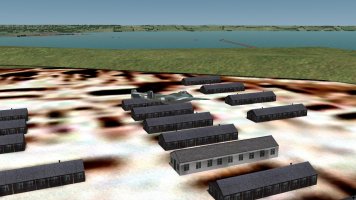
The model is basically a box, pretty darn simple with no stray vertices, and in gmax the normals look ......well normal. I messed around with smoothing as well which didn't make any difference.

Frosty
SOH-CM-2026
Is this happening at all viewing distances? It might be that two polys are being displayed simultaneously.
Things I would check are:
- No double polys (If they occupy the same space they will both try to be visible). This also included any LODs: If you use LODs, see that all parts are correctly linked in the hierarchy. If they are displayed at the same time/LOD, you get weird things.
- Different smoothing groups for adjoining surfaces if you want sharp breaks between them.
- Are all vertices welded where appropriate?
- Size of the texture in combination with MIP maps: with MIP maps, the texture gets progressively reduced in resolution which sometimes leads to texture distortions within visible range.
Just some random things that pop up in my head... If the cause can't be found, I sometimes rebuild (part of) the model. No fun, but it often helps. Eg, if it is only one side of your building that is affected, try deleting its poly, create a new one and texture it again.
Things I would check are:
- No double polys (If they occupy the same space they will both try to be visible). This also included any LODs: If you use LODs, see that all parts are correctly linked in the hierarchy. If they are displayed at the same time/LOD, you get weird things.
- Different smoothing groups for adjoining surfaces if you want sharp breaks between them.
- Are all vertices welded where appropriate?
- Size of the texture in combination with MIP maps: with MIP maps, the texture gets progressively reduced in resolution which sometimes leads to texture distortions within visible range.
Just some random things that pop up in my head... If the cause can't be found, I sometimes rebuild (part of) the model. No fun, but it often helps. Eg, if it is only one side of your building that is affected, try deleting its poly, create a new one and texture it again.
I haven't ruled out texture issues just yet. If Frosty's smoothing advice doesn't pan out, Paint.net has quite a few more dds save options than gimp, so I'll try those. Maybe copying the texture across to an existing stock Cfs3 dds file and renaming it.
I could go with Daniel's advice and create a detailed normal map. I have created normal map textures for aircraft in the past.
I could go with Daniel's advice and create a detailed normal map. I have created normal map textures for aircraft in the past.
Last edited:
this is Hawkinge quick mission afternoon and you can see some other buildings affected as well, but not others.
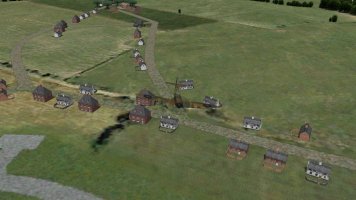
Now this is quick mission morning and I angled my building towards the lower morning light, and no issues.
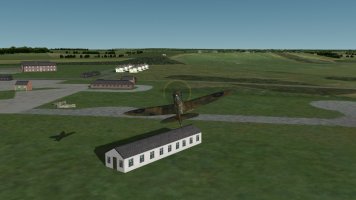
THE SOLUTION : Don't create noonday missions.
Current listening: I'll need a bionic brain and hands to play this piece, turn up the volume and enjoy.
Now this is quick mission morning and I angled my building towards the lower morning light, and no issues.
THE SOLUTION
: Don't create noonday missions.Current listening: I'll need a bionic brain and hands to play this piece, turn up the volume and enjoy.
Last edited:
I used a texture from a building that was unaffected, so I now know for certain that it's not a texture issue.
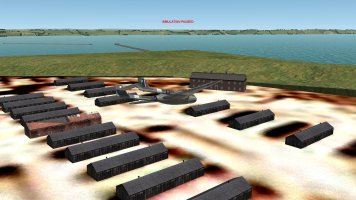
The issue is at it's worst at 1200am and to varying degrees between 1100am and 1300 pm.
10:00AM
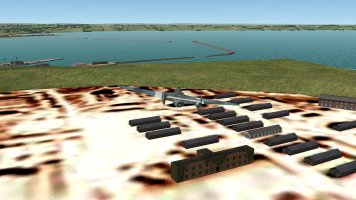
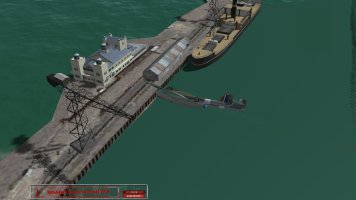
14:00PM
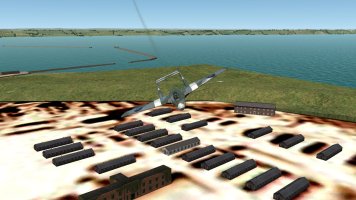
18:00pm
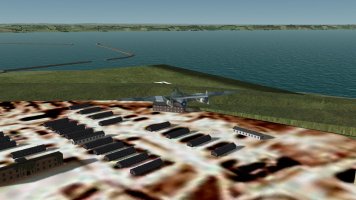
I've messed around with shading groups to no effect, taking into account that I am no gmax expert, though I do know that gmax is not entirely happy in newer versions of windows .
I will now complete the skinning of my pavillion building and carry on with placements unless somebody presents other possible solutions or I come across them myself someday.
The issue is at it's worst at 1200am and to varying degrees between 1100am and 1300 pm.
10:00AM
14:00PM
18:00pm
I've messed around with shading groups to no effect, taking into account that I am no gmax expert, though I do know that gmax is not entirely happy in newer versions of windows .
I will now complete the skinning of my pavillion building and carry on with placements unless somebody presents other possible solutions or I come across them myself someday.
That pavillion and pier looks very nice.
Strange this change in shadow projection. Could it be the ground poly material or texture? Or reaching a scenery/poly/memory game rendering limit on some sceneries? Or the number or no LoDs on some buildings? I wouldn't bother changing shading groups as clearly it wasn't a problem before, and you may cause a lot of grief! Ha.
Cheers
Shessi
Strange this change in shadow projection. Could it be the ground poly material or texture? Or reaching a scenery/poly/memory game rendering limit on some sceneries? Or the number or no LoDs on some buildings? I wouldn't bother changing shading groups as clearly it wasn't a problem before, and you may cause a lot of grief! Ha.
Cheers
Shessi
That would be me dude, having an out of body experience.
I started adding some frills to the citadel model texture this morning as it looks a bit bland , not finished yet, looking at the lower left corner.
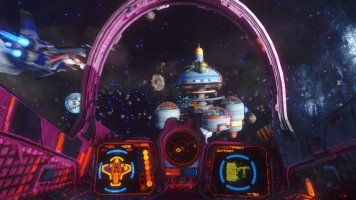
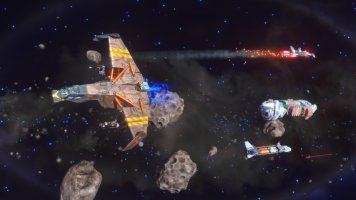
I'm going to get me some Rebel Galaxy Outlaw spacetime this afternoon. I got it for a song on Steam. The graphics are quite beautiful. It's a lot like freelancer, another favourite of mine from way back then. Unfortunately it's best played with a keyboard and mouse, but then I used these for freelancer as well. You can use a joystick though movement is overly sensitive.
I started adding some frills to the citadel model texture this morning as it looks a bit bland , not finished yet, looking at the lower left corner.
I'm going to get me some Rebel Galaxy Outlaw spacetime this afternoon. I got it for a song on Steam. The graphics are quite beautiful. It's a lot like freelancer, another favourite of mine from way back then. Unfortunately it's best played with a keyboard and mouse, but then I used these for freelancer as well. You can use a joystick though movement is overly sensitive.
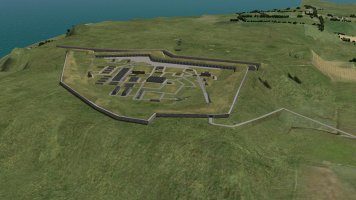
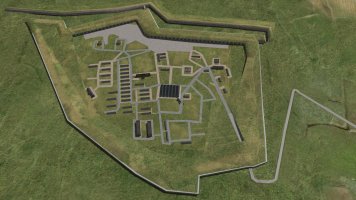
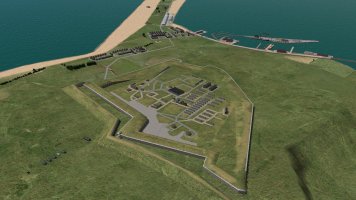
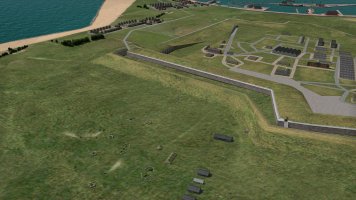
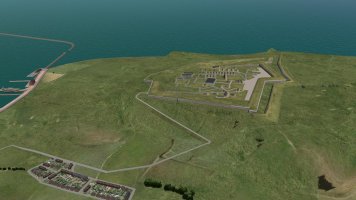
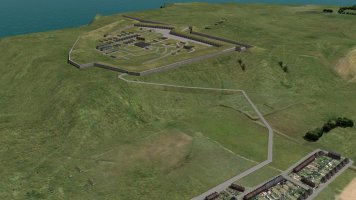
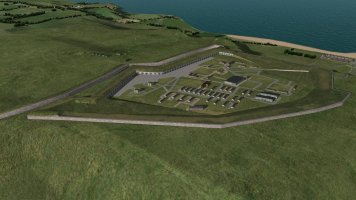
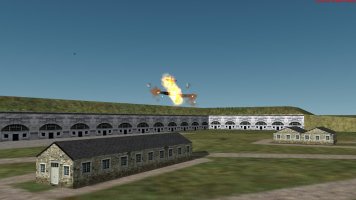
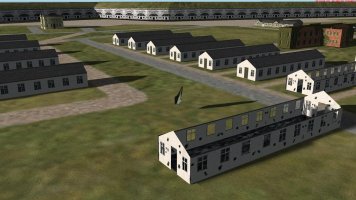
Verne citadel is almost done, just two more buildings to add, then a few more harbour objects, boats and ships to add. The citadel looked a bit silly without a road running from the heights though, so I tried adding a mos road texture which didn't work. I eventually decided to build a road in Gmax which involved a lot of moving from cfs3 to gmax and back. I am particularly happy with the result. I crashed two Spits taking the screenies, though I now know that my new building damage modeling works. I also added stone barrack and building models.
Last edited:
