ScottishMike1
Members +
Just unzipped the: Microsimulater T-37 FS2004.zip
Moved the sim9sound.dll into my modules folder
and copied the T-37v20 folder to my aircraft folder
renamed the panel folder to panel.ORI (my name for an original panel)
copied the panel from the freeware D'Attomo T-37 into the folder.
I never touched the LaunchT37b.bat (I would NEVER run a .bat (batch) file unless I knew exactly what it was going to do)
I have no idea what the t37.ico is for and I did not touch the T37b.cfg file
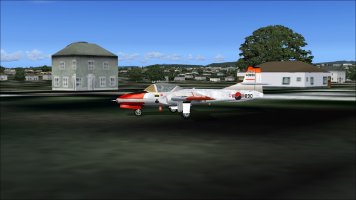
I have done some further flying with it and although the D'Attomo panel works well it is not perfect, the landing lights switch does not operate as it should and the (what look like small spoilers) just either side of the canopy seem to deploy of their own accord but don't affect the flight (the main spoiler under the T-37 work as expected with the " / " key.)
The T-37 will start rolling on the ground even with the throttle at minimum position and on approach in a standard 3 degree ILS approach will not slow to less than around 160/170 Kts (with full flap and throttle at minimum); you have to use the spoiler to get below 150 kts then the undercarriage can be lowered, this helps slow you down and the spoiler can be retracted. Its' pitch control is sensitive but yaw I found sloppy. I'll work on the aircraft.cfg file to see if I can improve it.
Moved the sim9sound.dll into my modules folder
and copied the T-37v20 folder to my aircraft folder
renamed the panel folder to panel.ORI (my name for an original panel)
copied the panel from the freeware D'Attomo T-37 into the folder.
I never touched the LaunchT37b.bat (I would NEVER run a .bat (batch) file unless I knew exactly what it was going to do)
I have no idea what the t37.ico is for and I did not touch the T37b.cfg file
I have done some further flying with it and although the D'Attomo panel works well it is not perfect, the landing lights switch does not operate as it should and the (what look like small spoilers) just either side of the canopy seem to deploy of their own accord but don't affect the flight (the main spoiler under the T-37 work as expected with the " / " key.)
The T-37 will start rolling on the ground even with the throttle at minimum position and on approach in a standard 3 degree ILS approach will not slow to less than around 160/170 Kts (with full flap and throttle at minimum); you have to use the spoiler to get below 150 kts then the undercarriage can be lowered, this helps slow you down and the spoiler can be retracted. Its' pitch control is sensitive but yaw I found sloppy. I'll work on the aircraft.cfg file to see if I can improve it.