Looking for an old payware T-37 Dragonfly

Just unzipped the: Microsimulater T-37 FS2004.zip
Moved the sim9sound.dll into my modules folder
and copied the T-37v20 folder to my aircraft folder
renamed the panel folder to panel.ORI (my name for an original panel)
copied the panel from the freeware D'Attomo T-37 into the folder.

I never touched the LaunchT37b.bat (I would NEVER run a .bat (batch) file unless I knew exactly what it was going to do)
I have no idea what the t37.ico is for and I did not touch the T37b.cfg file

I have done some further flying with it and although the D'Attomo panel works well it is not perfect, the landing lights switch does not operate as it should and the (what look like small spoilers) just either side of the canopy seem to deploy of their own accord but don't affect the flight (the main spoiler under the T-37 work as expected with the " / " key.)

The T-37 will start rolling on the ground even with the throttle at minimum position and on approach in a standard 3 degree ILS approach will not slow to less than around 160/170 Kts (with full flap and throttle at minimum); you have to use the spoiler to get below 150 kts then the undercarriage can be lowered, this helps slow you down and the spoiler can be retracted. Its' pitch control is sensitive but yaw I found sloppy. I'll work on the aircraft.cfg file to see if I can improve it.
 
I'm already fixing some textures that look like they have 3 inches of clearcoat on them. :wiggle:
I'm just swapping out the more aggressive alpha layers for something more tame from the 1980's all-white birds.

If anyone's interested, I'll post the fixed textures later.
 
I'm already fixing some textures that look like they have 3 inches of clearcoat on them. :wiggle:
I'm just swapping out the more aggressive alpha layers for something more tame from the 1980's all-white birds.

If anyone's interested, I'll post the fixed textures later.
Yes please. I'm giving the panel the once-over in Panel Studio, to get an idea of what needs swapping out (i.e. all of it!!).
 
Well, I'll be dipped.. :dizzy:
I followed Mike's suggestion and did a re-install without using the "Launch.bat" file.
The sound DLL and those BAT files are back in place and FS/Win didn't freak out, although they still make me nervous.
Now, I just need to learn the secret handshake to get the engines started and keep them running using the stock panel. :LOL:
Having sounds would also be a bonus.

This thing has potential once we figure it out. :wiggle:
I'll get those textures knocked out and post them as a "kit" to save on the upload stuff, probably in this thread.
 
(I would NEVER run a .bat (batch) file unless I knew exactly what it was going to do)
and opening the bat file in a text editor like notepad (and/or simply right clicking and choosing edit from the menu to have it open in the likes of notepad) does not help? if only to glean its purpose and intended actions...I always do this prior to running any batch file!
 
Quick Question: is that an Aircraft made for FS2002? As the Install Documentation only shows FS2002.

If so, I’m gonna use the FS2004 Aircraft from Simviation. because i do rather prefere to use native Aircraft rather than Addons for other sims.
 
So, I tried doing The Full Monte install.
This is weird and weird things make me nervous. :oops:

The engines still like to explode but any landing you can walk away from...

Hooptie2.jpg

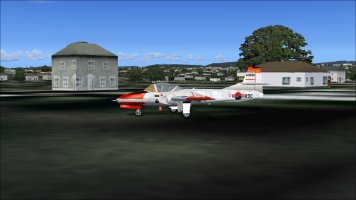
Anyway, this is just another test flight near Seattle. The ground crew will be p###ed so we'll buy them some coffee. (y)

I haven't touched the textures yet. Note how they suddenly look "fine". This has to be that alternate CFG file plus the batch file launcher.
I installed those files directly into my FS9 main folder. I'm getting ready to yank them.

For all that I fuss about "added value former payware", nothing has done any permanent damage.
Its just a pain in the ###. I'm wondering if that CFG file should go in the same location as the normal FS9.CFG (that folder you can't get to) but keep the Launcher in the main FS9 folder?

I figured out that KC-10 so I'll keep hacking at it. :wiggle:
 
Last edited:
Quick Question: is that an Aircraft made for FS2002? As the Install Documentation only shows FS2002.

If so, I’m gonna use the FS2004 Aircraft from Simviation. because i do rather prefere to use native Aircraft rather than Addons for other sims.

Was it made for FS2002? Yes. Was it made for FS9? Yes. Was it made for FSX? Yes. :dizzy:
The BIG problem is that the Users Manual basically says "Set it up like my install" without saying what that set up WAS. :banghead:
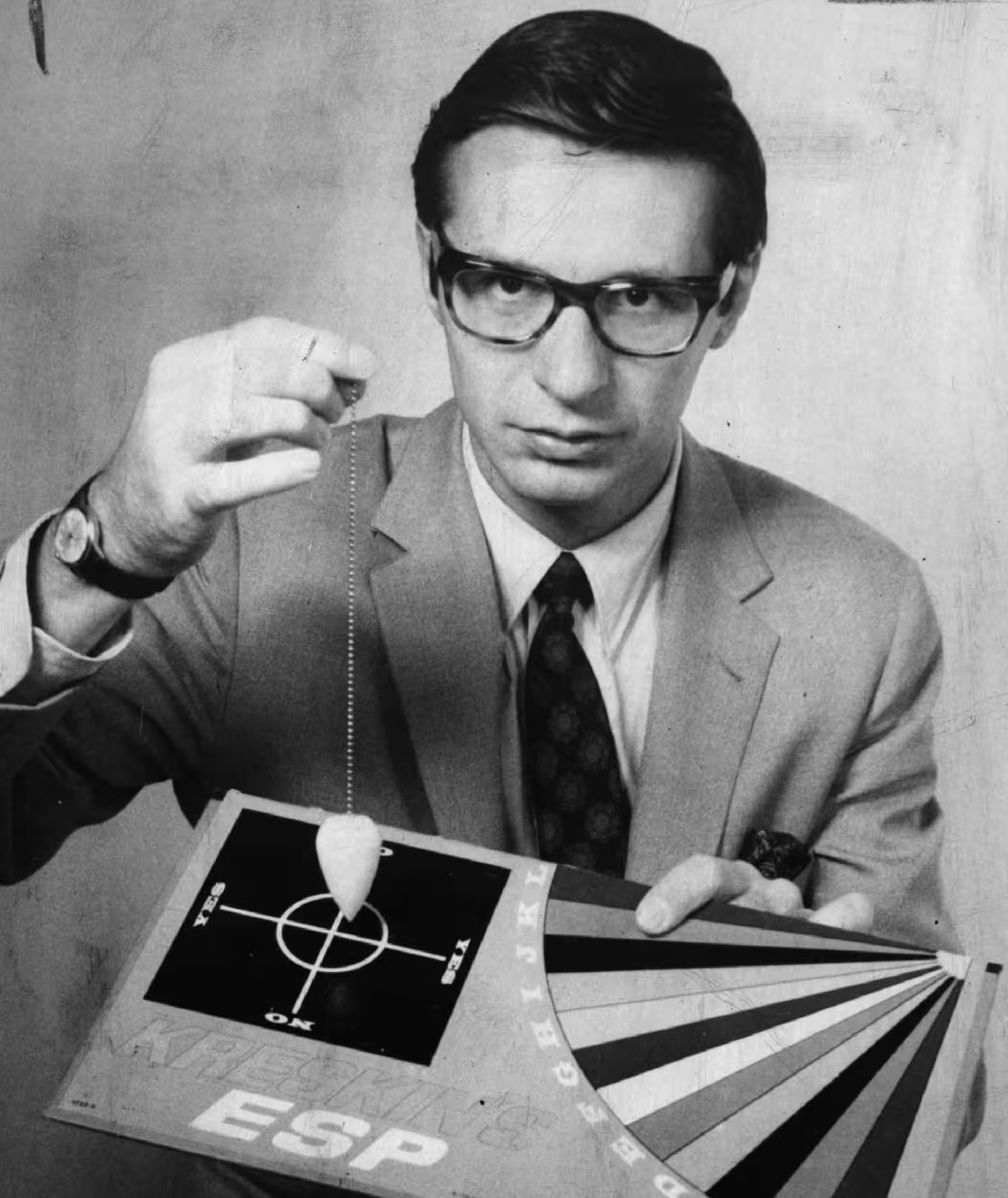
So, I'm back to wearing my Sherlock Holmes hat and doing my Amazing Kreskin act.

241211-amazing-kreskin-mn-1130-ce0272.jpg
 
Hello everyone,

I found a way to start the engines!In the panel cfg file, I deleted the Window00 paragraph, which blocks everything!I only use the virtual cockpit (3D)Then I created a 2D window including the two tachometers + the two TGT indicators and the small t37b_c9!Engine Start! module.Here's what it looks like:

[Window05]
Background_color=0,0,0
size_mm=103.200
window_size_ratio=1.000
position=0
visible=0
id=150T37 en vol.jpg
window_size= 0.150, 0.350
window_pos = 0.000, 0.120

gauge00=T37bx9!Left RPM, 0,0,44,51
gauge01=T37bx9!Right RPM, 54.0.44.47
gauge02=T37bx9!Left EGT, 3.54,41.40
gauge03=T37bx9!Right EGT, 56,53,45,44
gauge04=T37bx9!Left Oil Press, 2.97,38.39
gauge05=T37bx9!Right Oil Press, 57,100,38,38
gauge06=t37b_c9!Engine Start, 44,94,10,10
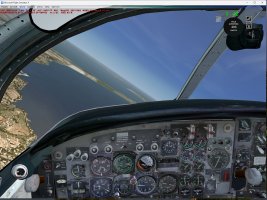
At this moment, pressing CTRL + E successively starts the engines! The sequence is very long, the speed increases very slowly up to 40/50%!! The temperatures work! But that's all!it allows you to fly!The artificial horizons work (despite a flag), the alti also except the thousands of feet, several switches are active, but without effects, no indicator light!It's complicated because in the VCockpit01, there is nothing, no instrument noted, apart from a blurred image of the tacan!
But I can fly!
Hoping someone will come up with more working!

Précisions:j'utilise cet avion sur FSX SE,et Windows 11!

Alain
 
Just unzipped the: Microsimulater T-37 FS2004.zip
Moved the sim9sound.dll into my modules folder
and copied the T-37v20 folder to my aircraft folder
renamed the panel folder to panel.ORI (my name for an original panel)
copied the panel from the freeware D'Attomo T-37 into the folder.

I never touched the LaunchT37b.bat (I would NEVER run a .bat (batch) file unless I knew exactly what it was going to do)
I have no idea what the t37.ico is for and I did not touch the T37b.cfg file

I have done some further flying with it and although the D'Attomo panel works well it is not perfect, the landing lights switch does not operate as it should and the (what look like small spoilers) just either side of the canopy seem to deploy of their own accord but don't affect the flight (the main spoiler under the T-37 work as expected with the " / " key.)

The T-37 will start rolling on the ground even with the throttle at minimum position and on approach in a standard 3 degree ILS approach will not slow to less than around 160/170 Kts (with full flap and throttle at minimum); you have to use the spoiler to get below 150 kts then the undercarriage can be lowered, this helps slow you down and the spoiler can be retracted. Its' pitch control is sensitive but yaw I found sloppy. I'll work on the aircraft.cfg file to see if I can improve it.

OK, I can confirm that the freeware D'Attomo panel* will get the engines started (<ctrl><e>) and the T-37 will run normally. :ernaehrung004:
What is strange is that if you edit-in another panel, the gauges in the VC run normally and they are the gauges from the original Panel.cfg. :dizzy:
Either way, you can fly this thing.

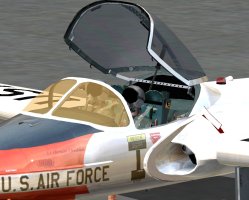
Those extra air inlets above the air intakes are controlled with the Water Rudder keys (<shift><w>). (y)
I tried playing around with that batch file and the t-37 CFG file but it goes nowhere. At best, you get a message on that P.I.T.A. Intro screen telling you that you have an illegal unregistered install. I threw the kitchen sink at the full install and found no way to make it work. So, you can get this thing running as long as you avoid the "abandoned payware" stuff. Just install the main aircraft folder and sound DLL file to your Modules folder, add the D'Attomo panel* and go have some fun.
The flight dynamics could use a buff, but I wouldn't push it too far. The T-37 was an intro fast jet trainer with a large, straight wing. From my Getting Buffed thread, pilots could give future Nav trainees some fairly wild rides and the T-37 was brutal in terms of pulling Gs quickly. So, expect some quirky behavior that keeps you on your toes. It ISN'T a Phantom or an F-16 but it could get you in trouble. I'm not sure about stall characteristics, THIS version will not stall.
The sound folder is good, especially from the outside. The T-37 was called "the Tweet" for a good reason. The internal sound could use some more volume, but that's my preference.
Since I would avoid the batch file and the T-37 CFG file, I'll get those overly polished textures fixed and I'll figure out a way to make them available.

*- https://flyawaysimulation.com/downloads/files/3088/fs2004-cessna-t-37-dragonfly/ You need the panel and gauges, the rest I wouldn't bother with. This earlier version of the T-37 defiantly flies worse and looks like it escaped from FS2000.

Edit- Alain, oh great, NOW you tell me. :LOL: I have NO idea why, but using the D'Attomo panel will still place the stock gauges in the VC.
 
Last edited:
Hello Sbob,

I tried, but for me, in FSX, it doesn't work!The original instruments are displayed fine (in all cases I think) but are not active!


Alain
-
 
Well, this is the FS2004 forum.. :p

I'm kidding. Its going to be a pain for all of us, but I think we can get it to work.
I've been thinking, in a lot of ways it should fly like an early Citation, maybe a Citation II or a Cessna Mustang? Small jet engines and a straight wing. :unsure:
Let me dig through my scrap heap of a downloads folder. I'm all for slow and methodical on getting the FD tuned but maybe I can bash something out quickly?
 
-Yes, of course but this is the only forum where we talk about it! ;)
However, I welcome any improvement for this plane!
It must be recognized that when it was released it was nicely done!

Alain
-
 
Nice work Sbob, pic with intakes open:
Intakes open.jpg
and with intakes shut. (shift+W)
Intakes shut.jpg
I've not had a chance to work on the handling yet (aircraft.cfg). I should have some time today to do more testing.
I am looking forward to the textures with less garish reflections (replacing the default as in the pics above).
 
I can get the textures knocked out quickly, the trouble is that, for now, I think I'm on a roll. :wiggle:
I was just goofing around with the old Abacus Cessna Mustang and the FD is promising.
I want to try out some older Citations (The OG Citation and maybe the II).
I'm thinking that the sooner we get away from the stock .air file and a lot of the data in the aircraft.cfg file, the better.
However, at some point I'm expecting the MDL files to say "Oh no you don't!".
There's a LOT going on behind the scenes of this package and I don't think its all in the Panel and Sound folders.

We've got it flying now, thanks to Mike. Its time to make it flight right, or at least better.
There's no way those wings should prevent it from slowing down (fast) once you pull off the thrust.
 
--For my part, I used the .air file of the Morane Saulnier MS760 from Restauravia, which does not require correcting the effectiveness of the rudder in the aircraft .cfg
([flight_tuning]
-rudder_effectiveness=0.40 //1.0
In addition, at ground idle, the plane no longer moves forward on the runway!

Alain
 
Thank you in adwance Alain and Sbob for your efforts in making better this little gem, I'm following very curious this thread!
 
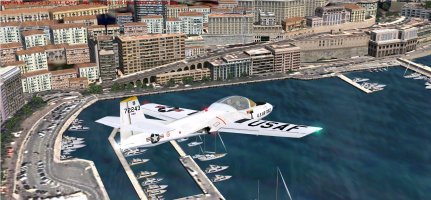
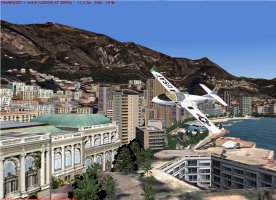
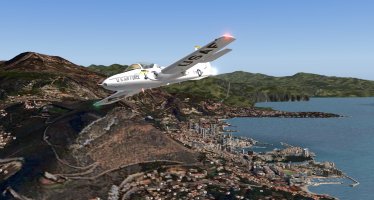
I made a few relatively minor changes to the [flight tuning] section of the aircraft.cfg file, (behind the // are the original values). To my mind it improves the handling. The T-37 can be flown quite happily now. All my testing was done in the south of France so on a final test run I decided to wake up the selfless fat cat tax exiles of Monte Carlo:

T37 Monaco.jpg

[flight_tuning]
cruise_lift_scalar=1.0
parasite_drag_scalar=1.0
induced_drag_scalar=1.0
elevator_effectiveness=0.50//0.75
aileron_effectiveness=1.0
rudder_effectiveness=1.8//1.0
pitch_stability=1.0
roll_stability=1.0
yaw_stability=1.5//1.0
elevator_trim_effectiveness=0.8//1.0
aileron_trim_effectiveness=1.0
rudder_trim_effectiveness=1.0
 
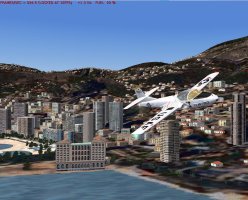
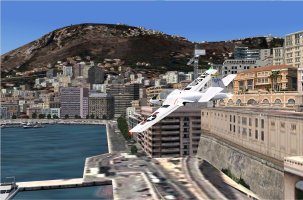
Once the devil gets hold of you he won’t let go easily. We were heading east at over 220Kts:
T37 monaco 2.jpg

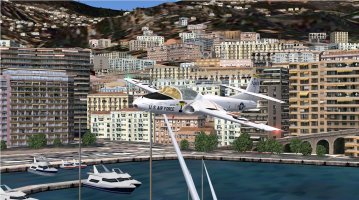
leaving Monaco behind:
T37 Monaco 3.jpg

But our fuel was getting low and the nearest suitable airport was Nice, necessitating an 180 degree turn and, as we would be flying past Monte Carlo again, why not? . . .
No it’s a crazy idea, don’t even consider it.
That devil was tugging at my shoulder, “You can do it. . . Go on. . .”
The devious little devil had even stolen Rohan’s full stops.
What if we flew the F1 circuit, or at least part of it?

OK lets do it!

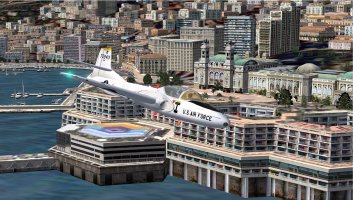
Over the tunnel:
T37 F1 1.jpg

Over the tunnel exit with the chicane just ahead and Tabac corner in the distance:
t37 F1 Chicane.jpg

Sweeping round Tabac corner:
T37 F1 tabac.jpg

And over the swimming pool:
t37 F1 swim pool.jpg

That was as far as I managed, a steep (almost vertical) climb was needed to leave the harbour.
Aurevoir a les Monegasque, arrivederci Monte Carlo.
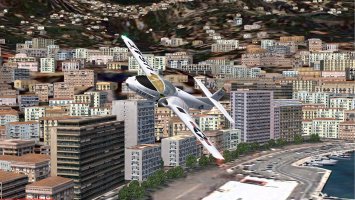
“Over the hill and far away”, well not that far actually, just to Nice:
t37 monaco 4.jpg

Landing in Nice:
t37 Nice land.jpg

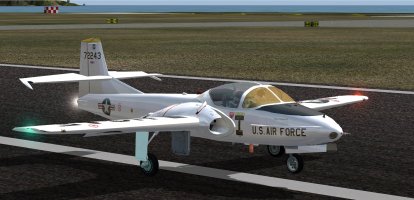
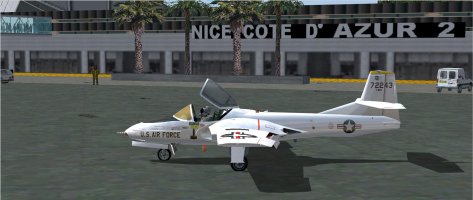
Parked in Nice, waiting for our Court Martial.
t37 nice.jpg
 
-Beautiful images in a beautiful setting!
Too bad you didn't show a photo of the cockpit in flight, to see everything that works for you !

Alain
;)
 
Back
Top